
Custom Support Endpoint
Connect a custom support endpoint to Ferndesk to integrate your own ticketing or support system, even if it is not natively supported by Ferndesk.
Prerequisites
You must have a publicly accessible URL that returns a JSON response.
You must have permissions to manage integrations in Ferndesk.
Connect a custom endpoint
Go to the Integrations page in your Ferndesk settings.
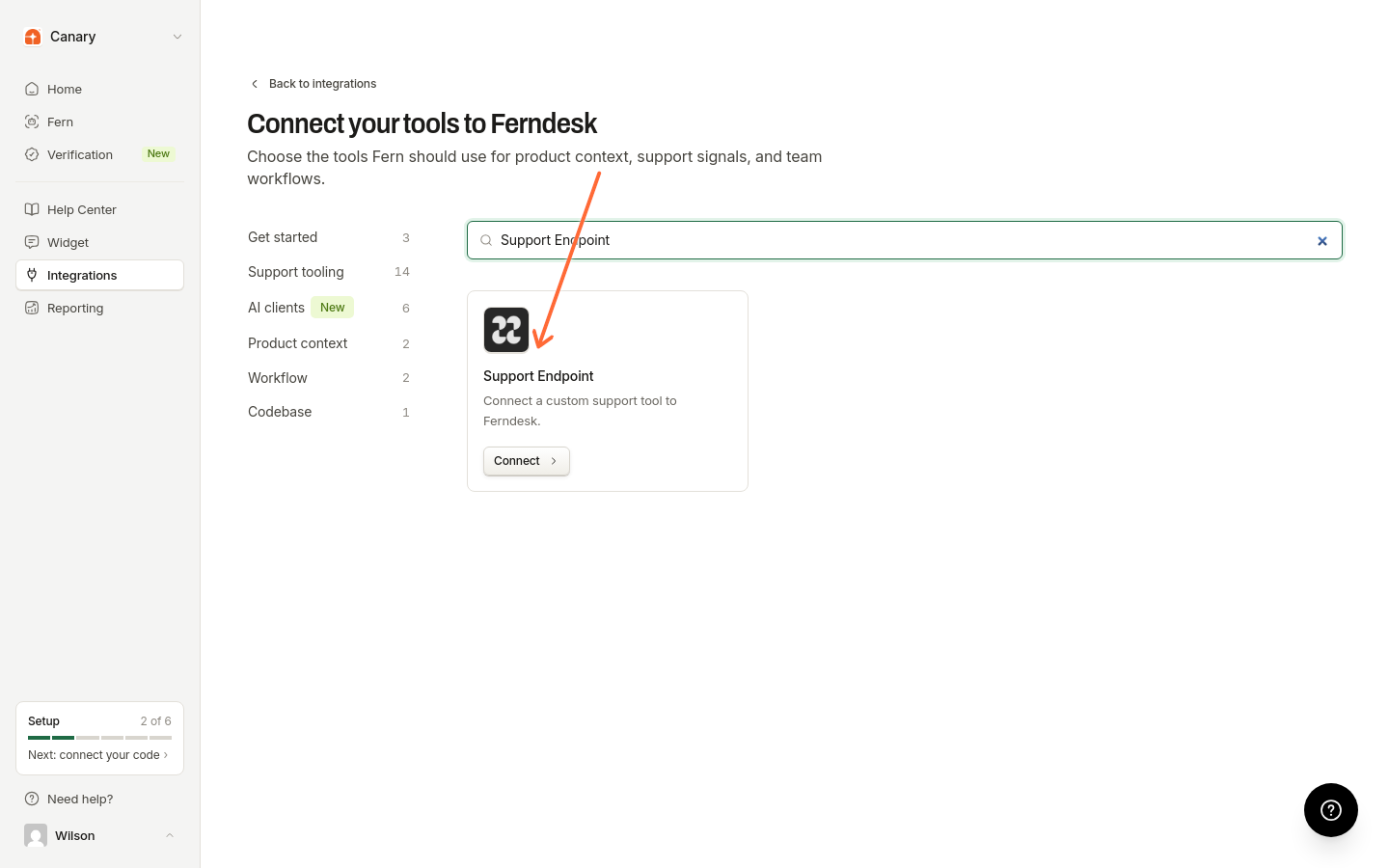
Click Connect first tool or browse to the Support Endpoint card.
Click Connect on the Support Endpoint card.
In the configuration dialog, enter the URL of your custom support endpoint in the Source URL field.
Click Connect to connect the endpoint.
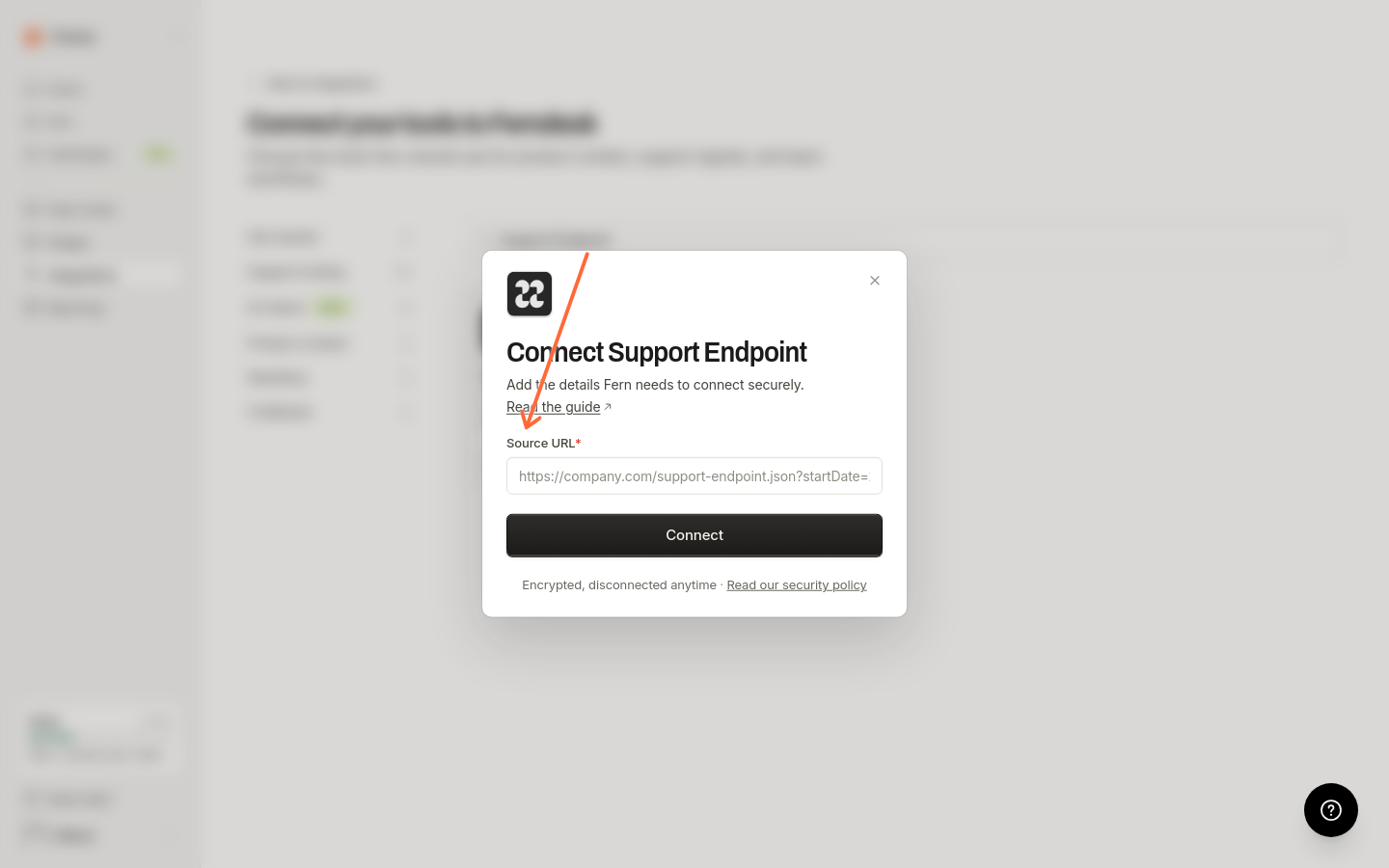
Once connected, Ferndesk will begin importing conversations from your endpoint to identify documentation gaps and suggest updates.
Verify the setup
Once connected, you can verify that it is working correctly by creating an audit. If the connection is successful, you should see conversations from your custom support system included in the audit results.
JSON format
The custom support endpoint must return a JSON response with a specific format. The root object should contain a conversations key, which holds an array of conversation objects. Each conversation object must have an id, lastMessageAt timestamp, and an array of messages. Each message object within the array should include an id, role (either user or support_agent), content, and a createdAt timestamp.
Here is an example of the expected JSON format:
{
  "conversations": [
    {
      "id": "conv_12345",
      "url": "https://support.mycompany.com/conversations/12345",
      "lastMessageAt": "2023-10-27T14:30:00Z",
      "messages": [
        {
          "id": "msg_67890",
          "role": "user",
          "content": "Hello, I'm having trouble with...",
          "createdAt": "2023-10-27T14:25:00Z"
        },
        {
          "id": "msg_67891",
          "role": "support_agent",
          "content": "Hi there, I can help with that. Could you please provide...",
          "createdAt": "2023-10-27T14:30:00Z"
        }
      ]
    }
  ]
}
If the JSON format is incorrect, the data will not be ingested. Additionally, this feature does not currently support authenticated endpoints.
Troubleshooting
Incorrect JSON format: Ensure that the JSON response from your endpoint matches the format specified in this article.
Invalid URL: Ensure that the URL you provide is a publicly accessible endpoint.
Authentication: This feature does not currently support authenticated endpoints.
To improve the reliability of your custom support endpoint, we recommend the following:
Implement a "Test" button in your system to verify that the endpoint is reachable and that the JSON response is valid before saving the integration.
Implement more descriptive error messages to help you troubleshoot issues with your endpoint, such as an unreachable URL, an invalid JSON response, or authentication failures.
What happens after connecting
Support trends from your custom endpoint appear in Reporting under Intelligence. To automatically receive documentation gap recommendations, enable scheduled audits in Settings > Automations.