
Change your plan
Pro is the current self-serve plan, billed monthly or annually. Enterprise customers contact us to change to an Enterprise plan. Upgrades take effect immediately with prorated billing. Paid downgrades take effect at the end of your current billing cycle. Plan changes apply to the billing account that covers your active workspace, which may include multiple workspaces.
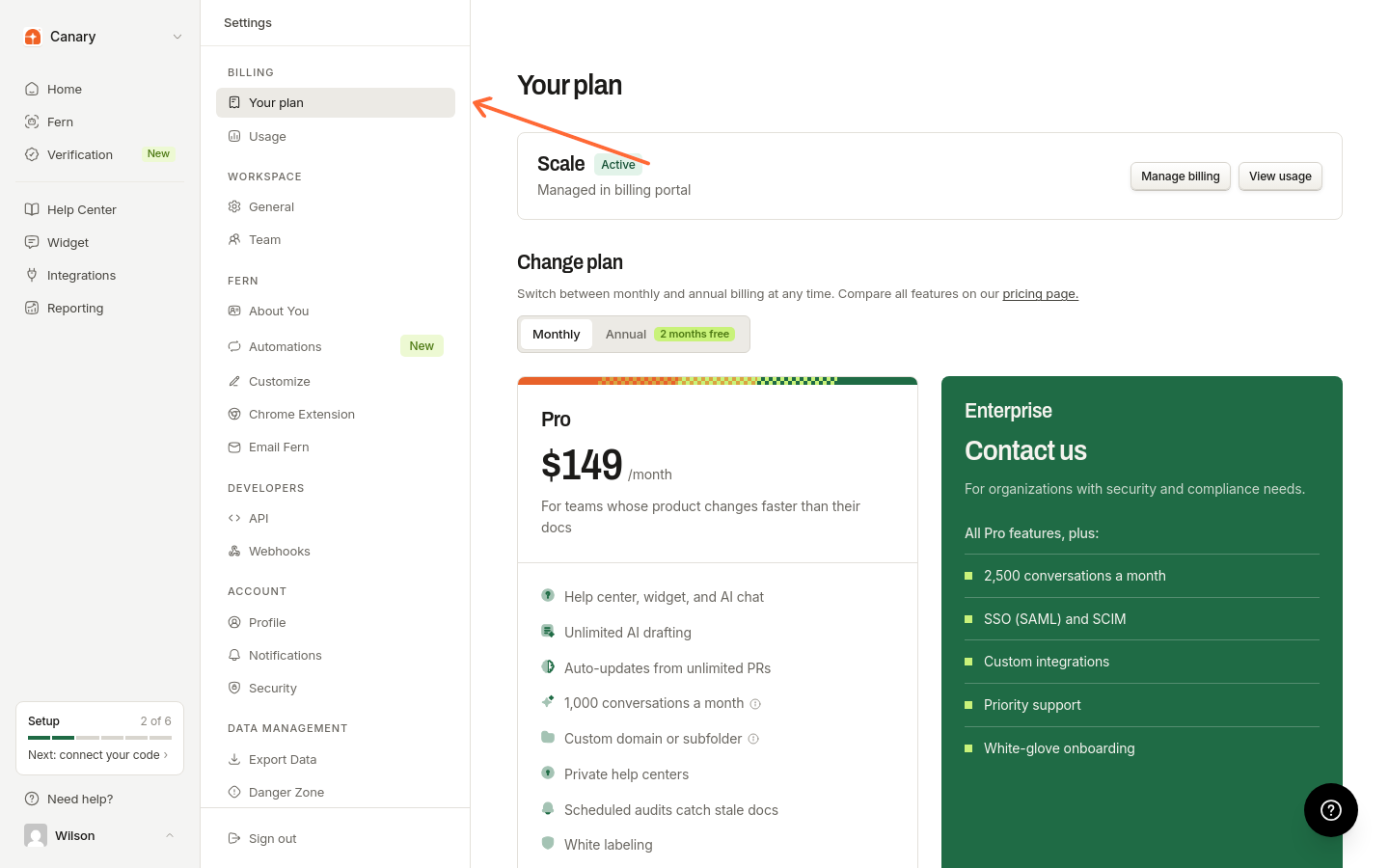
Open Billing settings
From the sidebar, go to Settings → Your plan, then open the Change plan section.
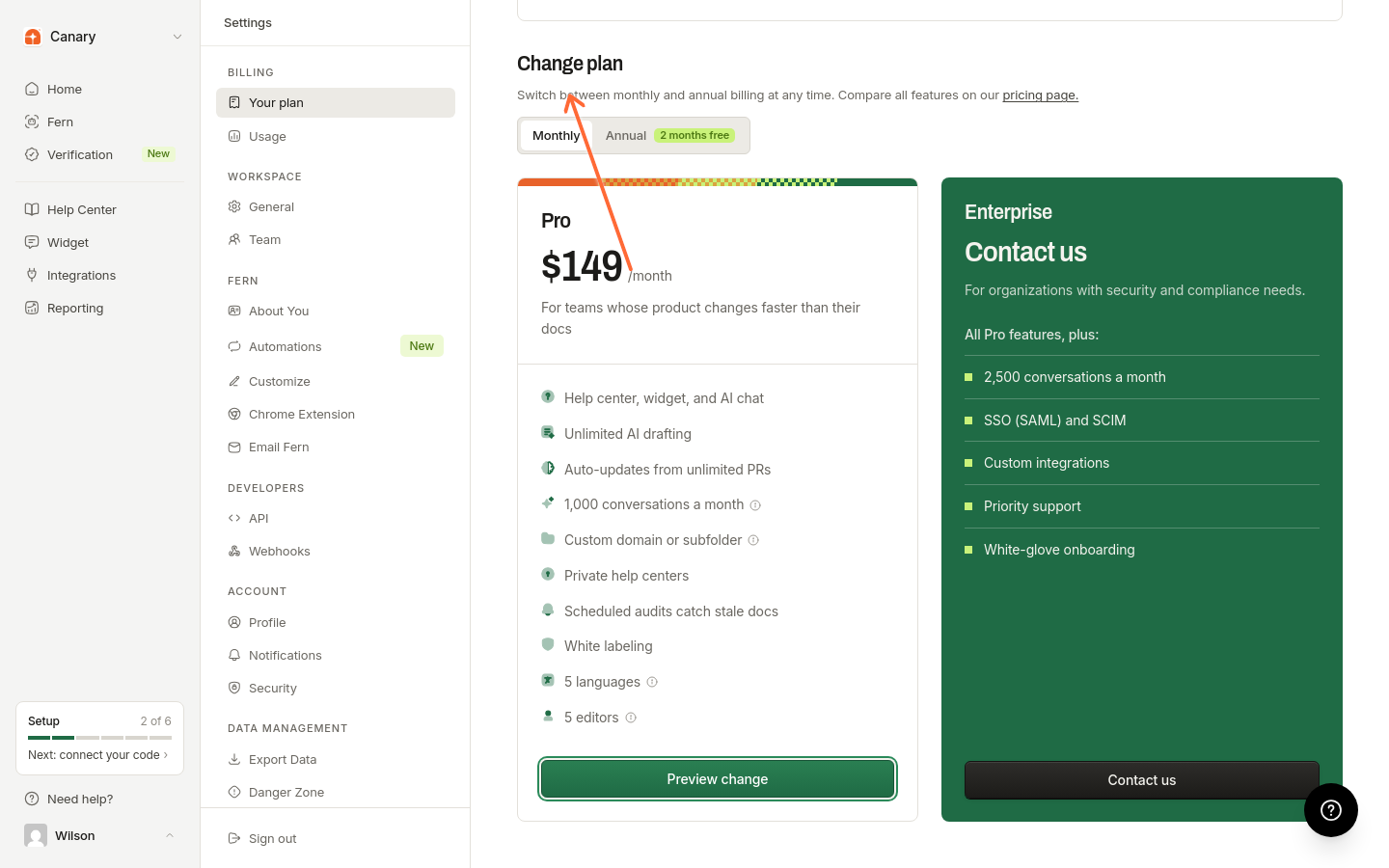
Select a new plan
On the billing page, use the action shown for your current plan: Preview change to switch plans, or Switch to annual or Switch to monthly to change your billing cycle.
Confirm the change
Review the billing summary showing prorated charges or credits, then click Confirm Change.
Your plan updates right away. You'll see a confirmation toast when it's done.
What happens to billing
Upgrading: You're charged a prorated amount for the rest of your billing cycle. No double-charging.
Downgrading: Your current plan stays effective until the end of your billing cycle, when the downgrade takes effect.
During trial: Your trial continues on the new plan. You won't be charged until the trial ends.
Downgrades don't issue cash refunds. The credit stays on your account for future charges.