
Cancel your subscription
Cancel through the customer portal opened by Manage billing. Your access continues until the end of your current billing period.
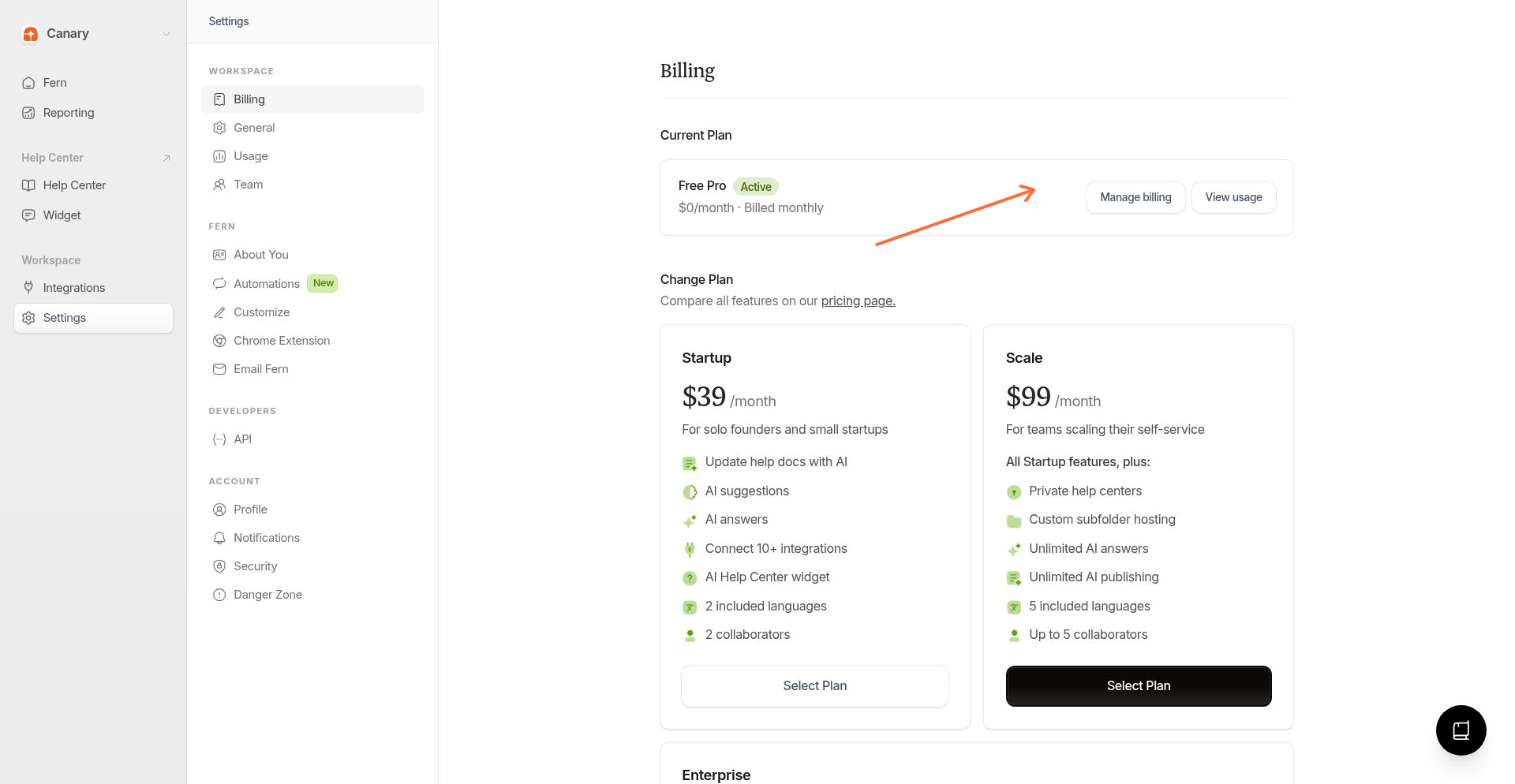
Open Billing settings
From Settings, open the Billing section and select Your plan.
Open the customer portal
Click Manage billing to open the customer portal.
Cancel the plan
In the portal, find your subscription and click Cancel plan. Follow the prompts to confirm.
After cancellation
Canceling schedules the end of your subscription for the current billing period. Until that date, your plan stays active and you keep full access.
On Settings → Billing, your plan shows Your subscription will cancel on the end date of the current period
Future charges stop; the current period is not refunded
When the period ends, you lose editing access in Ferndesk
Your help center content remains accessible for a time after the subscription ends
Canceling stops future charges but does not refund the current billing period. You have already paid through the end of this cycle.
Trial expiration
If your 7-day trial ends before you subscribe, editing is paused and your data is preserved. That is not the same as canceling a paid subscription.
Trial expiration is the natural end of the evaluation period. User-initiated cancellation applies only after you have a paid subscription, and it keeps access through the end of the current billing period when cancellation is scheduled. Renewals and plan changes are separate from both trial end and cancellation. For trial details, see What happens when your trial ends.