

A customer waits three days for a reply because two people on your team each assumed the other took the email, or they get two different answers within ten minutes. That is usually the exact week a support@ inbox stops working as a shared Gmail login and needs a real email ticketing system. I checked 7 email ticketing software tools and their live pricing pages, looking at how incoming emails become tickets, how AI is billed, and what 3 and 8 agents cost a month. Once you run the math, per-agent seats and per-answer AI fees climb fast as your team grows, while a flat plan stays predictable.
TL;DR
- Ferndesk Helpdesk if you run a 5 to 30 person B2B software team and want unlimited seats plus AI grounded in a help center that updates itself; $149 a month flat, unlimited seats.
- Help Scout if you want an email-first help desk without ticket numbers shown to customers and light AI usage; $30 per user monthly on Standard plus $0.75 per AI resolution after 3 months free, with a 5-user free plan.
- Freshdesk if you want classic ticket IDs, automations, and a customer portal on a lower base seat price; $23 per agent monthly on Growth plus $49 per 100 AI sessions after 500 free sessions.
- Zoho Desk if you want a free 3-user tier or low per-seat pricing inside the Zoho ecosystem; Free for 3 users, $9 per user monthly on Express without a knowledge base, or $20 per user monthly on Standard with AI on included tokens.
- Zendesk if you have ops bandwidth for complex workflows or qualify for the 6-month startup trial; $19 per agent monthly paid yearly on Support Team without a knowledge base, or $55 per agent monthly paid yearly on Suite Team.
- HubSpot Service Hub if your sales and marketing already run on HubSpot and you want support in the same CRM; Free for 2 users, $10 per seat monthly on Starter at the new-customer discount, or $100 per seat monthly plus a $1,500 onboarding fee for the AI Customer Agent.
- Jitbit if you want simple plan-based pricing with unlimited AI credits at 4 agents or a self-hosted option; $69 a month on Startup for 4 agents.
- Stay on Gmail if one person still answers a handful of support emails a day and nothing is slipping.
Fixing the inbox side is only half the job if out-of-date docs keep pushing the same questions back into your queue. Getting the help center accurate cuts tickets before they reach the queue, which is what Taylor Diem, CTO at TrackFlo, saw after moving to Ferndesk: “I have seen a 50% decrease in support tickets during the implementation.”
What is an email ticketing system?
An email ticketing system converts every message sent to your support address into a tracked record with an owner, a status, and a shared conversation history.
When a customer emails support@, the email-to-ticket system catches that message and turns it into a ticket in a central queue. Someone on your team gets assigned to it, reads past messages from that account, leaves an internal note for engineering if a bug is involved, and writes back. Your reply lands in the customer’s inbox as a normal email from your domain, so the customer never needs to create an account or log into a portal just to read your answer.
In a plain inbox like Gmail, everyone looks at the same list of unread threads. One teammate archives a message by mistake, another opens an old thread without seeing a colleague already answered it on another channel, and nobody can filter for tickets still waiting on a fix from product. An email ticket management system separates ownership and workflow status from who happened to open the inbox first. That gives a small team reliable customer conversation history tracking and goes a long way toward preventing missed support emails when a second or third person joins the queue.
How email to ticket works
Most email help desk software follows the same five steps to move a customer’s question from support@ to a clean resolution:
- You forward your support@ address to the inbound email address provided by the ticketing software for help emails, then verify your domain records so replies go out from your own address.
- Each new email creates a ticket with the sender’s address, subject, message body, and attachments, while follow-up emails on the same thread attach to that ticket instead of opening a duplicate.
- The mail ticket system assigns an owner automatically through ticket assignment and escalation rules, such as automated ticket routing by keyword or round-robin rotation, or leaves it in an unassigned queue for someone to claim.
- Teammates open the ticket, inspect the customer’s prior conversations, add private internal notes for support agents or developers, and send a reply using saved templates or an AI-drafted response.
- Once the reply goes out, the ticket moves to closed or snoozed until the customer responds, and any new email from that customer reopens the ticket in the active queue automatically.
Because the ticket system email integration handles all of this behind the scenes, your customer sees a normal email thread from start to finish. Your team gets structured email ticket management without forcing users to learn a new interface.
Shared inbox vs ticketing system
When teams start researching shared inbox software, the line between a shared inbox vs ticketing system gets blurry fast. A shared inbox keeps email feeling like email: your team shares one view of support@, assigns threads, leaves quick comments in the sidebar, and clears the queue like a standard mail client. It works well when you are setting up a Google Workspace shared inbox for two people who mostly need to stop stepping on each other’s replies.
A ticketing system adds structure on top of that inbox: ticket statuses, SLA management for email tickets, automated routing, saved views, escalation policies, and email support ticket analytics. Most 5 to 30 person B2B SaaS teams do not want a heavy enterprise portal with mandatory ticket IDs stamped into every subject line, nor do they want a thin wrapper over Gmail that falls apart once release bugs and billing questions overlap. They need the middle ground: centralized support inbox software that feels fast and personal to the customer while giving the internal team statuses, tags, internal notes, and reliable email support workflow automation.
Signs you have outgrown Gmail
You rarely need a ticketing tool on day one when the founder answers five emails a week. You know Gmail has stopped working for your team when you hit these four problems:
- Two teammates reply to the same customer with contradictory answers, or a message sits unanswered for three days because each person assumed someone else grabbed it.
- You cannot tell how many customer issues are still open, snoozed on a product release, or waiting on an engineering check without clicking into dozens of individual threads.
- Your team rewrites the same troubleshooting steps and billing explanations by hand every week because you lack shared saved replies and a current knowledge base.
- Product questions and bug reports get buried inside long email chains instead of turning into tracked engineering tasks or triggering updates to your help docs.
Once two or three of those happen in the same week, moving to a dedicated email based ticketing system saves hours of coordination overhead.
How I checked these tools
I’m Wilson, founder of Ferndesk. Before this I co-founded Senja, a testimonial tool, and grew it to $850K ARR over 3.5 years.
I still run every demo call at Ferndesk myself, and founders on those calls tell the same story over and over: support@ lived cleanly in one person’s Gmail until a second or third teammate started answering emails, and suddenly threads went missing or two people replied at once. We also built and run importers that pull past conversations out of Intercom, Zendesk, Help Scout, and Gmail, plus saved replies from the first three, so we spend a lot of time looking at how teams actually set up their queues. We run our own customer support on Ferndesk Helpdesk every day. We have not run the other six tools in this guide for our own support, so those six reviews rely on their live pricing pages and product pages.
I read every pricing page twice on November 26, 2026, as a US visitor; prices are monthly billing unless stated. Every tool was evaluated against four criteria that matter most for a 5 to 30 person SaaS team:
- What 3 agents and 8 agents cost per month when handling 500 AI answers
- How AI is billed, whether through per-resolution fees, session packs, credits, or included in the plan
- Email-to-ticket basics including ownership assignment, statuses, internal notes, and SLAs
- Whether the AI answers from documentation that stays current after product releases
We build Ferndesk and list it first, so treat that spot with the grain of salt it deserves. No vendor paid for placement, there are no affiliate links in this article, and you can send any pricing or factual corrections to [email protected].
Email ticketing systems compared
| Tool | Cheapest paid plan (monthly billing) | Free plan | AI billing | Knowledge base |
|---|---|---|---|---|
| Ferndesk Helpdesk | $149/month flat (unlimited seats; $75/month under $500K ARR and 5 people) | None (7-day trial, no credit card) | $0 per resolution (1,000 conversations/month included) | Included, self-updating via Fern |
| Help Scout | $30/user/month (Standard, up to 25 users) | Yes (5 users, 1 inbox, 25 contacts/month) | $0.75 per resolution (first 3 months free) | Included (Docs) |
| Freshdesk | $23/agent/month (Growth) | None shown | 500 free sessions once, then $49 per 100 sessions | Included on Growth and up |
| Zoho Desk | $9/user/month (Express) | Yes (3 users) | Own OpenAI/DeepSeek key on Express; 30M free tokens/month on Standard ($20/user/month) | Standard ($20/user/month) and up |
| Zendesk | $19/agent/month paid yearly (Support Team) | None (6-month startup trial up to 50 agents) | Not published on pricing page | Suite Team ($55/agent/month paid yearly) and up |
| HubSpot Service Hub | $10/seat/month new-customer discount ($20 list, Starter) | Yes (2 users) | HubSpot Credits (500 on Starter, 3,000 on Professional; AI Customer Agent at $100/seat/month + $1,500 onboarding) | On Professional and up |
| Jitbit | $29/month (Freelancer, 1 agent) | None (21-day free trial) | Unlimited AI credits on Startup ($69/month, 4 agents) and up | Included |
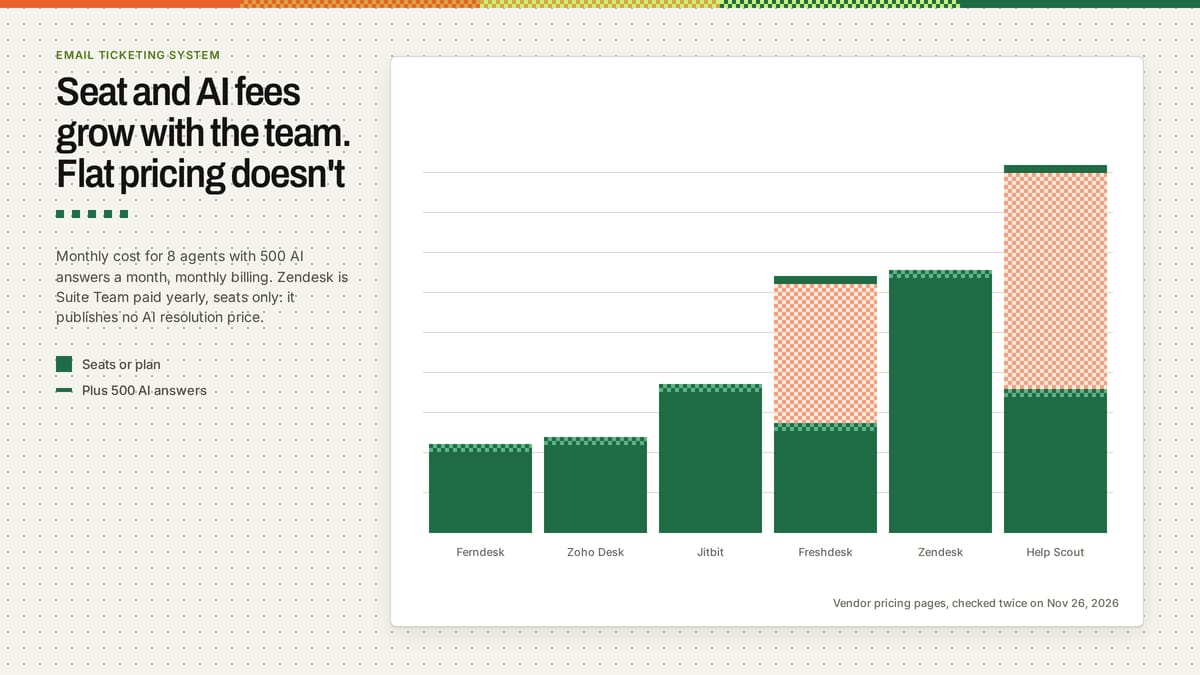
Look at what happens when you add 500 AI answers a month for a 3-agent team versus an 8-agent team. At 3 agents, Zoho Desk Standard comes out to $60 a month with AI running on included tokens, Jitbit Startup is $69 a month, and Ferndesk Helpdesk is $149 a month. Zendesk Suite Team is $165 a month in seats paid yearly before any AI resolution fees, which its pricing page does not publish. Freshdesk Growth is $69 in seats plus $245 for 500 AI sessions once the one-time 500 free sessions run out, reaching $314 a month. Help Scout Standard is $90 in seats plus $375 for 500 AI resolutions, reaching $465 a month, and HubSpot Professional is $300 in seats plus the required $1,500 one-time onboarding fee. Move up to 8 agents with the same 500 AI answers, and Help Scout jumps to $240 plus $375 for a total of $615, HubSpot Professional jumps to $800 a month on top of the onboarding fee, Zendesk Suite Team hits $440 in seats paid yearly, Freshdesk hits $184 plus $245 for $429, Jitbit moves up to Enterprise at $249, Zoho Desk Standard climbs to $160, and Ferndesk Helpdesk stays at $149. Zoho Desk and Jitbit cost less in raw dollars for small teams, while Ferndesk Helpdesk’s bill never changes when you add teammates across product, engineering, or success, and AI answers never add a meter.
The best email ticketing systems, reviewed
1. Ferndesk Helpdesk
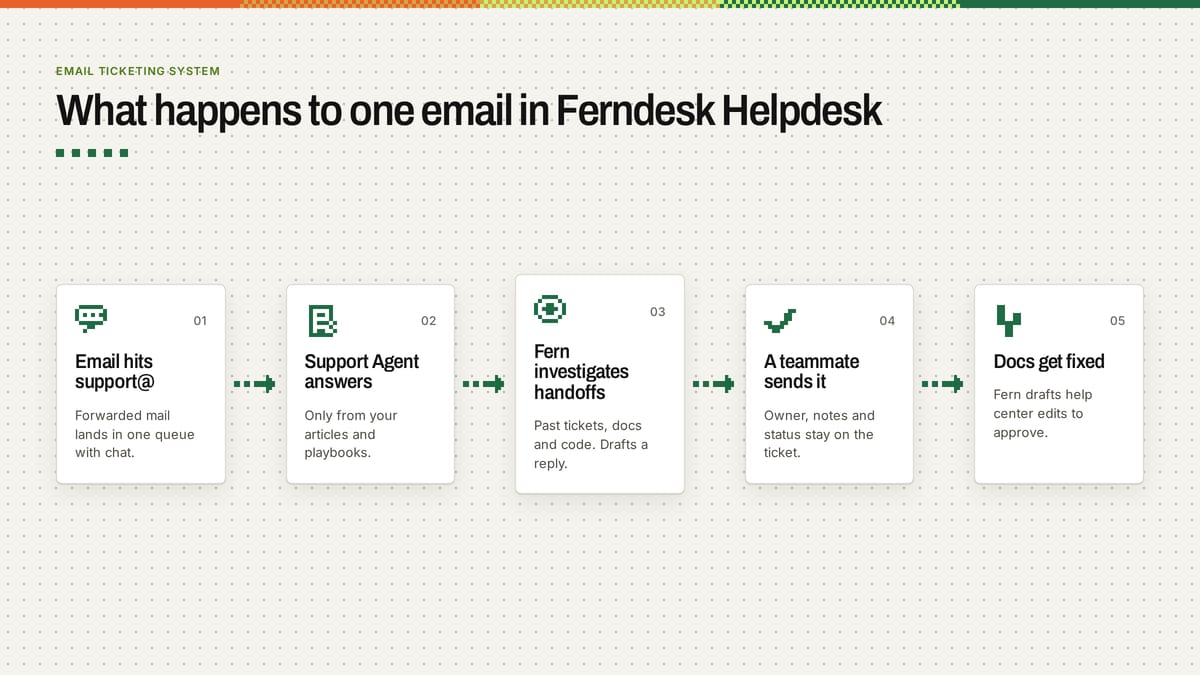
Ferndesk Helpdesk is an email ticketing system with knowledge base maintenance built into the same workflow. You forward your support@ address to Ferndesk, and both incoming emails and live chat messages from the Ferndesk widget land in one shared queue. Agents move through tickets with J and K shortcuts, assign owners, set priority, snooze threads, insert saved replies, see who else is viewing a ticket, leave internal notes, and create Linear issues pre-filled with Fern’s drafted description. Saved views, tags, business hours, reply targets, and satisfaction surveys cover the day-to-day triage without cluttering the screen, and done-for-you migration imports past conversations from Intercom, Zendesk, Help Scout, and Gmail, plus saved replies from the first three so you can even run it beside your current setup while testing.
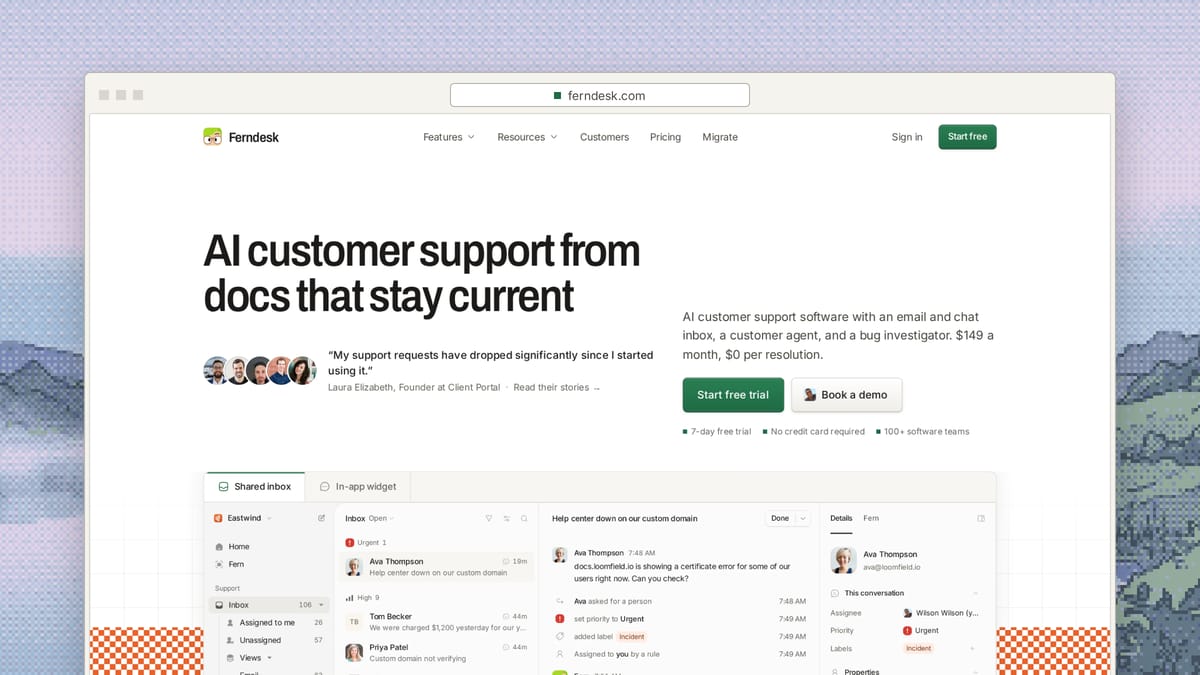
What separates Ferndesk Helpdesk as AI email ticketing for SaaS support is how the knowledge base stays accurate. Our Support Agent answers customer emails using only your help center articles and playbooks, stripping any link its search did not return so it never invents a URL. When a ticket needs a person, Fern reads the conversation, the customer’s past tickets, your docs, and your codebase and release notes through a read-only GitHub App, then leaves an internal note with cited sources and a drafted reply without ever messaging customers on its own. On the same plan, Fern reads merged pull requests, support conversations, and the live product to draft help center updates for your team to approve, which is why Laura Elizabeth, founder of Client Portal, told us: “My support requests have dropped significantly since I started using it.” The real gaps are straightforward: there is no phone or WhatsApp channel, and Ferndesk Helpdesk is not built for 20+ agent teams that need complex enterprise routing.
Price: Pro is $149 a month billed monthly for 1,000 conversations a month whoever answers them, with 500 more conversations for $25, unlimited seats on every plan, and $0 per resolution. Teams under $500K ARR with fewer than 5 people pay $75 a month for the first 12 months, and there is a 7-day trial with no credit card.
Best for: 5 to 30 person B2B software teams looking for an email ticketing system for small SaaS teams with unlimited seats and a help center that updates itself.
2. Help Scout
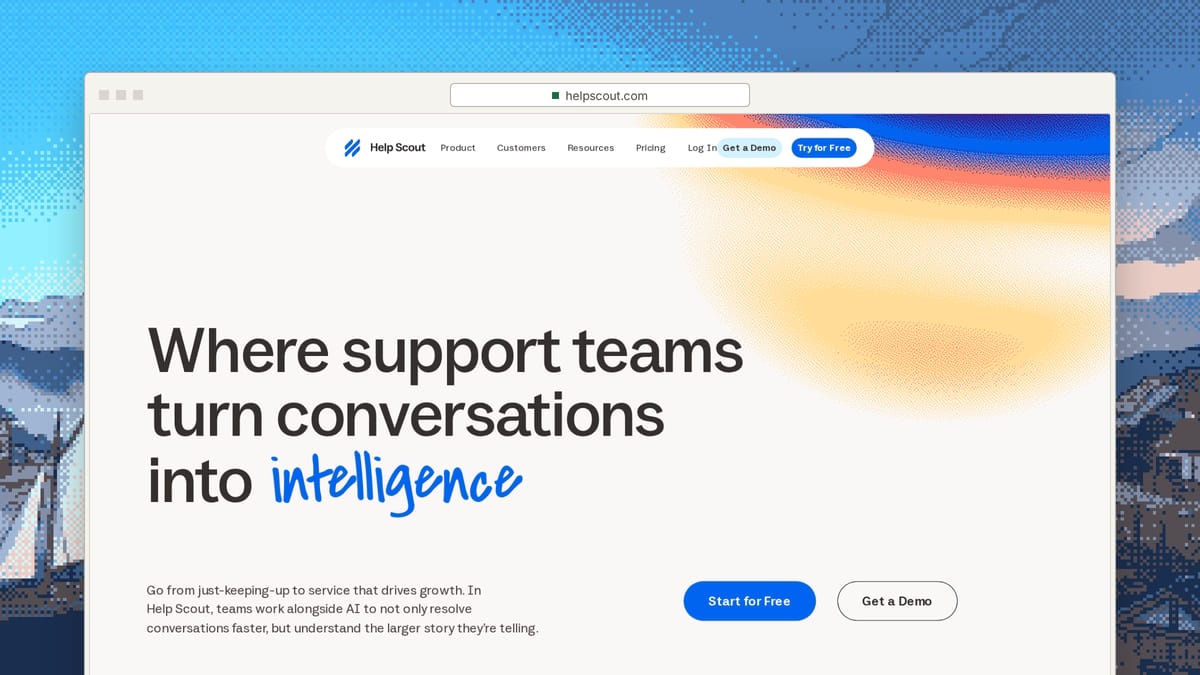
Help Scout is an email-first help desk that keeps customer replies looking like personal email without stamping ticket numbers into subject lines, backed by its Docs knowledge base. For teams moving off Gmail who want a clean shared inbox feel with saved replies and tags, Help Scout is easy for non-support teammates to pick up quickly. You can read our Help Scout comparison for a full breakdown of how its queues and docs compare to Ferndesk.
The tradeoff shows up in seat limits and AI pricing once your volume grows. Standard includes 2 inboxes, one basic SLA policy, basic workflows, and Docs up to 25 users, while Pro adds a 10-user minimum at $90 per user monthly. Its AI agent, Envoy, costs $0.75 per resolution after the first 3 months of resolutions free, with an optional monthly spend cap. At 500 AI resolutions a month, Envoy alone adds $375 on top of your seat bill, and your team still has to rewrite Docs pages manually after every release.
Price: Free plan for 5 users, 1 inbox, 1 Docs site, and 25 contacts a month. Standard is $30 per user monthly up to 25 users, Plus is $54 per user monthly, and Pro is $90 per user monthly with a 10-user minimum; Envoy AI costs $0.75 per resolution after 3 months free, with a 15-day trial on Standard and Plus.
Best for: Small teams that want email without visible ticket numbers and handle low enough AI volume that per-resolution fees stay modest.
3. Freshdesk
Freshdesk is a classic email ticketing system built around ticket IDs, formal statuses, automations, and a customer portal where users can track requests. On the Growth plan, you get an email-to-ticket shared inbox, knowledge base, and automations at a relatively low starting seat price, making it a familiar choice for teams that want traditional ticket numbers and structured workflows. We break down where it fits and where teams move on in Freshdesk alternatives.
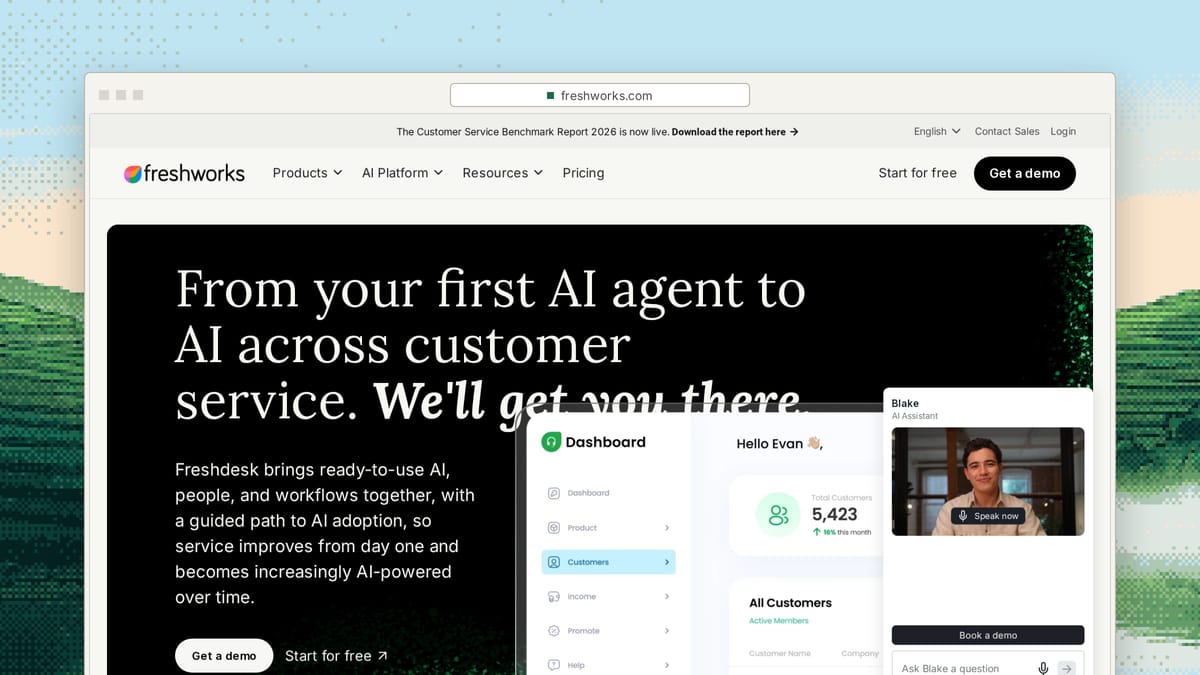
For a technical SaaS team, the base Growth tier leaves out key workflow and AI pieces that push the real monthly cost higher. Multiple SLA policies start on Pro at $66 per agent monthly, and the Copilot add-on adds another $35 per agent monthly on Pro and up. Its AI agent includes 500 free sessions once per account and then charges $49 per 100 sessions, so recurring automated email replies for help desk queues add $245 a month at 500 sessions before counting agent seats.
Price: Growth is $23 per agent monthly, Pro is $66 per agent monthly, and Enterprise is $107 per agent monthly, with a 14-day trial and no free plan shown; AI agent costs $49 per 100 sessions after 500 one-time free sessions, and Copilot is $35 per agent monthly on Pro and up.
Best for: Teams that want traditional ticket IDs, structured portals, and standard automations at a lower entry seat price.
4. Zoho Desk
Zoho Desk stands out for offering a real free email based ticketing system for up to 3 users alongside low per-seat paid plans. Even on the $9 Express plan, a small team gets email ticketing, workflows, assignment, and escalations, which makes it practical if your only goal is getting support@ out of a shared Gmail login on a tight budget. Teams comparing Zoho Desk against AI-native tools often check Zoho Desk alternatives when their docs start falling behind.
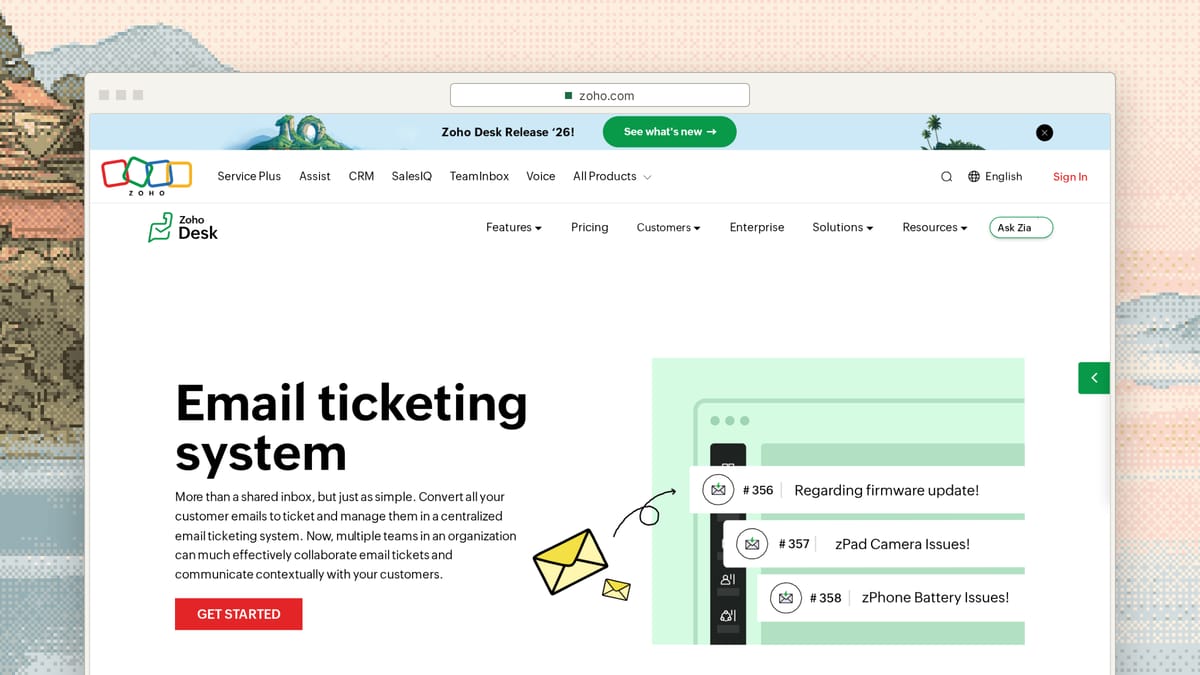
The catch is what gets left off the lowest tier. Express has no knowledge base and supports AI only if you bring your own OpenAI or DeepSeek key. Stepping up to Standard at $20 per user monthly adds the knowledge base and AI agents with up to 30 million free tokens a month, keeping total costs low even at 8 agents, though your team still manages all help center updates by hand and works inside Zoho’s broader interface conventions.
Price: Free edition for 3 users. Express is $9 per user monthly, Standard is $20 per user monthly, Professional is $35 per user monthly, and Enterprise is $50 per user monthly, with a 15-day trial.
Best for: Bootstrapped teams of 3 or fewer looking for a free email ticketing system, or existing Zoho customers optimizing for low per-seat cost.
5. Zendesk
Zendesk has been the standard benchmark for email case management software for years, offering deep ticket routing, automations, triggers, and reporting. If your team searches for Zendesk alternatives for email support, it is usually because you want the reliability of structured queues without the weight of configuring an enterprise suite. You can see how the two stacks compare in our Zendesk comparison.
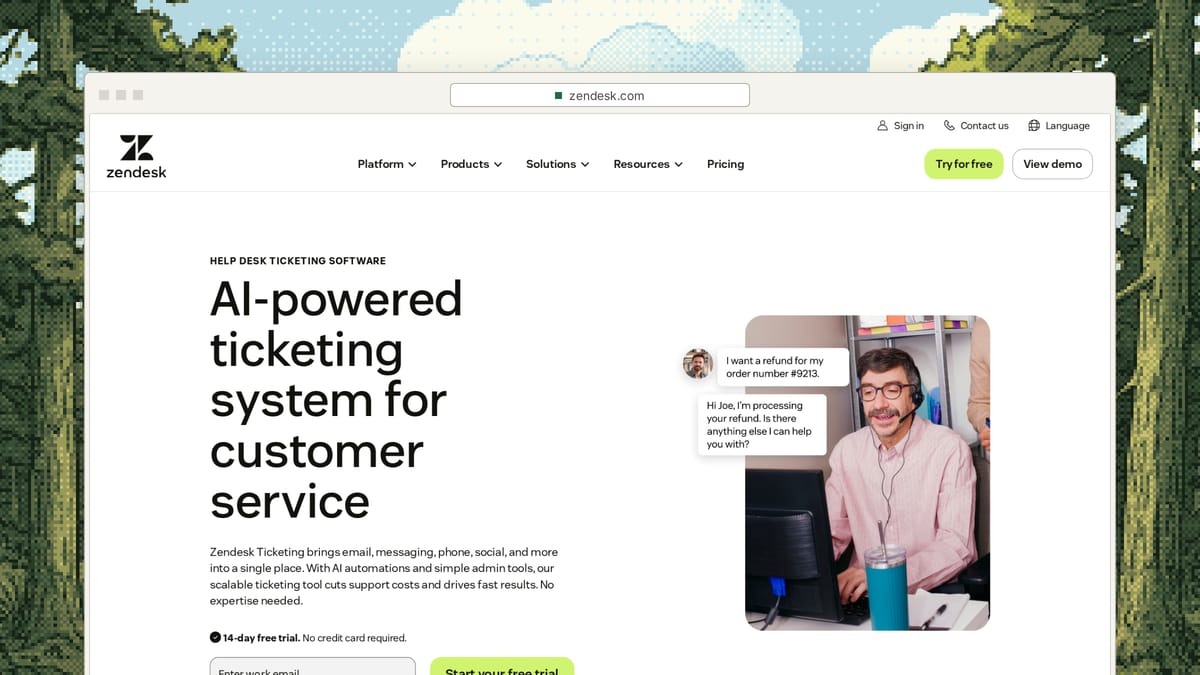
Pricing is where small software teams usually hesitate. Support Team at $19 per agent a month paid yearly covers email ticketing, routing, automations, and triggers, but includes no knowledge base. Adding the knowledge base and AI agents requires Suite Team at $55 per agent a month paid yearly, Copilot adds $50 per agent a month on top, and Zendesk’s pricing page publishes no per-resolution AI price, making your real monthly AI spend hard to model ahead of time.
Price: Support Team is $19 per agent a month paid yearly, Suite Team is $55 per agent a month paid yearly, Suite Professional is $115 per agent a month paid yearly, and Copilot is $50 per agent a month; no free plan, though startups can get a 6-month Suite trial for up to 50 agents.
Best for: Fast-growing companies with ops capacity that qualify for the 6-month startup trial or expect to need deep enterprise routing later.
6. HubSpot Service Hub
HubSpot Service Hub brings email based support ticket system queues directly into the HubSpot CRM, with a free tier for up to 2 users and a Starter tier at $10 per seat monthly as a new-customer discount off the $20 list price. When account managers, founders, and sales reps already check HubSpot every day, having support conversations tied to deal records saves switching tabs.
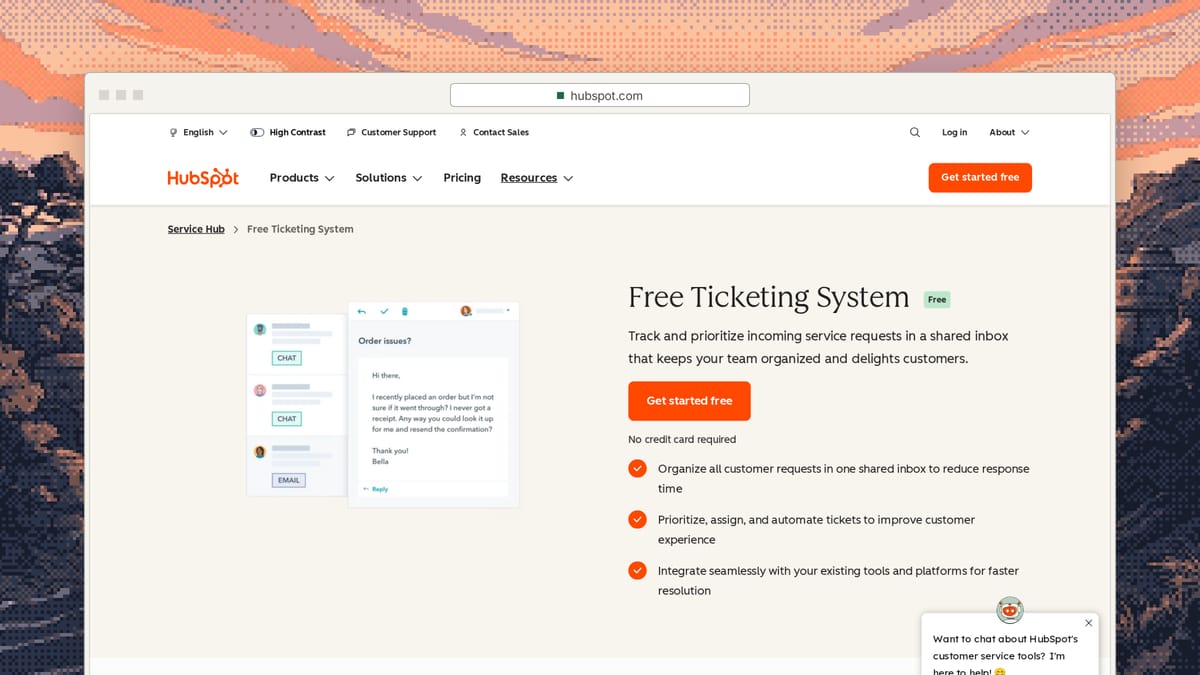
Once you look for AI ticketing, the jump in price is steep. The AI Customer Agent is only on Professional at $100 per seat monthly, and that tier also carries a required one-time $1,500 onboarding fee. AI usage runs on HubSpot Credits, with 500 included on Starter and 3,000 on Professional, so a 3-agent team pays $300 a month plus $1,500 upfront just to turn on the AI Customer Agent.
Price: Free for up to 2 users. Starter is $10 per seat monthly on a new-customer discount with a $20 list price, Professional is $100 per seat monthly plus a required one-time $1,500 onboarding fee, and Enterprise is $150 per seat monthly.
Best for: SaaS teams already running sales and marketing inside HubSpot that want support tickets attached to existing CRM records.
7. Jitbit
Jitbit is one of the few email ticket management tools priced per plan rather than per individual agent seat, and it also sells a self-hosted version for teams that want to run it on their own infrastructure. On Startup at $69 a month for up to 4 agents, you get email tickets, a live chat widget, a knowledge base, and AI replies with unlimited AI credits included, which keeps early math simple compared to per-resolution meters.
As your team grows, you step up through fixed agent caps rather than adding single seats. Company covers up to 7 agents at $129 a month, and Enterprise runs $249 a month for 9 agents plus $29 per extra agent. Like most traditional help desks, Jitbit gives you a knowledge base for your AI replies to reference, but your team is still responsible for spotting outdated articles and rewriting them after releases.
Price: Freelancer is $29 a month for 1 agent, Startup is $69 a month for 4 agents with unlimited AI credits, Company is $129 a month for 7 agents, and Enterprise is $249 a month for 9 agents plus $29 per extra agent, with a 21-day free trial.
Best for: Small teams that want predictable plan-based pricing with unlimited AI credits or need a self-hosted option.
What to look for
Start with email-to-ticket setup and sender fidelity. Any email ticketing system for software teams should let you forward support@ cleanly, reply from your own domain without strange headers or forced portal links, and thread follow-up emails reliably into the original ticket.
Next, check the daily workflow essentials: assignment, statuses, and internal notes. You want fast ways to assign an owner, mark a ticket open, snoozed, or closed, see collision warnings when a teammate is already typing, and leave private internal notes so engineers can help debug an issue without exposing internal chatter to the customer.
Look at SLA management for email tickets and reply targets only if your team actually promises response times in customer contracts. If you sell to B2B accounts with four-hour or next-business-day targets, verify that business hours, reply targets, and email support ticket analytics live on the tier you plan to buy rather than locked behind a $50+ per-seat upgrade.
Check how AI is billed before you commit. An AI-powered ticketing system priced at $0.75 per resolution or $49 per 100 sessions looks cheap during a quiet week and punishes you the moment an onboarding wave or release triggers 500 automated answers, whereas flat conversation pricing or included credits keeps your bill steady.
Finally, check whether the AI answers from documentation that stays current. An AI agent is only as good as the help center it reads, and stale articles cause the exact same support tickets to come back again and again. Pairing your queue with a self-updating help center means that when code changes ship, your docs and your AI answers update together instead of falling behind.
Which email ticketing system to pick
- Pick Ferndesk Helpdesk if you want the best email ticketing for SaaS teams with 5 to 30 people, unlimited seats at $149 a month flat, $0 per AI resolution, and docs that update themselves from your codebase and tickets.
- Pick Help Scout if you want an email-first queue without ticket numbers shown to customers and only need basic AI resolution volume.
- Pick Freshdesk if you want classic ticket IDs, a customer portal, and straightforward automations on a $23 per agent base plan.
- Pick Zoho Desk if you need a free plan for 3 users or low per-seat pricing with included AI tokens on Standard.
- Pick Zendesk if you have ops bandwidth for complex routing rules or want to use its 6-month startup trial for up to 50 agents.
- Pick HubSpot Service Hub if your company already runs on HubSpot and having support tickets in the same CRM matters more than avoiding the $1,500 onboarding fee.
- Pick Jitbit if you have 4 agents or fewer and want $69 plan-based pricing with unlimited AI credits or a self-hosted deployment.
If you are still narrowing down your stack, check our guides on AI customer support software, the best SaaS help desk software, and customer support for startups.
Frequently asked questions
What is an email ticketing system?
An email ticketing system is software that converts incoming customer emails into tracked tickets with an assigned owner, a workflow status, and a shared conversation history. Replies still land in your customer’s inbox as normal email, while your team gains internal notes, saved replies, and queue tracking behind the scenes.
Is there a free email ticketing system?
Yes, Zoho Desk offers a free edition for 3 users, Help Scout offers a free plan for 5 users with 1 inbox and 25 contacts a month, and HubSpot Service Hub is free for up to 2 users. Paid plans usually become necessary once your team passes those user or contact caps or needs AI and automation features.
Can Gmail work as a ticketing system?
Gmail can work as a basic inbox when one founder answers a few support emails a day, using labels and stars to track follow-ups. It breaks down once two or more teammates share support@, because Gmail lacks true ticket ownership, collision detection, internal notes on threads, and automated ticket routing.
What is the difference between a shared inbox and a ticketing system?
A shared inbox keeps support feeling like a normal email client while letting teammates assign threads and leave private comments, whereas a ticketing system adds structured statuses, routing rules, SLAs, and reporting. Most small software teams want a middle ground that gives customers plain email replies while giving agents clean ticket workflows.
How do you convert email to a support ticket?
You convert email to a support ticket by setting up forwarding from your support@ address to the inbound address inside your email ticketing software and verifying your sending domain. Every new email then creates a tracked ticket automatically, while customer replies thread back onto the same ticket instead of starting from scratch.
Sources
- Ferndesk pricing
- Help Scout pricing
- Freshdesk pricing
- Zoho Desk pricing
- Zendesk pricing
- HubSpot Service Hub pricing
- Jitbit SaaS pricing


 Book a demo