

Most founders start looking for Front alternatives when a simple shared inbox starts billing like an enterprise stack. Once you hit 5 seats and turn on Front Autopilot and Copilot, a team doing email support and live chat faces Front pricing at $65 per seat on Professional plus per resolution AI fees, while your help center goes stale in another tool.
This review is based on my own hands-on use. I co-founded Senja and ran it for 3.5 years, and at Ferndesk we run our own customer support on Ferndesk’s inbox, with bugs going to Linear. Our customers saw strong ticket drops too: TrackFlo saw 50% fewer tickets during rollout and Client Portal’s support requests “dropped significantly”.
For this post I read 8 pricing pages for alternatives to Front app and recorded every price in one sheet, which is the cost table below. Your bill only drops when you stop paying separate meters for seats and AI answers.
TL;DR
- Ferndesk if you are a small SaaS team wanting a shared inbox, $0 per resolution AI, and self-updating docs for $149/month for 5 seats.
- Help Scout if you want human-first email support and simple Docs, starting free for 5 users or $25/user/month billed annually plus $0.75 per AI resolution.
- Missive if you want Front’s email-first feel for less, from $14/user/month billed yearly with no help center.
- Hiver if your team wants to stay inside Gmail, from $25/user/month billed annually.
- Intercom if you want live chat, product tours, and Fin AI, from $29/seat/month plus $0.99 per Fin outcome.
- Plain if you support customers in shared Slack channels, from $45/user/month billed annually.
- Zendesk if you run a large support floor, from $19/agent/month for Support Team or $55 for Suite Team billed annually.
- Stay on Front if sales, ops, and support share email, SMS, and WhatsApp in one inbox at $25 to $105/seat/month billed annually plus AI add-ons.
If you want a Front alternative that covers email, live chat, $0 per resolution AI, and docs that keep up with your product on one flat bill, Ferndesk fits best. When TrackFlo moved onto Ferndesk, Taylor Diem, their CTO, reported, “I have seen a 50% decrease in support tickets during the implementation,” noting that “our customers like to ask the knowledge base before they reach out to us, which saves us a ton of time.”
How I checked these tools
Before Ferndesk, I co-founded Senja, a testimonial tool, and grew it to $850K ARR over 3.5 years. I still run every Ferndesk demo call myself, and we run our own support on Ferndesk’s inbox with bugs going straight to Linear, much like other teams looking for a help desk for Linear teams. Our own help center runs on Ferndesk too.
We built our importers ourselves to pull past conversations and saved replies from Intercom, Zendesk, Help Scout, and Gmail, along with help center articles and redirects from 22 docs and support platforms. I have not run Front, Missive, Hiver, Plain, Help Scout’s AI, or Zendesk on a live support queue myself. Those sections rely on their pricing pages and docs, and I checked every price on the vendors’ pricing pages on Nov 20 and 21, 2026.
When scoring Front alternatives for customer support and SaaS help desk software, I looked at four things:
- Cost at 5 seats: base seats plus 500 AI answers a month.
- Channel fit: whether email and live chat work without forcing a tier jump.
- Help center upkeep: whether docs come included and stay current as you ship.
- Developer workflow: how the best shared inbox software for developers links support threads to code.
We build Ferndesk and rank it first, so treat that pick with the grain of salt it deserves. There are no paid spots or affiliate links here. If a vendor changes a price, email [email protected] and we will update this page.
Front alternatives compared at a glance
Here is how seven Front alternatives for SaaS companies compare on starting price, AI fees, and built-in documentation.
| Tool | Starting price | AI pricing | Help center included | Best for |
|---|---|---|---|---|
| Ferndesk | $149/mo for 5 seats; $75/mo under 5 people for 12 mo | $0 per resolution, 1,000 conversations included | Yes | Small B2B SaaS teams wanting inbox, AI, and docs on one bill |
| Help Scout | Free for 5 users; $25/user/mo annual | $0.75 per resolution | Yes | Human-first email support with simple Docs |
| Missive | $14/user/mo annual | None built in | No | Closest email-first feel to Front for less |
| Hiver | $25/user/mo annual | AI knowledge builder on plans | Yes | Teams that want to stay inside Gmail |
| Intercom | From $29/seat/mo | $0.99 per Fin outcome | Yes | Product-led teams wanting chat, tours, and Fin |
| Plain | $45/user/mo annual | 100 credits/resolution; $10 per 1,000 extra | Yes | B2B teams supporting customers in Slack |
| Zendesk | $19/agent/mo Support Team; $55 Suite Team annual | $1.50 to $2.00 per automated resolution | Yes, from Suite Team | Large, multi-team support floors |
Monthly cost for 5 seats
Per-seat pricing looks reasonable until an AI agent starts answering tickets. This table models the monthly bill for 5 seats and 500 AI answers a month using annual billing where listed.
| Tool and plan | Seat and base math | 500 AI answers | Monthly total |
|---|---|---|---|
| Ferndesk Pro | $149 for 5 seats, 1,000 conversations | $0 per resolution | $149 |
| Missive Starter | 5 x $14 = $70 | No AI agent or help center | $70 |
| Hiver Growth | 5 x $25 = $125 | Before AI | $125 before AI |
| Front Starter | 5 x $25 = $125, one channel type only | 500 x $0.39 = $195 | $320 |
| Help Scout Standard | 5 x $25 = $125 | 500 x $0.75 = $375 | $500 |
| Front Professional | 5 x $65 = $325 | 500 x $0.39 = $195 | $520 |
| Intercom | From 5 x $29 = $145 | 500 x $0.99 = $495 | $640 |
| Zendesk Suite Team | 5 x $55 = $275 | 500 x $1.50 = $750 | $1,025 |
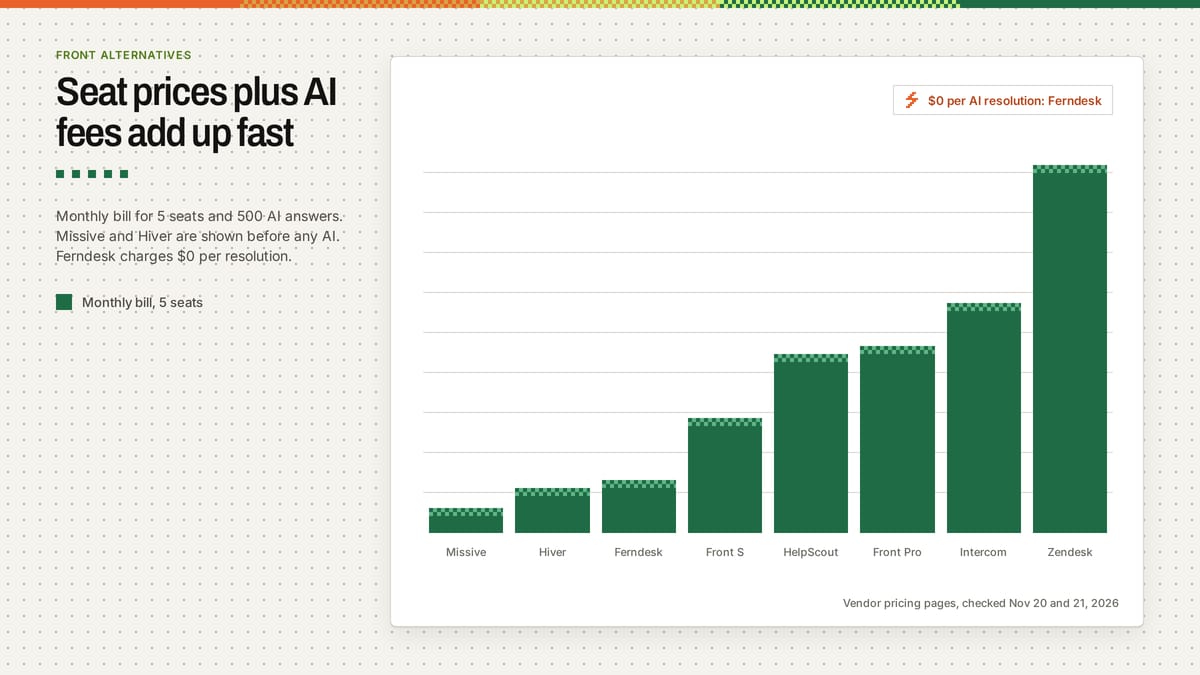
Notice the jump from Front Starter to Front Professional. Because Front Starter allows only one channel type, such as email, chat, or SMS, any SaaS team running both email and live chat moves straight to $520 a month before adding Front’s Copilot assistant at $20 per seat.
1. Ferndesk
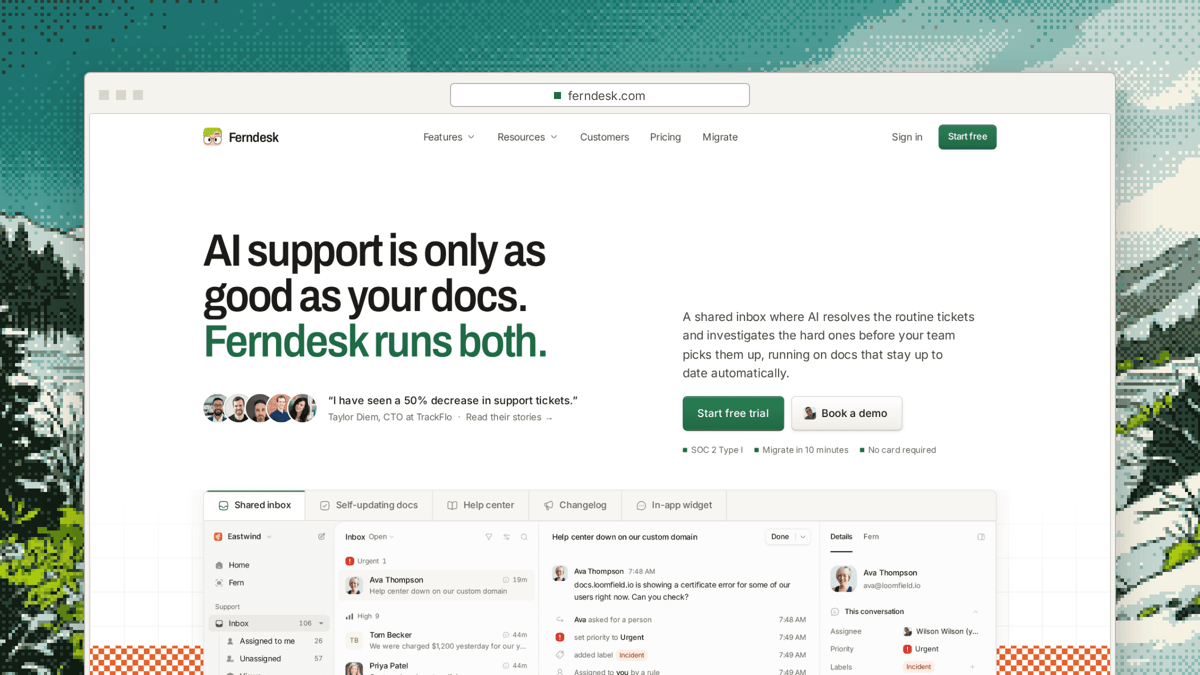
Ferndesk puts a shared inbox, an AI agent, and docs on one bill so a 5-person SaaS team stops paying per seat plus per resolution. Pro covers email and live chat, a widget, a changelog, and a self-updating help center that drafts article updates from merged pull requests and tickets. It works as AI help center software for SaaS.
Two AI tools split the support load. The Support Agent answers customer questions using only your articles and playbooks and strips any link its search did not return. On handoffs, Fern investigates using past tickets, docs, and code through a read-only GitHub App, then leaves an internal note and a drafted reply; she never messages customers directly. After moving Client Portal onto Ferndesk, founder Laura Elizabeth told us, “My support requests have dropped significantly since I started using it.” When Bryce Adams moved Metorik off Help Scout Docs, he noticed Ferndesk had “AI chat built in that actually works so well we’re even using it to help with support tickets.”
You can inspect every tier on our pricing page.
- Price: Pro is $149 a month for 5 seats and 1,000 conversations whoever answers them. Extra seats are $10 a month, 500 extra conversations cost $25, and AI resolutions cost $0. Teams under 5 people pay $75 a month for the first 12 months, and done-for-you migration is included.
- Best for: Small B2B SaaS teams that want the inbox, AI answers, and docs on one bill.
- Watch out for: No SMS, WhatsApp, phone, or Slack as support channels, since WhatsApp is handoff only, and the inbox is newer than Front’s.
2. Help Scout
Help Scout suits teams that want human-first email support paired with a clean knowledge base. You get a shared inbox, saved replies, and Docs sites without complex queue admin, making it one of the simpler Front alternatives to set up. We break down the differences on Ferndesk vs Help Scout and in our list of Help Scout alternatives.
- Price: Free plan for 5 users, 1 inbox, and 1 Docs site; Standard is $25, Plus is $45, and Pro is $75 per user a month billed annually, or $30, $54, and $90 monthly. AI answers cost $0.75 per resolution, and plans include 2, 3, or 5 Docs sites with extra sites at $20 a month.
- Best for: Human-first email support with a simple knowledge base.
- Watch out for: Per-user pricing stacks with per-resolution AI fees, and someone still has to keep Docs current.
3. Missive
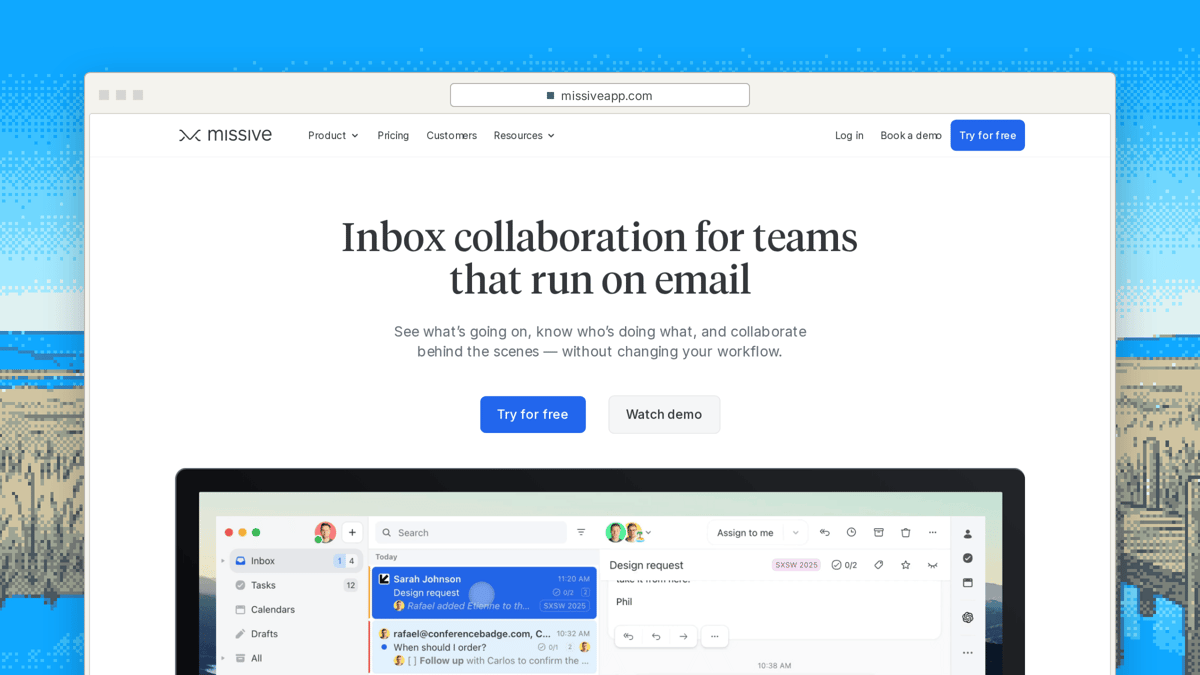
Missive is the closest fit if you want Front’s email-first workflow without Front’s seat price. It brings email, SMS, and social accounts into team inboxes, backed by a 30-day free trial.
- Price: Starter is $14 per user a month for up to 5 users. Productive is $24 per user a month for up to 50 users and adds integrations, rules, and API access, while Business is $36 per user a month, all billed yearly.
- Best for: Teams wanting the closest email-first feel to Front for less money.
- Watch out for: There is no help center included, so docs stay in a separate tool.
4. Hiver
Hiver works directly inside Gmail so support agents never leave their email client. It includes a help center and an AI knowledge builder on its plans, along with a 95% discount for qualifying startups.
- Price: Growth is $25, Pro is $55, and Elite is $85 per user a month billed annually, or $35, $65, and $95 monthly. Startups under $10M raised with 20 or fewer employees get 95% off.
- Best for: Teams that want to stay in Gmail.
- Watch out for: Built around Gmail, so it fits teams already on Google Workspace.
5. Intercom
Intercom fits product-led teams that want live chat, in-app product tours, a public help center, and Fin AI inside one platform. It goes deeper on in-product messaging than Front, though its AI fee scales linearly with resolved chats. Compare both approaches in Ferndesk vs Intercom and our guide to Intercom alternatives.
- Price: Seats start from $29 to $132 a month plus $0.99 per Fin outcome on every plan. Early-stage companies under $10M raised with 15 employees or fewer can get 93% off.
- Best for: Product-led teams that want chat, product tours, and Fin.
- Watch out for: The $0.99 per-outcome AI bill grows fast with conversation volume.
6. Plain
Plain is built for B2B support teams answering customers across shared Slack channels, email, in-app forms, and live chat, with a knowledge base included. Its Customer Agent runs on monthly AI credits bundled into each seat tier.
- Price: Foundation is $45 and Horizon is $99 per user a month billed annually. Plans include 1,000 or 2,500 AI credits a month; the Customer Agent uses 100 credits per resolution, and extra credits cost $10 per 1,000.
- Best for: B2B teams supporting customers in shared Slack channels.
- Watch out for: You have to watch credit math, since 1,000 credits only covers 10 Customer Agent resolutions a month.
7. Zendesk
Zendesk is built for large, multi-team support organizations that need strict routing, SLAs, and deep reporting. Small SaaS teams rarely need its setup overhead, and its AI pricing climbs quickly on automated tickets.
- Price: Support Team is $19, Suite Team is $55, and Suite Professional is $115 per agent a month billed annually, with the knowledge base listed from Suite Team. Automated resolutions cost $1.50 to $2.00 each.
- Best for: Large, multi-team support floors.
- Watch out for: Setup weight and per-resolution AI fees for a 5-person team.
Switching from Front in 4 steps
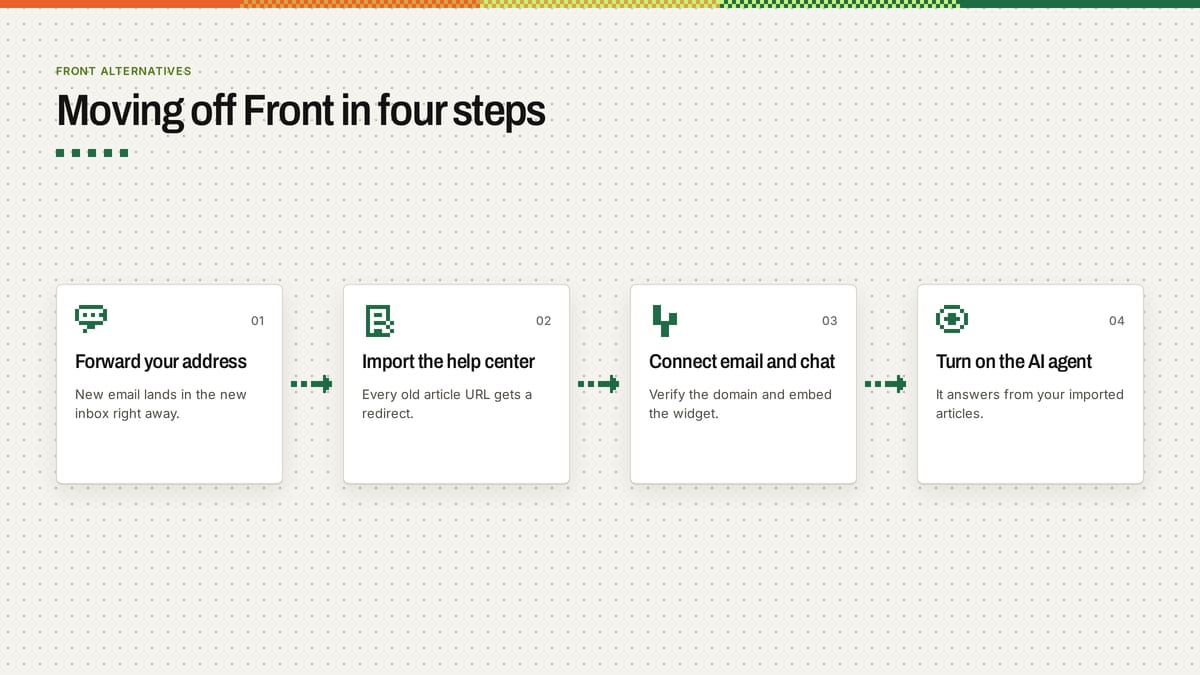
A clean help desk migration from Front takes four steps. Set up forwarding first so nothing gets missed during the cutover, then move your help center and connect your channels.
- Export or forward your Front inbox. Set up forwarding on your support email address so new messages route into your new shared inbox immediately. If you forward through Gmail, follow Gmail’s forwarding guide.
- Import your help center with redirects. Move your docs and map every old article URL so links do not break. Ferndesk handles imports and redirects from 22 docs and support platforms as part of done-for-you migration.
- Connect email and live chat. Verify your sending domain using Google’s email sender guidelines and DMARC.org, embed the live chat widget in your app, and load your team’s saved replies.
- Turn on the AI agent with your articles. Point the AI agent at your imported help center and playbooks so it answers routine questions while routing edge cases to your team.
Frequently asked questions
What are some alternatives to Front app?
The main Front alternatives for small SaaS teams are Ferndesk, Help Scout, Missive, Hiver, Intercom, Plain, and Zendesk. Missive matches Front’s email-first feel starting at $14 per user a month billed yearly, while Ferndesk bundles a shared inbox, live chat, self-updating docs, and $0 per resolution AI for $149 a month for 5 seats.
How much does the Front app cost?
Front pricing starts at $25 per seat a month billed annually on Starter for up to 10 seats, $65 per seat on Professional for up to 50 seats, and $105 per seat on Enterprise. Starter allows only one channel type, such as email, chat, or SMS, and AI costs extra: Front Autopilot starts at $0.39 per conversation, and Copilot adds $20 per seat a month on Starter and Professional. A 14-day free trial includes Professional features.
Is the Front app good?
Yes, Front is a strong shared inbox for teams that live in shared email across sales, ops, and support and need email, chat, SMS, and WhatsApp together. It gets expensive for small SaaS teams once multi-channel support pushes you onto the $65 per seat Professional tier plus $0.39 per Autopilot conversation and $20 per seat for Copilot.
Can I move from Front without losing my history?
Check whether the tool you pick imports past Front threads before you move, or export your messages from Front first. You can forward your support address to start handling new tickets right away while importing your help center with URL redirects so existing links keep working.
If you want one $149 a month bill for a 5-seat shared inbox, $0 per resolution AI, and docs that keep themselves current, take a look at Ferndesk’s AI customer support software.
Further reading
If you are setting up domain authentication during a move, check RFC 7208 on SPF and RFC 6376 on DKIM, and follow the W3C’s WCAG 2.2 standard so your live chat widget stays accessible to every customer.
Sources
- Front pricing page, Front Autopilot docs, and Front Copilot docs
- Ferndesk pricing page and product docs
- Help Scout pricing page and AI answers docs
- Missive pricing page
- Hiver pricing page and startup discount page
- Intercom pricing page and Fin AI pricing docs
- Plain pricing page and AI credits docs
- Zendesk pricing page and automated resolutions docs
About the author
Wilson Wilson is the founder of Ferndesk; he previously co-founded Senja, a testimonial platform, and grew it to $850K ARR over 3.5 years; he runs Ferndesk’s support inbox, has built its importers with his team, and runs every Ferndesk demo call himself. You can find him on LinkedIn and X.
Last updated Nov 27, 2026. Our security report is on our trust portal, and our privacy policy covers how we handle data.


 Book a demo