

If you run a 5 to 30 person B2B SaaS company selling to non-technical buyers, you probably ship product updates every week or two and write the release notes late on Friday, if you write them at all. Those same deploys quietly break your help center screenshots and setup steps, creating documentation drift across your site.
This review is based on my own hands-on use. I have written SaaS release notes for 3.5 years at Senja and since then at Ferndesk, where I publish Ferndesk’s release notes on Ferndesk every week or so. Customers running the same setup saw concrete outcomes: Evergrove Labs saves about 3 hours a week, and TrackFlo saw 50% fewer tickets during rollout.
For this post I read 8 pricing pages and recorded every price in one sheet, which is the comparison table below. Most release notes software builds a clean feed and stops there, leaving you to fix outdated help articles by hand, so I compared these changelog tools on what it takes to keep both current.
TL;DR
- Ferndesk if your help center goes stale after every release, at $149/month, or $75/month for the first 12 months for teams under 5.
- Beamer if you want an in-app notification center for a large user base, free under 1,000 MAU or $49 to $249/month billed annually.
- Featurebase if you want feedback boards, roadmap and changelog in one tool, free for 1 seat or from $29/seat/month billed yearly.
- Canny if you want to notify users who requested a feature when it ships, free for 25 tracked users or from $79/month billed yearly.
- AnnounceKit if you prefer modular pricing, starting at $59/month for the Changelog product with 10,000 MAU and 3 seats.
- Frill if you are a small team wanting feedback and announcements with unlimited admins, from $25 to $349/month.
- LaunchNotes if you run a larger product org with multiple release audiences, from $799/month billed annually.
- Headway if you just want a simple changelog page and widget up today, at $29/month for Pro.
- Stay on Keep a Changelog or git-cliff if your users are developers who already read your
CHANGELOG.mdfiles on GitHub.
For a 5 to 30 person B2B SaaS team that ships every week or two, the best changelog tool for SaaS is one that publishes your updates and drafts the help center fixes in the same pass, instead of turning every deploy into two separate writing jobs. When Leasecake moved their docs onto Ferndesk, Jon Erickson, their VP of Engineering, summed up the shift: “Before Ferndesk, our docs typically lagged a couple of weeks behind each update. Now they’re updated the same day we ship.”
How I checked these changelog tools
Before Ferndesk, I co-founded Senja, a testimonial tool we grew to $850K ARR over 3.5 years. I still run every Ferndesk demo call myself. On call after call, the founder or CTO describes the same bottleneck: their team ships every week or two, their product changelog sits behind, and their help center still describes the product as it was a few releases ago.
We run our own customer-facing changelog software and help center on Ferndesk at ferndesk.com/help/changelog. We have also built importers for 22 docs and support platforms, including Featurebase, GitBook, Mintlify, Intercom, Zendesk and Help Scout.
I have not run Beamer, Canny, Frill, AnnounceKit, LaunchNotes or Headway on a live product myself. I checked every price on their pricing pages and product docs on Nov 21, 2026. I judged each changelog tool on four practical questions:
- What does it actually cost per month for a 5-person team with 10,000 monthly active users?
- Does it offer an AI changelog generator that reads merged code, rather than making you copy tickets from a changelog tool integrated with Jira or write entries from a blank box?
- Does it work as a changelog tool with embeddable widget support so signed-in users see what’s new without clutter?
- Does it keep customer articles and engineering documentation aligned after each deploy?
We build Ferndesk for a living and rank it first here, so read our pick with the grain of salt it deserves. No vendor paid for placement, and there are no affiliate links anywhere on this page. You can send corrections to [email protected], and we date every fix on the page.
Comparison of changelog software
Here is how the 8 tools compare on price, scope and fit.
| Tool | Price | Core scope | Best for |
|---|---|---|---|
| Ferndesk | $149/mo, or $75/mo first 12 mo under 5 people; $1,490/yr | Changelog, help center, widget, shared inbox, AI agents | Teams whose help center goes stale after every release |
| Beamer | Free under 1,000 MAU; $49, $99, $249/mo annual | In-app notification center and changelog page | In-app announcements to a large user base |
| Featurebase | Free 1 seat; $29, $59, $99/seat/mo annual | Feedback boards, roadmap, changelog, help center | Teams that want voting and a changelog together |
| Canny | Free 25 tracked users; from $79/mo annual | Feedback, roadmap, product changelog | Closing the loop on feature requests |
| AnnounceKit | $59/mo Changelog for 10k MAU and 3 seats; add-ons $39 to $99/mo | Modular changelog, notifications, feedback, knowledge base | Picking only the modules you need |
| Frill | $25, $49, $149, $349/mo | Feedback, roadmap, announcements, unlimited admins | Small teams avoiding per-seat fees |
| LaunchNotes | $799/mo annual, or $999 monthly | Release communication, Smart Draft AI, MCP server | Product orgs with many audiences and internal notes |
| Headway | $29/mo Pro | Simple changelog page and widget | Founders who want a page up today |
1. Ferndesk
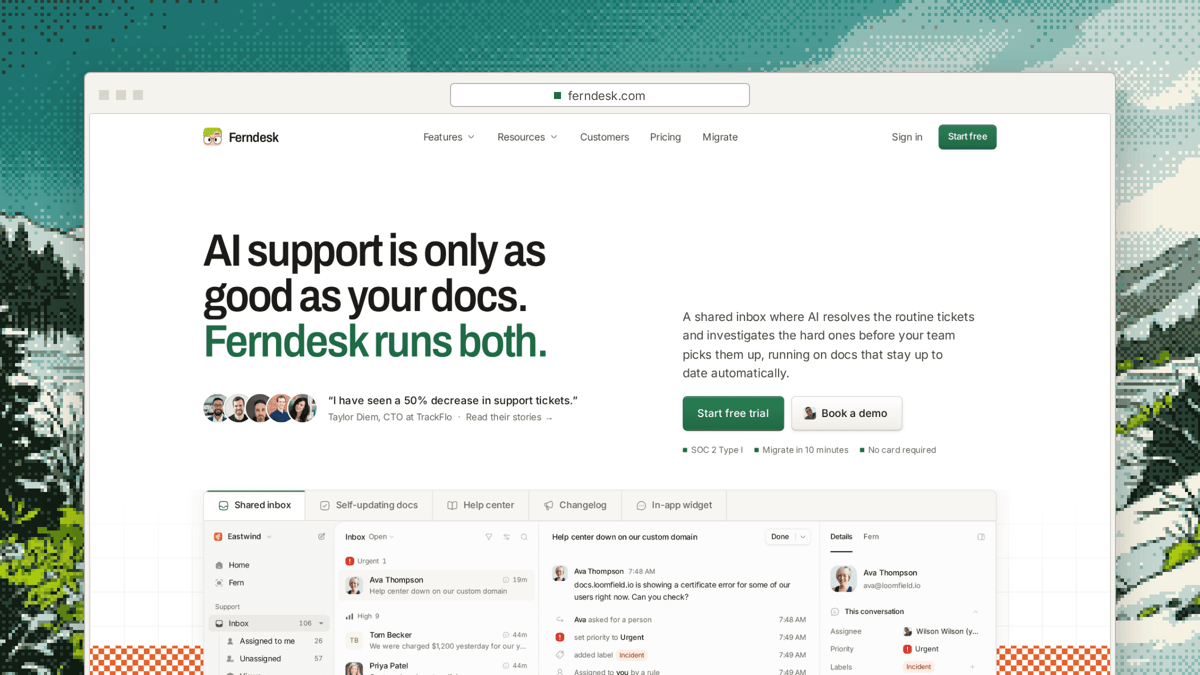
Ferndesk is built for software teams whose docs fall behind every time they ship. Instead of asking a founder to summarize a sprint from memory, our AI agent Fern reads your merged pull requests and code diffs, browses the codebase, works out what changed and drafts the changelog entry for you to review. In that same pass, Fern checks which help center articles the release made wrong and drafts those docs from your code fixes too, so you can publish in 1 click.
That workflow comes directly from running our own changelog at ferndesk.com/help/changelog, covering updates like our SOC 2 Type I report, a Chrome extension release and WhatsApp handoff. Every entry carries reaction counts, and entries support new, improved, fixed and breaking tags alongside custom tags such as SDK or Beta.
Two details in our widget came from running it ourselves. First, our long entries end with a “Breaking changes” list. Second, we show the in-app announcement only to signed-in users, so a brand-new signup is not greeted by months of old news on day one. Ferndesk’s widget now delivers the “What’s new” message only to identified, signed-in users and shows what shipped since their last visit. Developers can also set changelogAnnouncementTrigger to manual and call Ferndesk('showChangelogAnnouncement') whenever they choose, or use our changelog API and webhook to create entries from external tools and trigger release emails when one goes live.
When Evergrove Labs put Ferndesk into their release flow, Jacob, their Co-founder and CTO, told us, “We save about 3 hours per week! This is now a big part of our deploy process.” At RightMessage, founder Brennan Dunn uses the same setup to keep a 30,000-word help center current from git commits. If your goal is to keep your knowledge base up to date alongside your changelog, that shared pass is where the hours come back.
Price: Pro is $149 a month and includes the help center, changelog, self-service widget, shared inbox with email and live chat, both AI agents, 5 seats and 1,000 conversations a month at $0 per AI resolution. Extra seats cost $10 a month. Teams under 5 people pay $75 a month for the first 12 months, and annual billing is $1,490 a year on our pricing page.
Best for: Teams whose help center goes stale after every release.
Watch out for: Ferndesk has no feedback board or public roadmap, so teams that want user voting pair it with a dedicated feedback tool.
2. Beamer
Beamer is a dedicated in-app notification center and standalone changelog page. If your main goal is getting SaaS product updates inside your app with segmentation, push notifications and a familiar newsfeed drawer, Beamer covers it. It works well as a broadcast channel when you already have someone writing the copy and maintaining docs elsewhere.
Price: Free plan for products with fewer than 1,000 monthly active users; paid tiers are $49, $99 and $249 a month billed annually, or $59, $119 and $299 billed monthly.
Best for: In-app announcements to a large user base.
Watch out for: Price climbs as your monthly active users grow, and it does not maintain your help center.
3. Featurebase
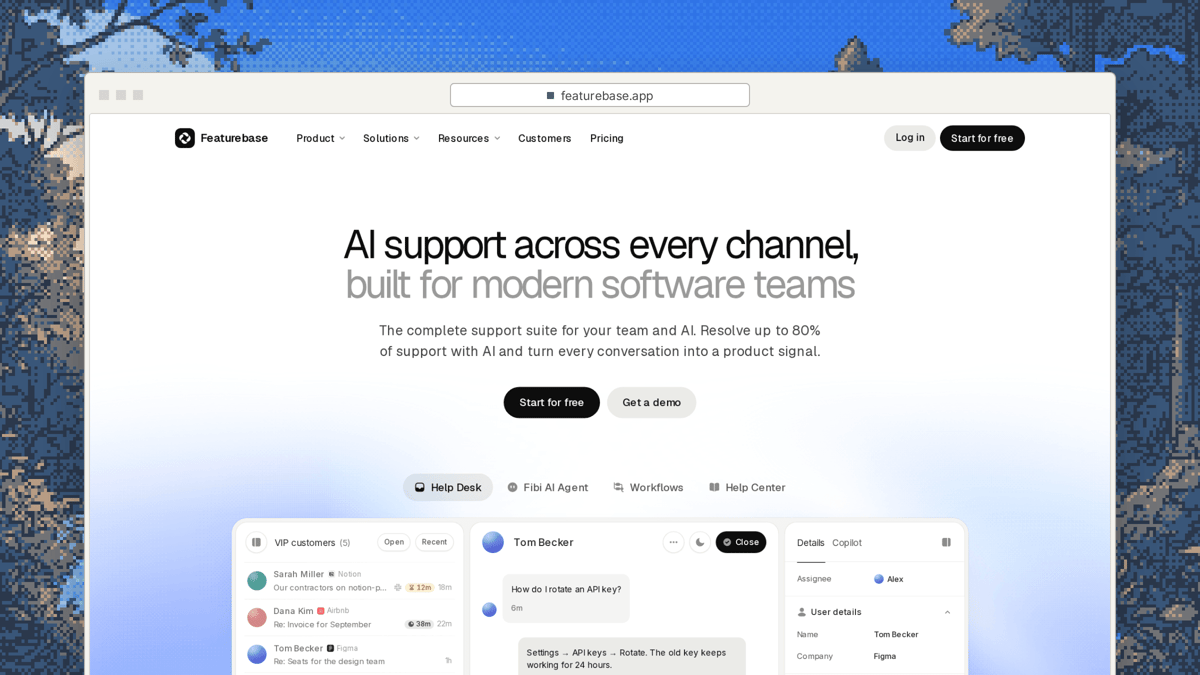
Featurebase bundles feedback boards, a public roadmap, a changelog and a help center into one product. For teams that want customers to upvote requests, watch them move across a roadmap and see the shipped update in the same workspace, it covers all four surfaces under one roof. Startups also get a steep discount if they qualify early on, with 86% off for companies under 2 years old and fewer than 6 employees.
Price: Free plan includes 1 seat; Growth is $29, Professional is $59 and Enterprise is $99 per seat a month billed yearly, or $37, $75 and $129 monthly, plus $0.49 per AI resolution.
Best for: Teams that want voting and a changelog together.
Watch out for: Per-seat pricing plus $0.49 per-resolution AI fees can add up as your team and support volume scale.
4. Canny
Canny is a feedback and roadmap platform that includes a product changelog to close the loop with customers. When you ship a feature, Canny notifies the exact users who requested or upvoted it, which makes it strong for closing feedback loops on active roadmaps. It fits product teams whose biggest headache is tracking customer requests rather than writing release notes from pull requests.
Price: Free plan includes up to 25 tracked users; paid plans start from $79 a month billed yearly.
Best for: Closing the loop on feature requests.
Watch out for: The changelog sits as a secondary feature inside a feedback tool, and pricing grows as tracked users increase.
5. AnnounceKit
AnnounceKit splits its platform into separate modules so you pay only for the pieces you turn on. You can start with the core Changelog product and add unlimited team members, feature requests, a knowledge base or in-app notifications as separate line items. That structure suits teams that want granular control over features and already know which piece of changelog management software they lack.
Price: Changelog is $59 a month including 10,000 monthly active users and 3 team members, with extra users at $25 per 5,000 a month; add-ons are $39 a month for unlimited team members, $49 for feature requests, $69 for the knowledge base and $99 for in-app notifications, with Enterprise from $799 a month.
Best for: Picking only the modules you need.
Watch out for: Add-ons stack up quickly once you combine in-app notifications, extra seats and a knowledge base.
6. Frill
Frill combines idea boards, a roadmap and product announcements in a clean interface aimed at small SaaS teams. Its biggest pricing draw is predictable flat tiers: you get unlimited admins and widgets on every paid plan instead of paying per seat. If you want an affordable release notes tool alongside customer voting without counting admin logins, Frill keeps the math simple.
Price: Plans are $25, $49, $149 and $349 a month, with unlimited admins and widgets on every paid tier.
Best for: Small teams that want feedback and announcements without per-seat fees.
Watch out for: No AI drafting from code is listed on its plans.
7. LaunchNotes
LaunchNotes is enterprise release communication software built for larger product organizations. On Growth, you get one LaunchNotes page, two users, the Smart Draft AI writer and an MCP server to coordinate automated release notes across internal teams and external customers. It solves multi-audience communication problems that smaller startups do not have yet.
Price: Growth is $799 a month billed annually, or $999 billed monthly.
Best for: Product orgs with many audiences and internal release notes.
Watch out for: At $799 a month, the price is out of reach for a 10-person team.
8. Headway
Headway is a minimal changelog page and embeddable widget with zero bloat. You sign up, paste in your updates, drop the script into your app and have a working what’s new badge in minutes. For a solo founder or tiny team that refuses to overthink release communication, it does the basic job cheaply.
Price: Pro is $29 a month.
Best for: A founder who wants a page up today.
Watch out for: There is no AI drafting and no help center included.
Free and open-source options
If you only need developer-facing engineering documentation, three free options cover the basics. Keep a Changelog is a written convention for maintaining a CHANGELOG.md file, while Conventional Changelog and git-cliff both run in CI to generate a CHANGELOG.md straight from git history. Using a GitHub changelog generator like Conventional Changelog or git-cliff is a fast way to turn commit messages into release notes with $0 in software spend.
Here is the catch for a 15-person B2B SaaS selling to non-technical buyers: almost none of your customers are opening a GitHub repository to read a Markdown file. These scripts solve developer history, not customer communication, and they never touch your help center. If you ship on GitHub and want customer-facing docs to stay current too, see our breakdown of help centers for teams on GitHub.
From pull request to published entry
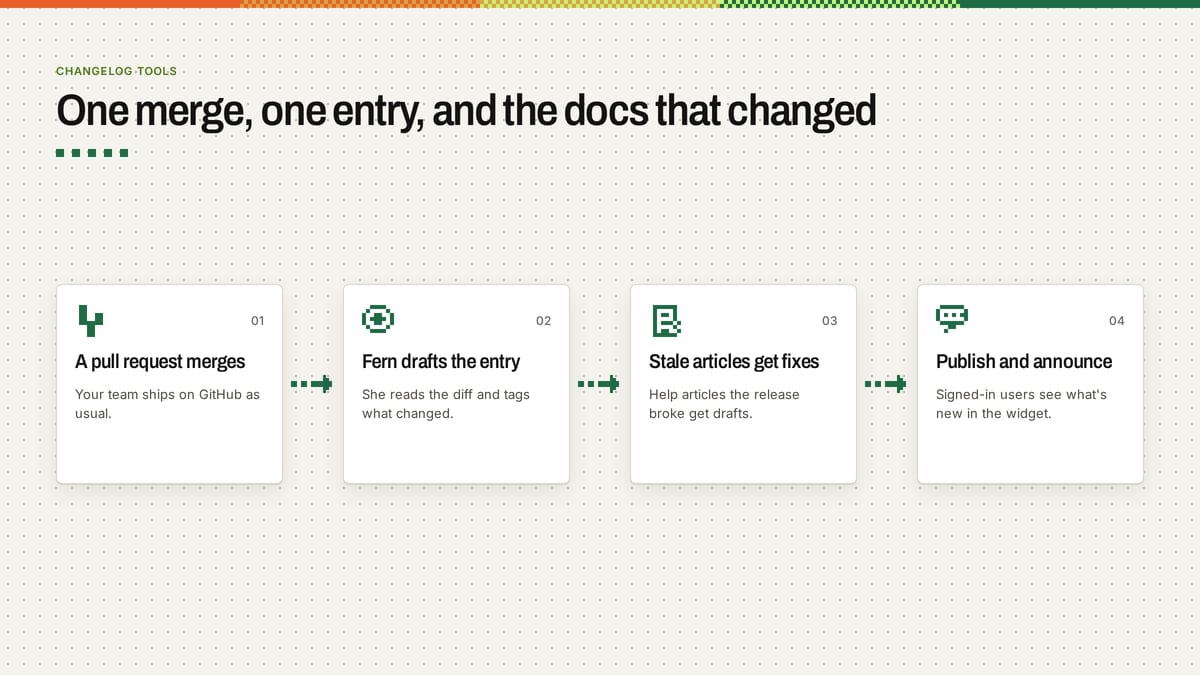
Automated product changelog publishing works best when the changelog and the help center read the same source of truth. Here is the 4-step workflow we use at Ferndesk:
- Merge a pull request. Your team ships code on GitHub as usual, with no extra ticket hygiene or manual changelog spreadsheets.
- Fern drafts the entry and stale-article fixes. Fern reads the merged PR and code diffs, drafts the changelog entry with tags, and drafts edits for every help article that the release broke.
- You review everything in one pass. Check the wording, edit any “Breaking changes” notes or tags, and approve the accompanying doc updates.
- Publish and announce to signed-in users. Hit publish once, and your in-app widget shows the update to signed-in users who have logged in since their last visit.
Monthly cost at 10,000 active users
Headline pricing on changelog software often looks lower than it ends up being once you add seats, active users and a separate knowledge base. Here is the monthly bill for a 5-person team with 10,000 monthly active users, using each vendor’s published rates:
| Tool | Monthly cost for 5 seats and 10,000 MAU | What that price buys |
|---|---|---|
| Headway | $29/mo | Changelog only |
| Beamer | From $49/mo billed annually | Tier depends on users; changelog and notifications only |
| AnnounceKit | $98/mo | $59 Changelog plus $39 unlimited team add-on; changelog only |
| Featurebase | $145/mo billed yearly | Growth 5 seats x $29; plus $0.49 per AI resolution |
| Ferndesk | $149/mo | Changelog, help center, widget and shared inbox |
| LaunchNotes | $799/mo billed annually | Release page, 2 users, Smart Draft AI, MCP server |
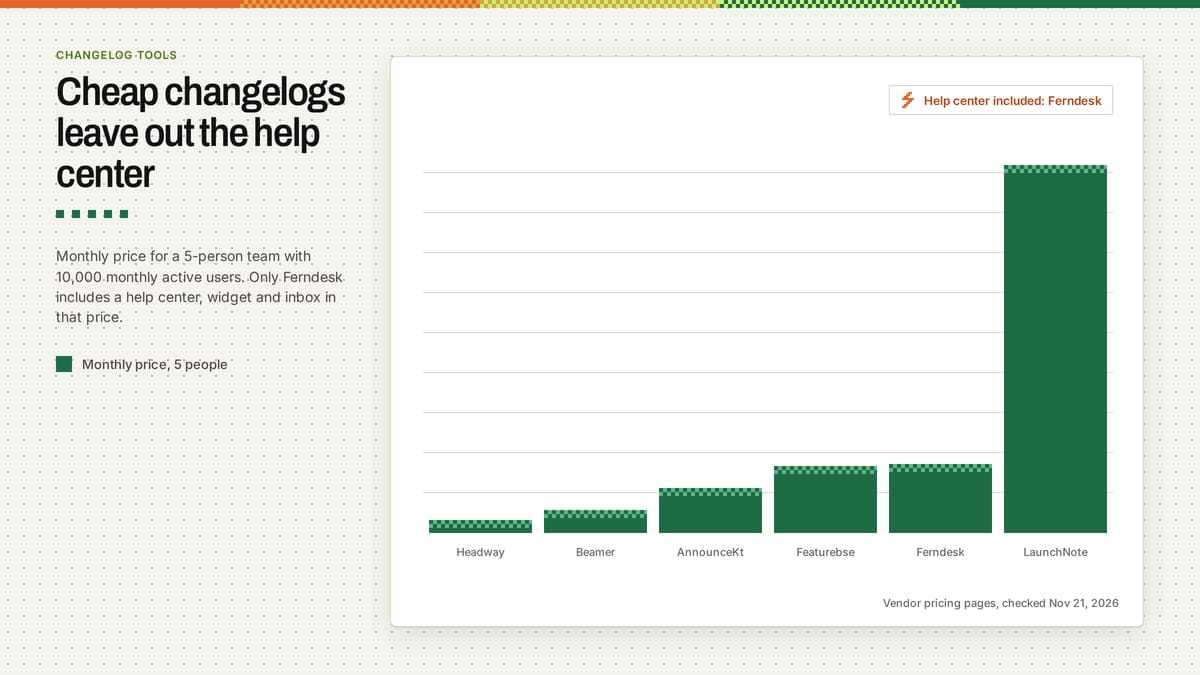
Changelog-only tools look cheaper until you add the help center and widget you would buy anyway. If you already pay separately for GitBook or a standalone knowledge base, our Ferndesk vs GitBook comparison shows how those bundled costs stack up.
Frequently asked questions
What are changelog tools?
Changelog tools are software products that let SaaS teams publish dated product updates on a public page and inside an in-app feed. Most also add category tags, user reactions and email or widget notifications so customers actually notice what shipped.
Changelog vs release notes: what differs?
A changelog is the running, chronological log of every user-facing change in your product, while release notes are the fuller write-up for a specific launch or version. In practice, most B2B SaaS teams combine both in one feed so buyers can scan quick new or fixed tags and read deeper migration steps when needed.
Can AI write release notes from commits?
Yes, though commit titles alone rarely explain why a customer should care or what broke in your docs. Tools like Ferndesk read the full merged pull request and code diff rather than raw commit one-liners, which gives you accurate drafts and catches the stale help articles at the same time.
Do I need a changelog widget?
You need an in-app widget if your customers are non-technical users who will never bookmark a /changelog URL. Showing a targeted “What’s new” announcement only to signed-in users since their last visit gets updates seen without overwhelming new signups on day one.
Is there a free changelog tool?
Yes: Beamer is free under 1,000 monthly active users, Featurebase is free for 1 seat, Canny is free for 25 tracked users, and open-source generators like git-cliff cost $0. Each free tier trades off either user limits, team seats or customer-facing polish once your product grows beyond an early beta.
If you want your next merged pull request to draft both your release update and your stale doc fixes in one pass, check out Ferndesk’s self-updating help center.
Further reading
If you are setting up release conventions in your repository alongside a customer-facing feed, start with Keep a Changelog for entry structure, Conventional Commits and git-cliff for commit parsing, and Semantic Versioning for version numbers. On GitHub, check GitHub’s releases docs and GitHub’s automatically generated release notes, and use the Google developer documentation style guide to keep your writing consistent.
Sources
- Ferndesk pricing, docs and live changelog at ferndesk.com/help/changelog
- Beamer pricing page and product docs
- Featurebase pricing page and startup program terms
- Canny pricing page and product docs
- AnnounceKit pricing page and add-on schedule
- Frill pricing page and product docs
- LaunchNotes pricing page and Growth plan docs
- Headway pricing page
- Keep a Changelog, Conventional Changelog and git-cliff documentation
About the author
Wilson Wilson is the founder of Ferndesk, and he previously co-founded Senja, a testimonial platform, growing it to $850K ARR over 3.5 years. He writes Ferndesk’s release notes on Ferndesk, has built help center importers for 22 platforms with his team, and runs every Ferndesk demo call himself. You can find him on LinkedIn and X.
Last updated Nov 27, 2026. Our security report is on our trust portal, and our privacy policy covers how we handle data.


 Book a demo