

Intercom is brilliant for conversations. The help center is an afterthought.
That sounds harsh, but look at how Intercom treats documentation: articles exist to train Fin, the AI chatbot. The help center editor is functional but thin. There’s no version control, no content auditing, no workflow for keeping articles current. Documentation is a supporting character in Intercom’s messaging-first story.
Then there’s Fin. At $0.99 per resolution, the pricing math gets ugly fast. Handle 3,000 AI resolutions per month and you’re adding $2,970 to your bill, on top of the $29-$132/seat/month base price. Double your volume and you’ve doubled your AI costs with zero marginal savings. That’s not how software pricing should work.
If your help center is a strategic asset, not just chatbot fuel, you need a platform that treats documentation as the primary product. We evaluated 8 alternatives that do exactly that.
Why Teams Look for Intercom Alternatives
Most teams don’t leave Intercom because it’s bad. They leave because it’s built for a different job than the one they’re trying to do. Here are the switching triggers that come up most often.
- Per-resolution AI pricing: Fin charges $0.99 per resolved conversation. At 3,000 resolutions a month, that’s $2,970 on top of your base seat costs. Volume growth directly translates to bill growth, with no ceiling.
- Seat-based pricing at scale: Intercom’s base plans run $29-$132 per seat per month. As your support team grows, costs compound fast. Teams with 10+ agents often find the total cost hard to justify against the actual help center quality they’re getting.
- Shallow help center depth: Intercom’s Articles product is functional but thin. No version control, no content auditing, no workflow for keeping articles current. For teams that want documentation to be a strategic asset, it feels like an afterthought.
- Channel mismatch: Intercom is built around messaging. If your support model is primarily self-service, email, or phone, you’re paying for a messenger-first platform that doesn’t fit how your customers actually reach you.
- Enterprise complexity for small teams: Intercom’s feature set has grown significantly. For teams under 20 people, the configuration overhead and pricing tiers can feel disproportionate to what they actually use.
- Limited fit by business model: Intercom is optimized for B2B SaaS with in-app messaging. Ecommerce teams, developer tools companies, and businesses with high-volume transactional support often find better-fit tools at lower cost.
What Users Say About Intercom
Across review platforms and community discussions, Intercom earns consistent praise for its messenger UX, onboarding flows, and the quality of Fin’s conversational AI. Teams that use it as a primary customer engagement layer generally rate it highly.
The complaints cluster around three areas: pricing unpredictability as AI usage scales, the help center feeling underpowered relative to the platform cost, and the learning curve for teams that just want straightforward ticketing. On Reddit and G2, the most common thread from churned customers is some version of “we loved the product but couldn’t justify the cost as we grew.”
That pattern shapes this list. Every alternative below addresses at least one of those friction points directly.
How We Evaluated Intercom Alternatives
Each tool was assessed across five criteria: help center depth, AI pricing predictability, support channel coverage, content maintenance workflows, and total cost at realistic team sizes. Pricing and feature details were verified from vendor websites at the time of publication. Tools were selected to cover a range of use cases, from standalone knowledge bases to full support suites, so you can match the right option to your actual situation.
Quick Comparison: Best Intercom Alternatives
| Tool | Best For | Starting Price | AI Features | Conversation-Based Pricing? |
|---|---|---|---|---|
| Ferndesk | AI-native documentation | $149/month | Unlimited, proactive | No |
| Zendesk | Enterprise support suites | $55/agent/month | Answer Bot (add-on) | No |
| Help Scout | Human-first support | $25/user/month | AI Answers (add-on) | Yes — $0.75/AI resolution |
| HelpDocs | Simple knowledge bases | $129/month | Credit-limited | No |
| Freshdesk | Budget support teams | Free / $15/agent/month | Freddy AI | No |
| Document360 | Enterprise KB | Pricing available on request | Eddy AI | No |
| Zoho Desk | Zoho ecosystem teams | Free (3 agents) / $14/agent/month | Zia AI | No |
| Stonly | Interactive guides | ~$199+/month (custom) | Guide-based | No |
The starting price is only part of the cost. Help Scout’s optional AI Answers add-on charges $0.75 per resolution on paid plans, so its AI bill can grow with usage even though its base plan is priced per user. Compare the AI charges as well as the subscription before switching.
1. Ferndesk: Best Overall Intercom Alternative for Help Centers
 Intercom treats your help center as a data source for a chatbot. Ferndesk treats your help center as a living product that an AI agent actively maintains.
The difference is philosophical. Intercom asks: “How do we deflect this conversation?” Ferndesk asks: “Why is this question being asked in the first place, and how do we prevent it from being asked again?” The result is a help center that gets better over time instead of slowly decaying between quarterly audits that never happen.
What Ferndesk does well:
- Proactive content creation: Fern analyzes your support ticket patterns and drafts articles for recurring questions. Instead of paying $0.99 per AI resolution, you eliminate the question entirely with documentation. That’s permanent deflection, not per-conversation billing.
- Codebase sync via GitHub: Connect your repository and Fern monitors for product changes. Ship a new feature, rename a setting, deprecate an API, Fern identifies every affected article and queues updates. Your docs stay in sync with your product automatically.
- Weekly content audits: Fern surfaces stale articles, broken links, and outdated screenshots before customers encounter them. This is the work that no team actually does consistently and Ferndesk automates it entirely.
- Embedded help widget: Contextual self-service inside your product, similar to Intercom’s Messenger but focused on documentation. Customers get answers without leaving your app.
- Flat, predictable pricing: $149/month or $1,490/year for Pro, with five editors included and additional editors at $10/month each. No per-resolution fees. No surprise bills.
What Ferndesk doesn’t do:
Ferndesk is not a messaging platform. There’s no live chat routing, no conversation threads, no chatbot that handles back-and-forth dialogue. If real-time messaging is central to your support strategy, you’ll pair Ferndesk with a dedicated messaging tool. Ferndesk also doesn’t offer product tours or in-app tooltips like Intercom does.
Pricing: $149/month or $1,490/year (Pro). Unlimited AI drafting, up to 5 team members, and custom domains included.
Best for: Teams leaving Intercom because the help center is too shallow and the AI pricing is too unpredictable. SaaS companies that want documentation which actively improves itself.
The tradeoff: You lose Intercom’s conversational UI and Fin chatbot. You gain a help center that’s smarter about content than any messaging platform will ever be. If your goal is fewer support conversations (not just cheaper ones), Ferndesk eliminates questions at the source.
For a head-to-head on features, pricing and moving your docs across, see Ferndesk vs Intercom.
Try Ferndesk free and see what proactive documentation looks like.
2. Zendesk: Best for Enterprise Support Operations
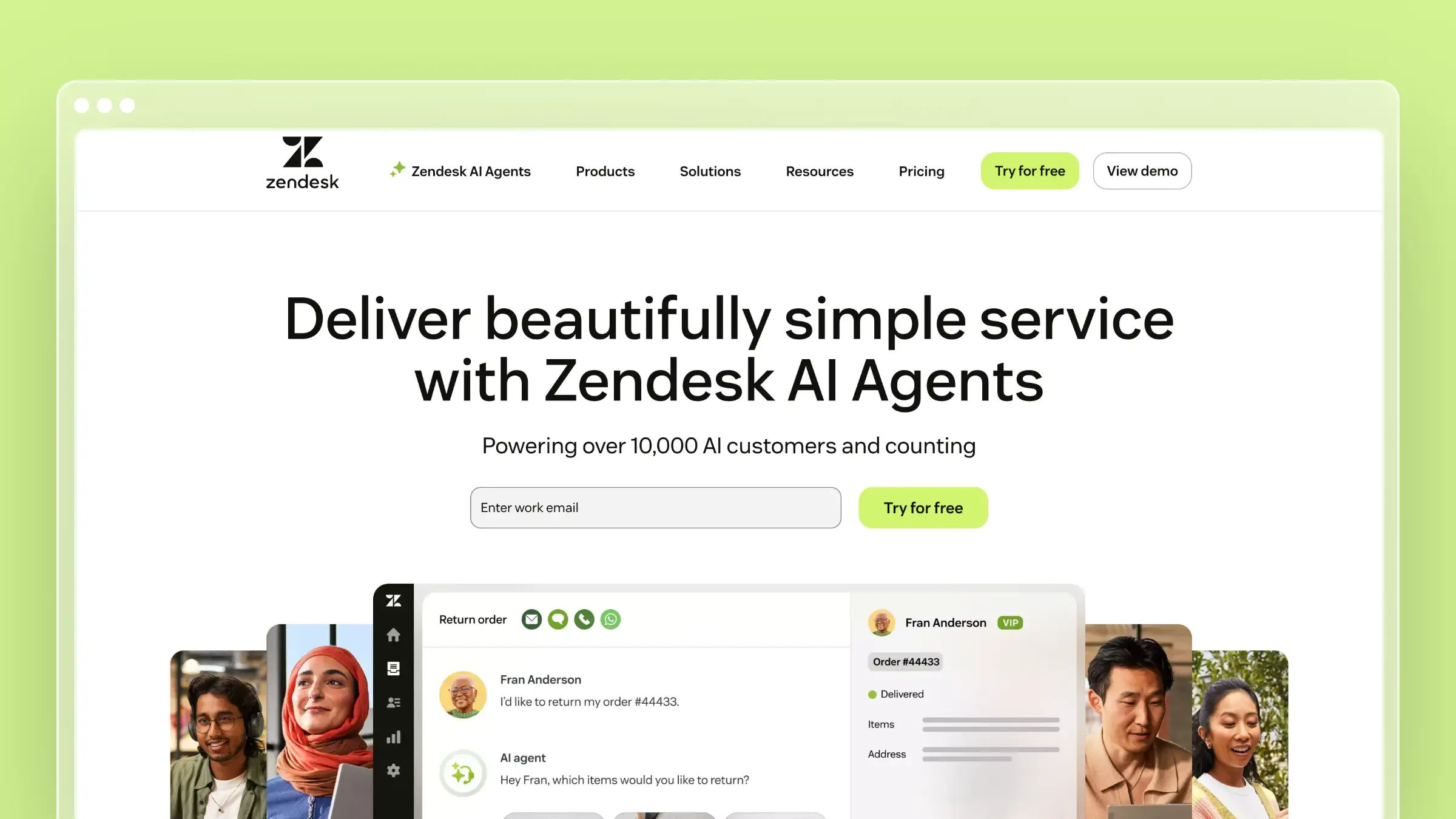 If you’re leaving Intercom for a more robust support infrastructure, Zendesk is the enterprise standard. The help center connects directly to ticketing, chat, phone, and community forums. Everything lives in one ecosystem with mature workflows.
Zendesk’s help center has been around since 2012, and it shows in both good ways (mature, stable, well-documented) and bad ways (dated editor, slow innovation, complex configuration). The Answer Bot deflects simple questions, and the analytics on search behavior and article performance are genuinely useful for identifying content gaps.
What Zendesk does well:
- Mature integration between help center, ticketing, chat, and phone
- Robust analytics on article performance and failed search terms
- Multilingual support with professional translation workflows
- Community forums let customers help each other
- Massive marketplace of 1,200+ third-party integrations
What Zendesk doesn’t do:
Zendesk’s help center is passive. It won’t tell you when content is outdated, won’t monitor your product for changes, and won’t analyze tickets to suggest new articles. The AI features are add-ons that push you into higher tiers ($115+/agent/month). And the per-agent pricing model, while not per-resolution, still makes scaling expensive. Five agents at the Professional tier costs $575/month before any add-ons. Read our full Freshdesk vs Zendesk comparison to see how pricing stacks up against budget alternatives.
Pricing: $55/agent/month (Suite Team), $89/agent/month (Suite Growth), $115/agent/month (Suite Professional). AI features cost extra on most plans.
Best for: Large organizations with complex support operations that need their help center deeply integrated with ticketing, phone, and chat. See our roundup of Zendesk help center alternatives for the complete picture.
The tradeoff: You’re trading Intercom’s modern conversational experience for Zendesk’s enterprise depth. The help center is more capable but less elegant. Pricing is per-agent instead of per-resolution, which is more predictable but still expensive at scale.
3. Help Scout: Best for Teams That Prefer Humans Over Bots
 Help Scout is built for teams that believe the best support comes from people, not chatbots. The knowledge base (Docs) is clean and functional, the Beacon widget combines self-service with human contact, and the whole platform is designed to feel like email rather than enterprise software.
If Intercom felt over-engineered for your needs, or you found yourself fighting the messenger-first paradigm, Help Scout is the opposite approach. Simple tools, minimal configuration, fast setup.
What Help Scout does well:
- Beacon widget seamlessly blends self-service articles with human contact
- Clean editor that non-technical team members can use immediately
- Collision detection prevents duplicate editing
- Saved replies link directly to knowledge base articles from tickets
- Customer satisfaction ratings built into the workflow
What Help Scout doesn’t do:
Help Scout does offer an AI Answers chatbot, but Docs still relies on your team to keep articles current; it doesn’t proactively audit your product changes or draft documentation updates. If you use AI Answers to handle customer questions, the add-on brings back resolution-based billing at $0.75 per resolution. New customers get a three-month trial; existing customers do not. Help Scout lets you set a monthly spending limit, which disables AI Answers when reached. See Help Scout’s AI pricing details and our Help Scout pricing breakdown for the full cost picture.
Pricing: $25/user/month (Standard), $45/user/month (Plus), or $75/user/month (Pro), plus $0.75 per AI Answers resolution on paid plans if you enable that add-on. The free plan covers up to 5 users and 100 contacts per month.
Best for: Small teams (5-25 people) that want straightforward support tools and the option to add AI Answers. Teams where personal human support is the brand differentiator.
The tradeoff: Help Scout offers a simpler human-support workflow, with optional AI Answers for self-service. If you use that add-on, budget for its per-resolution charges; if you rely on Docs alone, your team still owns content maintenance. Explore more Help Scout alternatives.
4. HelpDocs: Best Standalone Knowledge Base
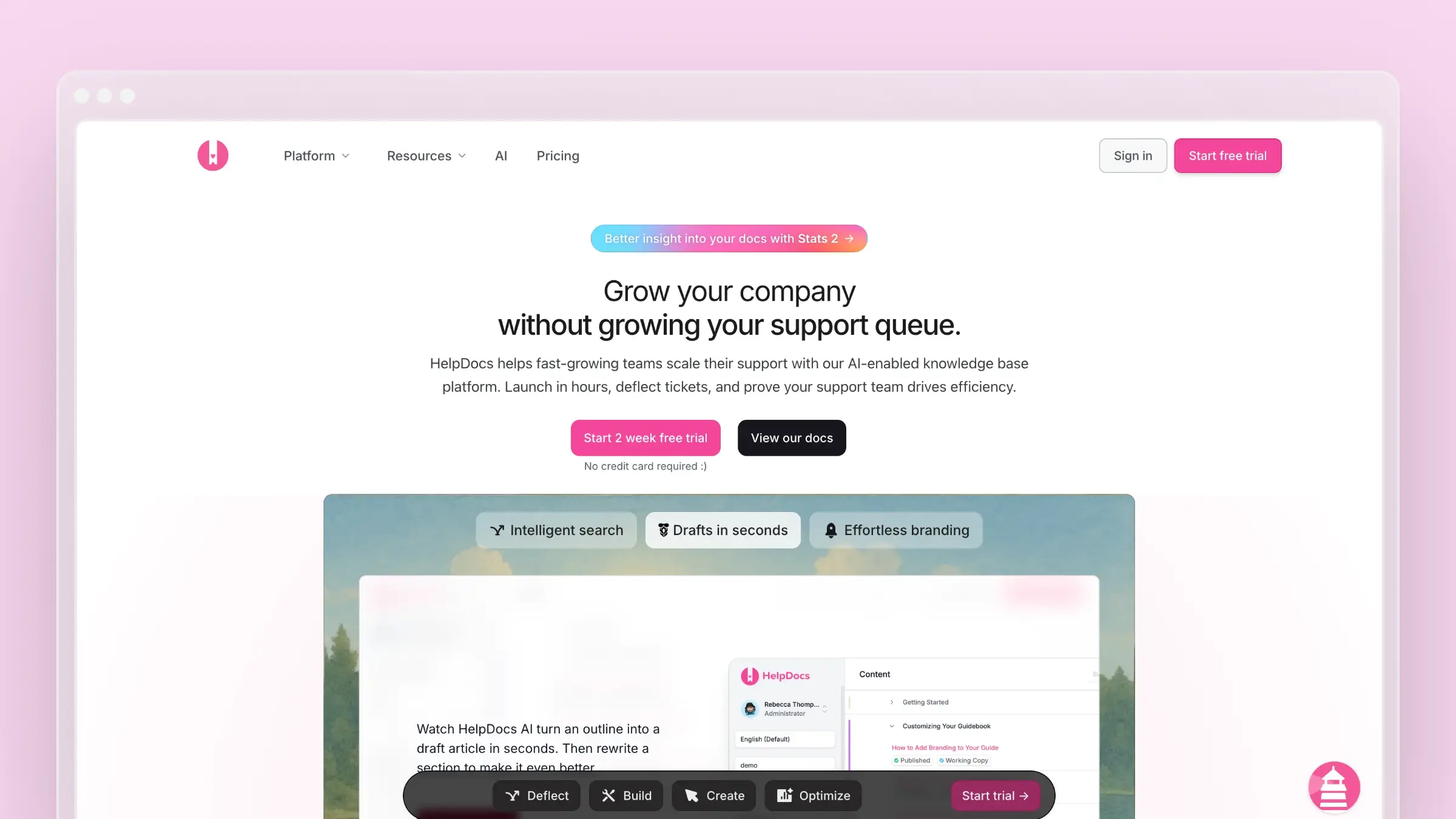 HelpDocs answers a specific question: what if you just want a really good knowledge base without the rest of the support stack? No ticketing or messaging platform. It does include an AI assistant for questions about your docs, alongside a clean, fast KB you can set up in under 30 minutes.
For teams leaving Intercom specifically because the help center is underpowered, HelpDocs is a focused upgrade. The templates are modern, the Lighthouse widget embeds your docs in-app, and the editor prioritizes speed over complexity.
What HelpDocs does well:
- Fastest time-to-launch of any tool on this list
- Modern templates that look polished without customization
- Lighthouse widget for contextual in-app help
- Flat pricing with no per-user charges
- Clean API for building custom integrations
What HelpDocs doesn’t do:
There’s no messaging or ticketing. HelpDocs does offer Ask AI for questions about your articles, with usage capped by monthly credits. There’s no automated auditing against product changes, codebase sync, or support ticket analysis. You’re getting a publishing tool, a good one, but the work of keeping content accurate over time is still on you. For a detailed analysis, see our HelpDocs review and HelpDocs pricing guide.
Pricing: $129/month (Sprout, 5 editors), $299/month (Bloom, 15 editors), or $499/month (Harvest, 25 editors). Annual billing lowers those monthly rates to $99, $239, and $399 respectively. Additional Harvest editors cost $25/user/month.
Best for: Teams that want to decouple their knowledge base from their messaging/ticketing tool. Startups that need a standalone KB up and running this week.
The tradeoff: Maximum simplicity, minimum intelligence. HelpDocs won’t replace Intercom’s conversational support. It replaces Intercom’s mediocre help center with a purpose-built, better one. Pair it with any messaging tool you prefer. For more on choosing the right KB, see our guide to the best knowledge base tools for small teams.
5. Freshdesk: Best Budget Full-Suite Alternative
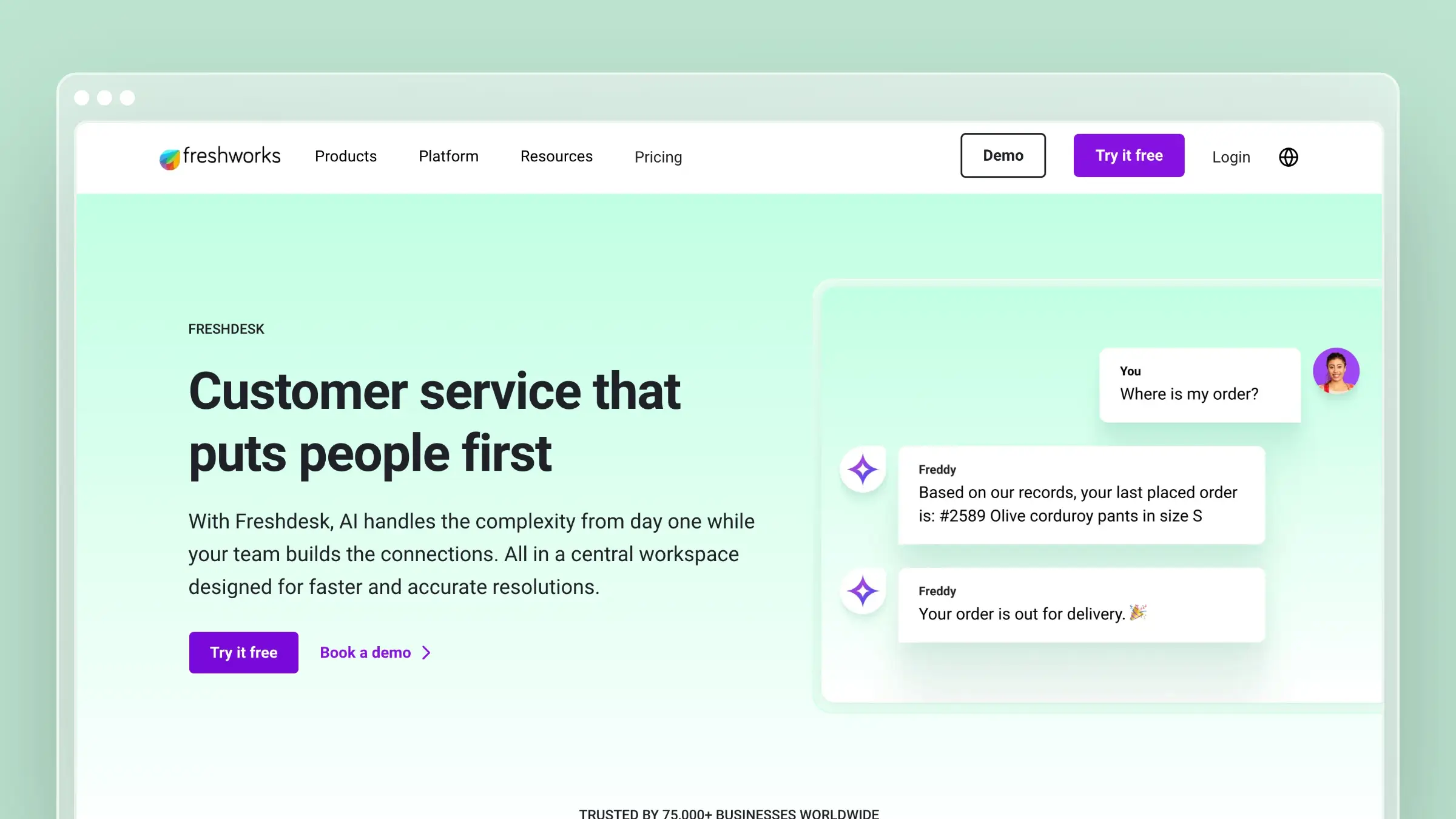 Freshdesk is what you get when you need Intercom’s breadth (ticketing, chat, KB, phone) at a fraction of the cost. The free plan supports up to 2 agents with a basic knowledge base. The paid plans start at $15/agent/month, making it the most accessible full-suite option on this list.
Freddy AI provides chatbot and article suggestion capabilities, though they’re limited compared to Intercom’s Fin. The knowledge base is functional: categories, folders, SEO settings, article versioning, and approval workflows on higher tiers.
What Freshdesk does well:
- Free tier that includes a usable knowledge base
- Complete support suite at the lowest price point in this category
- Freddy AI chatbot available on paid tiers
- Multi-product and multilingual knowledge base support
- Marketplace with hundreds of integrations
What Freshdesk doesn’t do:
The knowledge base editor feels dated. Templates are limited. The AI features on lower tiers are token gestures compared to what Intercom’s Fin delivers. There’s no codebase integration, no automated auditing, and the analytics are basic unless you’re on the Enterprise plan ($79/agent/month), at which point the budget advantage narrows. Freshdesk solves the pricing problem but not the content intelligence problem. See our Freshdesk vs Zendesk breakdown and Freshdesk pricing analysis.
Pricing: Free (2 agents), $15/agent/month (Growth), $49/agent/month (Pro), $79/agent/month (Enterprise).
Best for: Teams that need a complete support suite on a startup budget. Companies evaluating multiple tools who want to start free and scale later.
The tradeoff: You get Intercom’s feature breadth at a lower price, but the quality of each feature is proportionally lower. The help center works, but it won’t impress anyone. The AI works, but it won’t match Fin’s resolution quality. If “good enough, cheap enough” is the goal, Freshdesk delivers. For help desk provider comparisons, see our dedicated guide.
6. Document360: Best for Documentation-Heavy Organizations
 Document360 exists at the opposite end of the spectrum from Intercom. Where Intercom treats docs as chatbot training data, Document360 treats documentation as the entire product. Version control, approval workflows, category-level permissions, public and private knowledge bases, and analytics deep enough to satisfy compliance teams.
If you’re leaving Intercom because you need serious documentation infrastructure, not just a help center stapled to a chat widget, Document360 is the enterprise-grade option.
What Document360 does well:
- Full version history with rollback on every article
- Multi-tiered approval workflows for content governance
- Public and private knowledge bases from a single platform
- Eddy AI assistant for customer-facing search and suggestions
- Deep analytics: article performance, search patterns, failed queries, reading time
What Document360 doesn’t do:
There’s no messaging platform, no live chat, and no conversational AI chatbot. Eddy AI helps customers find existing content but doesn’t handle back-and-forth dialogue. The platform doesn’t monitor your codebase or analyze support tickets. With pricing available on request, you’re paying enterprise prices for content management without the intelligent automation that would justify it. The setup is also significantly more involved than lighter tools like HelpDocs or Help Scout. See Document360 alternatives for more options in this tier.
Pricing: Pricing available on request.
Best for: Organizations with dedicated documentation teams, regulatory compliance requirements, or multi-audience knowledge bases. Companies that treat documentation as a core business function.
The tradeoff: Maximum control, maximum complexity. Document360 won’t automate your content maintenance. It gives you the governance tools to manage it manually at scale. If your team has the headcount for dedicated technical writers, Document360 empowers them. If you need AI to fill that role, look at purpose-built alternatives.
7. Zoho Desk: Best for Teams Already Using Zoho
If your company runs Zoho CRM, Zoho Projects, and Zoho Analytics, adding Zoho Desk is a five-minute decision. The knowledge base integrates natively with every Zoho product, pulling customer data, ticket context, and usage patterns into a unified view.
Zia AI provides article recommendations and sentiment analysis. The multi-brand portal lets you run separate help centers for different products. And the free tier (3 agents) makes evaluation effortless.
What Zoho Desk does well:
- Seamless integration with the full Zoho product ecosystem
- Multi-brand help center for managing multiple products
- Zia AI for article suggestions and sentiment analysis
- Free plan with a functional knowledge base for up to 3 agents
- Community forums for peer-to-peer support
What Zoho Desk doesn’t do:
Outside the Zoho ecosystem, Zoho Desk is unremarkable. The KB editor is basic. The templates need work. The AI lags behind Intercom, Ferndesk, and even Freshdesk in sophistication. Documentation maintenance is entirely manual. And the interface carries enterprise complexity that feels heavy for small teams. Per-agent pricing starts low ($14/agent/month) but the useful features live in the Professional ($23) and Enterprise ($40) tiers.
Pricing: Free (3 agents), $14/agent/month (Standard), $23/agent/month (Professional), $40/agent/month (Enterprise).
Best for: Teams already running on Zoho’s ecosystem who want their entire support operation in one vendor.
The tradeoff: Ecosystem convenience vs. standalone quality. Zoho Desk’s help center is adequate inside the Zoho universe and forgettable outside it. If you’re not already a Zoho shop, any other tool on this list is a stronger standalone choice. See our list of Zoho Desk alternatives.
8. Stonly: Best for Interactive Help Content
Stonly takes a different approach to documentation entirely. Instead of traditional articles, Stonly specializes in interactive, step-by-step guides. Think decision trees, branching troubleshooters, and clickable walkthroughs that adapt based on user input.
For teams where linear articles aren’t enough, where customers need guided resolution paths through complex processes, Stonly offers something no other tool on this list does.
What Stonly does well:
- Interactive, branching step-by-step guides
- Decision trees that adapt based on customer input
- In-app guidance and contextual tooltips
- Self-service troubleshooters that walk users through complex flows
- Analytics on where users drop off within guided paths
What Stonly doesn’t do:
Stonly is not a traditional knowledge base. If you need a searchable library of articles, Stonly is the wrong tool. The pricing is custom (typically $199+/month), which makes evaluation harder. There’s no codebase monitoring or automated content auditing. The platform excels at a specific content format (interactive guides) and is limited outside of it. If your documentation needs are mostly standard articles with some interactive elements, you’re paying a premium for a specialty tool. See Stonly alternatives for other options.
Pricing: Custom pricing, typically starting around $199/month. Contact sales for a quote.
Best for: Teams with complex products that require guided troubleshooting. Companies where “read this article” isn’t enough and customers need “follow these steps based on your situation.”
The tradeoff: Stonly solves a real problem (complex troubleshooting) that other tools handle poorly. But it’s a niche solution. Most teams need a traditional knowledge base first and interactive guides second. Unless guided content is your primary documentation format, Stonly is a complement, not a replacement.
Best Intercom Alternatives by Use Case
This list focuses on help-center-first alternatives because that’s where Intercom falls shortest for most teams. But the right replacement depends on your specific situation.
| Use Case | Best Fit | Why | Skip If |
|---|---|---|---|
| Fast-shipping SaaS teams | Ferndesk | Docs stay in sync with product changes automatically | You need live chat routing |
| Enterprise support operations | Zendesk | Ticketing, phone, chat, and KB in one mature platform | Budget is tight |
| Small teams, human-first support | Help Scout | Simple inbox with optional AI Answers | You need predictable AI resolution costs |
| Startups on a budget | Freshdesk | Full suite with a free tier and low starting price | KB quality matters more than cost |
| Standalone KB, fast launch | HelpDocs | Purpose-built, no bloat, live in 30 minutes | You need messaging or ticketing too |
| Documentation governance | Document360 | Version control, approvals, compliance workflows | You want automated maintenance |
| Zoho ecosystem teams | Zoho Desk | Native integration across all Zoho products | You’re not already using Zoho |
| Complex troubleshooting flows | Stonly | Interactive guides and decision trees | Most of your content is standard articles |
How to Choose the Right Intercom Alternative
The decision comes down to what you’re actually solving for.
If you’re leaving because of per-resolution pricing: Check the cost of AI add-ons, not just the base plan. Help Scout charges $0.75 per AI Answers resolution on paid plans, while its support seats are priced per user. Decide whether you need an AI agent to resolve conversations or a help center that reduces repeat questions, then model the total cost at your expected volume.
If you want smarter documentation, not just cheaper: Ferndesk is the only tool that proactively maintains your help center. Codebase monitoring, ticket analysis, weekly audits. If your real frustration with Intercom was that the help center felt like an afterthought, Ferndesk makes it the main event.
If you need a full support suite: Zendesk and Freshdesk both offer ticketing, chat, phone, and KB in one platform. Zendesk costs more but offers deeper enterprise features. Freshdesk costs less but trades quality for affordability. Check our best help center software guide for detailed comparisons.
If you want the simplest possible KB: HelpDocs. No learning curve, no bloat, live in 30 minutes. Pair it with whatever messaging tool you prefer.
If documentation governance matters: Document360 gives you version control, approvals, and compliance-ready workflows. It’s the right tool when content accuracy has regulatory implications.
If your content needs to be interactive: Stonly’s guided troubleshooters handle complexity that traditional articles can’t. It’s niche but genuinely useful for complex product flows.
Here’s the question most teams skip: is your problem that customers can’t find answers, or that the answers don’t exist (or are wrong)? Intercom’s Fin chatbot optimizes for the first problem. But if your documentation is incomplete or outdated, a smarter chatbot just delivers wrong answers faster. Fix the content first. The right tool makes that automatic. For a broader look at the landscape, see our guide to the best help center software for SaaS.
How to Switch from Intercom Without Losing Momentum
Switching support platforms feels risky, but the actual migration work is more manageable than most teams expect. The bigger risk is staying on a platform that doesn’t fit your needs because the switch feels complicated.
Here’s a straightforward sequence that works for most teams:
Export your articles first. Download all existing help center content from Intercom before you do anything else. Most alternatives accept CSV or HTML imports. Ferndesk’s one-click migration handles this automatically with URL preservation.
Map your channels. List every place Intercom touches your product: the Messenger widget, the help center URL, any in-app tooltips, and email sequences. Know what you’re replacing before you cancel.
Preserve your help center URLs. If your articles rank in search, broken URLs cost you traffic. Set up 301 redirects from your old Intercom article paths to the new ones. Ferndesk preserves URLs by default during migration.
Replace the widget before you remove Intercom. Install your new in-app help widget and test it in staging. Only remove the Intercom Messenger after the replacement is confirmed working in production.
Retrain your team on the new workflow. Run a 30-minute walkthrough for anyone who writes or updates documentation. The biggest post-migration failure mode is the team defaulting to old habits because no one explained the new process.
Most teams complete this in under two weeks. The content migration is the longest step. Everything else is configuration.
Bottom Line
Intercom built the best messaging platform in support. But a messaging platform with a bolted-on help center is still a messaging platform. If your documentation strategy is “write articles so Fin has something to reference,” you’re optimizing the wrong thing.
The teams that genuinely reduce support volume don’t just deflect conversations. They eliminate the questions. That means documentation that stays accurate, identifies gaps on its own, and adapts when your product changes.
Ferndesk does that automatically. No per-resolution fees. No manual audits. No documentation that silently rots while your chatbot confidently serves outdated answers.
Try Ferndesk free. Your help center should be smarter than a chatbot.
Want to explore more? See our rankings for AI-powered help center software, the best help center software overall, and our guide to scaling customer support.
Frequently Asked Questions
What is the best Intercom alternative overall?
It depends on what you’re replacing. If the help center is the problem, Ferndesk is the strongest option because it actively maintains documentation instead of just hosting it. If you need a full support suite, Zendesk covers more ground. If budget is the primary constraint, Freshdesk offers the most features at the lowest starting price.
Which Intercom alternative has flat AI pricing?
Ferndesk Pro starts at $149/month with five editors, unlimited AI drafting, weekly content audits, codebase monitoring, and 1,000 AI conversations included. There are no per-resolution fees, but extra editors cost $10/month each and packs of 500 additional conversations cost $25. Help Scout’s base plan is priced per user, but its optional AI Answers add-on costs $0.75 per resolution on paid plans. Compare each tool’s AI usage charges separately from its base subscription.
What is the cheapest Intercom alternative?
Freshdesk and Zoho Desk both offer free tiers for small teams. Freshdesk’s free plan supports 2 agents with a basic knowledge base. Zoho Desk’s free plan covers 3 agents. For paid plans, Freshdesk starts at $15/agent/month and Zoho Desk at $14/agent/month, making both significantly cheaper than Intercom’s base pricing.
Is there a free Intercom alternative?
Yes. Freshdesk and Zoho Desk both have functional free plans that include a knowledge base. The free tiers are limited in AI features and analytics, but they work for small teams getting started. HelpDocs, Ferndesk, and Document360 do not offer permanent free plans, though Ferndesk offers a 7-day free trial with no credit card required.
How hard is it to migrate from Intercom?
The migration itself is straightforward. Exporting articles, redirecting URLs, and replacing the in-app widget typically takes one to two weeks. The harder part is replacing Intercom’s Messenger if your team relies on it for live chat. Most teams pair a dedicated KB tool with a separate messaging tool after leaving Intercom. Ferndesk handles article migration automatically with URL preservation.
Can I replace Intercom with just a knowledge base tool?
Only if you’re leaving Intercom specifically for the help center. If you also use Intercom for live chat, email support, or in-app messaging, a standalone KB won’t cover those channels. In that case, pair a KB tool like Ferndesk or HelpDocs with a dedicated messaging or ticketing platform. Many teams find this split is actually cheaper and better than an all-in-one at Intercom’s price point.
Which Intercom alternative is best for SaaS teams that ship frequently?
Ferndesk. It monitors your GitHub repository for product changes and flags affected articles automatically. When you ship a new feature or rename a setting, Fern queues the relevant doc updates for review instead of letting them go stale. For teams shipping weekly or faster, this is the only tool on this list that keeps documentation synchronized with product velocity without manual effort.



 Book a demo