

A second teammate starts answering support@, and within a week a customer gets two different replies or waits days because nobody claimed the email. That is usually the week a 5 to 30 person software team goes looking for shared inbox software. I checked 7 shared inbox tools and their live pricing pages on assignment, collision detection, AI billing, and what 3 and 8 teammates cost a month. The short answer is that per-seat licenses plus per-answer AI fees climb fast as your team adds people, while flat workspace pricing keeps your monthly bill predictable.
TL;DR
- Ferndesk Helpdesk if you want an email and live chat inbox, an AI agent, and a self-updating help center for $149 a month flat with unlimited seats.
- Help Scout if you want a calm email-first inbox and can live with per-user pricing; free for up to 5 users with 1 inbox and 25 contacts a month, Standard $30 per user monthly.
- Front if your team lives in email across sales and support; Starter $35 per seat monthly, up to 10 seats.
- Missive if you want email plus internal team chat on a budget; from $18 per user monthly.
- Hiver if your team refuses to leave Gmail; from $35 per user monthly.
- Crisp if live chat matters more than email and you want flat workspace pricing; Mini $45 a month for 4 seats.
- Freshdesk if you want classic ticketing with SLAs; Growth $23 per agent monthly.
- Stay on a Gmail or Microsoft shared mailbox if two people answer fewer than about 20 emails a day and never need to know who owns a thread.
Getting the help center accurate cuts tickets before anyone opens the inbox, which is what Taylor Diem, CTO at TrackFlo, saw after moving to Ferndesk: “I have seen a 50% decrease in support tickets during the implementation.”
How I checked these tools
I’m Wilson, founder of Ferndesk. Before this I co-founded Senja, a testimonial tool, and grew it to $850K ARR over 3.5 years. I still run every demo call myself, and on those calls founders and CTOs at 2 to 30 person software companies regularly describe support@ living in one person’s Gmail until a second person joins.
We built and run importers that pull past conversations and saved replies from Intercom, Zendesk, and Help Scout, and conversations from Gmail, plus help center articles with redirects. We run our own customer support on Ferndesk Helpdesk’s email and live chat inbox, so that is the one inbox here I use every day. We haven’t run Front, Missive, Hiver, Crisp, or Freshdesk ourselves, so those reviews rely on their live pricing pages and docs.
I read every pricing page twice, on November 25, 2026, from a US visitor. Prices below are monthly billing unless stated. I ranked each tool on four things:
- What 3 and 8 teammates cost a month with 500 AI answers
- How AI is billed, either per answer or included
- Assignment and collision detection
- Whether the AI answers from docs that stay current
We build Ferndesk and list it first, so treat that spot with the grain of salt it deserves. There are no paid spots and no affiliate links, and corrections sent to [email protected] get dated on the page.
What is a shared inbox?
A shared inbox is one workspace where a whole team reads, claims, and replies to messages sent to an address like support@ without stepping on each other.
Instead of forwarding emails around or sharing a password to one personal account, everyone opens the same queue. How does a shared inbox work day to day? Every incoming email lands in one place with an owner and a status: open, pending, or closed. You can see at a glance what needs a reply and what is waiting on a customer.
Most team inbox software adds three guardrails that regular email lacks. Internal notes let you talk to an engineer right inside the customer thread without the customer ever seeing it. Collision detection shows when a coworker is already looking at a thread or typing a response, so two people stop sending conflicting replies. Saved replies give every teammate the same accurate answer for common billing or setup questions.
For a small software company, good collaborative inbox software also connects to your help center. When someone asks a question your docs already cover, either a teammate drops in the link or an AI agent handles it before a human opens the thread.
Free built-in options and their limits
Before paying for dedicated shared email inbox software, most teams try what they already own. A Microsoft 365 shared mailbox is free up to 50 GB, though Microsoft’s shared mailbox docs note that everyone who opens it needs their own licensed Exchange Online mailbox. On Google’s side, Google Workspace gives you email delegation and Google Groups Collaborative Inbox, which adds basic assignment inside Google Groups at no extra cost. You can follow our Google Workspace shared inbox setup guide if you want to test that route first.
Once support volume picks up, built-in shared mailbox software breaks down in predictable ways:
- Collisions: Two teammates open the same email at once and send the customer two different answers.
- No clear owner or status: Threads sit untouched for days because everyone assumes someone else already took them.
- Messy internal debate: Teammates paste screenshots into Slack to ask what happened, or worse, hit reply and send internal context to the customer.
- Shared logins: Logging multiple people into one Gmail inbox breaks accountability and triggers constant two-factor prompts.
If two people answer fewer than about 20 emails a day and never need to know who owns a thread, free shared inbox software from Google or Microsoft is still fine. Once a third person joins or a customer gets double-replied, the free setup costs more in lost time than a paid tool.
Shared inbox software compared
Every plan below reflects monthly billing rather than annual lock-in, paired with what each vendor publishes for free tiers, AI billing, live chat, and help centers.
| Tool | Cheapest paid plan (monthly billing) | Free plan | AI billing | Live chat | Help center |
|---|---|---|---|---|---|
| Ferndesk Helpdesk | $149 a month flat, unlimited seats, 1,000 conversations, 500 more for $25 | No, 7-day trial | $0 per answer, included | Yes | Yes, self-updating |
| Help Scout | Standard $30 per user (up to 25 users) | Yes, up to 5 users, 1 inbox, 25 contacts a month, no AI | AI answers $0.75 per resolution | From Standard | Yes |
| Front | Starter $35 per seat (up to 10 seats, one channel type) | No | Autopilot from $0.39 per conversation; Copilot $20 per seat | On Starter if it is your one channel type | Basic, on Starter |
| Missive | Starter $18 per user (up to 5 users) | No, 30-day trial | AI credits or your own AI key; credit prices not published | Not listed on pricing | Not listed |
| Hiver | Growth $35 per user | No, 7-day trial | AI agent on every plan; no per-answer price published | Yes on Omni | Yes on Growth |
| Crisp | Mini $45 a month for 4 seats (flat per workspace) | Yes, 2 seats, chat only | Included AI credits: $5 on Mini, $25 on Essentials | Yes, every plan | Essentials and up |
| Freshdesk | Growth $23 per agent | No, 14-day trial | AI agent: 500 free sessions once per account, then $49 per 100 | Not on the pricing page | Yes |
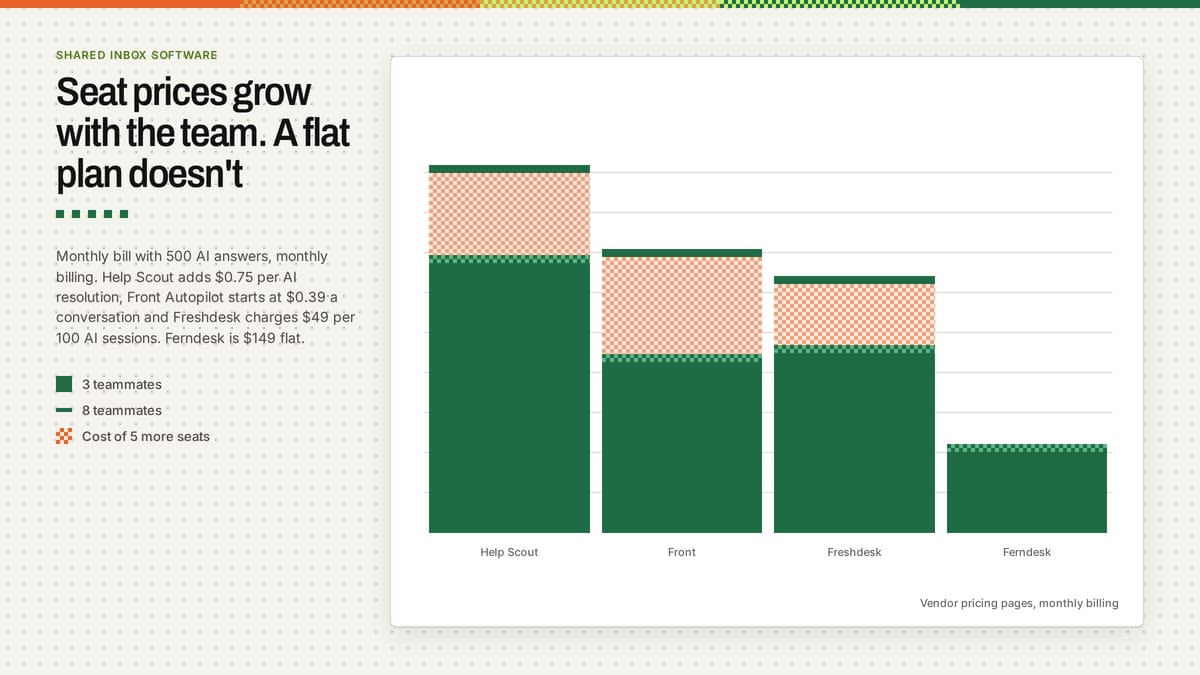
Now run the real math for a team answering 500 questions a month with AI on monthly billing. At 3 teammates, Help Scout Standard costs $90 in seats plus $375 for 500 AI resolutions, which comes to $465. Front Starter costs $105 in seats plus Autopilot from $195, so you start at $300. Freshdesk Growth costs $69 in seats plus $245 for 500 AI sessions once its one-time free sessions run out, so $314, and Ferndesk Helpdesk is $149. Bump that same team to 8 teammates so founders, engineers, and success can jump into threads when needed. Help Scout climbs to $240 in seats plus $375 for $615, Front starts at $475 from $280 in seats and $195 for Autopilot, Freshdesk hits $429 from $184 in seats and $245 for AI sessions, and Ferndesk Helpdesk is still $149. Crisp and Missive cost less at 3 seats, yet with Ferndesk Helpdesk the bill stays the same as the team grows and AI answers never add a meter.
The best shared inbox software, reviewed
1. Ferndesk Helpdesk
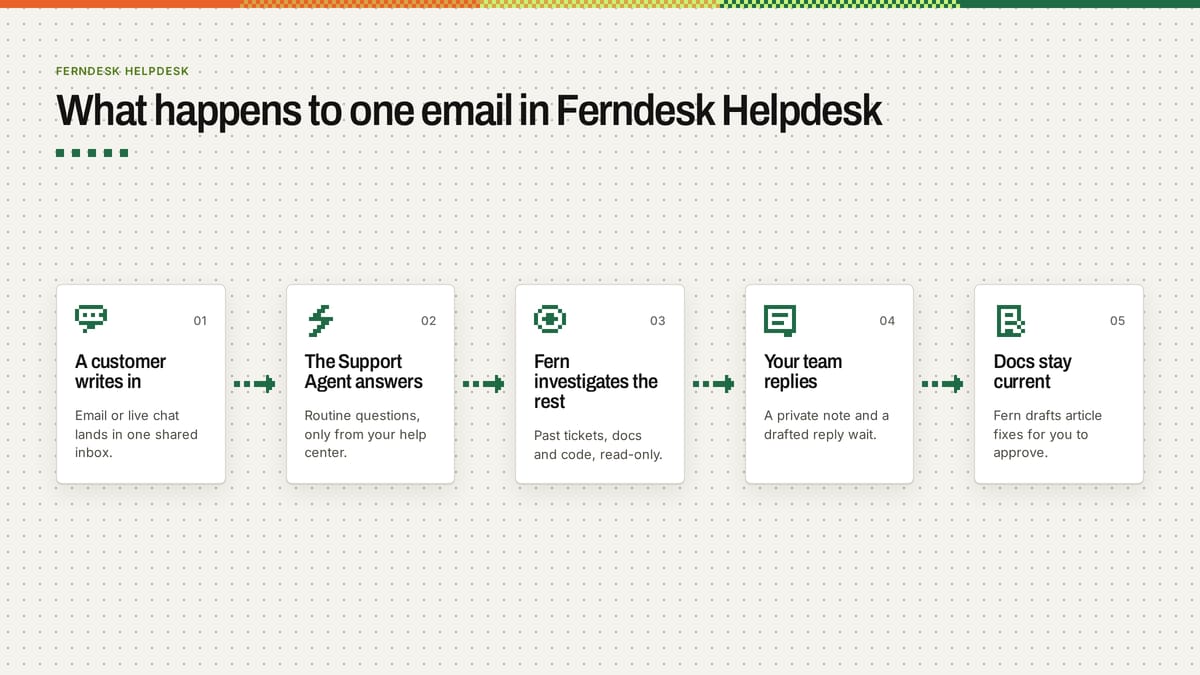
Ferndesk Helpdesk is an email and live chat inbox built around an AI agent and a help center that updates itself. Our Support Agent answers routine questions only from your help center articles and playbooks, and strips any link its search did not return so it does not make up URLs. When a question needs a person, Fern investigates past tickets, your docs, and your code through a read-only GitHub App, then leaves a private note and a drafted reply for your team; it never messages customers itself, and confirmed bugs can go straight to Linear.
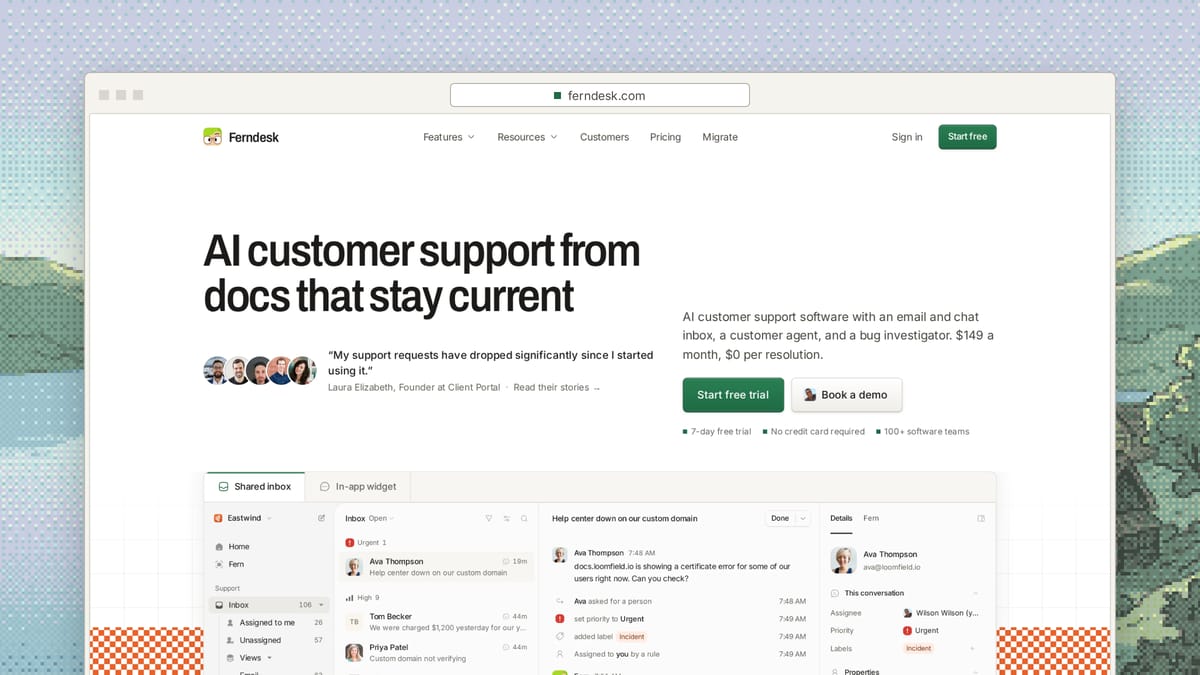
On the same plan, Fern reads merged pull requests, support conversations, and the live product to draft help center edits for you to approve. Laura Elizabeth, founder of Client Portal, put the result simply: “My support requests have dropped significantly since I started using it.” We also handle done-for-you migration and import past conversations from Intercom, Zendesk, Help Scout, and Gmail. Ferndesk Helpdesk has real gaps to weigh before buying: there is no phone or WhatsApp channel, and it is not built for 20+ agent teams that need complex routing.
Price: $149 a month flat with unlimited seats, 1,000 conversations a month whether AI or a person answers, 500 more for $25, and $0 per resolution; teams under $500K ARR with fewer than 5 people pay $75 a month for 12 months.
Best for: 5 to 30 person B2B software teams that want every engineer and founder in the inbox without per-seat penalties or per-resolution AI surprises.
2. Help Scout
Help Scout is a calm, email-first inbox without ticket numbers, paired with the Beacon chat widget and the Docs knowledge base. It stays out of your way when you want customer emails to feel like regular correspondence, and its free tier lets up to 5 users share 1 inbox for up to 25 contacts a month. We have moved teams off Help Scout Docs, including Cleverific with 200 articles, and you can read our Help Scout comparison or browse our list of Help Scout alternatives if you are weighing a switch.
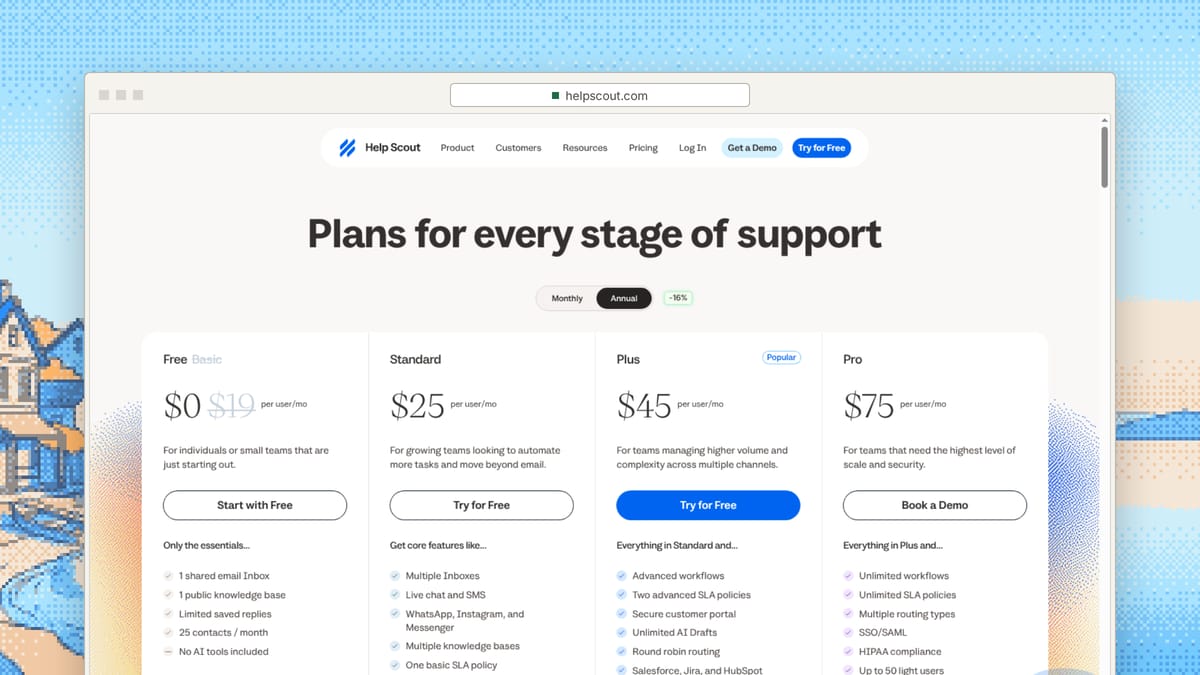
Help Scout’s pricing page opens on annual billing, which shows Standard at $25 a user.
Once a team grows past that tiny free allowance, pricing scales on two axes at once. Standard runs $30 per user monthly up to 25 users, extra inboxes cost $10 a month each, and AI answers cost $0.75 per resolution through its AI add-on. The AI inbox assistant comes with Standard and up, while unlimited AI drafts require Plus at $54 per user monthly, and the Pro tier requires at least 10 users.
Price: Free for up to 5 users with 1 inbox and 25 contacts a month; Standard $30 per user monthly; Plus $54 per user monthly; extra inboxes $10 a month; AI answers $0.75 per resolution.
Best for: Email-first support teams that love a clean inbox layout and do not expect high AI resolution volume.
3. Front
Front treats email like a chat thread, with fast internal comments and @mentions so people can hash out a customer issue right next to the message. It is built for companies where sales, account management, and support all collaborate inside shared email addresses rather than running support in isolation. Teams that only want a support inbox without the cross-team complexity often compare these Front alternatives.
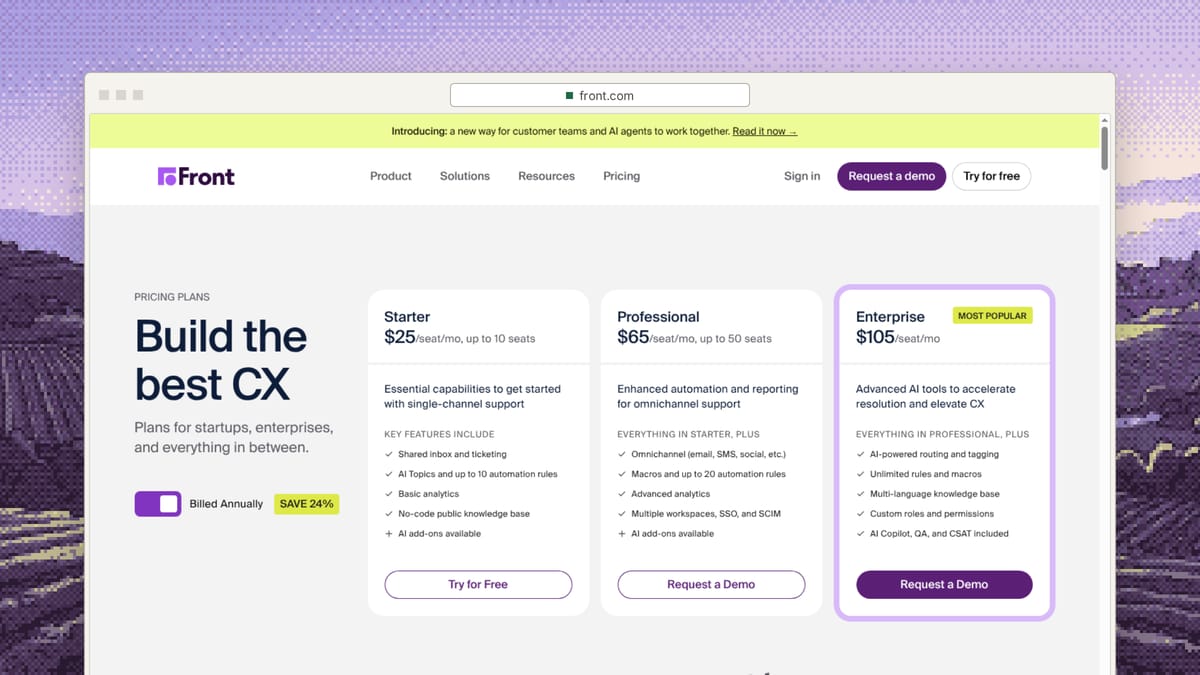
Front’s pricing page opens on annual billing, which shows Starter at $25 a seat.
For a small software team, the Starter plan has tight walls. At $35 per seat monthly up to 10 seats, you are limited to one channel type, so running live chat alongside shared email pushes you up to Professional at $85 per seat monthly. Enterprise sits at $105 per seat on annual billing only, while Copilot adds $20 per seat on Starter and Professional and Autopilot AI starts at $0.39 per conversation.
Price: Starter $35 per seat monthly up to 10 seats; Professional $85 per seat monthly; Enterprise $105 per seat monthly annual only; Autopilot from $0.39 per conversation and Copilot $20 per seat.
Best for: Companies sharing customer email across sales, success, and support that want tight internal collaboration.
4. Missive
Missive brings email, SMS, and social messages into shared team inboxes with a built-in team chat beside every conversation and live collaborative drafts. If your team constantly screenshots emails into Slack to decide what to say, putting the discussion next to the email fixes that friction immediately.
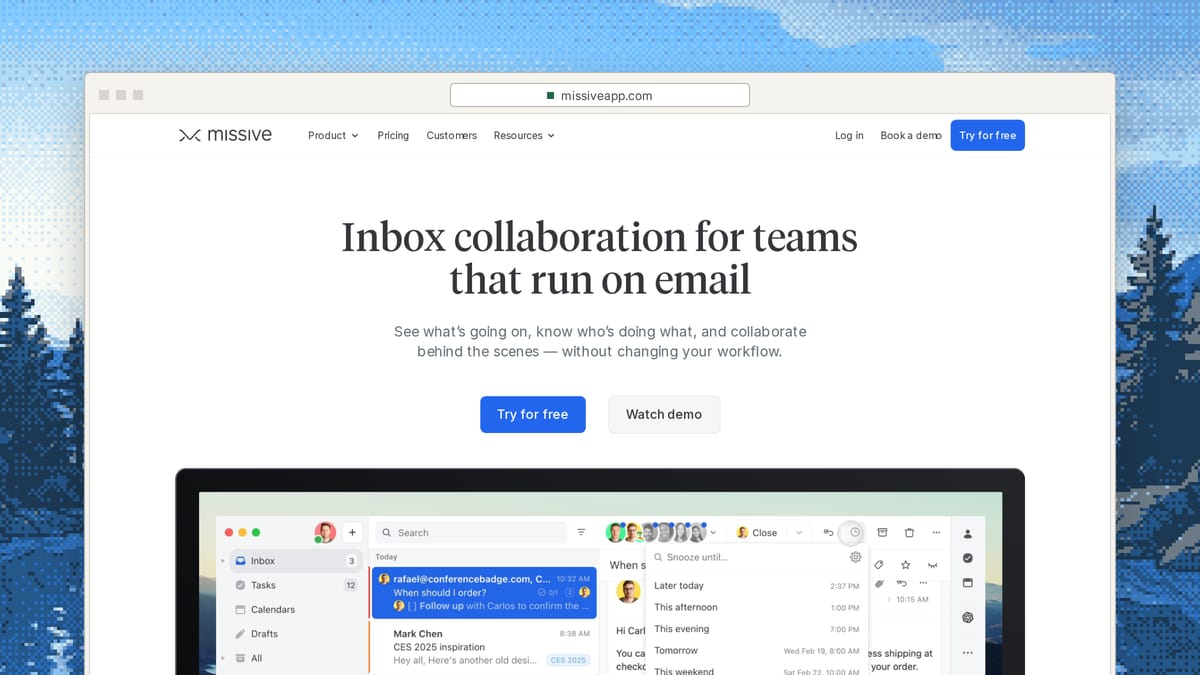
Entry pricing is low at $18 per user monthly on Starter up to 5 users, moving to $30 on Productive and $45 on Business after a 30-day trial. The catch for a software support team is what is missing from the pricing page: Missive has no built-in help center and no AI agent that answers customers on its own. AI drafting runs through Missive credits or your own AI key, and credit prices are not published.
Price: Starter $18 per user monthly up to 5 users, Productive $30 per user monthly, Business $45 per user monthly, with AI via unpublished credit pricing or your own key.
Best for: Small teams that want email and internal chat in one place on a tight per-seat budget without needing a help center.
5. Hiver
Hiver lives directly inside Gmail, or inside its separate Omni app, so teams that refuse to adopt a new email client can add assignment, collision alerts, and statuses without changing their daily workflow. You get an AI agent and copilot on every plan, and if you want to compare Gmail-based setups against standalone tools, check our Hiver alternatives guide.
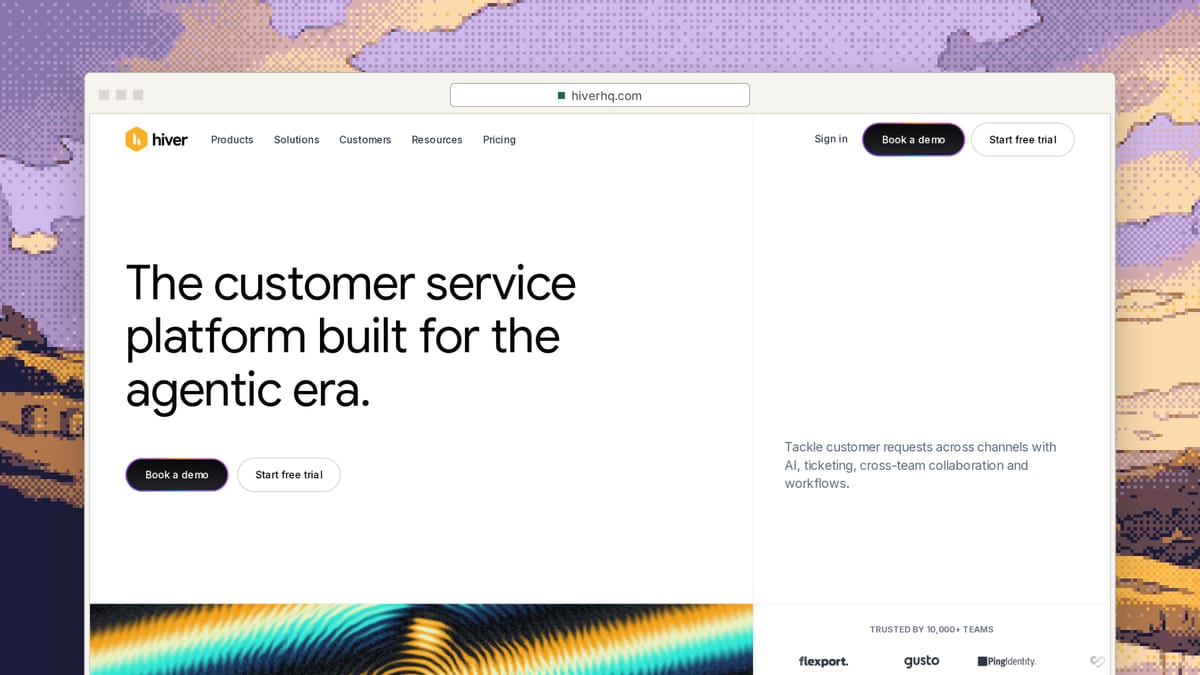
Pricing starts at $35 per user monthly on Growth, rises to $65 on Pro and $95 on Elite, and live chat requires the Omni option. Hiver does not publish a per-answer price for its AI agent, which makes high-volume AI costs harder to forecast upfront. One notable perk: startups with under $10M raised and 20 or fewer employees get 95% off.
Price: Growth $35 per user monthly, Pro $65 per user monthly, Elite $95 per user monthly, 7-day trial, and 95% off for qualifying startups.
Best for: Support teams whose teammates refuse to leave Gmail and who qualify for the startup discount.
6. Crisp
Crisp is live chat first, sold at a flat price per workspace rather than billing you for every teammate who logs in. Its Free plan covers 2 seats for live chat only, and stepping up to Mini at $45 a month unlocks a shared email inbox for 4 seats.
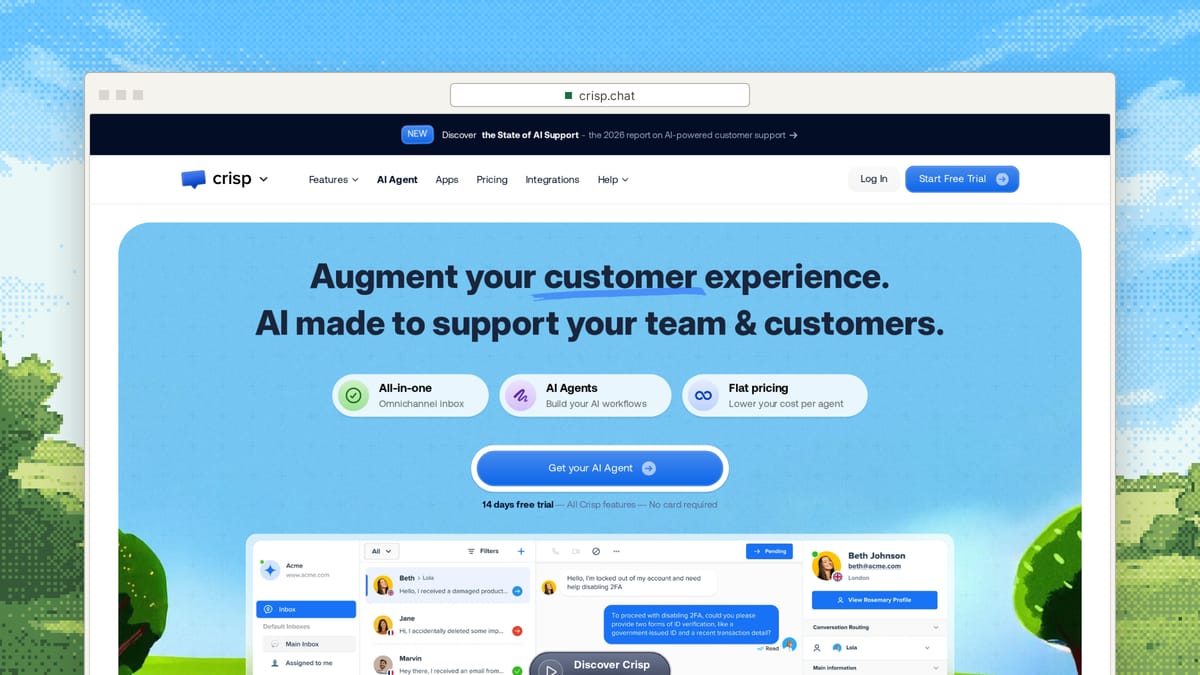
Essentials costs $95 a month for 10 seats and adds the knowledge base, while Plus covers 20 seats at $295 a month with extra agents at $10 each. Because Crisp meters AI through included credit buckets, $5 on Mini and $25 on Essentials, heavy AI volume will eventually outgrow those credits, and the email experience feels secondary to the chat widget.
Price: Free for 2 seats chat only; Mini $45 a month for 4 seats; Essentials $95 a month for 10 seats; Plus $295 a month for 20 seats and $10 per extra agent.
Best for: SaaS teams where live in-app chat drives most support volume and email is secondary.
7. Freshdesk
Freshdesk is classic ticketing software built around ticket numbers, formal SLAs, rule automations, and a customer portal. If you want strict support queues and escalation timers right out of the box, it covers the traditional help desk playbook, though teams wanting lighter email workflows often look at Freshdesk alternatives.
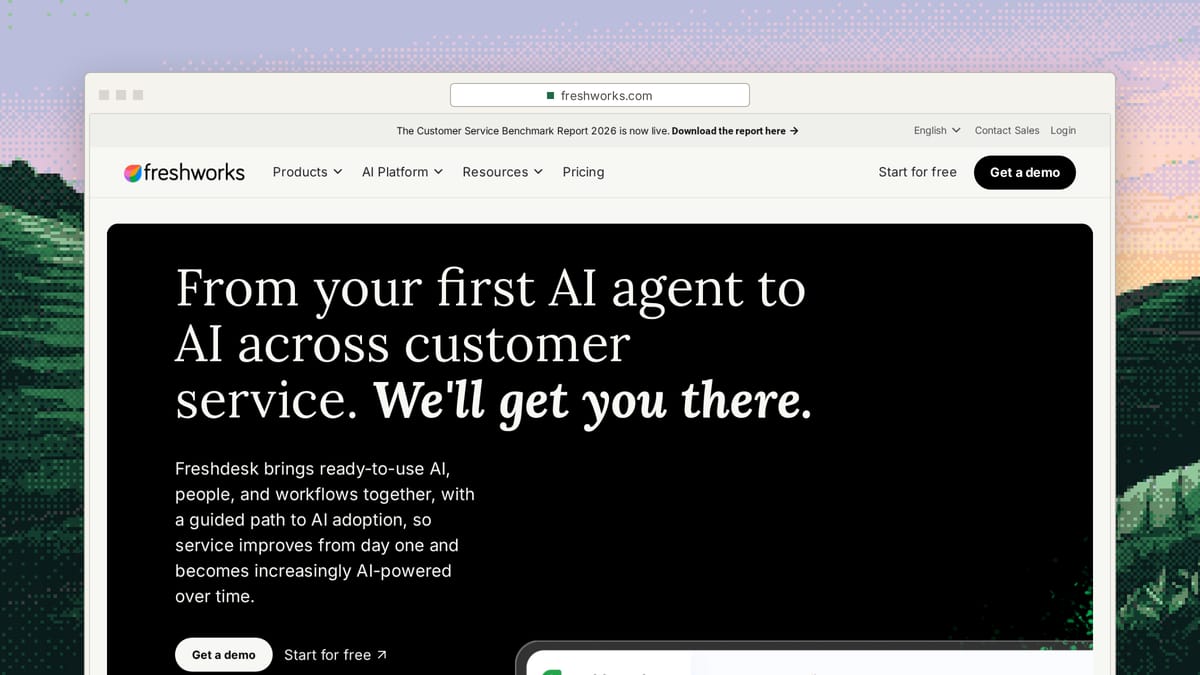
Growth starts at $23 per agent monthly after a 14-day trial, Pro jumps to $66 per agent, and Enterprise runs $107 per agent. Freshdesk gives each account 500 free AI agent sessions once, then charges $49 per 100 sessions, Copilot adds $35 per agent monthly on Pro and above, and live chat is not listed on the pricing page.
Price: Growth $23 per agent monthly, Pro $66 per agent monthly, Enterprise $107 per agent monthly; 500 free AI agent sessions once per account, then $49 per 100; Copilot $35 per agent on Pro and up.
Best for: Support teams that explicitly want ticket IDs, strict SLA clocks, and multi-tier ticketing rules.
Shared inbox best practices
Tools only fix double replies if your team agrees on a few simple habits. These four shared inbox best practices keep queues clean as you scale from two people to a whole support rotation:
- Pick one ownership rule and stick to it. Either everyone claims threads manually from the unassigned queue, or you turn on round-robin assignment so incoming emails land on an owner right away. Mixing both rules creates blind spots where nobody knows who is supposed to pick up new mail.
- Keep internal debate in notes. Never hash out a bug or billing exception in Slack while the email sits unassigned, and never hit reply before switching to an internal note. Keeping all context inside the thread means anyone can step in if the owner is out.
- Set clear statuses and a first-reply target. Move threads to pending when you are waiting on the customer and closed when the issue is done, then check what has been sitting open too long at the start of every shift.
- Turn repeat answers into saved replies and help center articles. An AI agent can only answer what your articles say, and stale articles mean wrong AI answers. Whenever your team writes the same explanation twice, save the reply and update the matching doc.
Pro tip: Do not gate shared inbox access behind strict seat budgets; let engineers and product people read threads directly in the inbox so customer bug reports never lose context in Slack.
Which shared inbox should you pick?
Pick your shared inbox management software based on where your team actually gets stuck today:
- Pick Ferndesk Helpdesk if you want a flat $149 monthly bill for unlimited seats, email and live chat in one queue, and an AI agent backed by docs that update themselves.
- Pick Help Scout if you want a calm email-first inbox and expect very few AI resolutions.
- Pick Front if sales, customer success, and support share customer email threads all day.
- Pick Missive if you only want email plus internal chat beside each thread at a low per-seat cost.
- Pick Hiver if your team refuses to work outside Gmail and qualifies for its startup pricing.
- Pick Crisp if live widget chat matters far more to your product than email.
- Pick Freshdesk if you need formal SLA tracking and traditional ticket numbers.
If you are still narrowing down the right shared inbox solution, see how our AI customer support software handles ticket deflection, compare broader options in our best SaaS help desk software roundup, or read our playbook on customer support for startups.
Frequently asked questions
What is the best shared inbox software?
The best shared inbox software depends on whether your team grows by adding seats, adding AI volume, or staying inside Gmail. For 5 to 30 person B2B software teams, Ferndesk Helpdesk stands out because $149 a month flat covers unlimited seats, email and live chat, a self-updating help center, and $0 per AI resolution. Email-first teams with low AI usage often prefer Help Scout, while cross-functional teams sharing sales and support inboxes gravitate to Front.
Is there free shared inbox software?
Yes, there is free shared inbox software for very low ticket volumes or simple setups. Google Workspace offers delegation and Google Groups Collaborative Inbox at no extra cost, Help Scout offers a free tier for up to 5 users with 1 inbox and 25 contacts a month, and Crisp offers a free 2-seat plan for live chat only. Every free option hits tight limits on AI, channels, or contact volume once a software company starts growing.
Is a Microsoft shared mailbox free?
A Microsoft 365 shared mailbox is free to create up to 50 GB, but it is not completely free for a team to use. According to Microsoft’s documentation, every person who accesses that shared mailbox still needs their own licensed Exchange Online mailbox. It works well for basic forwarding and low email volume, though it lacks collision detection, internal notes, and AI automation.
What is the difference between a shared inbox and a help desk?
A shared inbox manages customer messages like normal email threads, whereas a traditional help desk wraps every message in ticket IDs, SLA timers, and strict escalation queues. Tools like Missive and Front lean toward pure email collaboration, Freshdesk leans into classic ticketing, and tools like Ferndesk Helpdesk and Help Scout sit in the middle with assignment, statuses, collision detection, and a connected help center.
How does a shared inbox work?
A shared inbox routes an address like support@ into one central workspace where your whole team sees incoming conversations, claims ownership, and tracks status from open to closed. When you open a thread, collision detection shows if a teammate is already typing, internal notes keep team discussion hidden from the customer, and saved replies or an AI agent handle repeat questions.
Sources
- Help Scout pricing
- Front pricing
- Missive pricing
- Hiver pricing
- Crisp pricing
- Freshdesk pricing
- Ferndesk pricing
- Microsoft, “About shared mailboxes” documentation


 Book a demo