A help center that updates itself when your product changes
You ship too fast to keep docs updated by hand. Fern reads your code, your PRs, and your support tickets, drafts the updates the moment your product changes, and waits for you to approve. Your knowledge base stays accurate without becoming anyone's full-time job.
 Book a demo
 - 7-day free trial
- No credit card
- Keep your URLs and SEO
Two-factor authentication is live
 PR #482 · Merged 2 hours ago
I found a customer-facing feature in this pull request with no documentation, so I drafted the missing article and refreshed two related ones.





“We ship too fast to keep docs updated.” “The half-written one. The stale one. The one with screenshots from three UI versions ago.” Every team that moves quickly says some version of this. Documentation drift is not a discipline problem. It is what happens when docs are maintained by hand and the product never stops moving.
So Fern maintains them instead. She watches your product evolve and your support queue fill up, and she keeps the docs current at the same speed you ship.
A self-updating help center is a knowledge base that keeps its own articles accurate as your product changes, instead of waiting for someone to remember.
It connects to the systems where change actually happens, your codebase, your pull requests, your changelog, and your support tickets, detects when an article no longer matches reality, and drafts the fix. A person still reviews and publishes, so you keep editorial control. The difference from a normal knowledge base is the direction of the work: you review changes instead of hunting for what went stale.
Docs go stale the moment you ship, and you find out when a customer does
The work of keeping documentation current never reaches the top of the list. It is not that you do not care. It is that nothing tells you an article broke, so the gap grows quietly until it costs you a ticket, a trial, or your own credibility.
Screenshots from three UI versions ago
You ship every week. Every renamed button and reworked flow quietly makes an article wrong. No test fails, nothing flags it, and the help center drifts further from what the product actually looks like.
You keep getting the same questions
The answer should live in your help center. Instead it lives in your inbox, because writing it up properly always loses to something more urgent. The gap between code changed and docs updated never closes.
You linked someone to a doc you knew was stale
You hate sending people to outdated articles, but rewriting one meant an hour you did not have. So it stays wrong, and your AI answers stay wrong too, because they are only as good as the docs underneath them.
Fern turns documentation into a review-and-publish loop
She does not guess what changed. She reads where change is recorded, drafts the exact edits, and waits for your sign-off. Three steps, and only the last one is yours.
Fern reads what shipped
She watches your merged PRs, changelog, and support tickets to see what changed in the product and what customers keep asking. No one has to file a ticket to flag a stale doc.
Fern drafts the fix
She finds every article the change made wrong, recaptures screenshots from the real UI, and writes the articles your tickets show are missing. The work arrives already done.
You approve and publish
You review the drafts, tweak anything you want, and publish in one click. Nothing goes live without you, and your URLs, redirects, and SEO stay intact.
Open your task list and the work is already drafted
The articles a recent change made wrong, the topics your tickets show are missing, the screenshots that need recapturing. You approve the ones that look right and move on. That is the whole job now, for a help center that used to be next weekend's problem for six months.
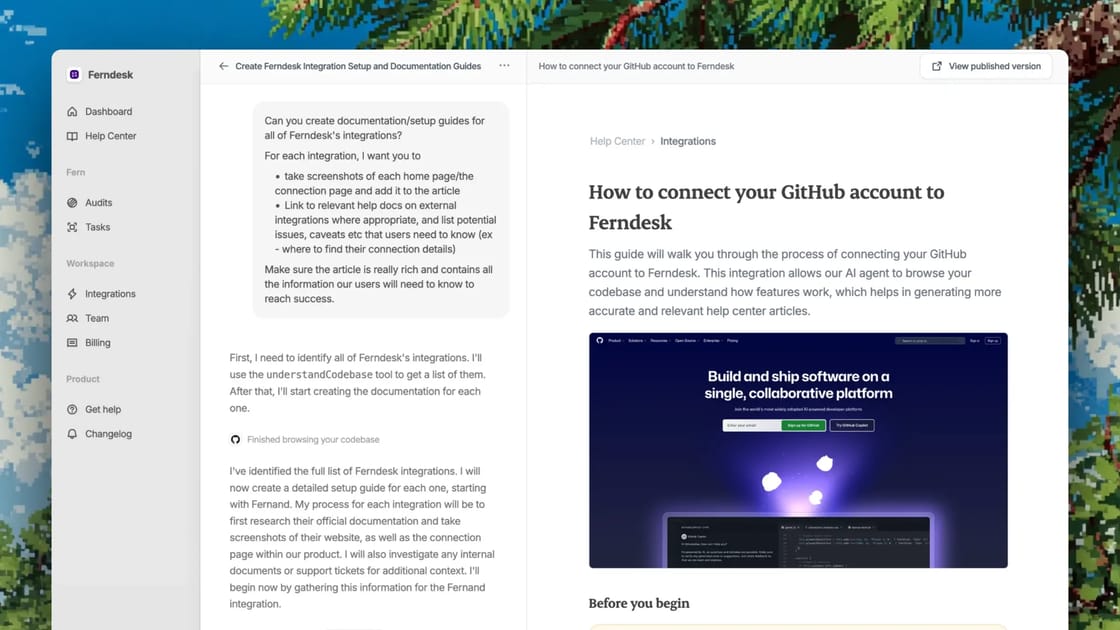
Founders report saving 20 hours a month on docs.
Founders who used to dread updating docs now ship features every week, and Fern keeps every help article accurate.
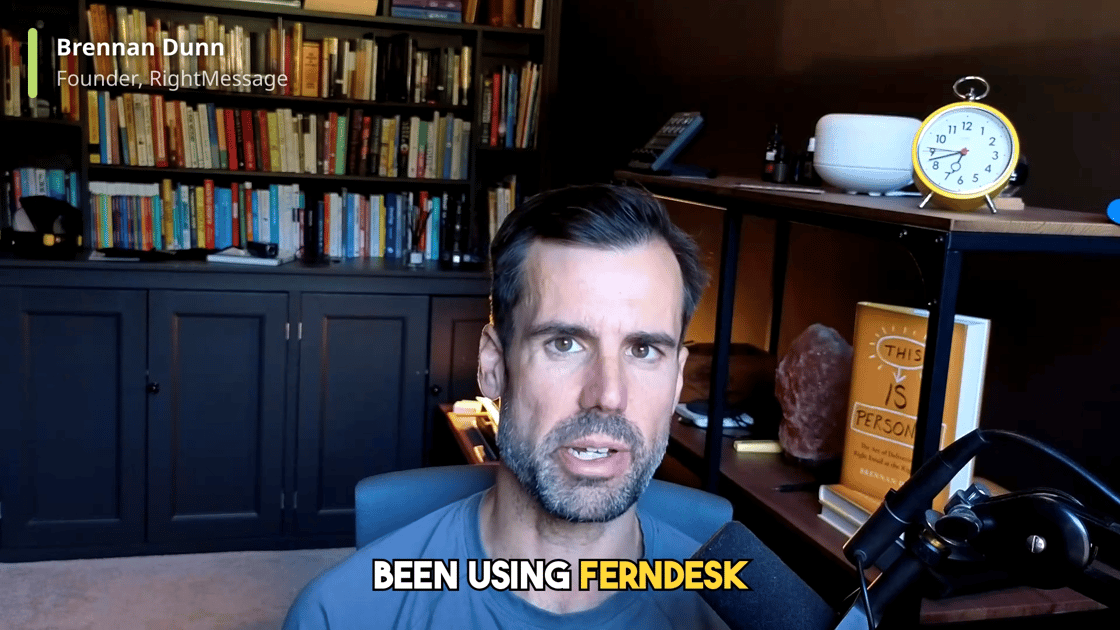
“If you struggle to keep your help docs up to date, you’re going to love Ferndesk.”
 Brennan Dunn Founder, RightMessage
“We've even started to get organic clicks to queries and questions that we didn't think we would even be ranking for.”
 Matt Mellinger Co-Founder, SEO Gets
“We would be miles away from getting this into a working product.”
They had scoped a custom build on the Crisp API. On Ferndesk instead: seven languages live and the same docs train their AI support agents.
 Jose Julio Chief Customer Officer, Metricool
“I do in 5 minutes what used to take one hour. I think it easily saves me 20h a month. We ship features every week. Updating docs is hell. Now Ferndesk makes it so easy I can just ship more and scale!”
 Tristan Roth Founder, ISMS Copilot
“I used to never update my articles, just write them once and they get stale right from day 1. Now my docs stay up to date automatically.”
 Fed Founder, GummySearch
“Being able to see exactly what customers are searching for and what they can’t find answers to. That alone has been huge. My support requests have dropped significantly since I started using it.”
 Laura Elizabeth Founder, Client Portal
A self-updating help center is not for everyone
- You ship constantly and the docs can never keep up by hand.
- You do not have a dedicated technical writer, and you are not hiring one to fix this.
- You have inherited a help center that drifted and want it accurate again without a rewrite project.
- You want AI answers your customers can trust, which means the docs underneath have to be current.
- Your product barely changes, so staleness was never really your problem.
- You need every article hand-written by a writing team to a strict house style.
- You want a tool that publishes on its own with no human in the loop. Fern always drafts for review.
Self-updating help center FAQ
Something we missed? Write to us, a human answers.
A self-updating help center is a knowledge base that keeps its own articles accurate as your product changes. It connects to your codebase, pull requests, changelog, and support tickets, detects when an article no longer matches reality, and drafts the correction for a human to review and publish.
Your docs have been stale for months. Fix them in ten minutes.
Import your help center and Fern checks every article against your product, drafts the fixes, and keeps them current from then on. You approve, she publishes.
- 7-day free trial, no card
- Import in 10 minutes, URLs preserved
- Your support tool stays where it is
- Nothing publishes without you