
Export your help center data
Download a ZIP archive of your help center content from Settings > Export Data. The export includes your articles, drafts, collections, sections, and translations, and downloads directly to your browser.
Only workspace admins can generate and download an export.
Before you start
Exports are generated from the current workspace. If you manage multiple workspaces, switch to the correct one first.
The export is a help center content archive, not a full workspace backup. Team members, analytics, and conversation history are not included.
Download an export
From the dashboard sidebar, click Settings, then select Export Data under Data management.
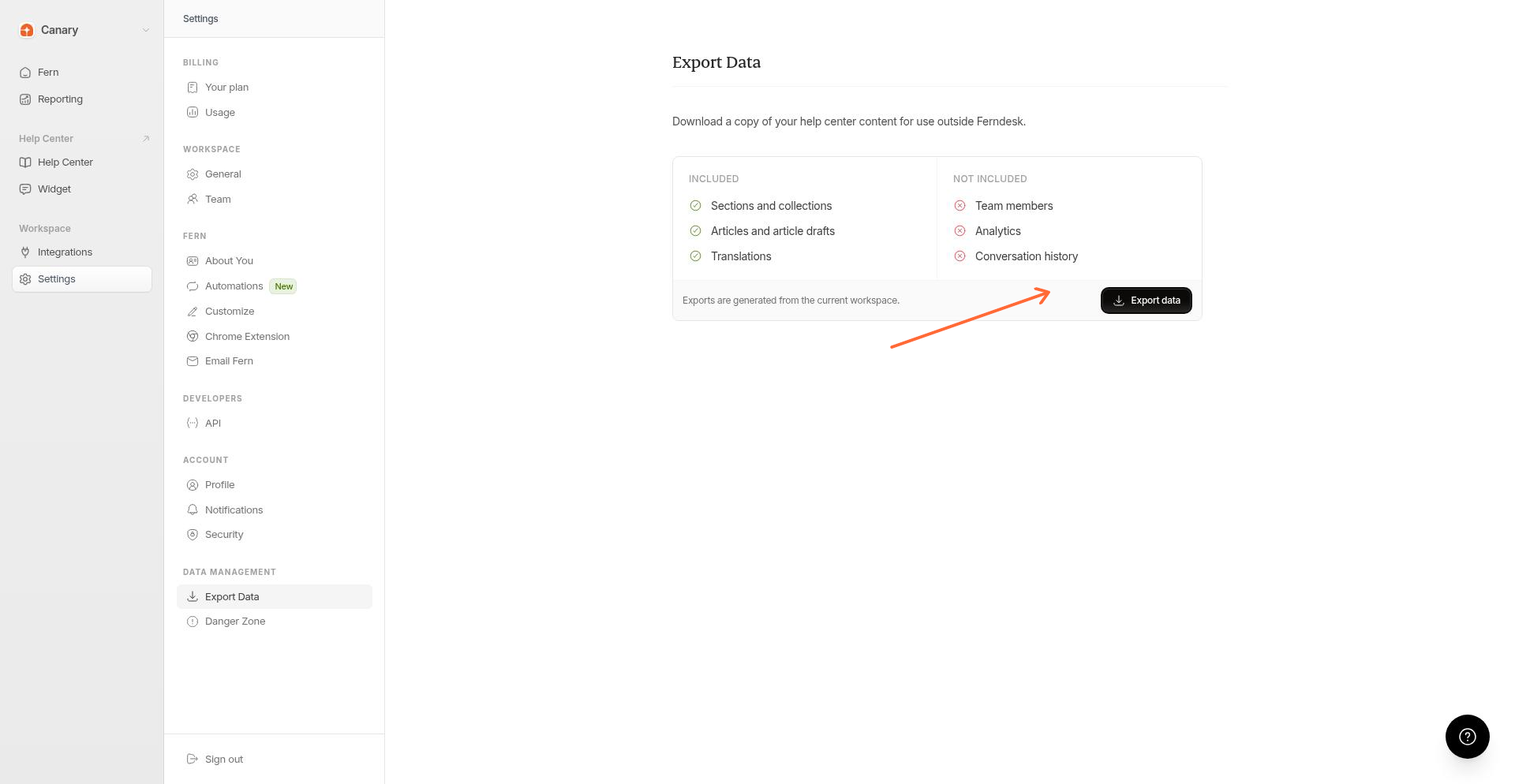
Review the included and excluded items on the page.
Included: sections and collections, articles and article drafts, translations.
Not included: team members, analytics, conversation history.
Click Export data. The ZIP file downloads automatically.
Export file name and format
The export is a single ZIP archive. The file name is based on your organization slug, such as your-workspace-help-center-export.zip. Inside the ZIP you will find rendered article files plus structured metadata that preserves your help center hierarchy.