
This error means you're not the workspace owner. Only the owner can delete a workspace. Ask your workspace owner to perform this action, or contact support if you need assistance.
Delete your workspace
Delete your Ferndesk workspace from the Danger Zone in Settings. This action immediately and permanently removes your workspace and all associated data, including articles, integrations, team members, and analytics.
This action is irreversible. Once deleted, your workspace cannot be recovered. All content, integrations, team access, and history will be permanently removed. Before deletion, export your help center data.
Before you begin
Only workspace owners can delete a workspace. If you're not the owner, you'll see an error.
Deleting cancels your subscription immediately with no refund for the current billing period. Billing shared with your other workspaces stays active. See How billing accounts work.
Export your help center content from Settings > Export Data if you want to keep it. After deletion, there's no way to recover articles or data. See Export your help center data.
1
Open Danger Zone settings
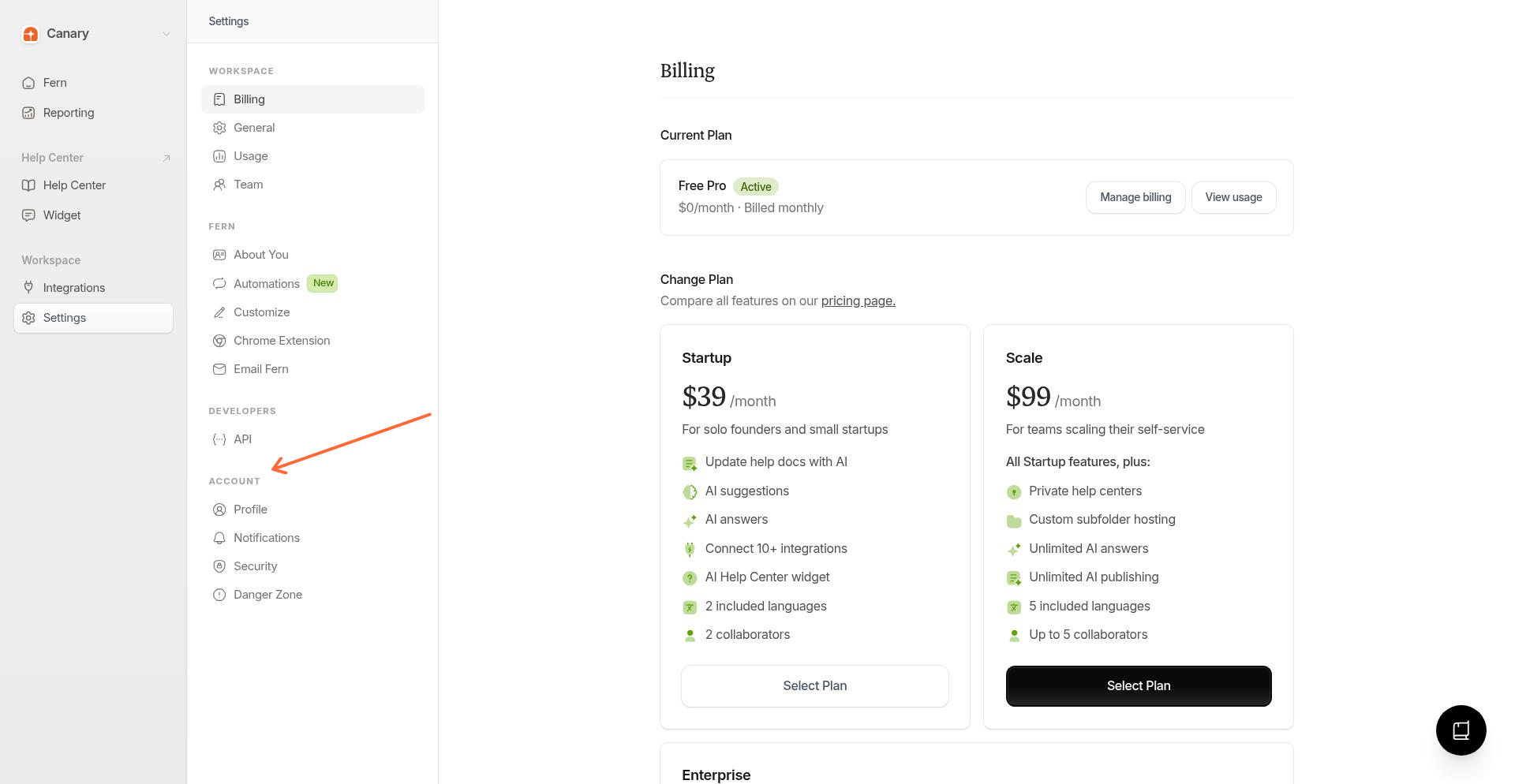
From the left sidebar, select Settings, then click Danger Zone under the Account section.
2
Review what will be deleted
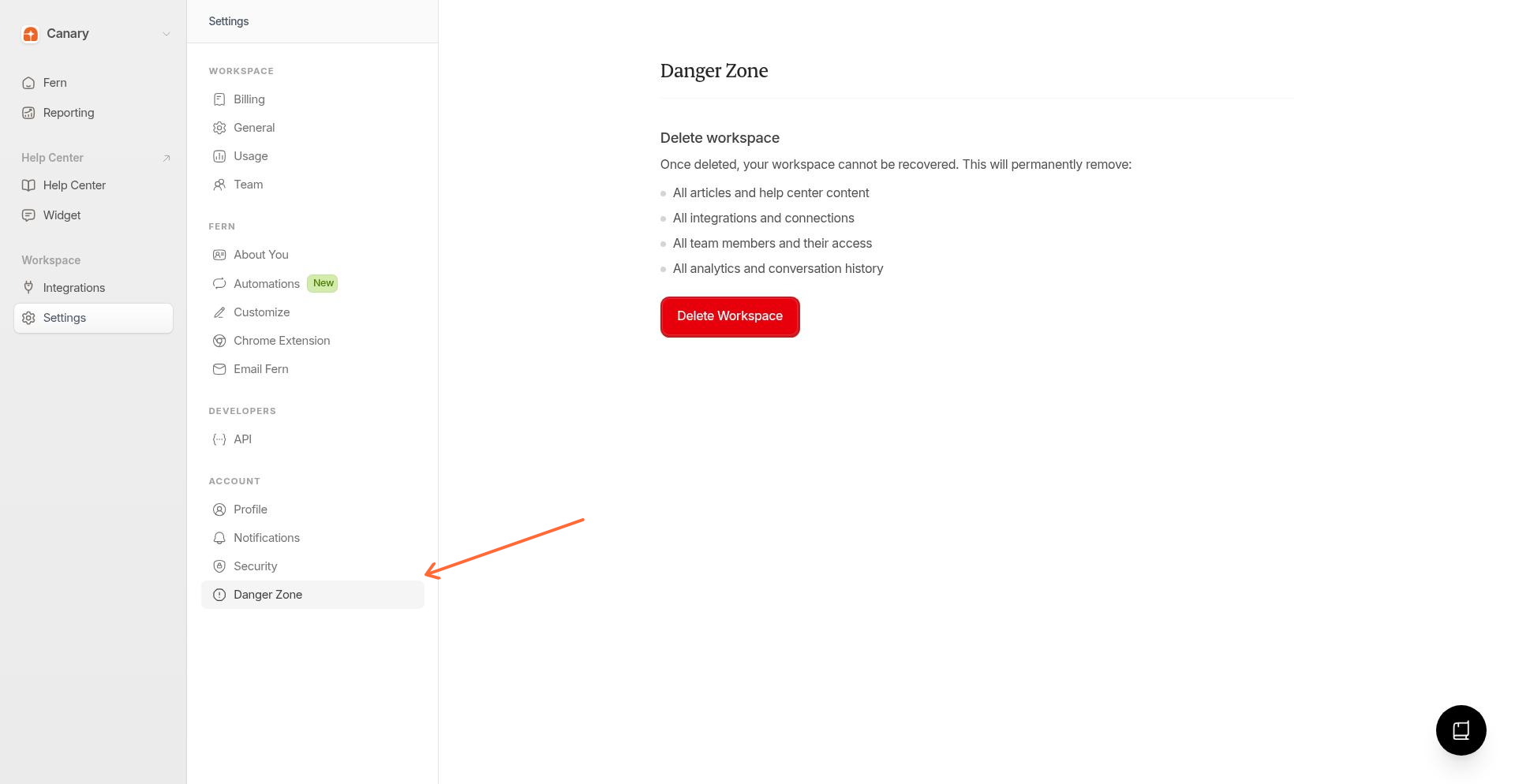
The Danger Zone page shows an Export your data warning at the top. Below that, it lists what will be permanently removed: all articles, integrations, team members, and analytics history.
3
Confirm and delete
Click Delete Workspace, type your workspace name to confirm, then click Delete Workspace again to complete the action.
After deletion, you'll be redirected to the home page. Your workspace and all its data are permanently removed.
Troubleshooting
"Only the workspace owner can delete the workspace"
What if I want to delete my personal account instead of my workspace?
You can delete your personal account yourself from Settings > Profile. It's a separate workflow from deleting a workspace, with its own confirmation steps. See Manage your account settings.
Related articles
Was this helpful?
Was this helpful?