
Clear your browser cache or try an incognito window. The primary language change is immediate but cached pages may show the old language.
Change your help center's default language
Change the primary language for your help center. This sets the default language for your content and determines which language is used when visitors first arrive.
Changing the primary language won't translate your existing content. You'll need to rewrite articles in the new language or use translations.
What the primary language controls
Your primary language determines:
Default content language - The language you write articles in
Visitor default - What language visitors see when they first visit your help center
URL structure - Your primary language appears at the root URL (e.g., yoursite.com/help)
Interface elements - Search prompts, navigation labels, buttons, and system messages.
Change your primary language
1
Open the translations dashboard
Go to Help Center > Translate.
2
Open the primary language selector
Click the Primary language section.
3
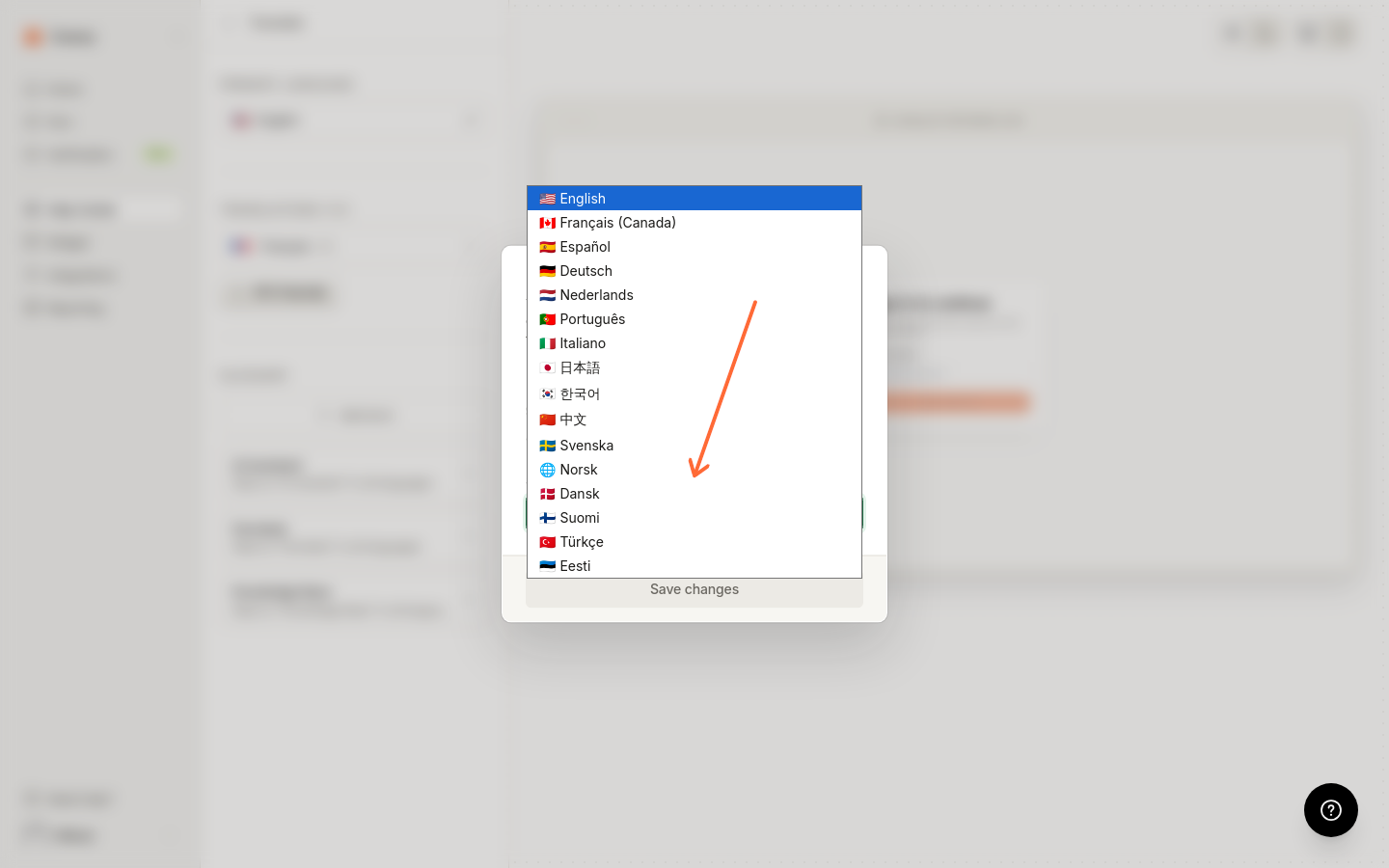
Select your language
Select your language from the dropdown.
4
Save your changes
Click Save changes.
Your existing articles won't be translated automatically. They'll remain in their original language until you rewrite or translate them.
Available languages
You can set your primary language to any of these: English, French, French (Canada), Spanish, German, Dutch, Portuguese, Italian, Japanese, Korean, Chinese, Swedish, Norwegian, Danish, Finnish, Estonian, or Turkish.
After changing the primary language
Once you change your primary language:
New articles you create will use the new language
Interface elements (search, navigation, buttons) appear in the new language
Visitors see the new language by default when they arrive
Primary language vs translations
Your help center has one primary language and can have multiple translation languages:
Primary language - The main language you write content in. Shows at your root URL.
Translations - Additional languages created from your primary content with AI or added manually. Visitors switch to these using the language picker.
Troubleshooting
Changes not appearing on help center
Articles still in wrong language
Changing the primary language doesn't translate existing content. You need to manually rewrite articles or add translations.
Visitors can't find old language content
Add your previous primary language as a translation, then generate or manually create and publish its articles. The original base content isn't preserved separately, so the old-language pages stay unavailable until those translations are published.
Related articles
Was this helpful?
Was this helpful?