Help center software for teams that ship too fast for stale docs
Ferndesk gives SaaS teams a customer-facing help center with AI search, custom domains, SEO, widgets, analytics, and an AI agent that keeps articles current from code changes, tickets, changelogs, and product videos.
- 7-day free trial
- No credit card
- Keep your URLs and SEO
How can we help?





Help center software is the tool you use to build and run a customer-facing knowledge base, a public, searchable site where customers find answers instead of contacting support.
Good help center software handles the self-service layer end to end: writing and organising articles, search and AI answers, a custom domain, SEO, an embedded widget, and analytics. It is distinct from help desk software, which manages tickets and inboxes. Ferndesk adds the piece most platforms miss: an AI agent that keeps every article accurate as your product changes, so the help center does not quietly rot between releases.
One help center instead of four things that drift
Most teams do not lack documentation. They have too much of it, spread across tools nobody maintains. Ferndesk consolidates the lot into one help center that keeps itself current.
Static FAQ pages
A hand-built FAQ that was right the week you wrote it and has been drifting ever since. Nothing tells you when an answer goes stale, so customers find the broken one before you do.
Help desk knowledge bases that need an agent to maintain them
Bundled docs inside a ticketing suite that only stay current if someone on support remembers to update them after every release. They never do, because that is not the job they were hired for.
Docs scattered across Notion and GitBook
Half your answers in one tool, half in another, none of them indexed for customers, and no single place that search or your support widget can actually reach.
Manual docs audits
The quarterly afternoon you block off to read every article and fix the obvious rot. It slips, then it slips again, and the audit becomes the thing you feel guilty about instead of the thing that keeps docs accurate.
Three terms Google blurs together, and what each one means
Search for help center software and half the results are help desk ticketing tools. They are related, but they are not the same purchase. Here is the clean version.
Help center
The customer-facing self-service layer: a public, searchable site where people find answers instead of contacting you. This is what Ferndesk is.
Public articles, search, widget, deflection
Help desk
The ticketing and inbox side: where conversations land when self-service does not answer the question. Tools like Zendesk and Freshdesk lead here.
Tickets, inbox, agent routing, SLAs
Knowledge base
The article store underneath a help center, sometimes internal-only. A help center is a knowledge base made public, searchable, and branded for customers.
The articles and structure themselves
If you need ticketing and routing, start with our help desk providers breakdown. If you need the self-service layer, you are in the right place.
Everything a modern help center needs, in one place
The table stakes are all here. The difference is that you do not have to maintain any of it by hand.
Collections and articles
Organise docs into collections and subcollections with a clean editor, so structure is obvious to customers and to AI search.
Fast search and AI search
Instant keyword search plus an AI agent that answers in natural language, grounded only in your published articles.
Custom domain or subfolder
Serve your help center on help.yourdomain.com or as yourdomain.com/help, so it builds your domain authority, not ours.
SEO controls
Per-article titles, descriptions, and metadata, with a clean indexable structure that ranks your answers in Google.
Redirects
Migrate from another platform and keep every old URL alive, so you carry your search rankings over instead of resetting them.
Embedded widget
Drop a help widget into your product so customers get answers in context without leaving the page they are on.
Public and private docs
Publish customer-facing articles and keep internal ones gated, all in the same help center with one source of truth.
Analytics and article feedback
See what customers search, where they bounce, and which articles solve the question, so you know what to write next.
Multilingual docs
Translate articles and keep every language in sync, so a Spanish customer reads the same accurate answer an English one does.
The help center that maintains itself from your product
Every other tool on this page waits for a human to notice a doc went stale. Ferndesk watches where change actually happens and brings the work to you already drafted.
Fern reads what your product actually does
She watches your codebase and merged pull requests. When a feature ships, a flow changes, or an API is deprecated, she finds every article that the change just made wrong.
Support tickets become article ideas
When the same question keeps landing in your inbox, Fern drafts the article that should have answered it and puts it in your review queue. The questions stop coming.
Changelogs and videos become doc updates
Ship a changelog entry or record a product walkthrough and Fern turns it into structured help articles, screenshots recaptured from the real UI included.
Humans review before anything publishes
Stale articles and broken references are surfaced for you, but nothing goes live without a person approving it. You keep full editorial control.
Open your task list and the work is already drafted
The articles a recent release made wrong, the topics your tickets show are missing, the screenshots that need recapturing. You approve the ones that look right and publish in a click. That is the whole job now, for a help center that used to be next quarter's problem.
 Book a demo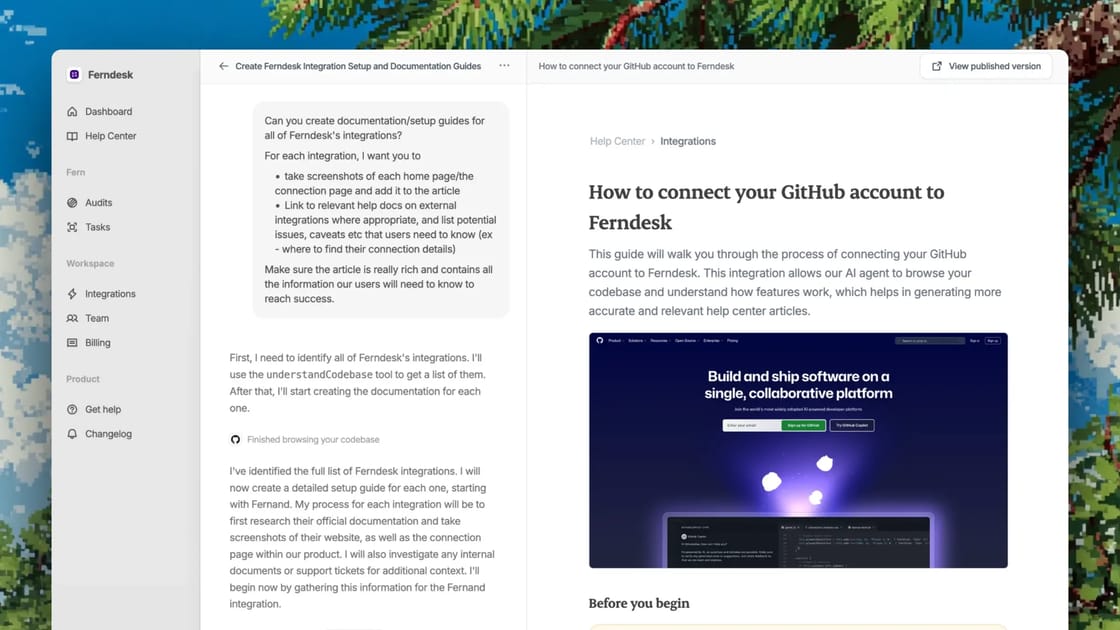
How Ferndesk compares to the help center incumbents
We build help center software for a living, so weigh the first column accordingly. Everything below is accurate as of 2026. Lightweight AI help centers like HelpCenter.io and HelpSite sit below this table: cheaper, but with no product-source maintenance.
| Ferndesk | Zendesk Guide | Intercom Articles | Help Scout Docs | HelpDocs | Document360 | |
|---|---|---|---|---|---|---|
| Self-maintains from code, PRs, and tickets | ||||||
| Proactively flags stale articles | Health checks | |||||
| AI search and answers included | Add-on | Add-on | Basic | Credit-limited | Add-on | |
| Custom domain and SEO controls | Limited | |||||
| Embedded help widget | ||||||
| Standalone, no ticketing suite required | ||||||
| Starting price | $39/mo | $55/agent | $29/seat | $50/user | $49/mo | On request |
Founders report saving 20 hours a month on docs.
Founders who used to dread updating docs now ship features every week, and Fern keeps every help article accurate.
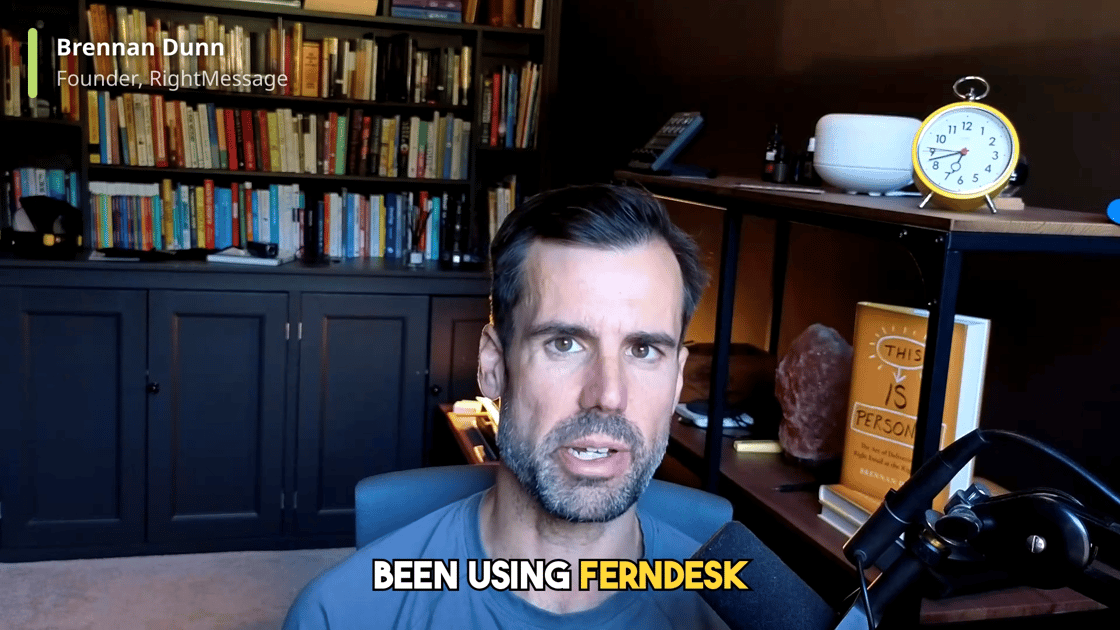
“If you struggle to keep your help docs up to date, you’re going to love Ferndesk.”
 Brennan Dunn Founder, RightMessage
“We've even started to get organic clicks to queries and questions that we didn't think we would even be ranking for.”
 Matt Mellinger Co-Founder, SEO Gets
“We would be miles away from getting this into a working product.”
They had scoped a custom build on the Crisp API. On Ferndesk instead: seven languages live and the same docs train their AI support agents.
 Jose Julio Chief Customer Officer, Metricool
“I do in 5 minutes what used to take one hour. I think it easily saves me 20h a month. We ship features every week. Updating docs is hell. Now Ferndesk makes it so easy I can just ship more and scale!”
 Tristan Roth Founder, ISMS Copilot
“I used to never update my articles, just write them once and they get stale right from day 1. Now my docs stay up to date automatically.”
 Fed Founder, GummySearch
“Being able to see exactly what customers are searching for and what they can’t find answers to. That alone has been huge. My support requests have dropped significantly since I started using it.”
 Laura Elizabeth Founder, Client Portal
Ferndesk is not the right help center for everyone
- You are a founder-led or fast-shipping SaaS team and the docs can never keep up by hand.
- Your support team does not have a dedicated docs person, and you are not hiring one.
- You are an API or product team that needs one place for product docs and reference.
- You want AI answers customers can trust, which means the articles underneath have to be current.
- You only need full ticketing and an agent inbox, with docs as an afterthought.
- You run an enterprise support suite with complex multi-team agent workflows.
- You want fully self-hosted, open-source docs you control end to end.
- You just want the cheapest static help center and product-source maintenance does not matter to you.
Move your help center over without losing a single ranking
Import your existing articles, keep every old URL alive with redirects, and host under a subfolder on your own domain so your SEO compounds where it already lives. Most teams are migrated and serving their first AI answers the same day. Keeping docs accurate is the point, so nothing about the move is designed to cost you search traffic.
Go deeper on the help center stack
Nine platforms compared on whether docs stay accurate after launch.
The sharper pick for product-led teams shipping every week.
How AI search and answers work when the docs underneath stay current.
Embed answers in your product so customers never leave the page.
Turn merged pull requests into accurate help articles automatically.
Keep every language in sync as your product changes.
Help center software FAQ
Something we missed? Write to us, a human answers.
Help center software is the tool you use to build and run a customer-facing knowledge base: a public, searchable site where customers find answers instead of contacting support. It typically includes article authoring, search and AI answers, a custom domain, SEO controls, an embedded widget, and analytics. It is distinct from help desk software, which handles tickets and inboxes.
Your docs have been stale for months. Fix them in ten minutes.
Import your help center and Fern checks every article against your product, drafts the fixes, and keeps them current from then on. You approve, she publishes.
- 7-day free trial, no card
- Import in 10 minutes, URLs preserved
- Your support tool stays where it is
- Nothing publishes without you