

You’re comparing Freshdesk and Zendesk again. Reading the same feature lists, seeing the same price comparisons, getting no closer to a decision.
Here’s what every other comparison misses: you’re optimizing for the wrong thing.
The question isn’t which platform handles tickets better. Both are competent. The real question is: which platform makes it easier to prevent tickets from existing in the first place?
According to TSIA research, up to 60% of support tickets could be resolved through documentation alone. Harvard Business Review found that 81% of customers try to self-serve before contacting support. Your customers don’t want to talk to you. They want their problem solved in 30 seconds, not 30 minutes on hold.
Yet most teams spend weeks comparing ticket management features while their knowledge base sits outdated, incomplete, and ignored. They optimize for handling tickets faster when they should optimize for preventing them entirely.
This is the comparison you actually need. We’ll cover pricing, features, AI, and user experience-but through the lens that matters: which platform helps you deflect 40-60% of support requests before they become tickets?
Because here’s the uncomfortable truth: the best help desk software is the one that handles the fewest tickets.
The Economics: Why Prevention Beats Management
Before we dive into feature comparisons, let’s talk about what actually matters to your business.
If you’re handling 1,000 support tickets monthly at the industry average of $25-35 per ticket, you’re spending $25,000-$35,000 monthly on support. That’s $300,000-$420,000 annually.
Now run the deflection numbers. Help Scout research shows that well-designed self-service deflects 40-60% of incoming queries. Let’s be conservative and assume 40% deflection.
400 prevented tickets monthly = $10,000-$14,000 saved per month = $120,000-$168,000 saved annually.
That’s not a marginal improvement. That’s the equivalent of 2-3 full-time support hires. It’s a different business model entirely.
But here’s what makes this relevant to your Freshdesk vs Zendesk decision: the two platforms take fundamentally different approaches to self-service. One makes it easy. One makes it powerful. And for most SaaS companies, easy wins.
We’ll get to that. First, let’s establish the baseline.
At a Glance: The Real Differentiators
Every comparison article gives you a table. Most tables list features you’ll never use. Here’s what actually differentiates these platforms when you care about ticket deflection:
| Freshdesk | Zendesk | |
|---|---|---|
| Price for 5-agent team (annual) | $3,300 (Pro) to $5,040 (Pro + AI) | $6,900 (Suite Professional) to $9,900 (with add-ons) |
| Knowledge base | Simple, integrated, limited customization | Powerful, complex, requires setup expertise |
| AI approach | Native (Freddy AI), unified interface | Acquired (Ultimate), powerful but fragmented |
| Setup to productivity | Days | Weeks |
| Best self-service use case | Teams that want turnkey documentation tools | Teams with dedicated doc writers and workflows |
| Weakest point for prevention | Advanced KB features locked in Enterprise tier | Complexity makes doc maintenance harder to sustain |
The pattern emerges immediately: Freshdesk optimizes for speed and simplicity. Zendesk optimizes for power and control. When it comes to self-service, speed wins more often than you’d think.
Why? Because documentation is a maintenance problem, not a setup problem. The platform that makes it easiest to keep docs current is the platform that deflects more tickets long-term.
Let’s break down why.
Knowledge Base Capabilities: Where Tickets Go to Die (Or Get Prevented)
This is the core of ticket prevention. Everything else-the AI, the automation, the routing-only matters if you have comprehensive, accurate, findable documentation. So let’s start here.
Freshdesk’s Knowledge Base: Simplicity That Scales
Freshdesk’s knowledge base isn’t impressive on paper. It doesn’t have Zendesk’s advanced content management or multi-brand architecture. But it has something more valuable: it’s simple enough that teams actually maintain it.
The knowledge base lives inside Freshdesk. Same interface, same navigation, same admin panel. When a support agent sees a repetitive question, creating or updating an article takes minutes, not a context switch to a different platform.
Features that matter for deflection:
Integrated article suggestions during ticket resolution. When agents respond to tickets, Freshdesk surfaces existing knowledge base articles. If none exist, agents can draft an article from their response with one click. This creates a feedback loop: common questions automatically become documented answers.
Simple multi-language support. Not as sophisticated as Zendesk, but sufficient for most SaaS companies serving customers in 5-10 languages. Articles can be translated and managed without complex workflows.
Decent analytics. You can see which articles get views, which get positive feedback, which get negative feedback. You can track search queries that return zero results (a.k.a. content gaps). It’s not enterprise-grade reporting, but it’s enough to drive improvements.
Embeddable widget. The knowledge base can be embedded in your product via a widget that surfaces contextually relevant articles. A customer on your billing page sees billing articles. A customer in settings sees settings articles. This is critical for deflection-help needs to appear where questions arise.
The limitation? Advanced features (content blocks, sophisticated workflows, granular permissions) are locked behind the Enterprise tier at $89/agent/month. For teams under 20 agents, this pricing jump is steep.
But here’s the counterintuitive insight: most teams don’t need advanced knowledge base features. They need a knowledge base they’ll actually use. Freshdesk’s simplicity is a feature, not a bug.
Zendesk Guide: Power That Requires Maintenance
Zendesk’s knowledge base-long called Guide, now named Knowledge-is objectively more powerful. It has everything Freshdesk lacks: content blocks, advanced permissions, multi-brand support, sophisticated theming, granular analytics.
If you have a dedicated documentation team, Guide is excellent. You can build complex content hierarchies, manage multiple help centers for different products, create reusable content blocks that update everywhere they’re referenced, and track performance with dashboard-level detail.
The problem? Complexity is friction. And friction kills maintenance.
According to user reviews on Desk365 and eesel AI, Zendesk’s knowledge base “requires significant upfront setup” and “admins must juggle between different interfaces.” Creating a new article isn’t a one-click process. It’s a workflow: navigate to Guide, choose the brand, select the category, draft content, configure permissions, set visibility, publish.
For a dedicated documentation team working on quarterly content sprints, this is fine. For support agents trying to document answers in the moment, it’s a barrier.
And here’s what matters for ticket deflection: documentation needs to happen continuously, not quarterly. Products change weekly. New features ship. UI gets updated. Customer questions evolve. The team that can update documentation in the flow of work will deflect more tickets than the team with sophisticated quarterly doc sprints.
This is where Freshdesk’s simplicity creates better outcomes. Lower barrier to creation = more coverage = more deflection.
The Problem Both Platforms Share
Neither Freshdesk nor Zendesk makes it easy to keep documentation current at scale.
You can create articles. You can organize them. You can surface them to customers. But when your product changes, someone has to remember that 14 help articles reference the old UI. Someone has to notice that you shipped a feature without documentation. Someone has to audit for outdated information.
Most teams don’t have a “someone.” Support agents are answering tickets. Product teams are shipping features. Documentation falls through the cracks. Articles go stale. Customers find outdated help, get confused, submit tickets anyway.
This is the hidden cost both platforms impose: ongoing manual maintenance at a scale that doesn’t work for fast-moving SaaS companies.
We’ll return to this problem-and the solution-later. First, let’s talk about AI.
AI Capabilities: Does It Prevent Tickets or Just Answer Them Faster?
Both Freshdesk and Zendesk have invested heavily in AI. But there’s a critical distinction to understand: AI that answers questions faster is different from AI that prevents questions entirely.
A chatbot that responds to “How do I reset my password?” in 10 seconds instead of 10 minutes is valuable. But it’s not ticket deflection. The customer still needed help. They still interrupted their workflow. They still experienced friction.
True deflection means customers find the answer before they think to ask. It means documentation is so complete, current, and contextually placed that questions don’t arise in the first place.
Let’s evaluate both platforms through this lens.
Freshdesk’s Freddy AI: Integrated but Reactive
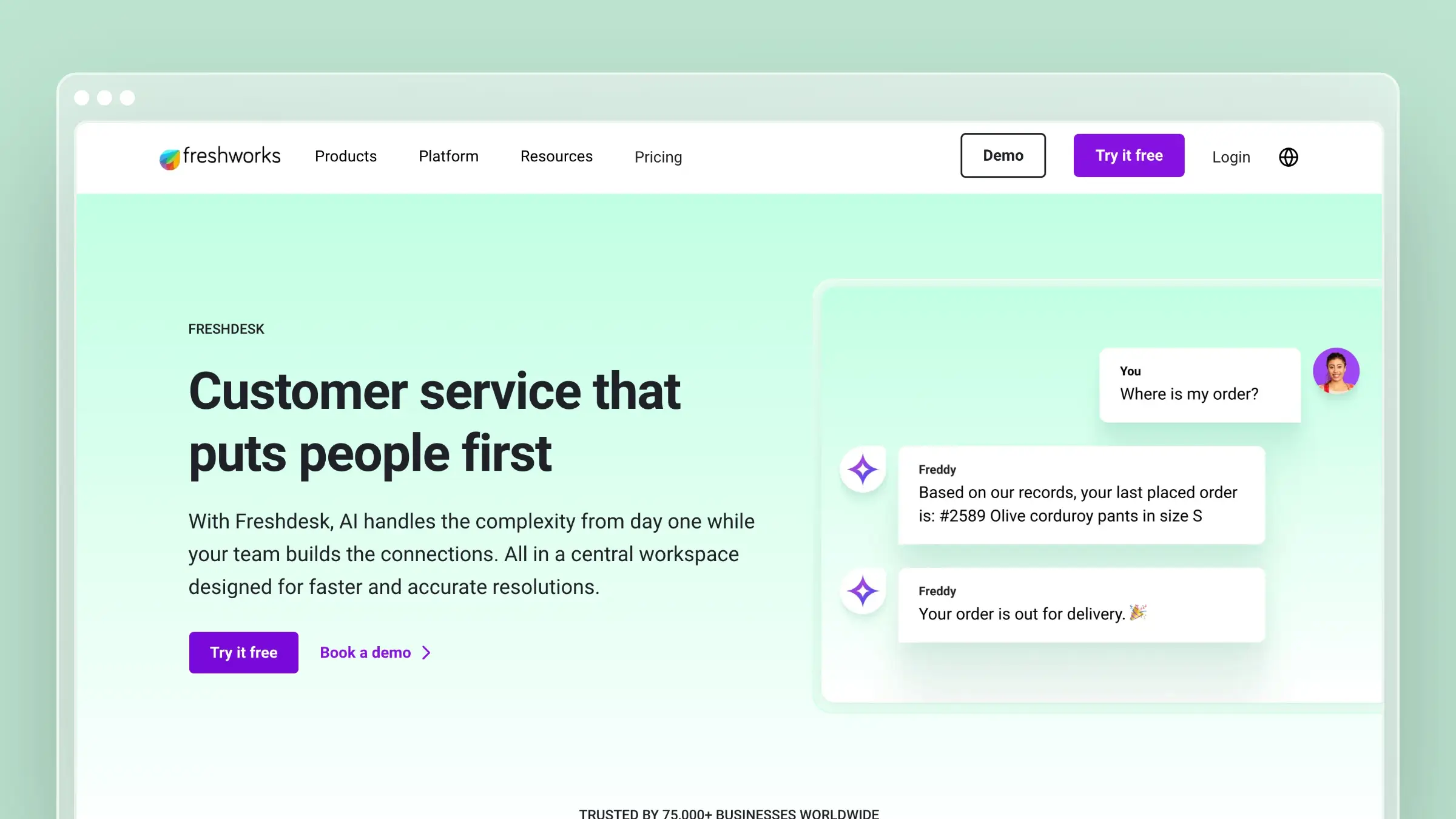
Freshdesk’s AI-called Freddy-is native to the platform. It’s built-in, not bolted on. This creates a unified experience: one interface, one admin panel, one place to configure everything.
Freddy AI has three components:
1. Freddy AI Agent (conversational chatbot): Handles customer conversations autonomously by pulling from your knowledge base. When a customer asks a question, Freddy searches existing articles and responds conversationally. If it can’t answer, it routes to a human.
According to Freshworks’ case studies, companies like iPostal1 automated key support tasks and saved up to 12 minutes per interaction. That’s faster resolution, which is valuable. But it’s not prevention-those customers still needed help.
2. Freddy Copilot (agent assistance): Helps support agents write responses by suggesting content, summarizing ticket threads, translating languages, and adjusting tone. This makes agents faster, but again, it doesn’t prevent the ticket from existing.
3. Freddy Insights (proactive alerts): Analyzes ticket patterns and alerts you before issues escalate. If CSAT drops or SLA breaches spike, Freddy surfaces root causes. This is closer to prevention-if you catch an issue early and fix it, you prevent downstream tickets.
The verdict on Freddy AI for ticket deflection: It’s good at reactive support (answering questions that customers already asked). It’s weak at proactive prevention (stopping questions from arising). The AI helps you handle tickets more efficiently. It doesn’t reduce the number of tickets.
The missing piece? Freddy doesn’t help you maintain the knowledge base. It can surface existing articles and draft new content from a prompt, but it can’t flag outdated information. Your knowledge base quality is still 100% manual.
Zendesk’s AI: Powerful but Fragmented
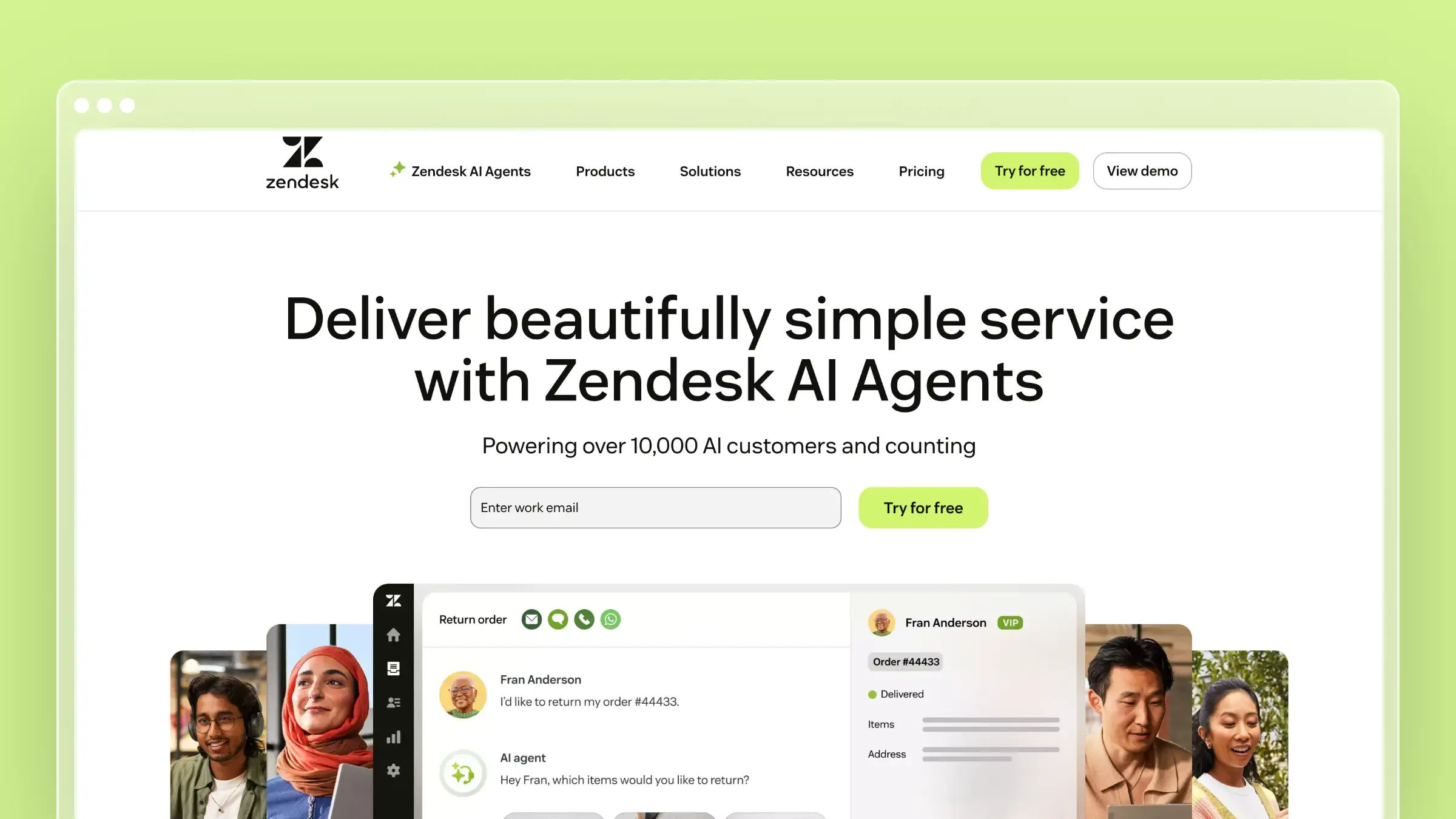
Zendesk’s AI comes from acquisitions. In March 2024, they bought Ultimate for AI agent capabilities. In February 2024, they acquired Klaus for QA automation.
The result is powerful but disjointed. As users note in reviews on Hiver and Desk365, “admins must juggle between different interfaces to configure AI features.”
What Zendesk AI does:
Autonomous AI agents that resolve up to 80% of support requests according to Zendesk’s marketing. These agents handle email, messaging, and forms by pulling from your knowledge base and executing actions (password resets, account updates, etc.).
Article suggestions and generative search (the successors to the old Answer Bot) suggest knowledge base articles to customers before they submit tickets. This is closer to deflection-if the article answers their question, the ticket doesn’t get created.
Advanced analytics via Zendesk Explore that provide AI-powered insights into team performance and predictive workload forecasting.
The verdict on Zendesk AI for ticket deflection: More powerful than Freddy, especially for complex use cases. Article suggestions genuinely deflect tickets by surfacing articles proactively. But the fragmented interface creates setup friction, and like Freshdesk, Zendesk AI doesn’t solve the knowledge base maintenance problem.
Here’s what multiple reviewers point out: “The AI can’t answer basic questions even when the info is in the knowledge base-because the knowledge base is outdated.” The most sophisticated AI in the world is useless if it’s referencing articles from 2022 that describe deprecated features.
The Real AI Gap Both Platforms Miss
Neither Freshdesk nor Zendesk uses AI to maintain and improve your knowledge base as your product changes. They use AI to deliver existing content more efficiently. That’s valuable, but it’s only half the solution.
The teams achieving 40-60% ticket deflection aren’t just delivering docs better. They’re ensuring their docs are comprehensive, accurate, and current. That requires AI that:
- Scans support tickets to identify questions that aren’t documented
- Monitors product changes to flag articles that reference old UI or deprecated features
- Drafts new articles based on actual customer questions
- Audits existing content for accuracy
Neither Freshdesk nor Zendesk does all of this. We’ll return to what does.
Pricing: The Prevention ROI Analysis
Now let’s talk money. But not just sticker price-let’s look at total cost of ownership when you factor in ticket deflection.
Freshdesk Pricing: Transparent and Accessible
Freshdesk’s pricing is straightforward. No hidden tiers, no surprise add-ons, no “contact sales for enterprise pricing.”
Free Program ($0 for 6 months): Up to 2 agents, email and social ticketing, basic knowledge base, ticket reports. There’s no permanent free plan any more, so treat this as an extended trial.
Growth ($19/agent/month): Adds automation rules, custom ticket views, team collaboration tools.
Pro ($55/agent/month): The sweet spot for most SaaS companies. Adds SLA management, advanced automation, round-robin routing, custom reports. For a 5-agent team, you’re paying $275/month or $3,300/year.
Enterprise ($89/agent/month): Adds advanced knowledge base features, skill-based routing, sandbox environments, custom objects.
Freddy AI add-ons:
- Freddy Copilot: ~$29/agent/month (writing assistance, sentiment analysis)
- Freddy AI Agent: $49 per 100 sessions
Total cost for a 5-agent team with AI:
- Pro plan: $3,300/year
- Freddy Copilot: $1,740/year
- Grand total: $5,040/year
Zendesk Pricing: Complex and Expensive
Zendesk’s pricing is deliberately opaque. The tiers are structured to make you climb.
Support Team ($19/agent/month): Email only, basic ticketing. Essentially unusable for real support operations.
Suite Team ($55/agent/month): Multi-channel support, 50+ integrations, basic automation. For a 5-agent team: $3,300/year.
Suite Professional ($115/agent/month): The actual starting point for most teams. SLA management, skills-based routing, custom analytics, multilingual support. For 5 agents: $6,900/year.
Add-ons that you’ll need:
- Copilot (AI assistance for agents): $50/agent/month = $3,000/year for 5 agents
- Advanced AI features: varies
Total cost for a 5-agent team with necessary add-ons:
- Suite Professional: $6,900/year
- Copilot: $3,000/year
- Grand total: $9,900/year
The Prevention Economics
Here’s where it gets interesting. Let’s run a full cost analysis including ticket deflection.
Scenario 1: Just the help desk (Zendesk, no self-service strategy)
- Platform cost: $9,900/year
- 1,000 tickets/month at $30/ticket = $360,000/year in support costs
- Total: $369,900/year
Scenario 2: Freshdesk + Strong Self-Service
- Platform cost: $5,040/year
- Self-service tooling (like Ferndesk): $1,490/year
- 600 tickets/month (40% deflection) at $30/ticket = $216,000/year
- Total: $222,530/year
Savings: $147,370/year
Even if you choose the more expensive Zendesk and layer on self-service:
Scenario 3: Zendesk + Strong Self-Service
- Platform cost: $9,900/year
- Self-service tooling: $1,490/year
- 600 tickets/month (40% deflection) at $30/ticket = $216,000/year
- Total: $227,390/year
Savings: $142,510/year
The lesson? The platform cost difference ($4,860/year) is noise compared to the self-service savings ($144,000/year). Choosing the cheaper help desk matters less than implementing effective ticket deflection.
But-and this is critical-the cheaper platform makes the economic case for investing in self-service even stronger. That $4,860 annual savings could fund your documentation tools entirely.
The Other Features (And Why They Matter Less Than You Think)
Every comparison spends half its word count on features you’ll rarely think about. Let’s cover them quickly, still through the prevention lens.
Automation and Workflows
Both platforms offer robust automation. Freshdesk gives you time-based triggers, event-based rules, SLA escalations, and round-robin routing. Zendesk adds sophisticated macro systems, skills-based routing, and advanced workflow builders.
For ticket deflection, automation matters in two ways:
First, routing complex issues to specialized agents improves resolution quality, which reduces follow-up tickets. Both platforms handle this competently. Zendesk’s skills-based routing is more sophisticated, but Freshdesk’s load balancing works fine for most teams.
Second, automated article suggestions during ticket creation can deflect tickets before agents respond. Both platforms do this. Neither does it particularly well-the suggestions are only as good as your knowledge base coverage.
Verdict: Zendesk’s automation is more powerful. For ticket prevention, it doesn’t matter much.
Reporting and Analytics
Freshdesk offers pre-built dashboard widgets, custom reports (on Pro and above), ticket trend analysis, and CSAT surveys. It’s sufficient for understanding what’s happening.
Zendesk offers Zendesk Explore, an advanced analytics platform with custom report builders, predictive analytics, real-time dashboards, and deep data access. It’s powerful, but the custom reporting only arrives with Suite Professional and above.
For ticket deflection, analytics matter for identifying patterns:
Which questions generate the most tickets? Which articles have high traffic but low helpfulness scores? Which search queries return zero results? Where are customers getting stuck?
Both platforms surface this data. Zendesk surfaces it with more sophistication. But the actionability is the same: you need someone to review the data and update documentation accordingly.
Verdict: Zendesk wins for data-driven teams. The analytics depth justifies the cost if you have someone who’ll act on the insights.
Multi-Channel Support
Freshdesk includes email, social media, and self-service portals. Live chat and messaging come with Freshdesk Omni, a separate product, with bring-your-own telephony on its Pro plan.
Zendesk includes email, phone (built-in telephony on Suite plans), live chat, social media, messaging (more extensive options), in-app messaging SDK, and self-service portals.
For ticket deflection, channel support matters because:
Customers ask questions wherever they are. If you only support email, phone questions become tickets. Consolidating channels reduces ticket volume by making it easier for customers to find existing answers regardless of entry point.
Both platforms do this well. Zendesk has native phone support (an advantage). Zendesk also has more messaging options (an advantage if you serve Asian markets with WeChat/LINE).
Verdict: Zendesk, unless you add Freshdesk Omni.
Integrations
Freshdesk: 1,000+ integrations, strong Zapier support, REST API, webhooks.
Zendesk: 1,800+ integrations, best-in-class API, app framework for custom in-app experiences, webhooks.
For ticket deflection, integrations matter when:
You connect your help desk to your product analytics, codebase, or internal docs. This context helps you identify what needs documentation and keep it current.
Neither platform makes this particularly easy out of the box. Both require custom work or third-party tools.
Verdict: Tie. Both have mature ecosystems. Neither solves the documentation maintenance problem.
User Experience: Does It Make Documentation Easier?
Let’s cut through the UX marketing and focus on what matters: which platform makes it easier for your team to create and maintain documentation?
Freshdesk: Fast to Value
Freshdesk’s onboarding is designed for speed. Setup wizard, pre-built templates, import tools, contextual help throughout. According to ClearFeed’s analysis, “most teams are productive within days.”
The interface is clean and modern. Minimal clicks to common actions. Creating a knowledge base article from a ticket response takes seconds, not a workflow.
The downside? Less customization. Less control. But for most support teams, this is a feature. They don’t need control. They need to document answers quickly and move on.
Zendesk: Powerful but Overwhelming
Zendesk offers extensive configuration options, complex permission systems, multiple admin panels. As eesel AI reviews note: “It’s not that easy to get started with Zendesk as everything is all over the place.”
Once configured, Zendesk can handle virtually any workflow complexity. But the setup requires planning, technical expertise, and often a consultant.
For documentation specifically, this complexity becomes friction. Creating an article requires navigating to Guide, selecting the brand, configuring permissions, choosing visibility settings. It’s not something you do quickly between tickets.
The prevention verdict: Freshdesk’s simplicity creates better documentation outcomes. Lower friction means more coverage. More coverage means more deflection.
Real User Feedback: What Actually Matters
Let’s filter user reviews for what’s relevant to ticket deflection.
Freshdesk Users Say:
The Good:
- “Intuitive interface that new agents pick up in hours” (G2)-means agents can create docs without training
- “Freddy AI saves time on repetitive tickets”-speeds up existing tickets, doesn’t prevent them
The Bad:
- “Advanced knowledge base features locked behind Enterprise tier”-gap analysis, advanced search, and sophisticated content management require expensive upgrades
- “Reporting in lower tiers is limited”-harder to identify documentation gaps without custom reports
The Ugly:
- “Some integrations feel half-baked”-connecting to external tools for documentation maintenance requires workarounds
Zendesk Users Say:
The Good:
- “Analytics provide insights you can’t get elsewhere” (Capterra)-better visibility into what needs documentation
- “Handles complex workflows without breaking”-good for enterprise doc teams with sophisticated processes
The Bad:
- “Setup complexity requires dedicated admin” (Hiver)-friction to getting documentation off the ground
- “Learning curve is steep for new team members”-harder to get entire team creating docs
- “Hidden costs add up”-phone usage, Copilot, and AI resolutions all cost extra
The Ugly:
- “AI doesn’t answer basic questions even when info is in the knowledge base”-suggests the knowledge base is often outdated
- “Customer support is ironic-hard to get help with your help desk software”
What this tells us: Freshdesk users appreciate ease of use. Zendesk users appreciate power. For ticket deflection, ease of use matters more because it determines whether documentation actually gets created and maintained.
The Verdict: Which Platform Prevents More Tickets?
After analyzing both platforms through the lens of ticket deflection, here’s the honest answer:
For 80% of SaaS Companies: Choose Freshdesk
If you have a small to mid-sized support team (2-20 agents), limited budget, and no dedicated documentation team, Freshdesk is the better choice for ticket prevention.
Why?
Lower friction to documentation. Creating and updating articles is fast enough that agents actually do it. The interface doesn’t require extensive training. New team members contribute to docs within days, not weeks.
Better economics for self-service investment. At $3,300-$5,040/year vs. Zendesk’s $6,900-$9,900/year, the savings ($4,860/year) can fund dedicated documentation tools like Ferndesk. This creates better long-term deflection outcomes.
Native AI that works out of the box. While Freddy AI doesn’t prevent tickets, it does make ticket resolution faster, freeing agent time for documentation work. The unified interface means less context switching.
Sufficient knowledge base for most use cases. Unless you’re managing multi-brand help centers with complex permissions and workflows, Freshdesk’s knowledge base covers what you need.
Ideal Freshdesk customer: A SaaS company with 5-15 support agents, growing quickly, needing to deflect tickets without hiring a documentation team. They want turnkey tools that the entire support team can use without extensive training.
For Large Enterprises: Choose Zendesk
If you have 20+ agents, multiple products or brands, dedicated documentation teams, and complex support workflows, Zendesk’s power justifies the cost and complexity.
Why?
Better analytics for strategic documentation. Zendesk Explore provides the data depth to identify exactly where documentation gaps exist, which articles underperform, and where deflection opportunities hide. This matters when you have dedicated people analyzing data and acting on insights.
Sophisticated content management. Multi-brand support, advanced permissions, content blocks, version history-these features matter when you have a documentation team managing complex content hierarchies.
More powerful automation. Skills-based routing, advanced workflow builders, and macro systems help ensure complex issues get routed to specialists, improving resolution quality and reducing follow-up tickets.
Best-in-class integrations. The API and app framework make it easier to build custom documentation workflows that connect to your codebase, product analytics, and internal tools.
Ideal Zendesk customer: An established company with 50+ support agents, multiple products, dedicated documentation team, budget for enterprise software, and IT resources to manage complex configurations.
For Everyone: Implement Strong Self-Service Regardless
Here’s the most important takeaway: the platform choice matters less than the self-service strategy.
Whether you choose Freshdesk or Zendesk, you’ll deflect 40-60% of tickets through comprehensive, current, contextually available documentation. And neither platform makes that easy on its own.
Both platforms share the same fundamental limitation: they can deliver documentation, but they can’t maintain it at the scale and speed that modern SaaS products demand.
This is where the conversation needs to shift.
The Missing Piece: AI That Maintains Your Knowledge Base

Every help desk comparison focuses on features for managing tickets that already exist. But the real competitive advantage comes from preventing tickets entirely.
The teams achieving 40-60% ticket deflection aren’t just using Freshdesk or Zendesk better. They’re solving the knowledge base maintenance problem that both platforms ignore.
Why Documentation Goes Stale
Your product changes weekly. New features ship. UI gets updated. Bugs get fixed. Edge cases emerge. Customer questions evolve.
Your knowledge base doesn’t keep pace. Articles reference old screenshots. Documentation describes deprecated workflows. New features launch without any help content. And gradually, your knowledge base becomes a liability instead of an asset.
Customers search for help, find outdated articles, get confused, and submit tickets anyway. Your agents waste time answering questions that should be documented but aren’t, or are documented but incorrectly.
You have three options:
Manual audits: Someone reviews articles regularly, identifies outdated content, rewrites what’s wrong. This is time-consuming, inconsistent, and doesn’t scale. Most teams skip it.
Hire dedicated documentation writers: $60,000-$90,000/year per writer. They can maintain quality but struggle to keep pace with product velocity. And they’re disconnected from support, so they don’t know what customers actually ask.
Automate with AI agents: Fast, systematic, scalable, and connected to both your product changes and customer questions.
This is where Ferndesk fundamentally changes the economics of ticket deflection.
How Ferndesk Prevents Tickets
Ferndesk doesn’t replace Freshdesk or Zendesk. It prevents tickets from reaching them.
Here’s how it works:
1. Weekly Content Audits
Ferndesk’s AI agent (Fern) connects to your:
- Support platform (Zendesk, Intercom, Help Scout, Crisp)
- Codebase (GitHub)
- Issue tracker (Linear)
- Product changelog
Every week, Fern scans for:
- Questions customers are asking that aren’t documented
- Articles referencing deprecated features or old UI
- New features that shipped without documentation
- Articles getting negative feedback or low helpfulness scores
2. AI-Drafted Documentation
When Fern identifies a gap, it doesn’t just flag it. It writes the article.
Using context from:
- Recent support tickets (what customers actually asked, in their words)
- Your codebase (how the feature actually works)
- Existing documentation (to match your style and avoid duplication)
- Product releases (what changed and why)
Fern drafts comprehensive, accurate articles in your voice. Your team reviews and approves-usually with minor edits. Total time: 5-10 minutes instead of 1-2 hours writing from scratch.
3. Automated Updates
When your product changes, Fern catches it. When a ticket pattern emerges, Fern documents it. When an article gets negative feedback, Fern revises it.
This creates a continuous improvement loop that scales with your product velocity.
Real Impact
Teams using Ferndesk alongside Freshdesk or Zendesk report:
- 40-60% ticket deflection through comprehensive, current documentation
- 23+ hours saved monthly on documentation maintenance
- Reduced time-to-answer for remaining tickets (agents have accurate docs to reference)
The economics are compelling:
Without Ferndesk:
- Help desk: $5,040-$9,900/year
- 1,000 tickets/month at $30/ticket = $360,000/year
- Total: $365,040-$369,900/year
With Ferndesk:
- Help desk: $5,040-$9,900/year
- Ferndesk: $1,490/year
- 600 tickets/month (40% deflection) at $30/ticket = $216,000/year
- Total: $222,530-$227,390/year
Savings: $142,510/year
The Ferndesk investment ($1,490/year) pays for itself in the first month.
Implementation: Your First 90 Days
Here’s a practical roadmap for choosing your help desk and building effective ticket deflection.
Month 1: Platform Selection and Baseline
Week 1-2: Choose your help desk
Run trials of both Freshdesk and Zendesk. Test with your actual support team, not just admins. Focus on daily workflows: How easy is it to create a knowledge base article from a ticket response? How intuitive is search? Can your entire team use this without training?
Calculate real total cost including add-ons. For most teams under 20 agents, Freshdesk wins on ease of use and economics. For enterprises with complex needs, Zendesk’s power justifies the cost.
Week 3-4: Setup and ticket audit
Configure your chosen platform. Import historical data. Set up basic automation and routing.
Simultaneously, export 90 days of support tickets. Categorize by topic. Identify the top 20 issues that generate 80% of volume. For each, ask: “Do we have comprehensive, current documentation for this?”
The answer is almost always: “We have something, but it’s from 2023 and references the old interface.”
Month 2: Self-Service Foundation
Week 5-6: Close critical gaps
Start with your top 10 ticket drivers. Write clear, step-by-step articles that:
- Answer the question in the first paragraph (don’t bury the lede)
- Use screenshots from the current product
- Include common variations and edge cases
- Link to related articles
- Speak in customer language, not internal jargon
Don’t aim for perfection. Aim for coverage. A good article today beats a perfect article next month.
Week 7-8: Make help contextually available
Add an in-app help widget that surfaces relevant articles based on where customers are in your product. Configure smart search that understands intent, not just keyword matching. Set up article feedback collection (thumbs up/down).
Both Freshdesk and Zendesk offer embeddable widgets. Configure them to surface help proactively, not just when customers actively search.
Month 3: Automation and Scale
Week 9-10: Implement AI-powered documentation
Connect Ferndesk to your support platform and codebase. Run the initial audit to identify documentation gaps based on recent tickets. Review and publish AI-drafted articles. Set up weekly automated audits.
This is where ticket deflection accelerates. You shift from reactive documentation (writing articles when customers complain) to proactive documentation (identifying and filling gaps before customers notice).
Week 11-12: Measure and iterate
Track deflection rate week-over-week. Monitor article performance (views, helpfulness scores, search-to-ticket conversion). Identify remaining content gaps. Optimize article placement and search.
Expected outcomes after 90 days:
- 25-35% ticket deflection (ramping to 40-60% by month 6)
- Team productivity improving as repetitive questions decrease
- Customer satisfaction rising (faster self-service resolution)
- Clear data on what’s working and what needs improvement
Common Mistakes That Kill Ticket Deflection
Mistake 1: Choosing Based on Features, Not Workflows
Both Freshdesk and Zendesk have impressive feature lists. But features don’t matter if they don’t match how your team works.
Do this instead: Map your current support workflows. Test each platform against real daily work. Choose the one that makes it easier to create and maintain documentation, not the one with the longest feature list.
Mistake 2: Ignoring the Maintenance Problem
Most teams think about documentation as a setup task. “We’ll do a big doc sprint, create 50 articles, and we’re done.”
Documentation isn’t a project. It’s a process. Products change. Docs go stale. Gaps emerge.
Do this instead: Choose tools and workflows that make ongoing maintenance sustainable. Automated audits, AI-drafted content, continuous improvement loops. Prevention is a system, not a one-time effort.
Mistake 3: Optimizing for the Wrong Metrics
Article count means nothing if articles don’t help. Chatbot interactions mean nothing if they don’t prevent tickets. Response time means nothing if the ticket shouldn’t exist.
Do this instead: Track what matters:
- Ticket deflection rate: Percentage of inquiries resolved through self-service
- Customer effort score: How hard it is to get help
- Time-to-resolution: Including self-service paths, not just agent-assisted
- Article effectiveness: Search → helpful rating → ticket avoided
Mistake 4: Treating Documentation as an Afterthought
Most teams spend weeks evaluating help desk platforms and zero time planning their self-service strategy. Then they wonder why tickets keep growing.
Do this instead: Run both evaluations in parallel. Your help desk manages tickets. Your knowledge base prevents them. Both matter equally. The platform that makes documentation easier is often the platform that delivers better long-term outcomes.
The Real Answer
After 3,000+ words analyzing pricing, features, AI, and user experience, here’s the real answer to “Freshdesk vs Zendesk”:
For most SaaS companies, choose Freshdesk. It’s more affordable ($3,300-$5,040/year vs. $6,900-$9,900/year), easier to implement (days vs. weeks to productivity), and simpler to use (your entire team can create docs without training). The economics free up budget for self-service tools that actually prevent tickets.
For large enterprises, choose Zendesk. If you have 50+ agents, complex workflows, dedicated documentation teams, and budget for enterprise software, Zendesk’s power and analytics justify the cost and complexity.
For everyone, implement strong self-service regardless of platform. The choice between Freshdesk and Zendesk saves or costs $4,860/year. Implementing effective ticket deflection saves $120,000-$168,000/year. The magnitude difference is 25-35x.
Stop optimizing for managing tickets faster. Start optimizing for preventing tickets entirely.
The platform that makes it easiest to create, maintain, and surface comprehensive documentation is the platform that reduces your support costs by 40-60%. For most teams, that’s Freshdesk. For enterprises, that’s Zendesk. For everyone, that requires external tools that solve the maintenance problem.
For a broader comparison of help center tools beyond these two, see our best help center software guide.
Getting Started
Your next steps depend on where you are:
If you’re choosing a help desk for the first time:
- Start with Freshdesk’s free trial to test workflows
- Run it with real support work for 2 weeks
- If it meets your needs, upgrade to Pro ($55/agent/month)
- If you hit limitations, trial Zendesk Suite Professional
If you’re migrating from another platform:
- Map all critical workflows and integrations
- Trial both platforms with 2-3 agents simultaneously
- Calculate true total cost including add-ons and implementation time
- Choose based on daily usability, not feature marketing
If you already have Freshdesk or Zendesk:
- Audit your ticket data for the last 90 days
- Identify your top 20 ticket drivers
- Assess your knowledge base coverage and accuracy
- Implement a systematic self-service strategy to deflect 40-60% of tickets
Ready to reduce your support ticket volume by 40-60%?
Try Ferndesk free and see how AI-powered documentation can transform your support strategy. Ferndesk works alongside Freshdesk, Zendesk, Intercom, Help Scout, Crisp, and other platforms to prevent tickets before they’re created.
Connect your support platform and codebase. Get an AI audit of your documentation gaps. Review AI-drafted articles. Publish in minutes.
Your customers want to self-serve. Your team wants fewer repetitive tickets. The only question is whether you’ll give them the tools to succeed.


 Book a demo