
Sign in with Magic Links
Magic links let users sign in via email without passwords. Users enter their email address and receive a one-time link that expires after one use or 15 minutes. Sessions last up to 180 days, until expiry or explicit logout.
Requires a plan with help-center authentication (Pro or above). Use it when your help center is Private, or when a Public help center restricts access to sections or collections.
Steps
Open Access Control
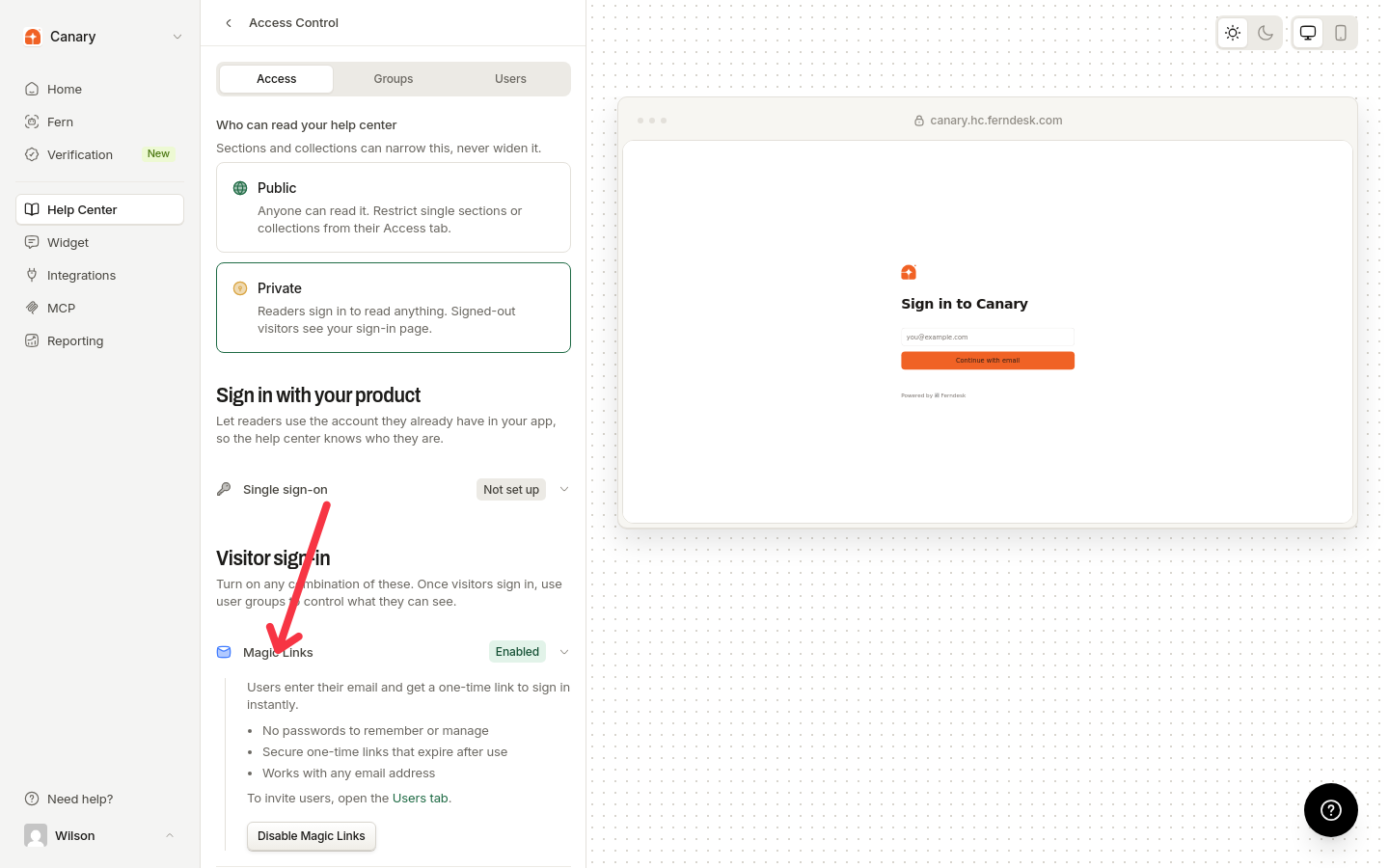
In the dashboard, go to Help Center, then Access Control.
Enable Magic Links
Under Visitor sign-in, click Enable Magic Links, then click Save changes.
Add users
Click the Users tab, click the add-user icon next to the search field, then enter the email address and click Add user.
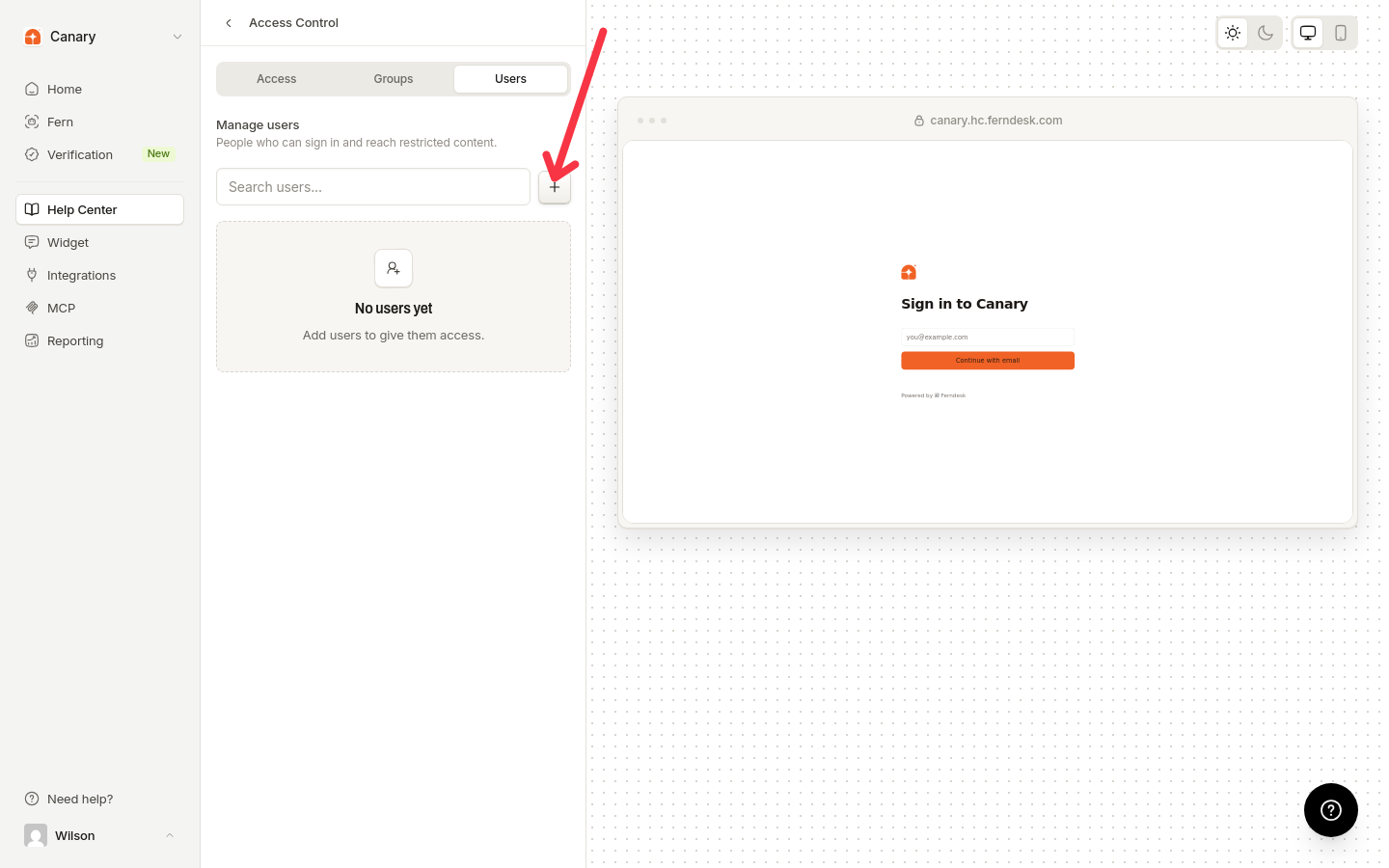
Only registered users receive magic links. Unregistered emails get an error.
To disable magic links, return to Access Control and click Disable Magic Links, then Save changes.