
Replace an API reference spec
Replacing the spec switches an API reference to a new source: an uploaded file, a URL, or a GitHub repository. The reference resets to processing and is reindexed from the new spec. Your operation overrides and layout choices survive the switch.
Replace the spec
Go to Help Center in the dashboard and click the API reference in the content tree.
In the detail pane, select the Source tab.
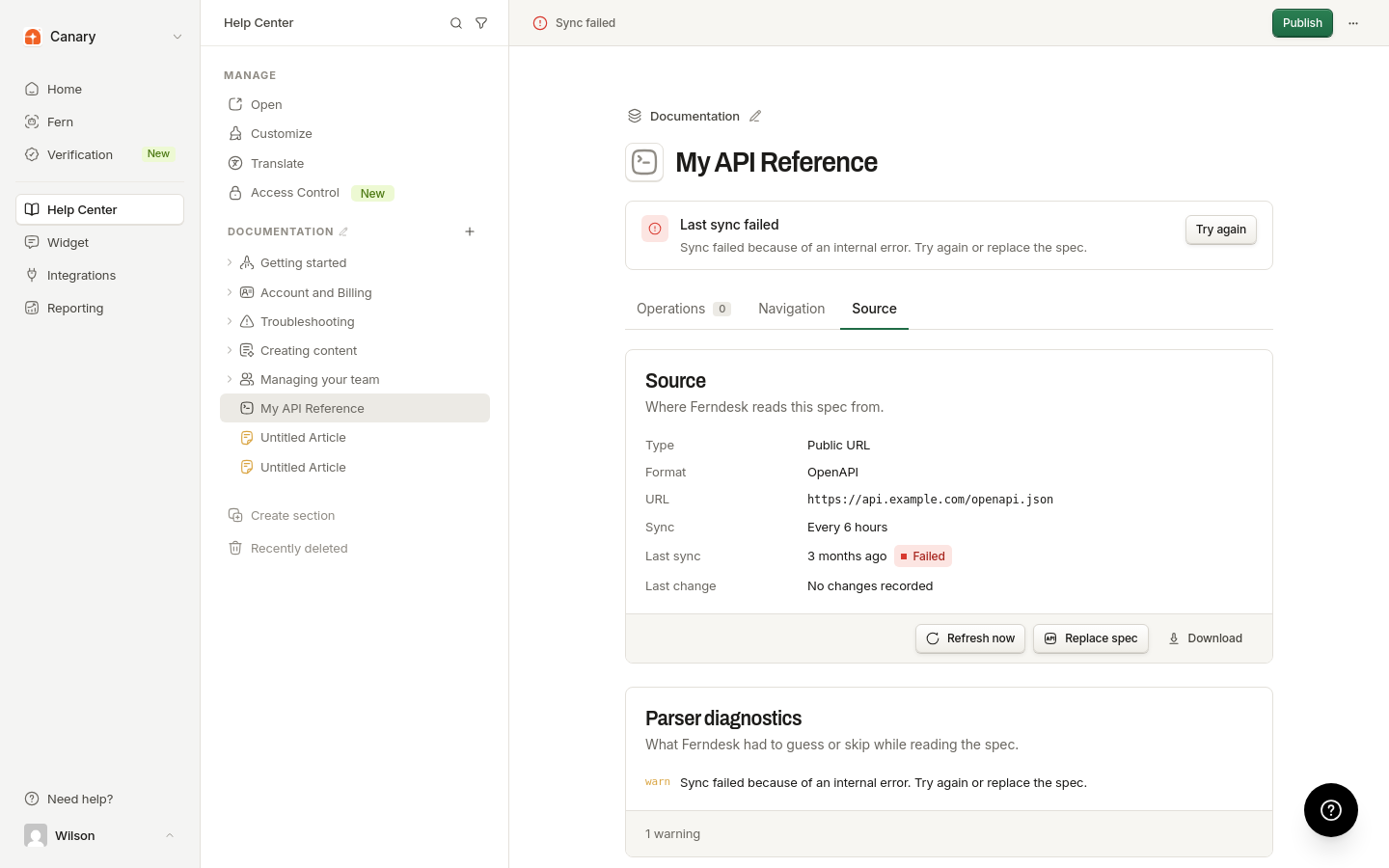
Click Replace spec.
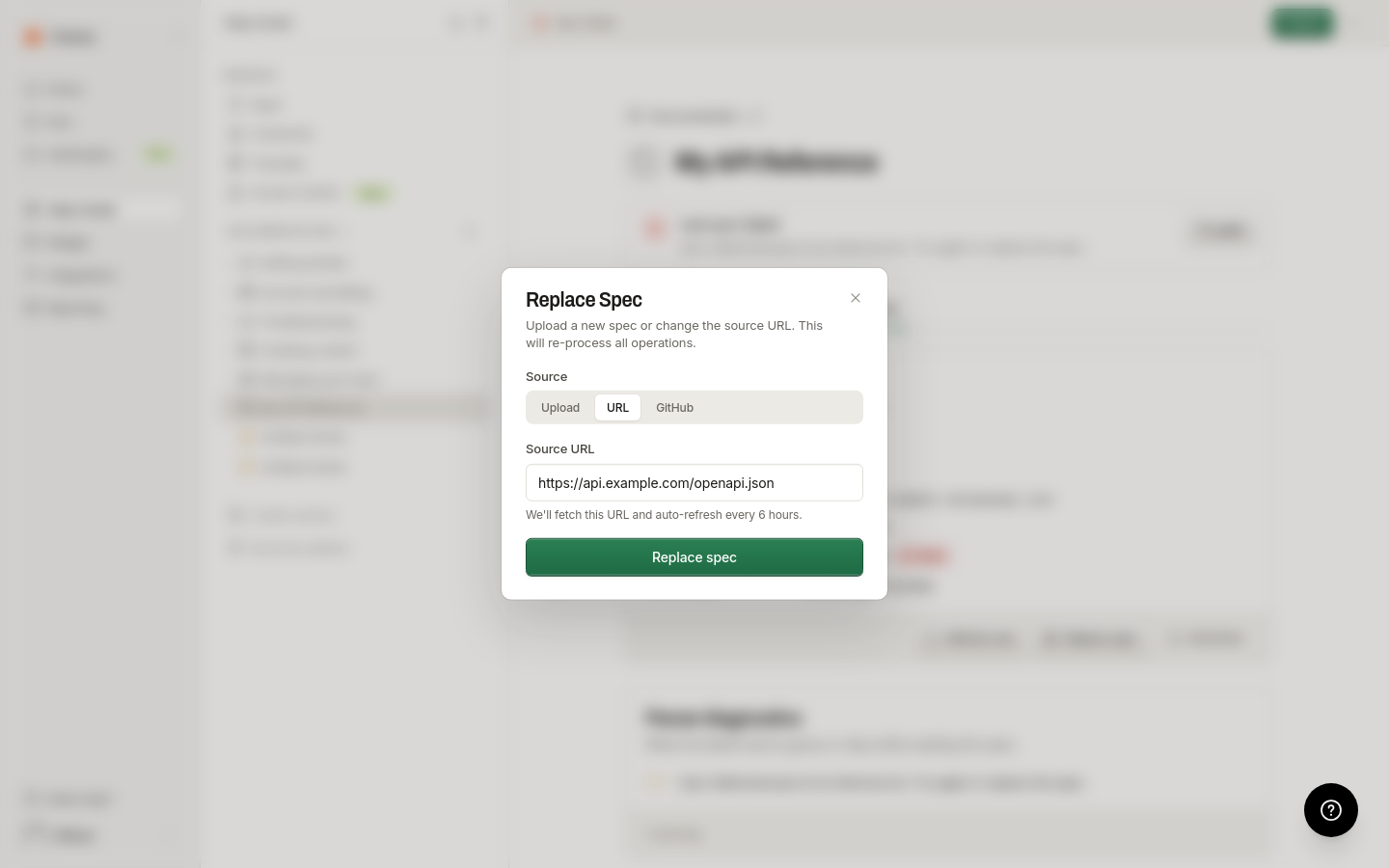
Choose the new source type and provide the file, URL, or GitHub location.
Creating, replacing, and publishing an API reference require an active or trialing subscription.
What counts as a valid spec
The parser supports OpenAPI, Swagger 2.0, GraphQL SDL, and GraphQL introspection JSON.
A specification over 15 MB is rejected.
What's next
When the new source is a URL or GitHub, keep it fresh in Refresh API reference sources.