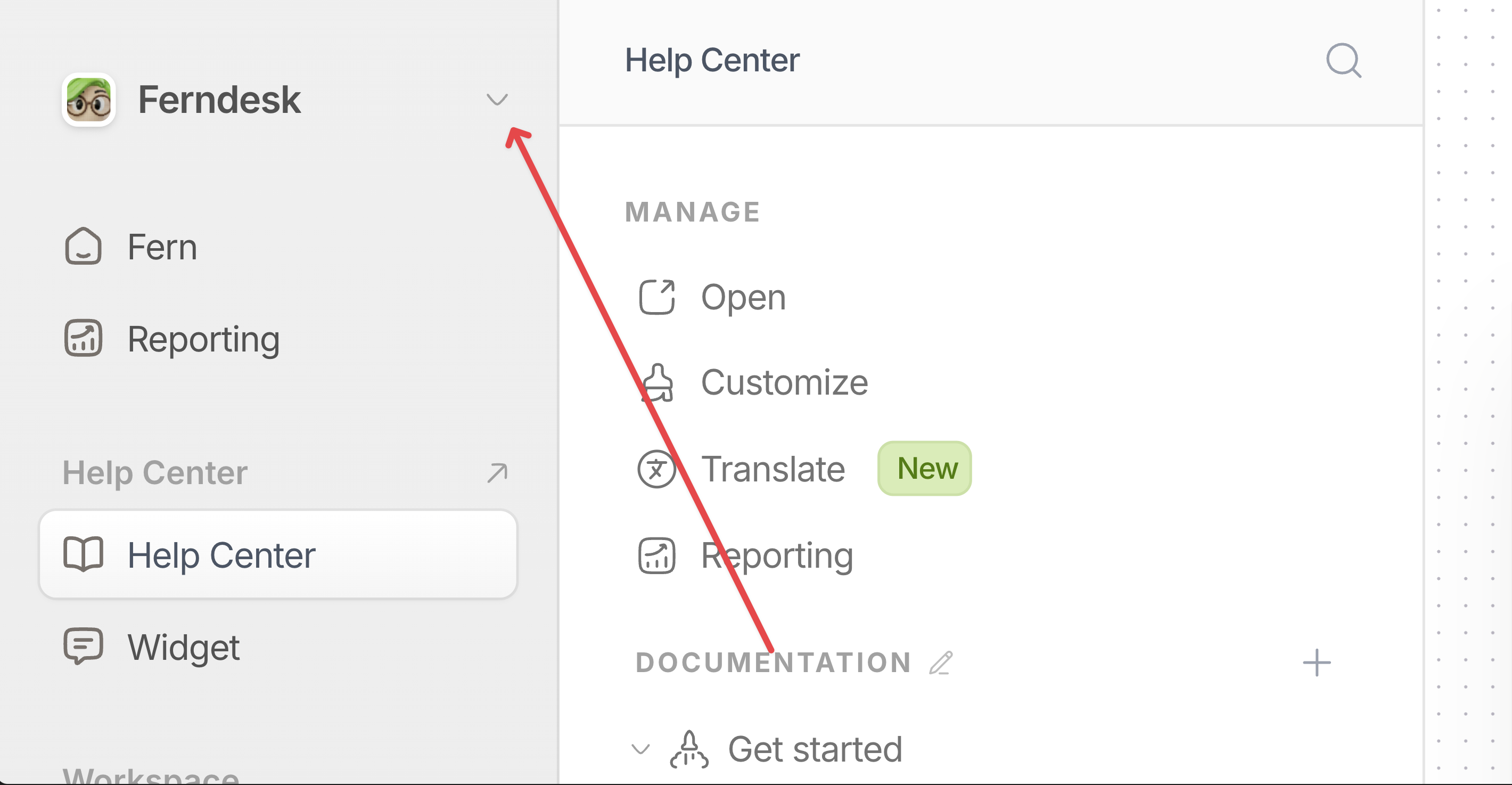
Workspaces let you isolate knowledge bases, team members, and settings for different products or brands. Each workspace has its own help center, integrations, and content. Billing is managed through a billing account that can cover one or more workspaces.
Billing is handled at the billing account level, not per workspace. A single billing account can cover multiple workspaces. See How billing accounts work for details.
Create a new workspace
1
Open the workspace switcher
Click the workspace switcher in the sidebar. This is in the top-left corner and shows your current workspace name and logo.
2
Select Create Workspace
Select Create Workspace from the dropdown menu.
3
Enter workspace details
Fill in the workspace name and website URL. Ferndesk uses the website URL to match your help center branding. Optionally upload a workspace logo.
4
Create the workspace
Click Create workspace. You are redirected to the new workspace dashboard, and it appears in your workspace switcher list.
Workspace creation limits
Creating a new workspace requires available workspace capacity on your billing account. If you do not have capacity, you will see an error:
During a trial: You can create a workspace if your billing account has available capacity. To purchase extra workspace capacity during a trial, you need a payment method on your billing account. If you do not have one, you are prompted to add a payment method before you can create the workspace.
On a paid plan: If you have reached your workspace limit, you need to purchase extra workspace capacity before creating another workspace.
Click the workspace switcher in the sidebar at the top-left corner.
2
Select a workspace
Select the workspace you want from the list. The dashboard reloads with that workspace content, settings, and team members.
What is isolated per workspace
Help center content includes articles, collections, and sections.
Team members can be different for each workspace.
Integrations like GitHub, Intercom, and Linear are connected per workspace.
Custom domain can be connected for each workspace.
Settings like workspace name, logo, and website URL are unique to each workspace.
Billing and usage are managed at the billing account level and may be shared across workspaces. See How billing accounts work for details.
Troubleshooting
I see an error when creating a workspace
Your workspace may have been created even if you saw an error message. Check your workspace switcher for the new workspace before trying again. Creating the workspace again will result in a duplicate.
If you see an error about extra workspace capacity or trial limitations, see the billing account documentation for help resolving the issue.
My workspace was created but my trial is not active
Wait a few minutes and refresh the page. If your trial still does not appear active, contact support.