
If clicking "Manage billing" doesn't open the portal, try signing out and back in. If the problem persists, contact support.
Update your payment method
Change the card used for your subscription through the Stripe Customer Portal. Stripe handles all payment processing, not Ferndesk.
1
Open Billing settings
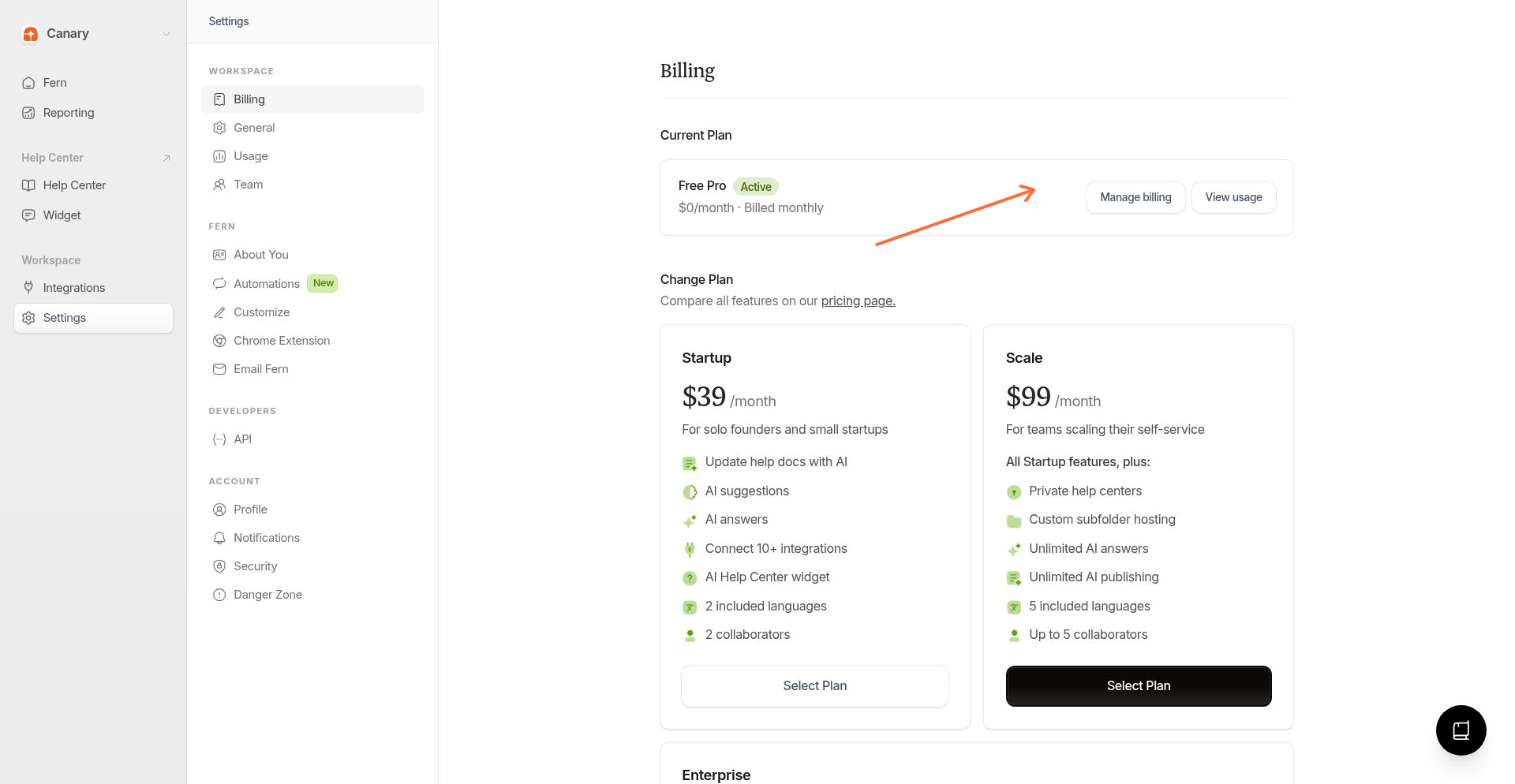
From the sidebar, go to Settings → Billing.
2
Open the customer portal
Click Manage billing to open the Stripe Customer Portal.
3
Add or edit payment methods
In the portal, go to the payment methods section. Click Add payment method to add a new card, or edit an existing one.
Save your changes. The updated card will be used for future charges.
Ferndesk doesn't store your card details. All payment info is processed securely by Stripe.
Troubleshooting
Can't access the portal
Payment declined
Check that your card details are correct and the card isn't expired. Some banks block international transactions. Contact your bank or try a different card.
Related
Was this helpful?
Was this helpful?