
Collection access
Collection access controls which users can read the articles inside a collection. You can restrict a collection to signed-in users or to specific user groups.
Steps
Open the collection editor
From your help center content tree, click the three-dot menu on a collection and select Edit collection.
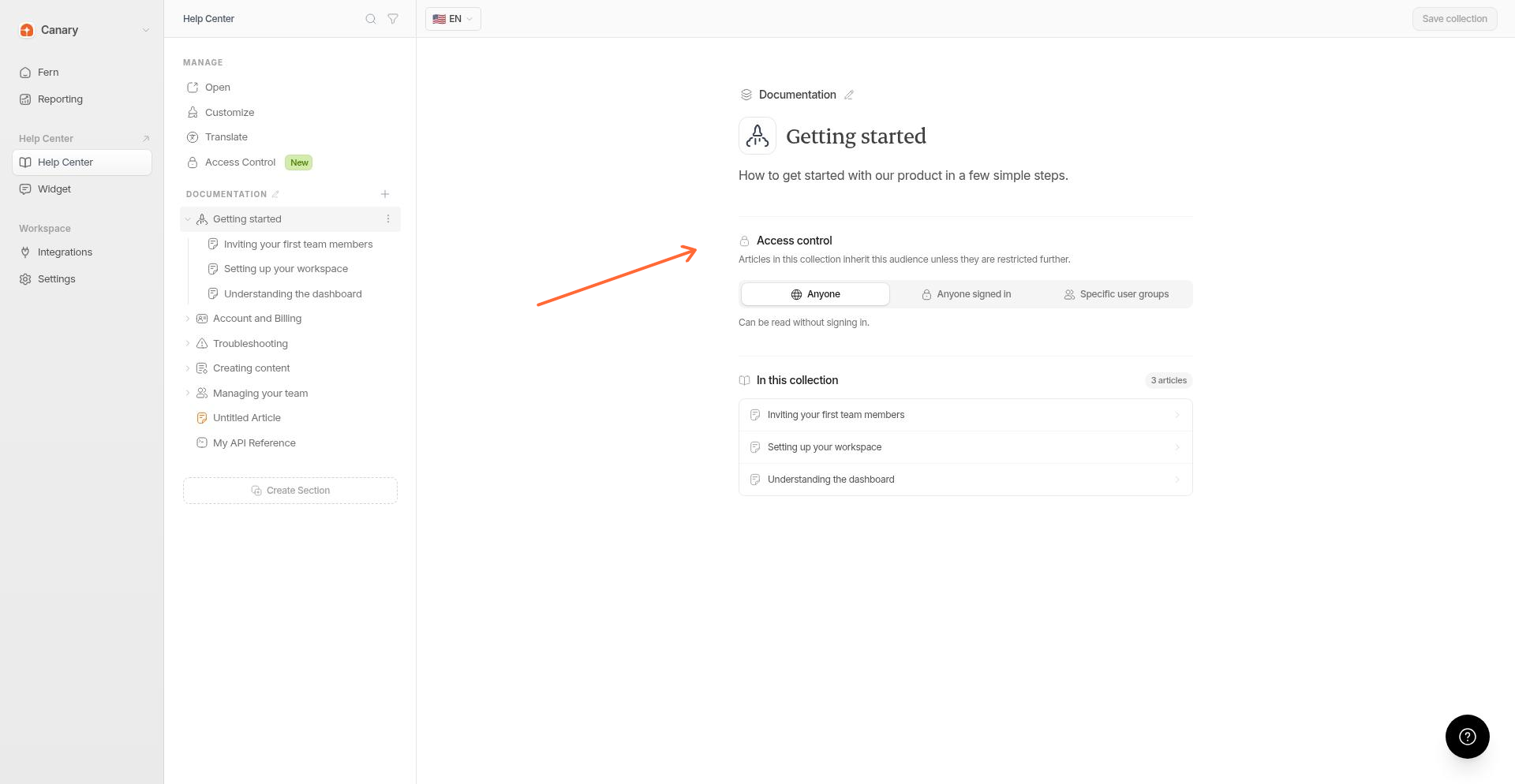
Choose the audience
Scroll to the Access control section, then choose between Inherit/Anyone, Anyone signed in, or Specific user groups.
Save the collection
Save your changes.
Articles inside a collection inherit this audience unless you restrict them further in article settings.
User groups require a plan with help-center authentication, currently Pro, Scale (legacy), or Enterprise.
Override badge
If an article's audience setting is wider than its collection's audience, Ferndesk shows an Override exceeds collection badge. The collection's restriction takes precedence.