


I think I’ve figured it out.
A way for me to talk to customers without getting overwhelmed at my solo company. It allows me to:
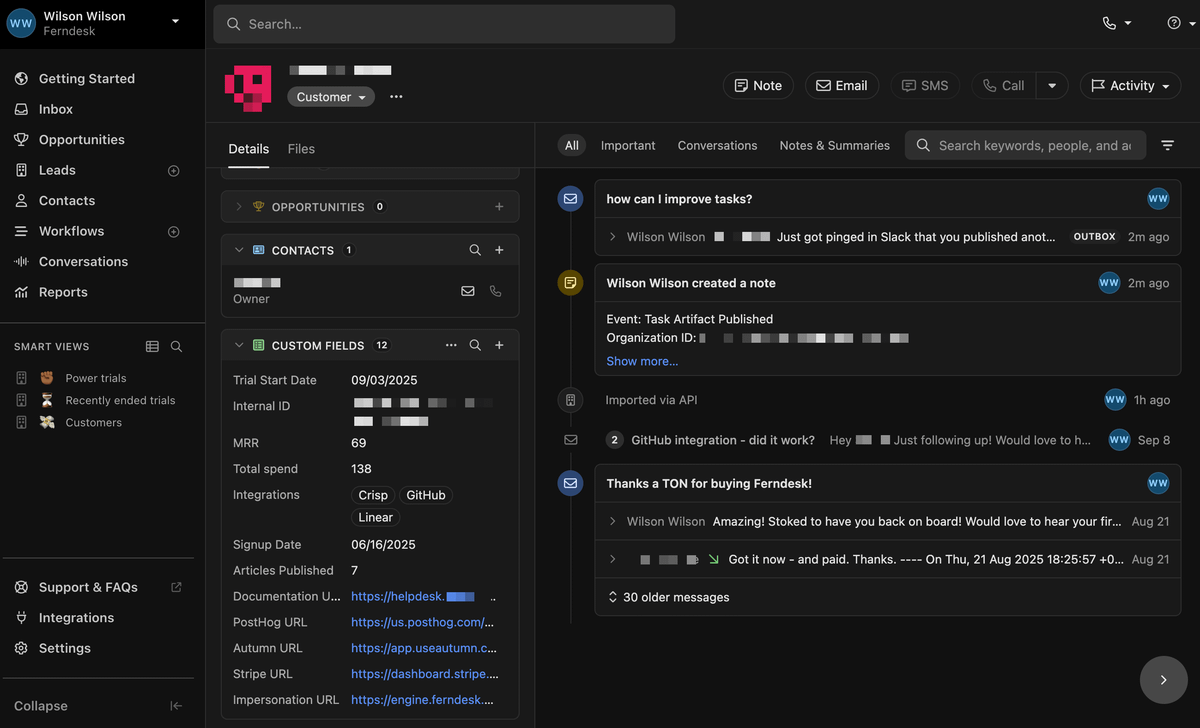
See customer comms + recent activity across channels
Watch session recordings, debug issues, impersonate
Message them
All from one place, automatically. Here’s how it works:
The problem
I’ve really struggled to talk to leads and customers for Ferndesk + get them to success because data was all over the place.
If I wanted to, for example, find customers with low adoption, see their usage, and message them, I’d have to jump between 5 tools to do so.
The solution
I decided to find a way to connect all my data to one view
This would be my source of truth. If I think, “I should talk to X,” this will be my go-to
It should have everything I need to know about the customer so I can message instantly
How it works
1. Close CRM setup
I set up Close. Not affiliated.
Close was literally the only CRM I tried that could do the above elegantly.\ I tried Attio, Hubspot, Salesforce, Folk, etc. None of them could do what I wanted.
With Close it worked out of the box. Here’s how I’ve set it up:
2. Leads
Leads represent every company that signs up to/is interested in my product
Contacts are everyone associated with that lead
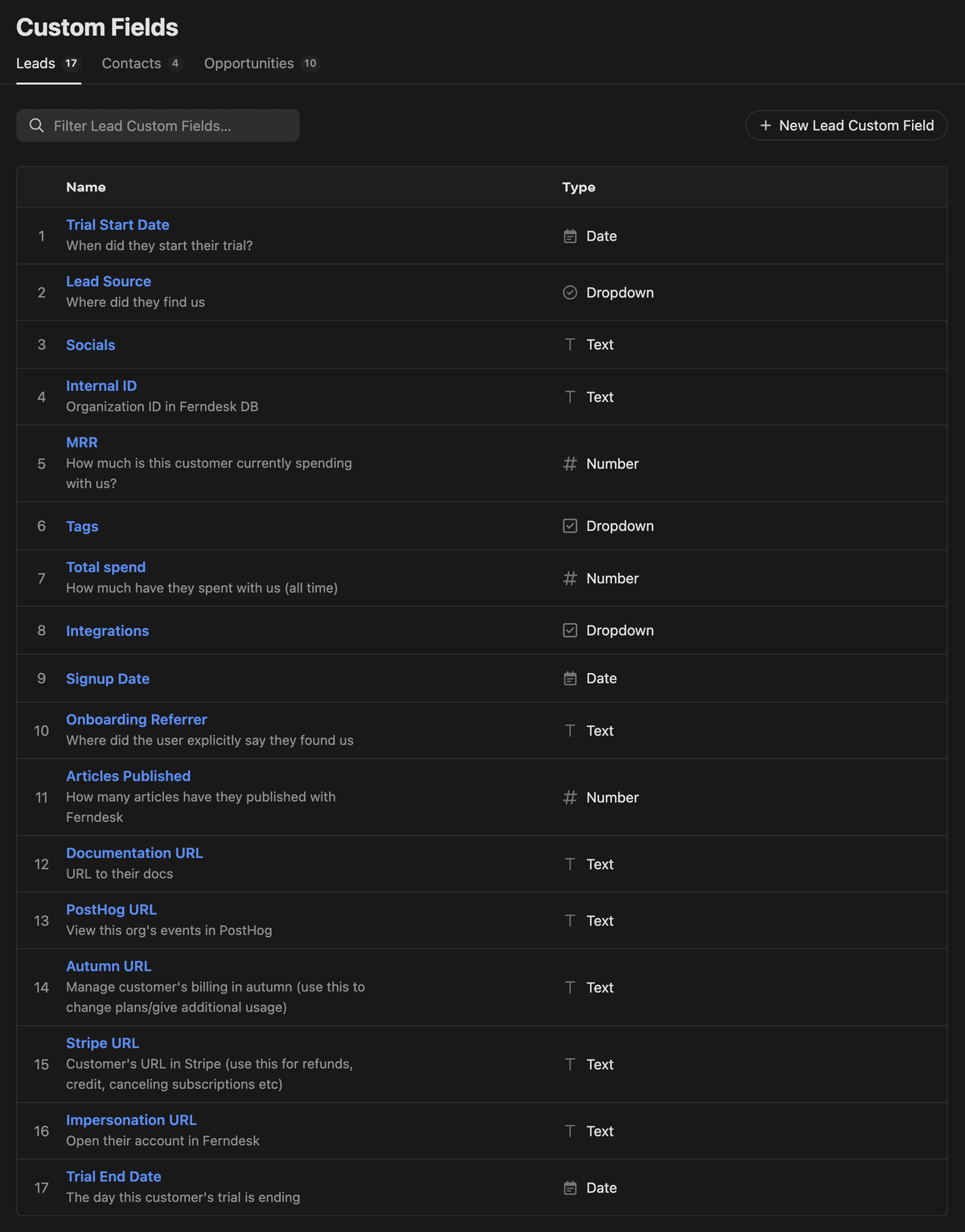
Under leads, I can store properties. In my case, I’m storing their MRR, trial dates, URLs to Stripe, PostHog, impersonation URL, etc.
3. Syncing my personal inbox
I connected Close to Gmail:
All personal comms to companies show up in Close
I can also email companies from here and take action instead of doing it in Gmail
4. Syncing my support inbox
I switched to Help Scout, not just because it’s a great product, but because it allows you to send and receive emails from a Gmail inbox.
This allowed me to connect my support inbox to Close and see recent tickets under any customer!
5. Syncing usage
Vibe coded a 1000-line script with Codex that syncs every single company in my DB to Close and stores details like:
Integrations they’ve connected
Number of articles they’ve published
Sign up date
Lifecycle stage
MRR + total spend
6. Viewing logs, session recordings, and user impersonation
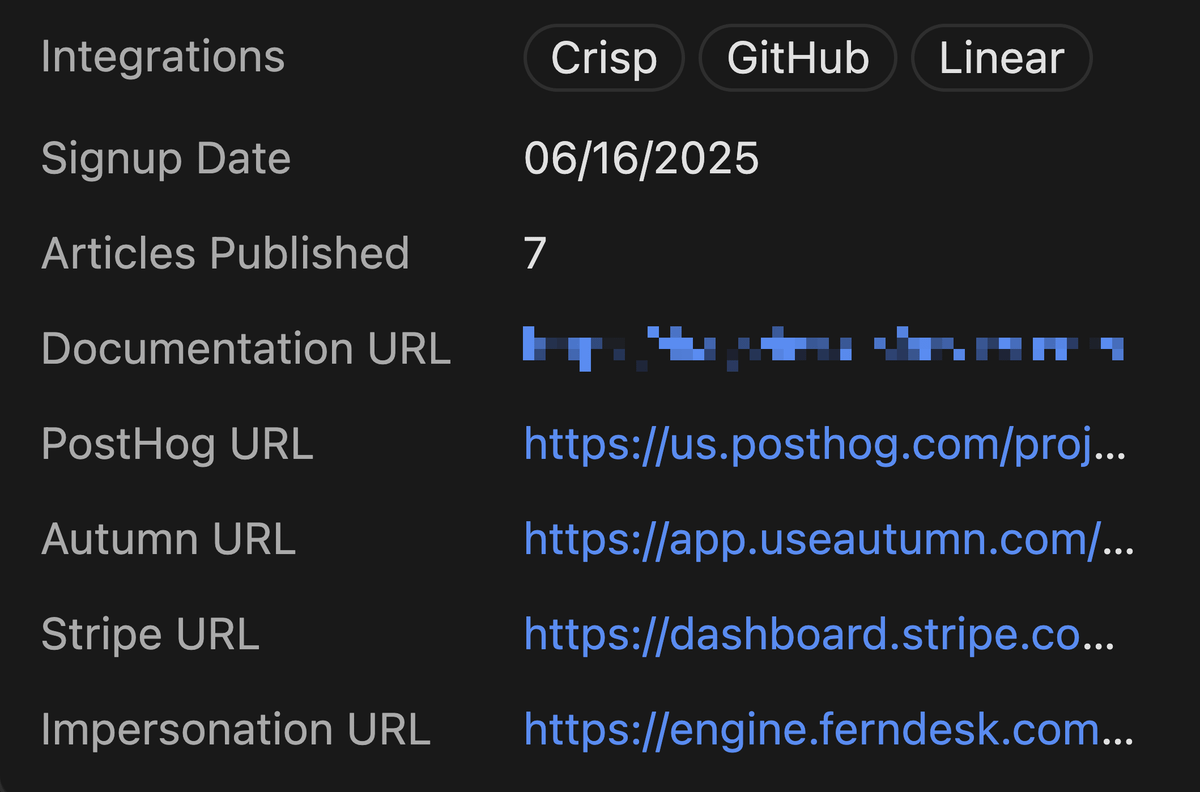
My script also adds quick links:
Their URL in Stripe
Their URL in PostHog (session recordings, events, etc.)
A link to impersonate them and log into their account
Really convenient!
7. Sending events to Slack
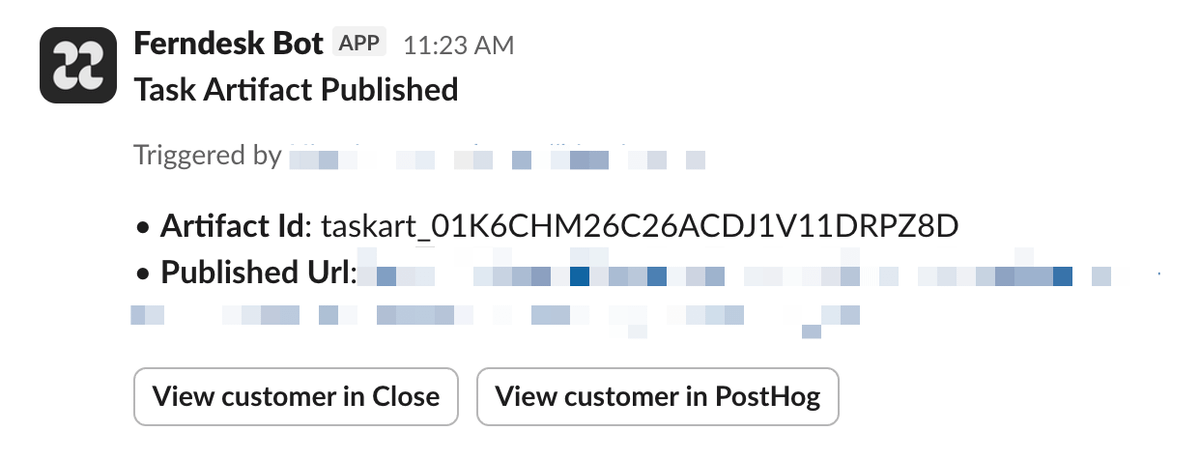
Sign up/Activation/Adoption analytics events are sent to Slack with a link to Close.
- I can jump in, view their activity, and message them from a template—all in one go. Pretty neat!
8. Getting customers to success
Now I can filter for customers + trials matching filters like:
New trials
Trials about to end
Trials just ended
Old customers
Low activation
Advocates
Not advocated
And send them advice, tips, call invites, etc.
I haven’t fully played around with this yet, but Close allows me to:
Log tasks on each customer that I can systematically work through
Sell to important leads with Opportunities
Excited to play around with this!
My daily workflow now looks like this:
Wake up, view new trials in Close
View their usage, send them tips, give advice, invite some to calls
See customers, view how they’re getting on with the product
Message them, work through their issues, etc.
SO NICE!


 Book a demo