

Every 5 to 30 person B2B software team I talk to has the same complaint about their docs. You ship from GitHub every week or two, your non-technical customers rely on the help center, and after a few releases founders tell me only like 10 to 20% of their articles are still up to date. Maybe you rebuilt the knowledge base once, wrote a script, or assigned someone to own it, and the docs tool still asked for more money while articles fell behind again. I checked 5 GitHub integrated help center software options on Nov 21, 2026, and the main split comes down to what “GitHub” actually does: syncing Markdown files or reading merged code to draft the update.
TL;DR
- Ferndesk if you run a 5 to 30 person software team and want a help center that reads every merged pull request and drafts fixes for you to approve, plus your support inbox, for $149 a month flat ($75 a month under 5 people for year one, checked Nov 21, 2026).
- Mintlify if you want developer docs and an API reference stored in your repo with an agent that opens doc PRs, starting at $0 for 5 editors or $150 a month billed annually (checked Nov 21, 2026).
- GitBook if you want two-way sync between a web editor and GitHub Markdown without code-to-docs drafts, starting at $0 or $65 per site plus $12 per user a month billed annually (checked Nov 21, 2026).
- Docusaurus if engineers own your docs in a React repo and you want a free, open-source site without stale-article detection.
- Stay on your help desk KB (such as Help Scout Standard at $25 per user a month billed annually, checked Nov 21, 2026) if you already pay for an inbox with built-in articles and are fine updating them by hand.
For most B2B SaaS teams shipping weekly to non-technical buyers, the best help center for teams on GitHub is Ferndesk because it reads every merged pull request and drafts the help center fix for you to approve, for $149 a month flat with your support inbox on the same plan. When Evergrove Labs made that part of their deploy flow, Jacob, their Co-founder and CTO, told us, “We save about 3 hours per week! This is now a big part of our deploy process.”
How I checked these tools
I’m Wilson, founder of Ferndesk. Before Ferndesk I co-founded Senja, a testimonial tool, and grew it to $850K ARR over 3.5 years. I still run every Ferndesk demo call myself, and the pattern I hear from CTOs and founders rarely changes: “I put a task in Linear for myself… But I never get to them.”
At Ferndesk we build and run importers that bring help centers over from GitBook, Mintlify, Intercom, Zendesk, and Help Scout while keeping every URL intact with redirects, along with past conversations and saved replies from Intercom, Zendesk, Help Scout, and Gmail. Moving teams off manual tools showed me why docs break during weekly shipping. When we moved Leasecake off Intercom, where their CSM team kept their help center before, Jon Erickson, their VP of Engineering, told us, “It was always a ‘when we have some extra time’ task, which, as you can imagine, was hardly ever.”
We have not run Mintlify Autopilot or GitBook Git Sync on our own docs, so those parts rely on vendor pages and docs. I checked every pricing page on Nov 21, 2026, and ranked all 5 tools on four criteria:
- What “GitHub” actually does in the tool
- Who notices a stale article
- Who can edit (non-technical teammates)
- Price at 5 editors
We build Ferndesk and rank it first, so treat our spot with the grain of salt it deserves. There are no paid spots and no affiliate links, prices carry check dates and get rechecked on updates, and corrections sent to [email protected] are dated on the page.
Two meanings of GitHub sync
When vendors sell a documentation platform with GitHub sync, they mean one of two very different workflows. Knowing which one you are buying stops you from migrating into the same manual backlog twice.
The first workflow is file sync, often called docs-as-code. You write Markdown or MDX in a repository, push a commit, and the docs site rebuilds. That lets you turn GitHub Markdown into help center pages and gives engineers technical documentation version control inside Git. Many teams assume they just need to sync documentation with GitHub repository folders and their docs will stay clean. For an SDK or API reference written by developers, file sync works well. The catch is that moving files between GitHub and a website does not tell anyone when Tuesday’s UI change broke Friday’s setup guide. Someone still has to notice the mismatch, open the file, and write the fix by hand, which is how documentation drift piles up release after release.
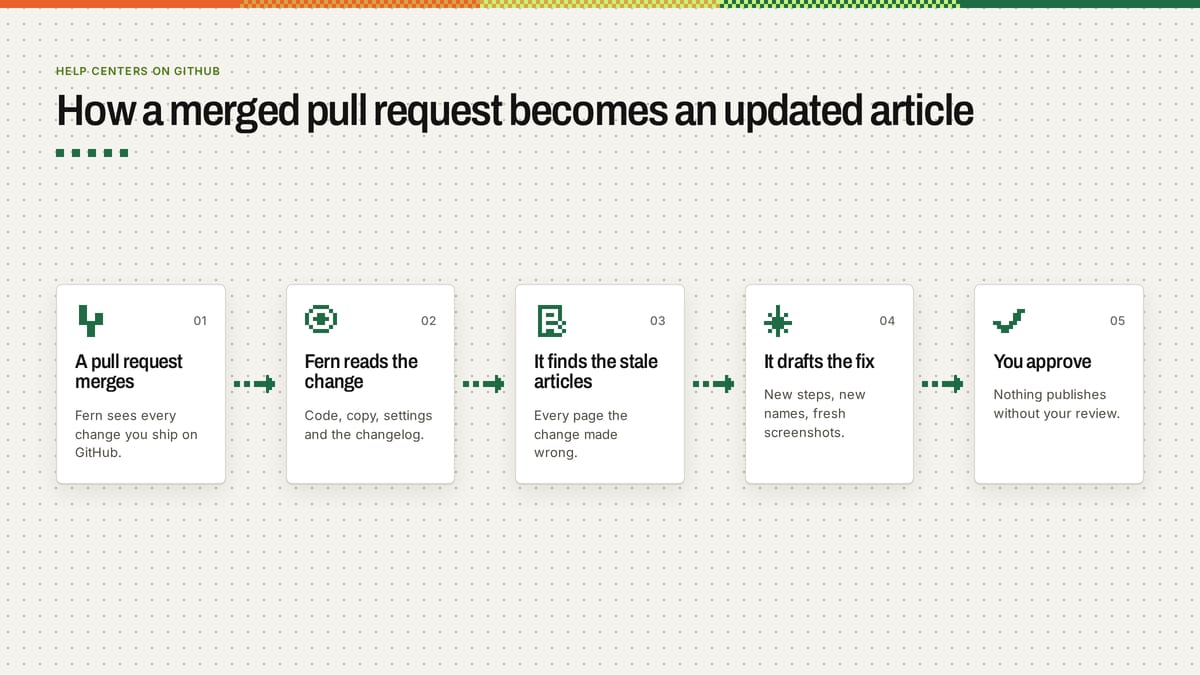
The second workflow is automated documentation from GitHub repository changes. Instead of only syncing files, the tool watches your merged pull requests and changelogs, figures out which customer-facing flow changed, and drafts the article edit for a human to review. File sync moves words you already wrote; code-to-docs tools write the first draft when your code changes. That GitHub pull request documentation workflow is what lets small teams keep a knowledge base up to date automatically without hiring a dedicated technical writer.
Quick comparison and dated prices
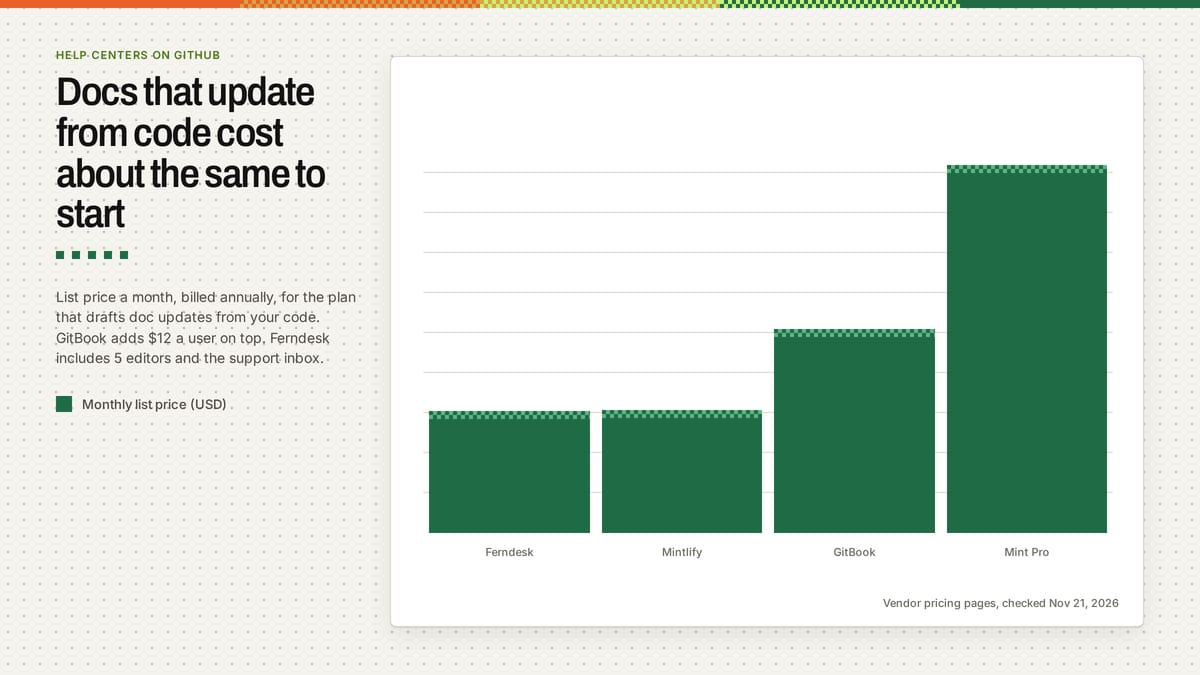
Here is how the five options compare when you check what the GitHub connection does and what a 5-editor team pays on annual billing (checked Nov 21, 2026).
| Tool | What “GitHub” means here | Drafts updates from code | Price (billed annually, checked Nov 21, 2026) | Best for |
|---|---|---|---|---|
| Ferndesk | Reads merged PRs, drafts edits | Yes, plus UI screenshots | $149/mo flat (5 seats, 1,000 convos; $75/mo under 5 people in year 1) | 5 to 30 person B2B SaaS with non-technical buyers |
| Mintlify | Git sync plus Autopilot PRs | Yes, opens repo PRs | $0 (5 editors), $150/mo Starter (10 editors), $450/mo Pro | Developer docs and API references |
| GitBook | Two-way Markdown file sync | No | $0, $65/site + $12/user/mo Essential | Teams writing in Markdown and a web editor |
| Docusaurus | Self-hosted React and Markdown repo | No | $0 (open source, self-hosted) | Engineering teams owning every doc edit |
| Help desk KB (Help Scout) | None (manual editor only) | No | $25/user/mo Standard ($125/mo at 5 users) | Support teams updating docs inside their inbox |
The two tools that draft updates from code start at about the same price: $149 a month for Ferndesk and $150 for Mintlify Starter. You can see the full breakdown on our Ferndesk vs Mintlify page.
1. Ferndesk
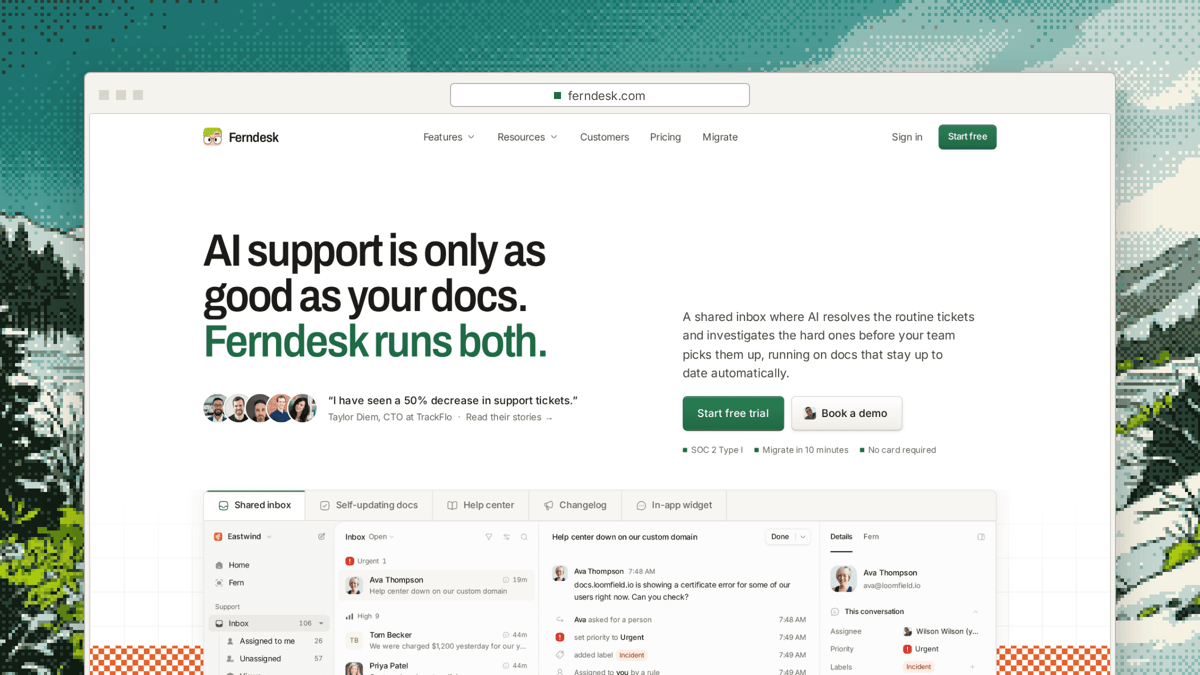
Ferndesk is an AI-native self-updating help center paired with a support inbox (email and live chat in one queue) and an AI Support Agent. Fern is the AI agent that keeps it all current. We built it for software teams selling to clinics, salons, law firms, Shopify brands, and other non-technical buyers who read help articles instead of API specs.
When you connect GitHub or GitLab with read-only access, Fern uses your merged changes and changelog to detect when a feature shipped or a flow changed. It finds every affected article and drafts the edits through our code-to-docs loop, including recapturing screenshots from your real product UI. Nothing publishes without a person reviewing and approving it, and your data never trains AI models. After moving Leasecake off Intercom, Jon Erickson, their VP of Engineering, put the difference plainly: “Before Ferndesk, our docs typically lagged a couple of weeks behind each update. Now they’re updated the same day we ship.”
Non-technical teammates never need Git, branches, or pull requests to review or edit an article. Support and CS leads approve Fern’s drafts in a web editor, and the same plan runs your email and live chat queue. The Support Agent answers only from your articles and playbooks and strips any link its search did not return. On handoff, Fern investigates past tickets, docs, and code through the read-only GitHub App, leaving an internal note and a drafted reply for your team; it never messages customers itself. When your team answers a new question, Fern drafts a help center article from that thread.
From any conversation you can create a Linear issue with Fern’s drafted title, description, and customer details attached, or link an existing Linear or GitHub issue. Linear’s state stays visible inside the conversation, a link back is added on the Linear issue, and when Linear moves the issue a quiet line appears in the thread. Because Ferndesk connects through Linear’s API, which Linear includes on every plan (Linear pricing page, checked Nov 21, 2026), it works without a paid Linear tier, making it a strong help desk for Linear teams.
Getting the first drafts is quick. When Richie McIlroy, Founder at Cap, connected his stack, he said, “I simply connected Discord, Intercom, and GitHub, and within five minutes I had more than 20 tailor-made draft articles generated.” Done-for-you migration is included on the plan, importing articles with redirects plus past conversations and saved replies.
Ferndesk Pro is $149 a month flat (checked Nov 21, 2026) for 5 seats (extra seats $10 a month), 1,000 conversations a month whoever answers them (500 more for $25), and $0 per resolution. It includes the help center, widget and AI chat, custom domain or subfolder (docs.yourcompany.com or yourcompany.com/docs), auto-updates from unlimited merged pull requests, scheduled audits that catch stale docs, private help centers, and 5 languages. Teams under 5 people pay $75 a month for the first 12 months, and you can start a 7-day free trial with no card required. Where Ferndesk loses: if your audience is developers who want an interactive API playground inside a codebase repo, Mintlify or Docusaurus fits better.
2. Mintlify
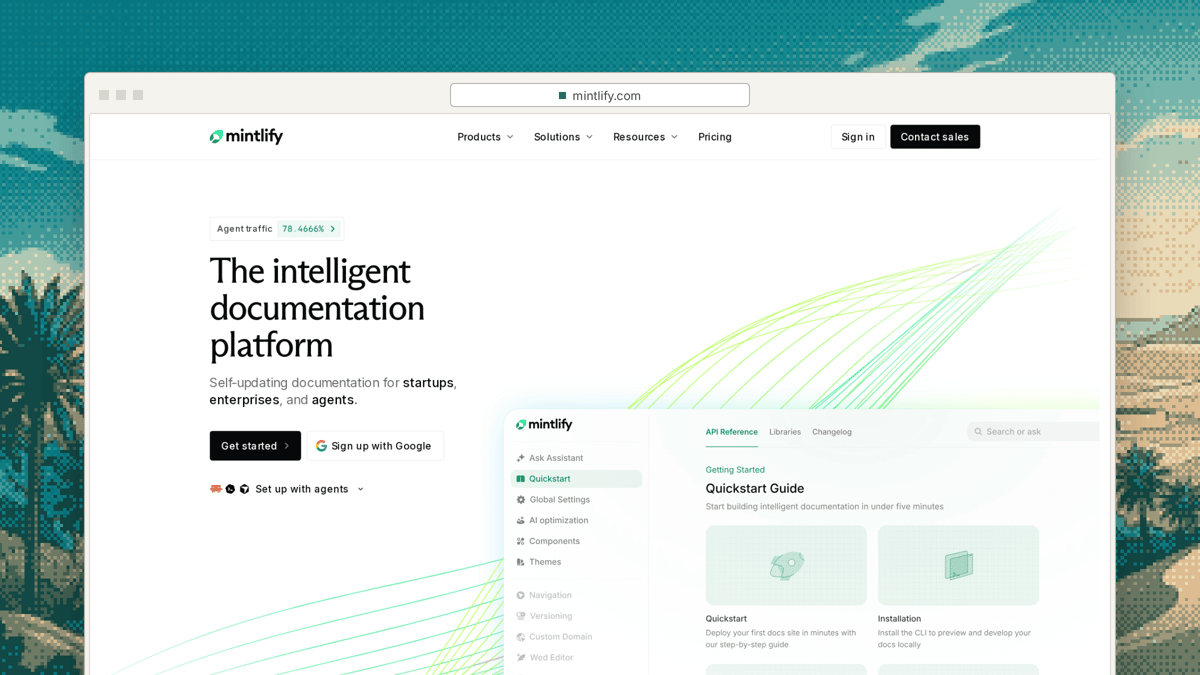
Mintlify is built for developer docs and API references stored as files in a repository. Every plan includes a web editor, Git sync, search, an API playground, and an MCP server, giving engineering teams polished developer docs without building a frontend.
The Free plan is $0 for 5 editors with a custom domain, web editor, and Git sync (checked Nov 21, 2026). Starter is $150 a month billed annually ($180 monthly) for 10 editors, and the pricing page lists Autopilot and Agent. Autopilot is Mintlify’s always-on agent that reads your code and surrounding context, drafts doc updates when something changes, and opens a pull request for review. Pro is $450 a month for unlimited editors and adds Assistant (checked Nov 21, 2026).
The gap for a 5 to 30 person team serving non-technical customers is the workflow. Mintlify centers on developer docs and pull requests in a repo, so non-technical editors still have to review changes as PRs. There is also no support inbox, leaving tickets and article drafts from customer threads in a separate tool. We compared more options like this in our guide to Mintlify alternatives.
3. GitBook
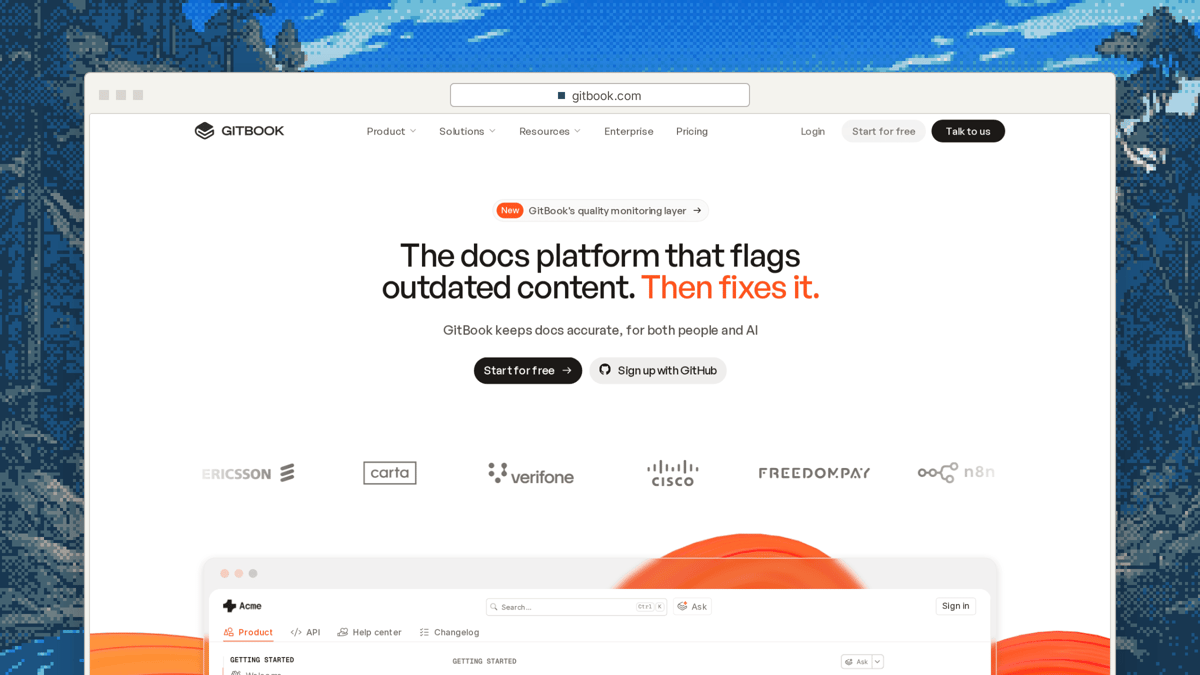
GitBook fits teams where developers and writers split documentation work. Its Git Sync is bi-directional with GitHub and GitLab: edits made in GitBook’s web editor sync back to your repo, while commits in GitHub or GitLab sync back into GitBook.
When teams compare GitBook vs Mintlify for GitHub teams, GitBook feels closer to a general product knowledge base while keeping Markdown in version control. Its Free plan includes sync with GitHub or GitLab (checked Nov 21, 2026). Essential costs $65 per site a month billed annually plus $12 per user a month and adds a custom domain, analytics, and redirects. Ultimate is $249 per site a month plus $12 per user, while monthly billing is $79 and $299 per site plus $15 per user (checked Nov 21, 2026).
The gap is that two-way sync moves files without reading code changes. A person still has to notice a release made an article wrong and write the edit, which is why teams wanting automated updates evaluate GitBook alternatives.
4. Docusaurus

Docusaurus is free, open source, and built on React, turning Markdown in your own repo into a fast docs site that you build and host yourself. If you want complete control over your markup, zero vendor fees, and every page living next to your application code, Docusaurus delivers that cleanly.
For customer facing documentation for software teams with non-technical users, though, every article tweak becomes an engineering task. A developer owns every change, non-technical teammates stay blocked behind Git, and nothing in Docusaurus watches your repo to flag stale articles.
5. Help desk knowledge bases
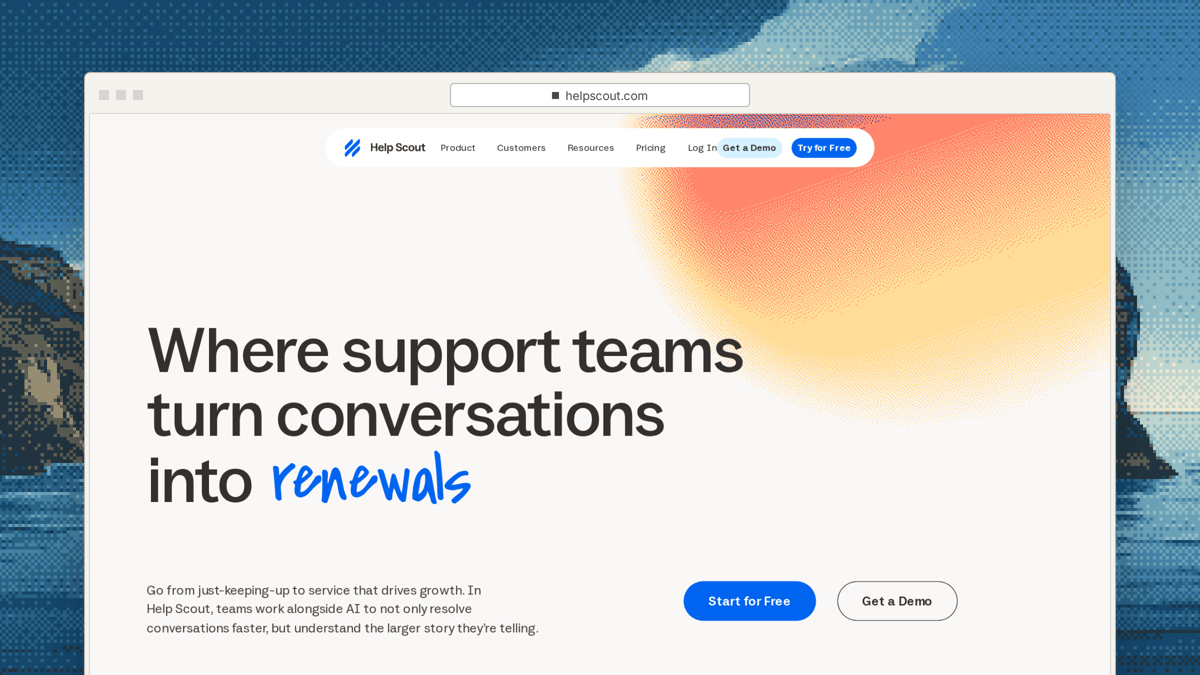
Help Scout Docs, Intercom Articles, and Zendesk Guide come bundled inside the support inbox you already pay for. Help Scout Standard is $25 per user a month billed annually (checked Nov 21, 2026) and includes multiple knowledge bases, so for a 5-seat team already on Help Scout ($125 a month), publishing a help center costs nothing extra.
The catch is that none of them watch your GitHub repository. Updating articles after a release remains a manual task that waits until customers start opening tickets about old screenshots.
Which option fits your team
Pick Mintlify if you want developer docs, an API playground, and Autopilot PRs, or Docusaurus if you want a free React site hosted by your engineers. Pick GitBook if you want two-way Markdown sync between GitHub and a web editor and have someone tracking releases manually. Stay on Help Scout Docs or your existing help desk KB if your UI rarely changes and your inbox already works. Pick Ferndesk if you ship weekly to non-technical buyers and want merged pull requests turned into approved help center updates for $149 a month flat.
Frequently asked questions
Which help center syncs with GitHub?
Ferndesk, Mintlify, GitBook, and Docusaurus all connect to GitHub, while built-in help desk KBs like Help Scout Docs do not. GitBook and Docusaurus sync Markdown files with a repository, whereas Mintlify Autopilot and Ferndesk read your code changes to draft doc updates. Pick file sync when developers write your docs, and code-to-docs when you want updates drafted after releases.
Can a help center update itself from pull requests?
Yes, code-to-docs platforms watch merged pull requests and draft article edits when product flows change. Ferndesk reads merged PRs and changelogs with read-only GitHub access, drafts updated copy and UI screenshots, and waits for human approval before publishing. Mintlify Autopilot also reads code changes and opens pull requests in your docs repository for review.
Is GitBook or Mintlify better for a help center?
GitBook fits teams mixing a visual web editor with repo Markdown, while Mintlify fits developer docs and API references. Neither includes a support inbox for handling email or live chat alongside your docs. If you want customer-facing updates drafted from merged pull requests without putting non-technical teammates in Git, Ferndesk fits better.
Do non-technical teammates need to use Git?
They need Git in Docusaurus and PR-driven docs repos, while Ferndesk and GitBook’s web editor keep non-technical editors out of Git. In Ferndesk, Fern reads GitHub in the background and queues proposed edits in a web review screen where support or CS leads click approve. GitBook also offers a web editor, though someone still has to spot stale articles manually.
What does Ferndesk cost?
Ferndesk Pro is $149 a month flat (checked Nov 21, 2026) with 5 seats, 1,000 conversations a month whoever answers them, $0 per resolution, unlimited merged PR updates, and done-for-you migration. Extra seats cost $10 a month, and 500 more conversations cost $25. Teams under 5 people pay $75 a month for the first 12 months, starting with a 7-day free trial and no card required.
Sources
- Ferndesk pricing and product features (ferndesk.com/pricing), checked Nov 21, 2026
- Mintlify pricing and Autopilot documentation, checked Nov 21, 2026
- GitBook pricing and Git Sync documentation, checked Nov 21, 2026
- Docusaurus website, checked Nov 21, 2026
- Help Scout pricing page (Standard plan), checked Nov 21, 2026
- Linear pricing page (API availability across plans), checked Nov 21, 2026
Want to see Fern turn your last few merged pull requests into article drafts? Start a 7-day free trial on Ferndesk pricing with no card required.


 Book a demo