
Custom drafting and research instructions
Set organization-level instructions to guide how Fern researches and writes. Instead of repeating preferences in every prompt, configure them once for consistent results.
Where to Add Instructions
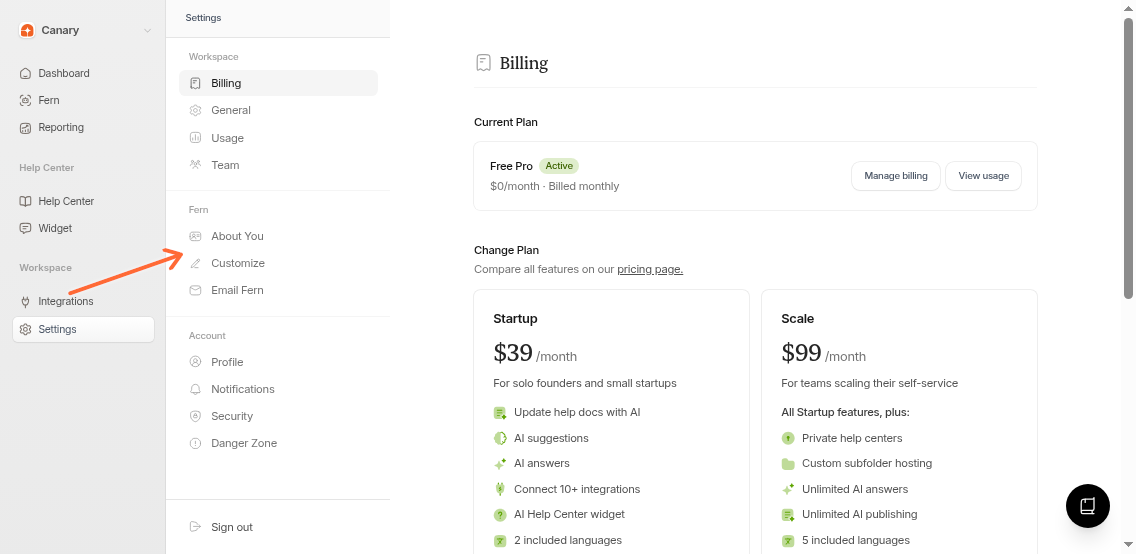
Go to Settings → Fern or follow these steps:
Open Settings
Click Settings in your dashboard sidebar.
Select Fern
Click Fern from the settings menu.
Add your instructions
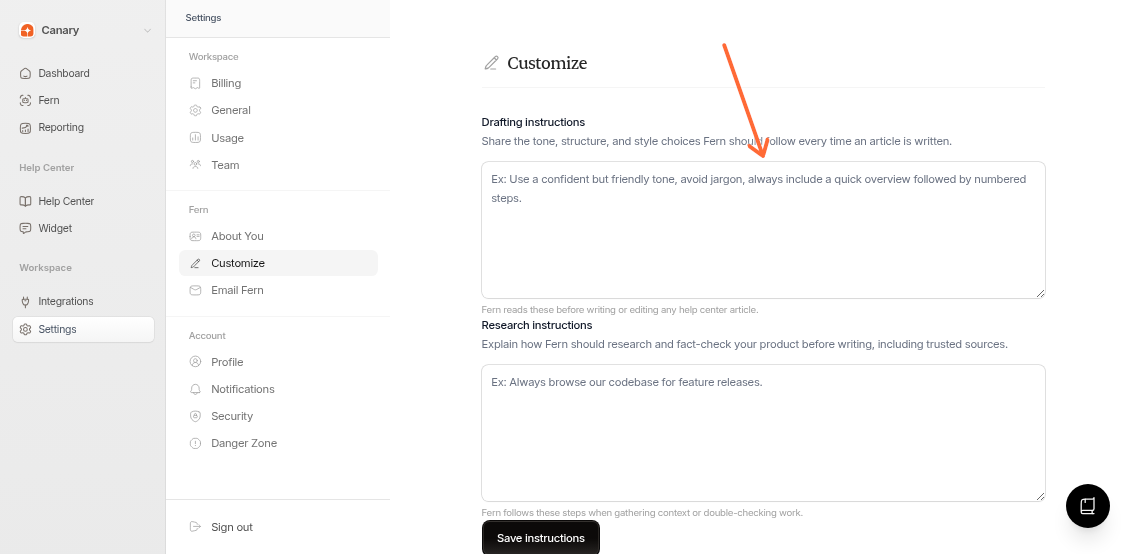
Fill in the two instruction fields:
Drafting instructions - Controls how Fern writes (tone, format, structure)
Research instructions - Guides what Fern prioritizes when gathering information
Save your changes
Click Save instructions to apply them.
Instructions apply to your entire organization and all future tasks.
What to Customize
Drafting
Tone - "Use a confident but friendly tone"
Structure - "Always include a quick overview followed by numbered steps"
Style - "Use title case for headings, avoid jargon"
Format - "Include code examples for API endpoints"
Research
Sources - "Always browse our codebase for feature releases"
Priorities - "Check support tickets for common issues first"
Verification - "Cross-reference with existing articles"
Keep instructions specific. "Use numbered steps" is clearer than "Make articles easy to follow."
Why Use Custom Instructions
Save time - Stop repeating the same preferences in every task
Maintain consistency - Every article follows the same voice and structure
Focus research - Prioritize the sources that matter most
Example Instructions
Drafting: "Use a confident but friendly tone. Avoid jargon. Always include a quick overview followed by numbered steps. Use title case for headings."
Research: "Always browse our codebase for feature releases. Check support tickets for common user issues. Prioritize recent changelog entries."
Very long instructions may impact performance. Keep them short and focused.