
Try the purchase again. If it fails twice, check that your card on file is current. Update it via Settings → Billing, then click Manage billing.
Buy additional publish credits
Run out of publish credits? Buy more to keep using Fern without upgrading your plan. Credits cost $0.50 each and don't expire.
Credit purchases aren't available during your trial. Subscribe to a plan first.
1
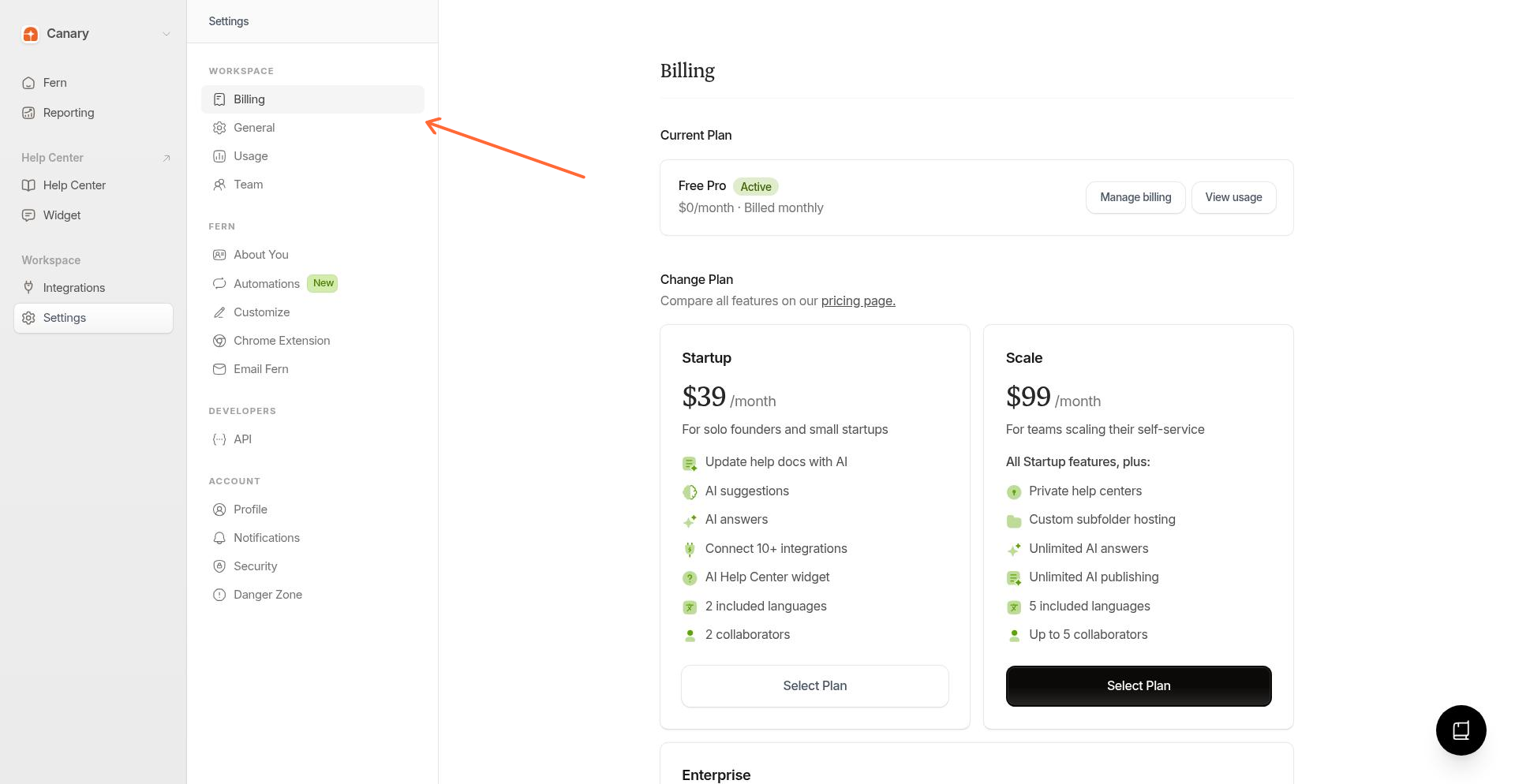
Open Usage settings
From the sidebar, go to Settings → Usage.
2
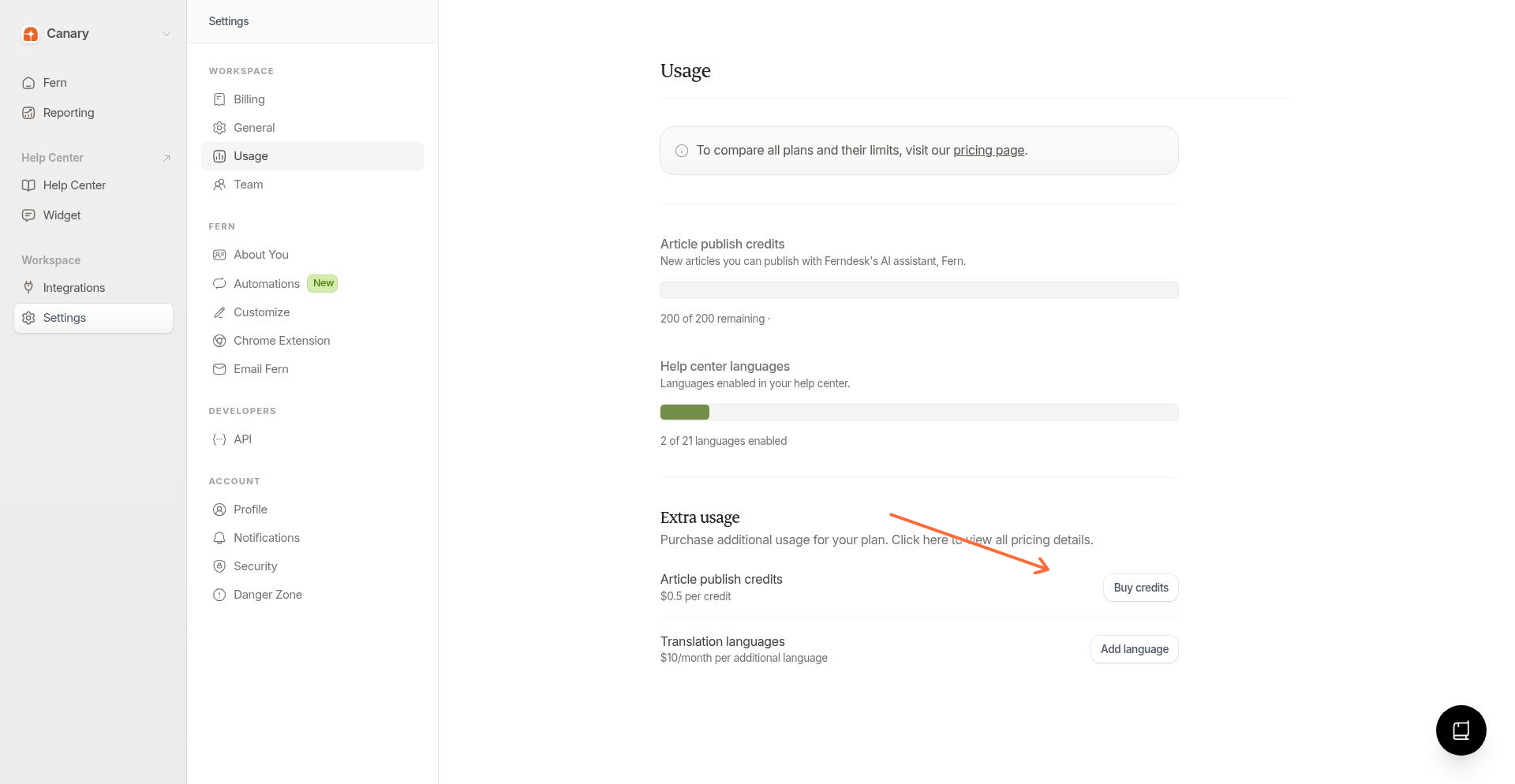
Click Buy credits
In the Article publish credits section, click Buy credits.
3
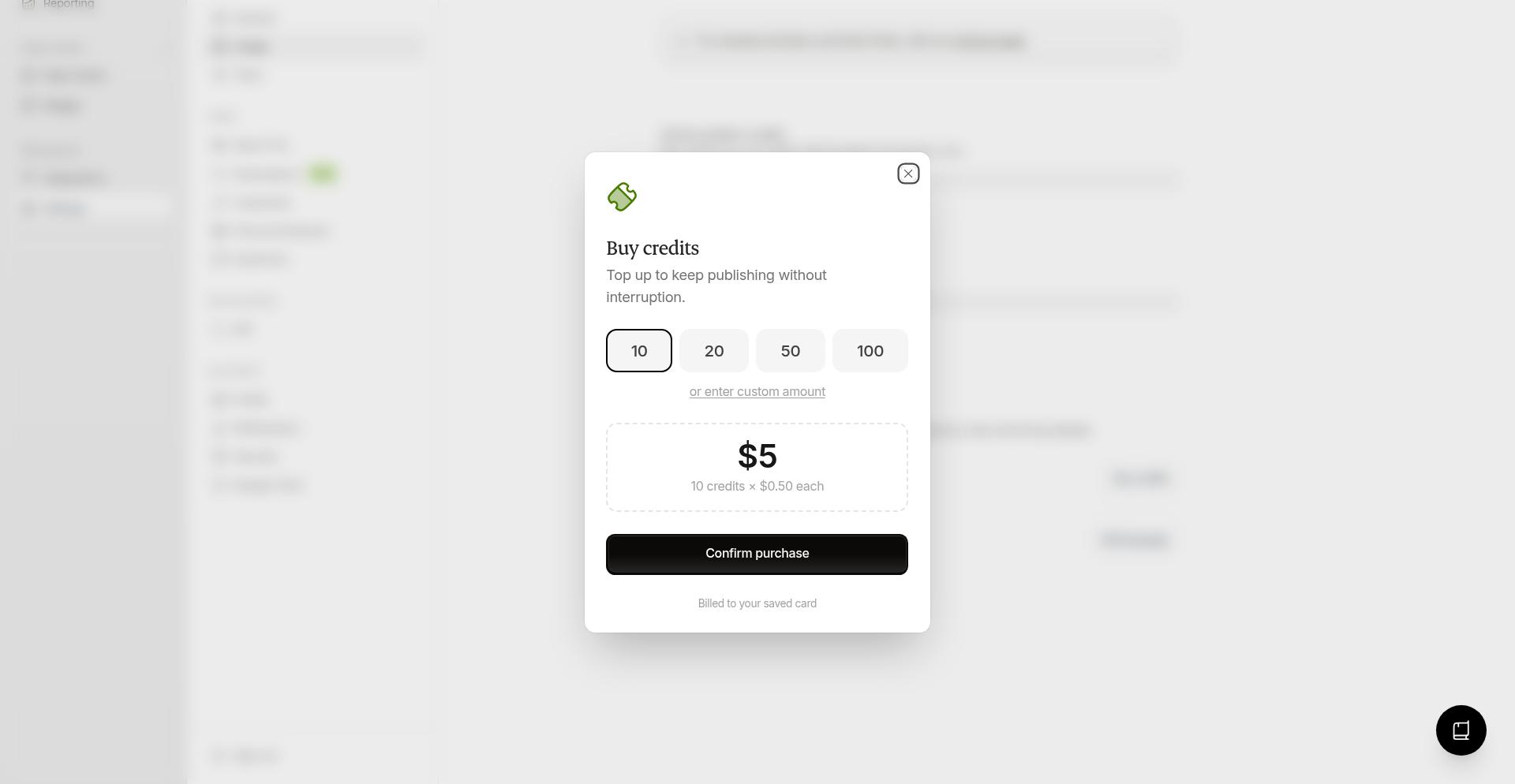
Select credit quantity
Choose how many credits to buy. You can use the preset buttons (10, 20, 50, 100) or adjust manually.
Minimum purchase: 2 credits. Maximum: 2,000 credits.
4
Confirm purchase
Click Confirm purchase. We'll charge the card on file for your subscription.
Your credits appear immediately after purchase.
Troubleshooting
Payment failed
Need more than 2,000 credits
Contact support for larger purchases. We can arrange bulk credits at the same $0.50 rate.
Related
Was this helpful?