

MadCap Flare earned its reputation honestly. If you need single-sourced content published to web, PDF, print, and in-app help with tight control over every output, few tools match it. That is why it has been the default for technical writing teams for two decades.
But most people searching for MadCap Flare alternatives are not frustrated by the editor. They are frustrated that documentation has become a bottleneck: only one person can update it, licenses cost too much to hand out, and the help center is already wrong three days after a release. Those are four different buying problems hiding behind one search.
This comparison will help you decide:
- Whether your real problem is authoring, structure, collaboration, cost, or maintenance
- Which of the seven alternatives fits the way your team actually ships product
- What a migration off Flare realistically costs in content, outputs, and ownership
TL;DR
- MadCap Flare lists at roughly $2,999 per user, per year as a desktop license, which is why per-seat cost is the most common trigger for switching.
- Most alternatives fix authoring or collaboration. Very few fix documentation drift, which is the reason docs go stale after every release.
- Ferndesk is the maintenance-first option: it monitors GitHub, support tickets, and UI changes, then drafts updates for review at a $149/month Pro base price.
- GitBook and Document360 win on cloud collaboration. ClickHelp and HelpNDoc are the most familiar replacement paths. Paligo and RoboHelp keep structured publishing intact.
- Budget for content lock-in. Snippets, variables, conditional text, and PDF templates are the parts of a Flare project that do not travel cleanly.
Why teams leave MadCap Flare
Teams rarely abandon Flare because it stopped working. They leave because the cost of keeping documentation current outgrew the value of the tool’s publishing depth. Four pain points show up again and again: rising license costs, the need for cloud-based authoring, structural rigidity, and gaps in how content performs in an AI-driven search world.
Where MadCap Flare still fits
Flare remains the right answer for a specific profile of team, and pretending otherwise would waste your time. If your documentation is a regulated deliverable with multiple output formats, Flare is still hard to beat.
- Deep single-sourcing with snippets, variables, and conditional text that genuinely reduce duplicate content
- Precise control over PDF and print output, including page layouts most cloud tools cannot reproduce
- Mature translation and localization workflows for large, multi-language content sets
- A good fit for teams with dedicated technical writers and an established desktop workflow
The four reasons teams start shopping
When Flare stops fitting, the reasons are consistent and practical. Each one shows up as a concrete workflow problem, not a missing checkbox.
- Cost. At roughly $2,999 per user per year, you buy two or three seats and stop. Your support lead spots a wrong screenshot, files a ticket to the writer, and the fix waits a week because nobody else has a license.
- Collaboration. Desktop-first authoring stalls same-day updates. When a feature flag flips on Thursday afternoon, a product manager cannot open the project, edit a paragraph, and publish before customers hit the new screen.
- Complexity. XML-heavy structured authoring pays off only when you have real reuse across many outputs. If you publish one web help center and an occasional PDF, you are carrying the overhead without the return.
- Stale docs. This is the one most replacements do not solve. A nicer editor still assumes a human noticed the product changed, remembered which articles were affected, and had time to rewrite them.
That last point is why the alternatives below fall into more than one category. Six of these tools compete on authoring and publishing. Ferndesk competes on maintenance, which is a different category entirely: not a better editor, but a system that watches your product and tells you what your docs got wrong.
The five categories of MadCap Flare alternatives
Before comparing individual tools, it helps to know which shelf you are shopping from. Four established categories cover most of the market, and a fifth has emerged around documentation automation.
| Category | Best For | Typical Authoring Model | Main Advantage | Main Tradeoff |
|---|---|---|---|---|
| Modern help-authoring platforms | Product teams publishing web help | WYSIWYG or Markdown, cloud | Fast setup, easy contribution | Less publishing depth than Flare |
| Cloud-native CCMS | Teams needing reuse plus collaboration | Component-based, browser | Governance without desktop lock-in | Higher implementation overhead |
| DITA-based CCMS | Large enterprises with strict standards | DITA XML | Maximum structure and reuse | Adds complexity, needs specialists |
| Structured authoring without XML | Teams wanting reuse minus DITA tax | Component-based, no raw XML | Middle ground on governance | Fewer tools, smaller ecosystem |
| AI-native documentation automation | Fast-shipping SaaS teams | Cloud editor plus automated drafting | Detects product change, drafts updates | Not a desktop HAT replacement |
Modern help-authoring platforms
These are the easier-to-use successors to Flare, built for hosted help centers and simple collaboration. They assume your primary output is a web help site, not a print manual.
- Browser-based editing that non-writers can use without training
- Publishing and hosting included, so there is no output pipeline to maintain
- Less depth in PDF, print, and conditional publishing than Flare
Cloud-native CCMS platforms
If you still need structure, reuse, and review governance but want everyone working in the same browser, this is your category. It preserves most of what Flare’s structured model gives you.
- Component-level reuse with version control and approval workflows
- Stronger enterprise review, permissions, and localization pipelines
- Longer implementation, since taxonomy and reuse rules must be designed first
DITA-based CCMS platforms
This is the path for organizations that want maximum structure, standards compliance, and reuse across product lines. It delivers exactly that, but be honest with yourself: moving from Flare to DITA usually increases complexity rather than reducing it, and it requires people who know the standard well enough to maintain it.
Structured authoring without XML
A growing middle ground offers governed component reuse without asking writers to learn DITA or hand-edit XML. It works well when you want reuse and single-sourcing for a handful of outputs, but your contributors are product managers and engineers who will never open a structured editor willingly.
AI-native documentation automation platforms
This category is newer and answers a different question. Instead of asking how you write documentation, it asks how documentation stays correct after you ship.
- Connects to your codebase, changelogs, and support tools to detect when content has drifted
- Drafts specific updates for human review rather than waiting for a prompt
- Runs scheduled audits for stale text, broken links, and outdated screenshots
There is a second benefit here that matters more every quarter. AI assistants now answer a large share of customer questions by reading your help center, and they answer badly when your content is stale or poorly structured. Keeping docs current and clean is what produces fewer wrong answers and fewer tickets, which is an outcome, not a feature you buy separately.
Quick comparison of the best MadCap Flare alternatives
Here is how the seven alternatives compare on the dimensions that actually change your workflow.
| Tool | Best For | Pricing Approach | Biggest Tradeoff |
|---|---|---|---|
| Ferndesk | Fast-shipping SaaS teams with stale docs | Pro: $149/month for 5 editors, then $10/month each | Not a desktop HAT or print publishing tool |
| GitBook | Docs-as-code product teams | $65/site/month plus $12/user/month (annual) | Thin on print and conditional publishing |
| Document360 | Customer-facing help centers | Quote-based; historically ~$149/project/month | Pricing opacity; content still maintained manually |
| ClickHelp | Writers moving off a traditional setup | $194 to $640/month plus paid modules | Add-ons stack up quickly |
| Paligo | Enterprise reuse and governance | From $15,000/year for two authors | Heavier setup than modern help tools |
| Adobe RoboHelp | Familiar help-authoring patterns | $29.99/month per user, annual commitment | Evolutionary, not a maintenance fix |
| HelpNDoc | Solo writers and small teams | One-time: €99 to €499 per edition | Weak collaboration and no cloud workflow |
How to read this shortlist
This list mixes direct Flare replacements with tools that solve an adjacent documentation problem better than Flare ever did. That mix is deliberate, because the right answer depends on which problem is actually costing you time.
- Two entries (ClickHelp, RoboHelp) are near-drop-in replacements for a traditional technical writing setup
- Two (GitBook, Document360) trade publishing depth for collaboration and speed
- Two (Paligo, HelpNDoc) sit at opposite ends of the structure and budget spectrum
- One (Ferndesk) is a different category: it targets documentation maintenance rather than authoring
The comparison prioritizes workflow fit over feature counts. The sections below cover where each tool wins and where it falls short, so you can rule options out quickly.
What MadCap Flare costs, and the three pricing shapes you will compare
MadCap Flare lists at approximately $2,999 per user, per year, sold as a desktop license. That number is your baseline, and it shapes the whole decision because it effectively caps how many people can touch your documentation.
- Per-seat: Cost rises with every contributor. Docs stay locked to one or two specialists, and everyone else files requests. Flare and RoboHelp both work this way.
- Per-contributor or per-module: Cheaper entry, but the features you need often sit in higher tiers or paid modules. GitBook’s $65/site plus $12/user model and ClickHelp’s module add-ons both follow this shape.
- Included editors: Five people across support, product, and engineering can contribute on Pro. Additional editors cost $10 per month each, so budget for everyone who needs editing access.
Each tool’s “Pricing notes” below is compared back to that $2,999 per-user Flare baseline, so you can see whether you are saving money or simply moving it.
The leading MadCap Flare alternatives, compared
Each tool below follows the same structure: who it is for, where it wins, where it falls short, and how pricing compares to Flare.
1. Ferndesk

Ferndesk is the right choice when your problem is not authoring syntax but documentation drift. If your team ships weekly and the help center is perpetually one or two releases behind, a better editor will not fix that. An AI agent named Fern watches your product and tells you what changed, then drafts the correction.
Best for: SaaS teams shipping weekly or faster whose documentation goes stale faster than anyone can rewrite it.
Where it wins:
- Codebase monitoring watches GitHub pull requests and flags articles that reference features or UI that changed
- Support ticket analysis reads conversations from Intercom, Zendesk, Help Scout, and Crisp to surface gaps customers are actually hitting
- Scheduled weekly audits catch stale content, broken links, and outdated screenshots before customers do
- Automated screenshot generation re-captures product images when the UI changes, which eliminates the most tedious manual chore in docs upkeep
- AI-drafted updates go into a review queue, so maintenance becomes a review task instead of a writing task
- Migration is done-for-you with URL preservation from Intercom, Zendesk, Help Scout, and similar platforms, though there is no dedicated MadCap Flare project importer; a Flare HTML export is converted as part of onboarding
- Sitemaps, llms.txt, and clean subfolder hosting help both search engines and AI assistants answer correctly from your docs
Where it falls short:
- It is not a desktop HAT clone. If you need Flare-grade PDF page layouts and print output, Ferndesk does not replace that pipeline
- Localization is AI-assisted translation across included languages rather than a full translation-management ecosystem with vendor round-tripping
- It deliberately skips omnichannel ticketing, shared inboxes, and queue management, so it is not a support suite replacement
- Snippets, variables, and conditional text from a Flare project do not carry over as structured reuse objects
Pricing notes: Ferndesk Pro is $149/month or $1,490/year with five editors and unlimited articles included. Extra editors cost $10/month each. That annual price is below the roughly $2,999/year Flare Desktop author license described above. Eligible pre-seed or sub-$1M ARR teams with fewer than 10 people can apply for $75/month for their first 12 months. Enterprise starts at $399/month with SAML SSO, SCIM, higher limits, and white-glove onboarding.
2. GitBook
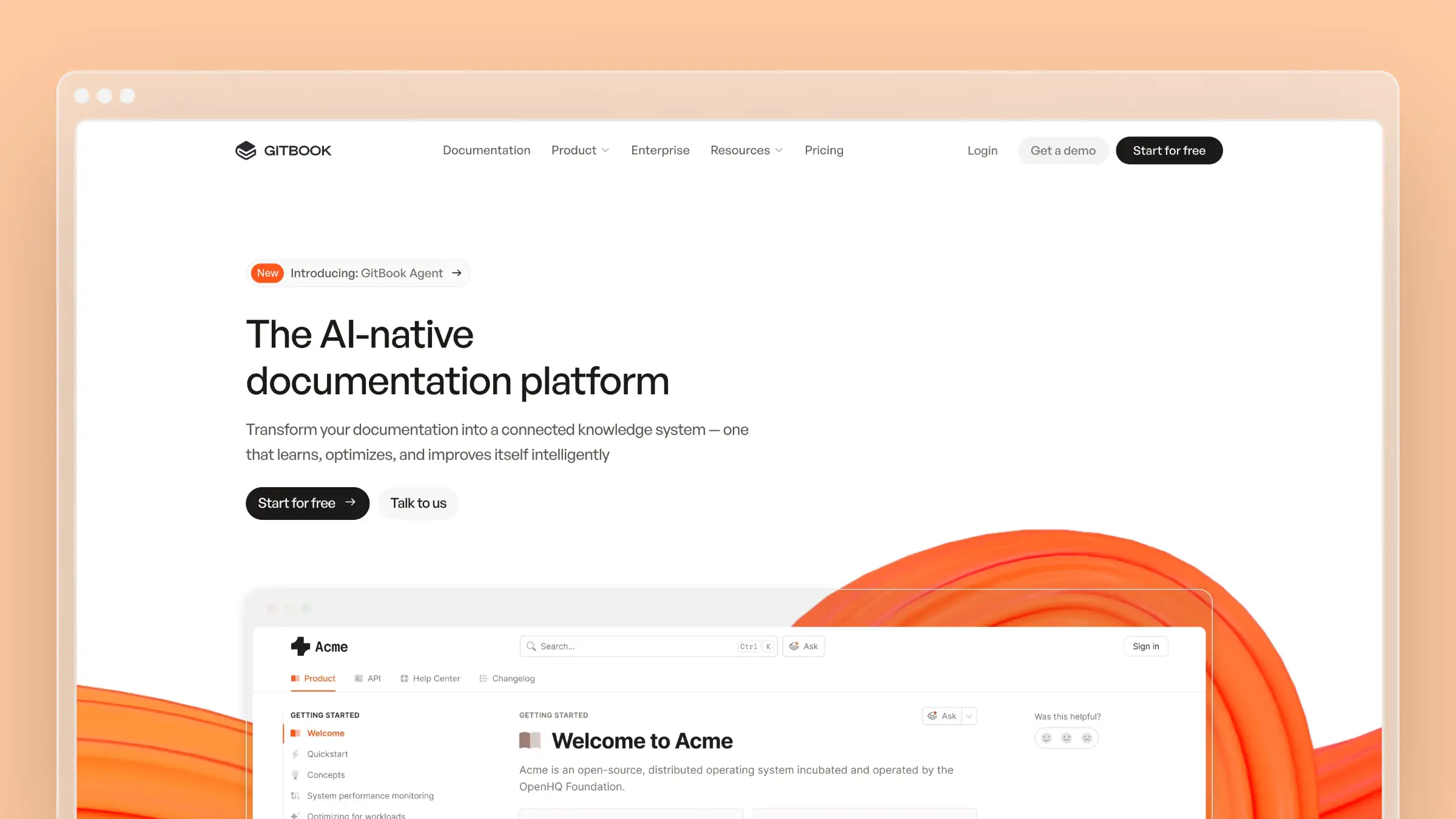
GitBook is the natural landing spot for teams who already live in Git and want documentation to work the same way code does. It is cloud-native and collaborative where Flare is desktop-based and XML-first, and the learning curve is close to zero for anyone who has written a README.
Best for: Product and engineering teams that want docs-as-code without maintaining a static site generator.
Where it wins:
- Markdown authoring with Git-backed sync, so docs can live beside the repo and follow pull request review
- Real-time collaboration that technical and non-technical contributors can both use
- Fast deployment with hosting included, versus Flare’s build-and-publish pipeline
- Strong AI search and AI-ready content structure out of the box
- Import paths exist for Markdown, Git repos, and common doc formats, but there is no dedicated Flare project importer; plan to convert exported HTML
Where it falls short:
- It solves collaboration far better than maintenance. Nothing tells you an article went stale after a release
- Outputs are web-first. PDF export is basic, print layout control is minimal, and localization means managing parallel content rather than a translation workflow
- Deep single-sourcing, conditional text, and variable-driven publishing are thin compared with Flare
Pricing notes: Premium is $65 per site per month billed annually, plus $12 per user per month, with Ultimate at $249 per site per month. A free tier exists for individuals. The per-user layer means cost still grows with contributors, though far more slowly than Flare’s $2,999 per seat.
3. Document360

Document360 is a polished knowledge base platform aimed at customer-facing help centers rather than technical manuals. If your documentation is primarily a support asset with an internal counterpart, it covers both with strong admin controls.
Best for: Support and documentation teams running a customer-facing help center plus internal knowledge base.
Where it wins:
- Both WYSIWYG and Markdown editors, so writers and engineers can each work comfortably
- Category manager, versioning, review reminders, and role-based workflows for larger content operations
- AI writing assistance and AI-powered search for readers
- Analytics that show what customers search for and fail to find
- Broad integrations with support desks and chat tools
Where it falls short:
- It improves the authoring and publishing experience but still depends on a person noticing the product changed. Review reminders tell you an article is old, not that it is wrong
- PDF and print output exist but do not approach Flare’s layout control, and multi-language support is project-based rather than a full localization pipeline
- No documented MadCap Flare project import, so content conversion is a manual scoping exercise
- Pricing is quote-based, which slows evaluation
Pricing notes: Document360 moved to custom quotes, with historical public tiers around $149 per project per month billed annually for Professional. AI capabilities are often priced as add-ons. Verify current pricing directly, and confirm which AI features are included before you compare against the Flare baseline.
4. ClickHelp
ClickHelp is the closest cloud-based analogue to a traditional technical writing setup. Topic-based authoring, review workflows, and output control all feel familiar, which shortens the retraining curve for writers coming off Flare.
Best for: Technical writing teams that want Flare-style structure and outputs without desktop software.
Where it wins:
- Cloud-based collaborative authoring with real-time editing and cross-platform browser access
- Strong branding and portal customization for public and private documentation
- Review and approval workflows that map cleanly to existing technical writing processes
- Translation management and multi-output publishing including web, PDF, ePub, and Word
- Import tooling handles HTML and Word-based content, which covers most of what a Flare export produces; confirm scope for your specific project structure
- Consistently strong reputation for responsive customer support in comparison content
Where it falls short:
- It is a documentation platform, not a maintenance engine. Nothing monitors your product for drift
- Modules are priced separately, so the AI suite, REST API, SSO, and translation ecosystem each add cost
- Conditional publishing and print layout control are good, but heavy PDF requirements may still favor Flare
Pricing notes: Starter runs $194/month, Growth $325/month, and Professional $640/month, with add-ons like the AI Suite at $300/month, SSO at $132/month, and the translation ecosystem at $205/month. A three-writer Flare setup costs roughly $9,000 per year, so compare total configured cost rather than base tier price.
5. Paligo
Paligo is a cloud CCMS for organizations that genuinely need structured reuse, not just easier publishing. It keeps the benefits Flare users value in single-sourcing while moving authoring and review into the browser.
Best for: Larger documentation teams with real reuse, governance, and compliance requirements.
Where it wins:
- Component-level reuse, branching, and release management built for multi-product content
- Structured authoring based on a documented standard without forcing writers into raw XML editing
- Mature localization with translation round-tripping for large multi-language content sets
- Publishing to web, PDF, print, and in-app targets, which is one of the few alternatives that matches Flare’s output breadth
- Migration assistance is typically part of onboarding, and imports from Word, HTML, and DITA are supported; confirm how Flare-specific reuse objects are handled
Where it falls short:
- Implementation is a project, not a signup. Taxonomy, templates, and reuse rules need design work before your first publish
- It feels heavy for teams that just want a fast help center with a few contributors
- Structure discipline is still enforced by people, so content can be beautifully structured and completely out of date
Pricing notes: Business starts at $15,000 per year for two authors and two languages, with Enterprise quoted on request. That is above a two-seat Flare license, so the case for Paligo rests on collaboration, governance, and localization value rather than cost savings.
6. Adobe RoboHelp
RoboHelp is the most evolutionary move on this list. It preserves familiar help-authoring patterns and strong output control, which makes it a low-risk transition for writers who like how Flare works but want out of MadCap’s licensing.
Best for: Writers who want a traditional help-authoring tool with modern responsive output and Adobe ecosystem ties.
Where it wins:
- Topic-based HTML5 authoring with conditional content, variables, and snippets that map closely to Flare concepts
- Responsive HTML5, PDF, print, and mobile app outputs with meaningful layout control
- Dynamic content filters and microcontent for chatbot-style answers
- Works with Git and standard source control for versioning
- Imports HTML, Word, DITA, and Markdown, so a Flare export is workable, but there is no one-click Flare project migration; styles and conditional logic require rebuilding
Where it falls short:
- It does not solve the cloud collaboration problem that triggered most searches. Authoring is still desktop-centered
- No automation that detects product changes, so stale content remains a human responsibility
- Per-user licensing means the same contribution bottleneck you have today, just cheaper
Pricing notes: Subscription starts at $29.99 per user per month with an annual commitment, roughly $360 per user per year against Flare’s $2,999. Volume and enterprise licensing is quoted through Adobe. Confirm current terms and included output options before committing.
7. HelpNDoc
HelpNDoc is the value option, aimed at solo writers and small teams who need clean output without an enterprise platform. Setup is quick, the interface is approachable, and the one-time license model removes subscription pressure.
Best for: Solo technical writers and small teams on a fixed budget.
Where it wins:
- Straightforward desktop WYSIWYG authoring with a shallow learning curve
- Multi-format output including HTML, CHM, PDF, Word, and ePub from a single source project
- Templates and a built-in library that make basic single-sourcing practical
- Perpetual licensing, which is unusual and useful for teams that cannot carry recurring cost
- Imports Word, HTML, and CHM content; there is no Flare project importer, so expect manual rebuilding of topics and styles
Where it falls short:
- Single-author oriented, with no real-time collaboration or cloud review workflow
- No automation, no product monitoring, and minimal analytics
- Localization and translation management are basic compared with Flare, ClickHelp, or Paligo
- Windows-based desktop workflow keeps documentation dependent on one machine and one person
Pricing notes: A free Personal Edition exists for non-commercial use. Paid editions are one-time purchases: Standard at €99, Professional at €299, and Ultimate at €499, with higher-priced floating licenses. Against $2,999 per Flare seat per year, this is the clearest cost reduction available, provided you can accept the collaboration limits.
How to choose the right alternative for your team
The fastest way to narrow this list is to stop comparing feature grids and start describing how your team actually ships. Most documentation stacks fail on workflow fit, not on missing features.
Start with your actual workflow, not the feature grid
Work through these questions with your writers, support lead, and one engineer in the room. The answers usually eliminate four of the seven options within twenty minutes.
| Buying Question | Why It Matters | Best-Fit Tool Types |
|---|---|---|
| Which outputs must you keep publishing? | Print and PDF layout depth is where most cloud tools fall down | Paligo, RoboHelp, ClickHelp |
| Who needs to edit content, and how often? | Per-seat licensing decides whether support and product can contribute | Flat-rate or low per-user tools |
| Do you have genuine content reuse? | Reuse only pays off across many outputs or product lines | CCMS-style tools |
| How many languages do you support? | Translation round-tripping is a workflow, not a toggle | Paligo, ClickHelp |
| What integrations does your stack require? | Docs should connect to GitHub, Linear, and your support desk | AI-native automation platforms |
| How does content stay current after a release? | This is the cost most teams never budget for | Automation-first platforms |
| Can AI assistants find and answer correctly from your docs? | Customers increasingly ask an assistant, not your search bar | Tools with clean structure, sitemaps, and fresh content |
| What is the total cost with required modules? | Base tier pricing rarely reflects a working configuration | Compare configured, not list, pricing |
Be ruthless about separating must-haves from habits. Plenty of teams insist on conditional text because their Flare project used it, not because two audiences actually need different instructions.
Decide whether your core problem is authoring, structure, or maintenance
Say the problem out loud in one sentence. If it starts with “nobody can edit the docs except Priya,” that is an authoring and access problem. If it starts with “we publish the same install instructions in six places,” that is a structure problem.
If it starts with “our screenshots are three releases old and support keeps sending customers corrections,” that is a maintenance problem, and no editor solves it. Maintenance problems are worth evaluating on their own track, because the tools that address them are scored on detection and drafting, not on publishing depth.
- Authoring is the issue: cloud-native tools like GitBook, Document360, or ClickHelp are the likely fit
- Structure and reuse are the issue: CCMS-style tools like Paligo belong on the shortlist
- Stale content is the issue: evaluate automation-first platforms like Ferndesk separately from standard help-authoring replacements
Plan the migration in three steps before you switch
Migration effort is the single most underestimated part of leaving Flare. Scope it before you sign anything, because the number that matters is topics times complexity, not seats times price.
Step 1: Inventory what exports cleanly
- Topic HTML, images, and basic table-of-contents structure usually survive the move
- Plain body content, headings, lists, and links transfer with minimal cleanup
- Export a representative sample of 20 topics and import them into your finalist tool before committing
Step 2: List what breaks
- Snippets and variables typically flatten into literal text, so reuse becomes duplication
- Conditional text collapses, which means audience-specific content needs rebuilding or splitting
- Custom stylesheets, skins, and PDF templates rarely survive and usually need rebuilding from scratch
- Cross-references and context-sensitive help IDs need remapping
Step 3: Scope the work honestly
- Count topics, then tag each as clean, needs-edit, or rebuild
- Count reuse dependencies, since every snippet is a future inconsistency once flattened
- Count outputs you must preserve, and confirm each one in a trial before purchase
Treat content lock-in as a real budget line. Decide early how URLs, SEO, and help-center structure carry over, because losing indexed URLs costs more support volume than the migration saves. Then name the person who owns maintenance after go-live, because a platform change without an ownership change produces the same stale docs on a different domain.
Common questions about MadCap Flare alternatives
Four questions come up in almost every evaluation, plus two that should.
Do you need another XML tool to replace MadCap Flare?
Usually not. Only teams with genuine structured reuse across multiple product lines, strict compliance requirements, and heavy multi-output publishing need another XML-first system. Most teams publishing one web help center and occasional PDFs can move to a simpler cloud-native platform and lose nothing that customers notice.
What if your biggest issue is outdated documentation after every release?
Then you are solving a different buying problem than “which editor is easier to use,” and comparing editors will not help. Look at tools that monitor change signals rather than waiting for a person to remember.
- Prioritize platforms that connect to your codebase and changelog to detect drift
- Prioritize platforms that analyze support conversations to reveal gaps customers already hit
- Judge candidates on how much maintenance becomes a review task instead of a writing task
Is Confluence a real MadCap Flare alternative?
Confluence works well as a team wiki or internal knowledge base, and it shows up in these searches because it is already installed. It is usually not a full Flare replacement, because it lacks the structured authoring, single-sourcing, and controlled multi-format publishing that specialized technical documentation requires.
Can a cheaper tool still reduce support volume better than Flare?
Yes, and it happens often. Ticket deflection depends on whether customers find a correct answer, not on how sophisticated your publishing pipeline is.
- A cheaper tool wins when it lets more people fix errors quickly
- A cheaper tool wins when its content structure lets search engines and AI assistants answer accurately
How long does migrating off MadCap Flare take?
It depends almost entirely on reuse complexity, not topic count. A 300-topic project with light conditional content can move in two to four weeks; the same project with heavy snippets, variables, and custom PDF templates routinely takes a quarter. Run a 20-topic pilot before you estimate.
Which MadCap Flare alternative is cheapest?
HelpNDoc, by a wide margin, with one-time licenses from €99. If you need collaboration, RoboHelp at $29.99 per user per month and Ferndesk Pro at $149/month for five editors are the lowest-cost options that let more than one person work comfortably.
Which MadCap Flare alternative should you choose?
Match the tool to the problem you named earlier, not to the longest feature list.
Choose Ferndesk if your biggest pain is stale docs
If your release cadence outruns your documentation capacity, the editor was never the constraint. Ferndesk turns upkeep into review work by watching your product and drafting the corrections.
- Best when releases move faster than your documentation team can keep up
- Best when support tickets reveal gaps faster than writers can rewrite content
- Best when you want documentation maintenance to become a review task instead of a writing task
Choose GitBook or Document360 if you want easier cloud collaboration
Both remove the desktop bottleneck and make contribution normal rather than exceptional. Pick based on whether your docs live near code or near customers.
- GitBook fits docs-as-code workflows and collaborative product documentation
- Document360 fits polished help-center operations with broader knowledge base management
Choose ClickHelp or HelpNDoc if you want a more familiar replacement path
These two preserve the shape of traditional technical authoring, which minimizes retraining. The difference is scale and budget.
- ClickHelp is the stronger cloud-oriented bridge from a traditional technical writing setup
- HelpNDoc is the simpler, budget-conscious option for solo writers and small teams
Choose Paligo or RoboHelp if structured publishing still drives the decision
If reuse, governance, and output control are non-negotiable, stay in the structured world and upgrade the workflow around it.
- Paligo suits teams that need structured reuse and governance in a modern cloud setup
- RoboHelp fits buyers who want a legacy-style help-authoring model at a lower per-seat price
Across all seven, the pattern holds: cloud tools fix contribution, CCMS tools fix structure, and only automation-first tools fix drift.
Which MadCap Flare alternative should you choose?
The best MadCap Flare alternative depends on what you are actually replacing: a writing tool, a publishing model, or a broken maintenance process. Most comparisons assume the first, which is why so many teams migrate, feel better for a quarter, and end up with stale docs on a nicer platform.
If your team ships weekly, optimize for documentation staying current, not for a more pleasant editor. Fresh, well-structured content is what deflects tickets and what AI assistants need to answer your customers correctly.
Quick recap by use case:
- Stale docs after every release: Ferndesk, at $149/month for five editors with unlimited articles and automated drift detection
- Cloud collaboration and speed: GitBook for docs-as-code, Document360 for customer-facing help centers
- Familiar technical authoring: ClickHelp for cloud, HelpNDoc for a one-time license under €500
- Structured reuse and output depth: Paligo for enterprise governance, RoboHelp for legacy-style publishing at $29.99 per user per month



 Book a demo