
You ship a release that renames a setting. Two days later, a customer files a ticket because your help article still shows the old label and last quarter’s screenshot.
That moment decides the HelpDocs vs Document360 vs Ferndesk comparison. All three can launch a clean help center quickly. They differ in how much work each one leaves you after launch.
Here’s how they compare on AI, update automation, governance, migration, pricing, and fit.
TL;DR
- Ferndesk is built for ongoing maintenance. Its AI agent, Fern, watches pull requests, support tickets, and your UI, then drafts updates for your approval.
- HelpDocs is the simplest self-serve help center and publishes its prices. Its credit-based AI runs out mid-month.
- Document360 has the deepest governance and API documentation tools. It hides pricing behind sales calls.
- Ferndesk publishes transparent Pro pricing at $149/month, including unlimited AI drafting.
- Judge each tool on the work it takes to keep articles accurate, not only the effort to publish them.
HelpDocs vs Document360 vs Ferndesk: quick comparison
If you only have a minute, this table covers the six factors that matter most once a help center is live. It draws on each vendor’s published plans and comparison pages.
At-a-glance comparison
| Decision factor | Ferndesk | HelpDocs | Document360 |
|---|---|---|---|
| AI model | Fern identifies product changes that affect your docs and drafts revisions for approval. AI drafting is unlimited. | AI drafting, rewriting, and Ask AI on every plan, drawn from monthly credits | Eddy AI for writing and answers, alongside review workflows |
| Pricing transparency | Published Pro pricing at $149/month | Published self-serve plan prices | No published price. Paid plans require a sales call. |
| Update automation | Pull request screening, ticket analysis, scheduled audits, screenshot recapture | Stale flags and content-health reports. Editors make the fixes. | Review reminders. Editors find and make the fixes. |
| Governance | Approval before publishing, role-based permissions, private help centers | Permissions and SSO depend on plan | Custom workflows, versioning, multiple projects |
| Migration | Automatic onboarding import with redirects | Self-serve migrator | Assisted migration by its team |
| Best fit | Fast-shipping SaaS teams | Lean support teams | Governance-heavy documentation teams |
What each platform is built to do
The three tools solve different problems, so each profile below starts with the job the tool was designed for.
Ferndesk

Ferndesk hosts your help center. Its AI agent, Fern, monitors the places your product changes: GitHub pull requests, Linear issues, and support conversations from tools like Intercom and Zendesk. When a change affects an article, Fern drafts the update.
Nothing publishes until you approve it. Maintenance becomes a review task instead of a writing task, and Ferndesk estimates that saves teams 20+ hours a month. Pro pricing is published at $149/month. Document360 requires a sales call before you see a price.
Pros
- Release-linked drafting means you stop hunting for stale articles by hand.
- Weekly audits and automatic screenshot recapture catch drift between releases.
- The onboarding import brings existing articles across and sets up redirects.
Cons
- Your team still reviews every Fern draft before it goes live.
- Pro includes five editor seats, so larger writing teams will need more capacity.
- In-app AI conversations are capped at 1,000 a month on Pro.
HelpDocs
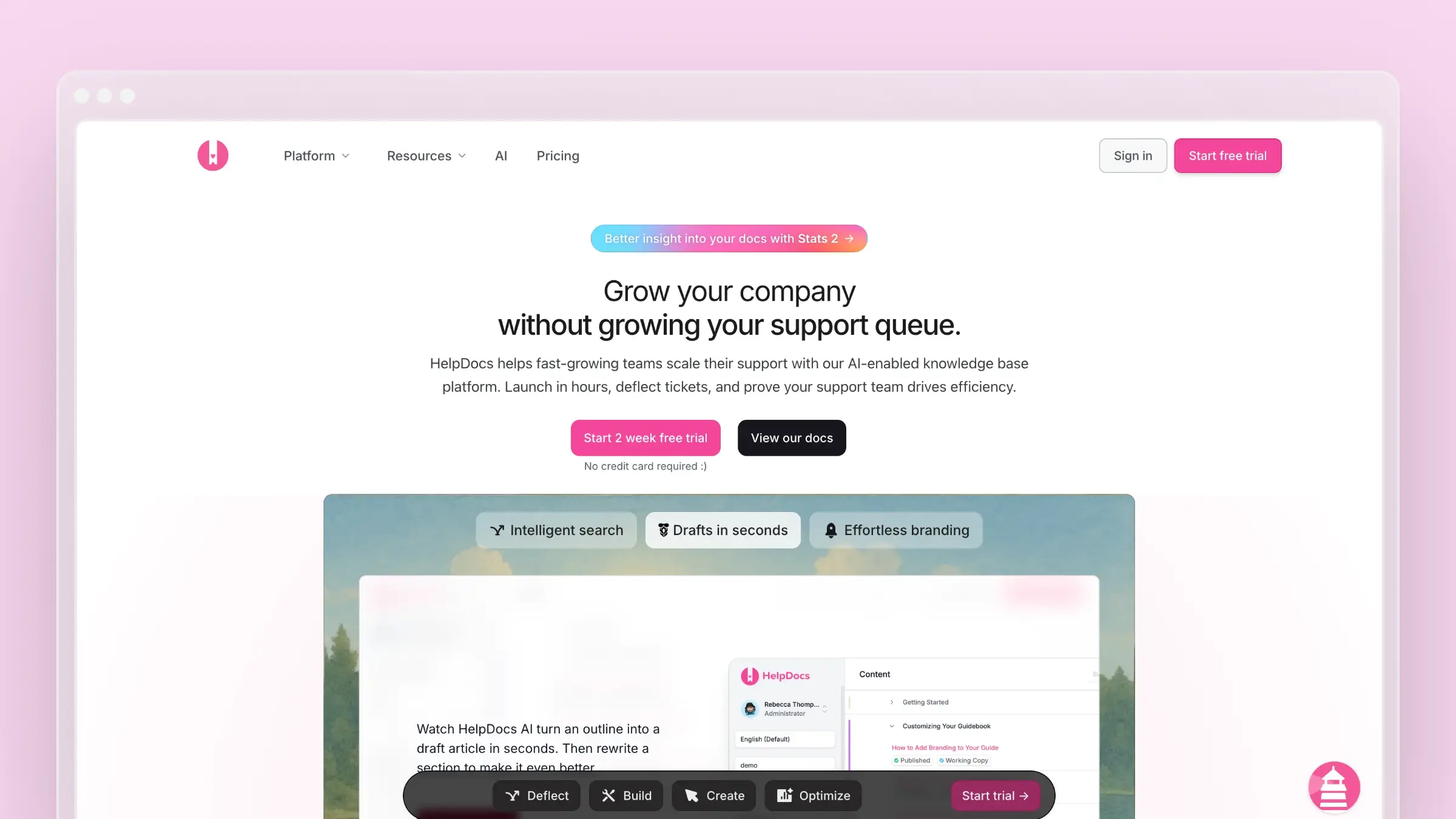
HelpDocs is a straightforward customer help center for support teams that want to write, organize, and publish without a sales-led purchase. You start a trial, pick a plan, and have a branded help center live quickly.
It suits SaaS companies, e-commerce brands, and startups whose documentation needs are lean and predictable.
Pros
- Published self-serve plans make budgeting simple.
- AI drafting and Ask AI are available on every plan.
- A built-in migrator and unlimited public viewers make setup easier as the help center grows.
Cons
- Its credit-based AI runs out mid-month once drafting and Ask AI usage climb.
- Stale flags still need a person to make the product-specific fix.
- Analytics and version control are lighter, and stronger permissions and SSO require higher plans.
Document360

Document360 is a structured documentation platform for larger teams. It fits organizations that run several knowledge bases, formal review cycles, or developer documentation alongside customer help.
Its writing assistant, Eddy, and configurable workflows give technical writers a lot of control. That depth is the main reason to buy it, and it also adds setup time.
Pros
- Custom approval workflows give each article a defined owner.
- Revision history and multiple projects keep complex libraries organized.
- Dedicated API documentation and assisted migration suit large documentation programs.
Cons
- Document360 hides pricing behind sales calls, so you can’t budget before you talk to sales.
- Review reminders run on a schedule and don’t detect product changes.
- Setup takes longer, and the workflow can be more than a lean support team needs.
AI and ongoing documentation maintenance
AI features look similar on a pricing page. The difference shows up the week after a release. Ferndesk is the only one of the three that links product changes to the articles they affect. HelpDocs and Document360 help you write faster once you know what to fix.
Drafting after a release: automatic triggers or an editor’s prompt?
Say your release renames “Billing settings” to “Plans and usage.” That creates two jobs. First, someone notices which five articles mention the old label. Then someone rewrites them.
Ferndesk
- Fern screens pull requests for documentation impact and drafts fixes to the affected articles before launch. Recurring patterns in support tickets can also trigger drafts for missing articles.
- Each draft waits for your approval. On release day you get a review request, which comes before any customer tickets about the old label.
HelpDocs
- In-editor AI drafting and rewriting speed up writers who already know which article needs changing.
- This suits small support teams with a steady, manageable volume of updates.
Document360
- Eddy helps writers create and refine content inside the editor.
- Review routing gives larger teams clear ownership of each update, from draft to publish.
Finding stale instructions and controlling what goes live
Publishing an article doesn’t end the work. Someone still has to spot outdated steps and screenshots, check proposed changes, and approve an accurate replacement.
Ferndesk
- Weekly audits surface stale content, broken links, and outdated screenshots. Screenshots are recaptured automatically when the UI changes.
- Proposed updates stay in a reviewable draft state until you publish them.
HelpDocs
- Stale flags, freshness reporting, and content-health reports give one owner a clear review queue.
- This works well when a single person owns the whole help center.
Document360
- Review reminders and approval stages give multi-author teams a predictable, auditable path to publication.
- Scheduled reviews suit compliance-minded programs that need documented sign-off.
Customer answers, in-app help, and signals from support
AI answers are only as useful as the articles behind them. So compare two things: how readers find help, and how your team learns which questions go unanswered.
Ferndesk
- AI search and an in-app widget serve answers from your help center. Sitemaps, llms.txt, and a clean structure are built in, so AI answer engines can read your docs.
- Support-ticket analysis and missed-query tracking surface gaps, and Fern can draft the missing article.
HelpDocs
- Ask AI and the Lighthouse widget bring answers into your product, drawing on plan credits.
- Failed-search reports help lean teams spot coverage gaps quickly.
Document360
- Ask Eddy AI answers questions from published content, and an embeddable help center supports self-service inside your product.
- Its detailed analytics serve teams that run self-service for several audiences. The chatbot is a separate add-on.
Authoring, governance, and technical documentation
As more people contribute, the editor and the permission model matter as much as the AI. Document360 leads on structured workflows and HelpDocs stays lean. Ferndesk builds its approval process around Fern’s drafts.
Editors, approval workflows, and private access
Weigh three things together: how quickly a new writer can publish, who can approve content, and who can read private articles.
Ferndesk
- Fern’s drafts land in the editor ready for review. A new editor’s first published article is often an edit and an approval rather than a blank page.
- Pro includes five editor seats, role-based permissions, and private help centers with magic link, OIDC, or JWT login. Enterprise adds SAML login and SCIM provisioning.
HelpDocs
- Its simple WYSIWYG editor gets new writers publishing on their first day.
- Sprout covers a small editor team. Bloom adds advanced permissions and an audit trail, and Harvest adds broader SSO options.
Document360
- Markdown and WYSIWYG editors with detailed revision history give technical writers flexibility, but they take longer to learn.
- Custom workflows, roles, and multiple projects give larger teams detailed control over review and publication.
Help center presentation, integrations, and API docs
Your knowledge base has to fit where customers read it and where your team learns about product changes. If you publish API references, evaluate that need separately.
Ferndesk
- You can host on a custom domain or a /help subfolder and add an in-app widget. Subfolder hosting supports your SEO.
- GitHub, Linear, and support integrations give Fern context. OpenAPI ingestion builds reference pages with a Try It playground.
HelpDocs
- Custom domains, styling, multilingual options, and a widget suit a branded help center.
- Its API lets you manage articles programmatically. It is not a dedicated tool for publishing API references.
Document360
- Multiple projects and deeper site controls let you serve several audiences from one account.
- OpenAPI-based developer documentation suits a large technical library.
Migration: what happens to your articles and URLs?
Switching platforms involves more than moving text. Your old article URLs live in emails, in-app links, search results, and AI answers. Every broken link can turn into a support ticket.
Import effort, redirects, and the first review
Compare what each migration brings across and how old links reach the new articles. Redirects preserve access even when slugs change, so every URL doesn’t need to stay identical.
Ferndesk
- The automatic onboarding import supports both HelpDocs and Document360. It brings across articles, structure, and accessible images, and creates redirects when slugs change.
- Imported articles are published in the new help center. Review them at its Ferndesk address before switching your domain or directing customers there.
- Private sources need assisted, done-for-you migration.
HelpDocs
- The self-serve migrator supports Document360 and other sources and stages content for review.
- It can set up redirects where the source platform supports them.
Document360
- Its migration team handles content, links, and redirect rules for a full move.
- You can import small Word or PDF batches directly.
Pricing and costs as your help center grows
The list price is only part of the bill. Separate what a new buyer pays today from discounts. Then check the costs that grow with editors and AI usage.
Published prices, trials, and quote requirements
Here’s what you can learn before you talk to anyone.
Ferndesk
- New customers sign up on Pro at a published price of $149/month or $1,490/year. Qualifying early-stage teams pay $75/month for the first 12 months.
- The 7-day trial needs no credit card. Enterprise starts at $399/month.
HelpDocs
- Sprout costs $129/month billed monthly or $99/month billed annually. Bloom is $239/month and Harvest is $399/month, both billed annually.
- Every plan includes a 14-day trial.
Document360
- Document360 hides pricing behind sales calls and publishes no dollar figure for paid plans.
- It offers a 14-day trial and no ongoing free tier.
AI allowances, seats, and costs that change with scale
Creating and maintaining content is priced differently from serving more readers. Check both before you commit.
Ferndesk
- Ferndesk includes unlimited AI drafting on all plans, so maintenance work never uses up an allowance.
- Pro includes five editors and 1,000 AI conversations a month. Going past those limits can raise your bill.
HelpDocs
- HelpDocs’ credit-based AI runs out mid-month because drafting, rewriting, and Ask AI all draw from one pool of 1,000, 5,000, or 10,000 monthly credits, depending on plan.
- Extra editors and credit top-ups add cost as you grow.
Document360
- Quotes vary with team accounts, workspaces, languages, security needs, and AI usage.
- Core Eddy AI is included. The AI Premium Suite and chatbot are separate add-ons.
Which one should you choose?
The decision comes down to three needs: governance, lean self-service, or automated maintenance. Pick based on which kind of work eats most of your team’s week.
Match the platform to the work your team needs to reduce
Each recommendation below includes one reason to choose the tool and one trade-off.
- Ferndesk: Choose it if frequent releases make finding and fixing stale articles your bottleneck. You get product-linked drafts and migration support. You still approve every change and should budget for Pro.
- HelpDocs: Choose it if you want a simple, self-serve help center with published prices. The trade-off is that you manage updates and AI credits yourself.
- Document360: Choose it if formal approvals, multiple projects, and developer docs matter most. The trade-off is quote-based buying and a heavier workflow.
Common questions before you decide
Will AI search solve outdated documentation?
No. AI search helps customers retrieve answers, but it repeats whatever your articles say, including outdated steps. The fix has to happen in the articles themselves, which is why it matters how each platform surfaces, drafts, and reviews corrections.
Can you keep old article links when you switch?
Yes. Redirects keep old links working even when slugs change. Ferndesk creates redirects during supported imports, HelpDocs sets them up where the source allows, and Document360 includes redirect work in assisted migration.
Conclusion
In the HelpDocs vs Document360 vs Ferndesk decision, each tool wins in a different situation. Choose Ferndesk when keeping pace with product changes is your hardest job. Choose HelpDocs when a straightforward help center is enough, and Document360 when formal governance and complex documentation come first.
Before you sign, compare the work each tool requires to keep articles accurate after launch, not just the effort to publish them.
FAQs: HelpDocs vs Document360 vs Ferndesk
Does Ferndesk replace my support desk?
No. Ferndesk deliberately leaves out ticketing, routing, and shared inboxes. It connects to Intercom, Zendesk, Help Scout, and Crisp so it can learn from your support conversations.
Which option costs least for a small team?
HelpDocs Sprout starts at $99/month billed annually. Qualifying early-stage teams can get Ferndesk Pro for $75/month in the first year. Document360 requires a quote.
Does Document360 have a free plan?
No. Document360 offers a 14-day trial but no ongoing free tier.
Can Ferndesk handle API documentation?
Yes. OpenAPI ingestion generates reference pages with a Try It playground, so your developer docs live alongside your customer help center.
 Book a demo