
June 19th, 2026
Image editing inside Ferndesk, help center exports, seamless escalation to human support, and deeper AI analytics. Here's what shipped in the last two weeks.
Seamless escalation to human support: The widget and help center now hand off to your team with a prefilled draft, and authenticated users are identified in AI conversations
Image editor for screenshots: Edit and annotate images before adding them to your content
Export your help center content: Download a zip of your articles, collections, and translations
AI answers reporting improvements: See deflection rate, estimated time saved, and cost savings from resolved conversations
Seamless escalation to human support
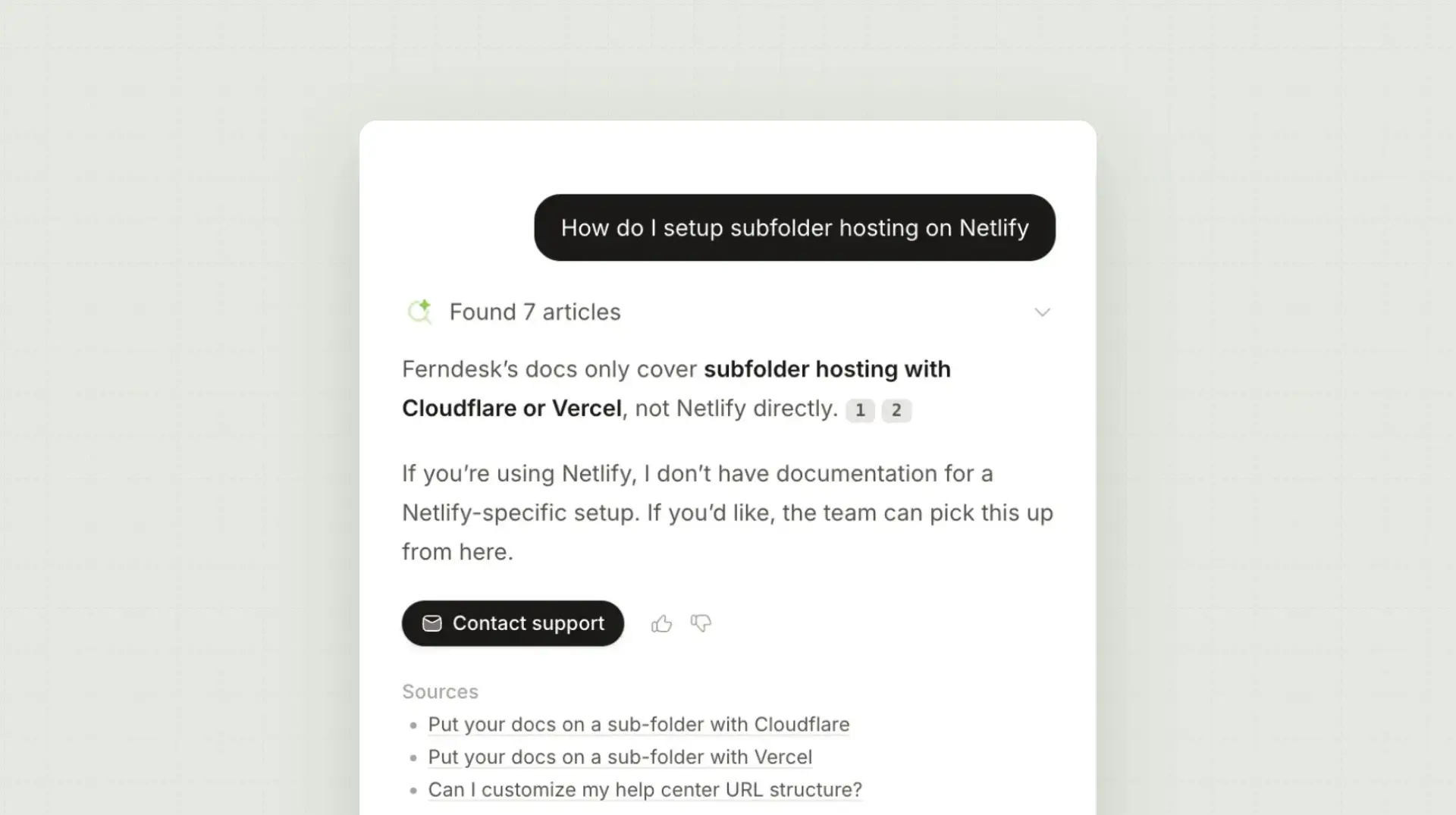
Seamless escalation is now available in both the help center and the widget. Admins can set up AI escalation and handoff behavior and configure widget settings to choose how visitors reach their team, set when the handoff appears, and let Fern draft a summary of the conversation so users do not have to retype their issue.
There are three escalation modes:
AI decides: The contact option appears when Fern cannot answer the question or when the user gives negative feedback.
Always visible: The contact option is always shown, regardless of whether the AI answered the question.
Off: The contact option is hidden and visitors cannot escalate to human support from the AI.
Authenticated help center users are identified in AI conversations, so their name and email can carry through to the contact form or chat handoff.
User identification via JWTs is available on all plans. Learn more.
Image editor for screenshots
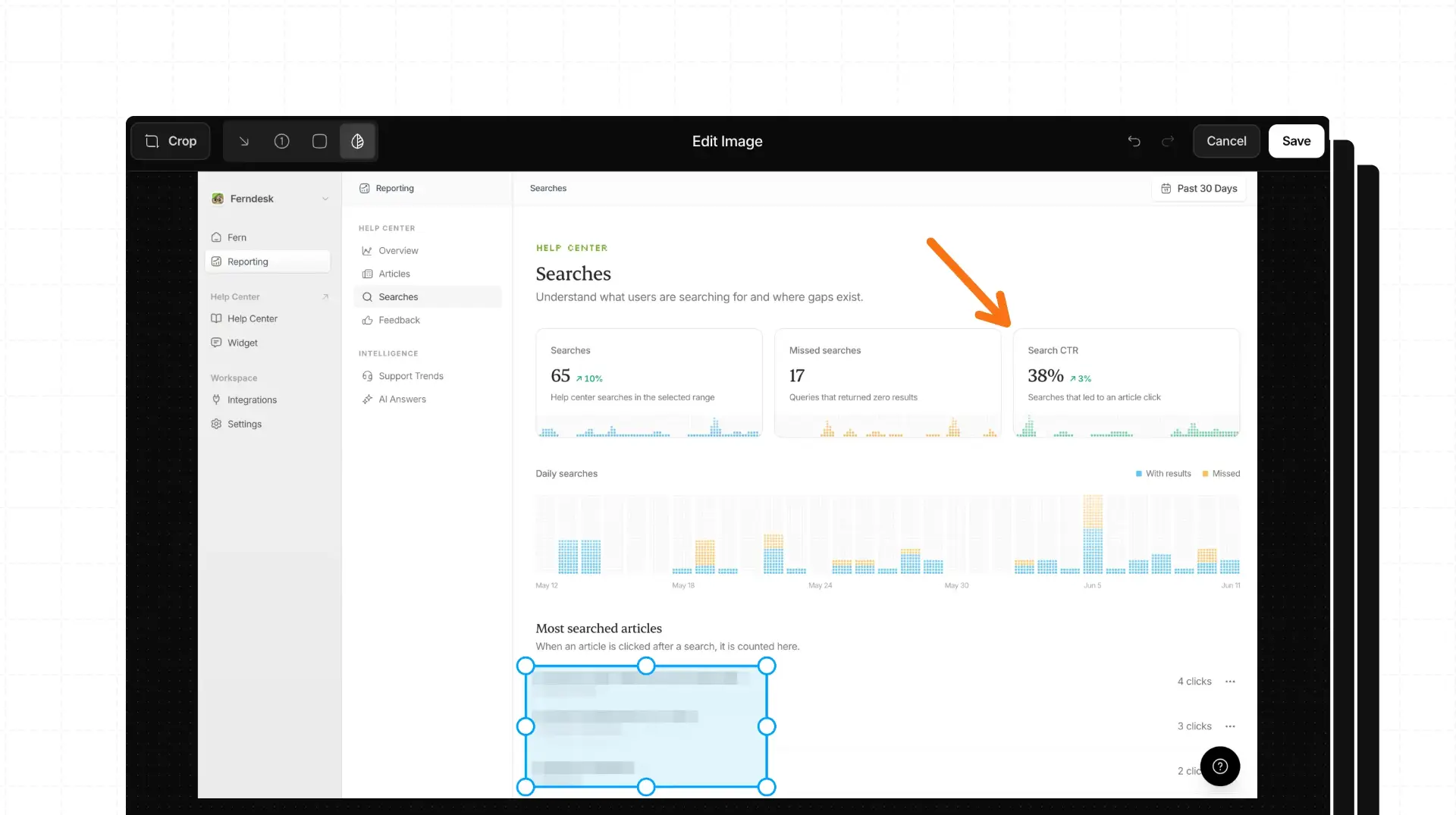
You can now edit images directly in the article editor. The editor supports arrows, numbered steps, highlights, blurring sensitive areas, and cropping.
Click an image in the editor to open the image editor, choose a tool, adjust the annotation, and save the edited image back into your article.
Export your help center content
Workspace admins can now download a zip of their help center content from Settings. The export includes sections, collections, articles, drafts, and translations.
Go to Settings, open Export Data, and download the archive. This makes it easier to back up or move content elsewhere.
AI answers reporting improvements
The AI answers report now shows how many conversations were resolved without a human, how much time that saved, and the estimated dollar value of that savings. A daily conversation chart and clearer trend cards make it easier to spot patterns at a glance.
Open Reporting, then AI answers, to review the new metrics.
Other improvements
Research can use a specific branch: Point Fern at a Git branch instead of the default when preparing docs for unreleased changes.
Fern can now view individual PRs: Fern can analyze code changes in PRs and summarize what needs documentation, including affected areas and recommended article updates.
Fern can now handle longer, more tedious tasks: Long task threads are compacted into summaries so that Fern can keep going.
Improved AI answer responses: Visitors see source references for answers.
Clearer publish results: Publishing shows a more helpful breakdown of what changed and which links were affected.
Easier article image uploads via API: You can now add external image URLs or base64 data and Ferndesk stores them automatically.
Cleaner reporting dashboards: Polished summary cards across reporting.
New error callout style: Insert an error callout from the formatting menu.
Fixes
Reconnecting Help Scout now updates your existing connection instead of creating a duplicate, and clears the failed status when credentials are replaced.
The built-in API playground now handles help centers hosted in a subfolder.
Link edits in the article editor save when you click away from the fields.
The HubSpot connection requests a smaller permission set and no longer accesses knowledge base content. You may need to reconnect HubSpot.
Larger contact files upload reliably: The widget contact form handles big attachments more directly.
Improved Intercom imports: Headings are normalized during import so articles keep a consistent structure.
Breaking changes
HubSpot import now uses fewer permissions: The HubSpot connection requests a smaller permission set and no longer accesses knowledge base content. You may need to reconnect HubSpot.
Seats now count every team member: Every workspace member counts as a billed seat, not just editors. Some workspaces may need to buy additional seats before adding more people.