
June 3rd, 2026
Not everyone should see the same docs.
Enterprise customers deserve configuration guides that free users don't. Partners need integration docs behind NDAs. Your support team sees different docs than HR or engineering.
Today we're shipping User Groups, Shared Passwords, and Article Visibility, so you can control who sees what.
User Groups: Restrict collections and articles to specific groups. Enterprise customers see advanced setup guides. Partners see integration docs. Internal teams see troubleshooting playbooks. You decide.
Shared Password: One password grants access to your locked help center. Simple for customer portals, partner KBs, and teams without an identity provider.
Article Visibility: Control where each article appears—sidebar, search, AI assistant, or direct link only.
User Groups
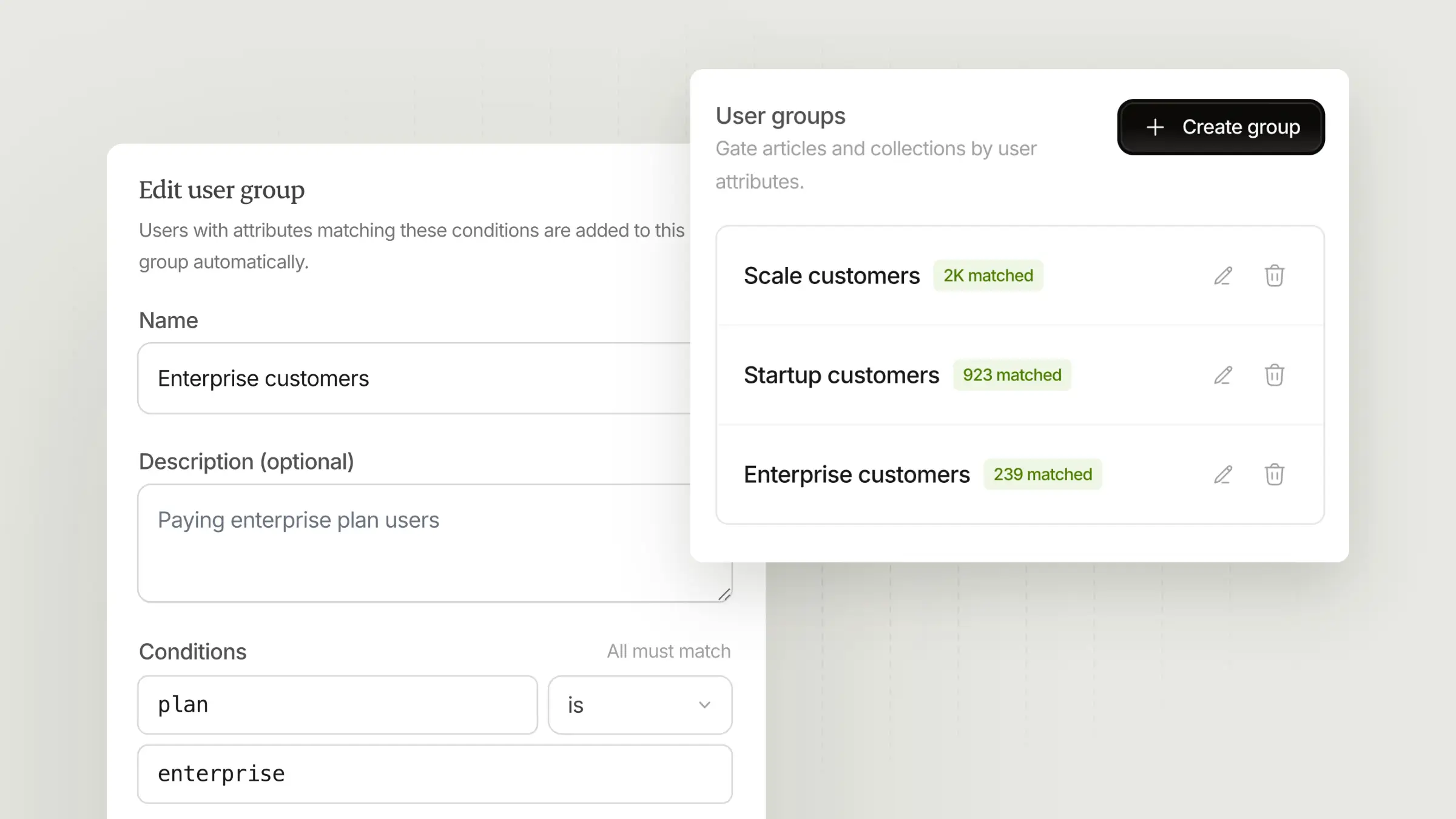
When we launched private help centers, the choice was binary: open to everyone, or locked for signed-in users. That works for simple customer-only knowledge bases, but it falls apart when you need nuance.
Enterprise customers need advanced configuration guides that self-serve users don't. Partners need integration docs locked behind NDAs. Different internal teams need different docs—Support, HR, and Engineering don't need access to the same content.
User Groups solve this.
Create groups like "Enterprise," "Partners," or "Support." Then restrict collections or individual articles to those groups. Access flows downward: lock the help center first, then narrow at the collection level, then narrow again at the article level. You can't widen permissions at a lower level.
This is especially useful for:
Tiered customer content: Enterprise and Pro customers see advanced guides, onboarding playbooks, and configuration docs that free or self-serve users don't.
Partner portals: Integration guides, API references, and co-branding assets available only to partners with NDAs.
Internal knowledge bases: Different teams see different docs. Support gets troubleshooting playbooks. HR gets policies. Engineering gets runbooks.
User groups require a Scale or Enterprise plan.
Article Visibility
Sometimes you want to control where an article shows up, not who can read it. A troubleshooting guide you want searchable but not in the sidebar. Documentation meant only for the AI assistant to reference. A deprecated article that should only load via direct link.
Article Visibility controls where each article appears:
Everywhere: Sidebar, search, and AI assistant. This is the default.
Unlisted: Hidden from the sidebar, but still in search and the AI assistant.
Hidden: Direct link only. Not in the sidebar, search, or AI assistant.
AI assistant only: Training material for the AI assistant. Not reachable by end-users, even with a direct link.
Visibility is separate from access control. Unlisting an article doesn't restrict who can read it—anyone with the link can still open it. Use user groups if you need to control who sees the content, not just where it appears.
Change visibility from the article editor: click the gear icon, then adjust the Listed in dropdown.
Shared Password
Not every team needs SSO. Sometimes you just want a simple way to gate access without configuring Okta or Auth0.
Shared Password is the simplest way to lock down a help center. Set one password. Share it with customers, partners, or your team. Anyone with the password can sign in and browse.
It's ideal for:
Customer-only knowledge bases: Give the password to paying customers via email or onboarding.
Partner portals: A single credential for all your integration partners.
Internal docs: Share one password with your team. No identity provider required.
You can mix and match auth methods, too. Enable Shared Password for simple access, and keep OIDC or Magic Links for users who prefer them.
Shared Password users have no individual identity, so user group restrictions don't apply. For group-based access, use OIDC or Magic Links instead.