
Style your help center with custom CSS
Custom CSS lets you restyle your help center beyond what the Design tab offers: a different heading color, a border on collection cards, a quieter footer. Write your rules against the stable CSS hooks below, so they keep working when the help center design changes.
Needs Docs. Owners and admins can change this.
Where to write it
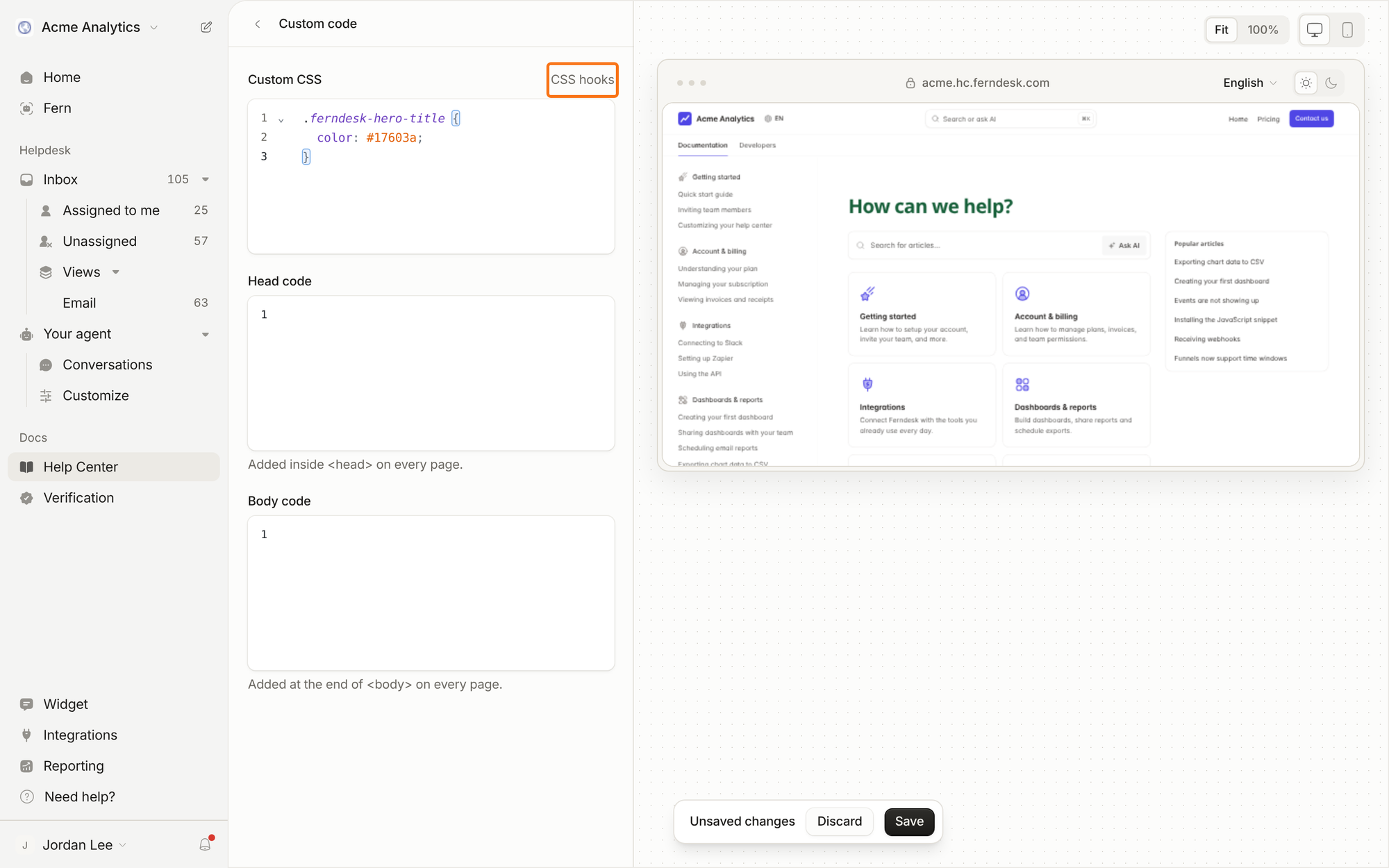
Open Help Center > Customize, switch to the Settings tab and open Custom code. The Custom CSS box sits above Head code and Body code.
Paste plain CSS, without
<style>tags.The preview shows your CSS as you type. Readers see it after you save.
Your CSS loads after the help center's own styles and after your head code, so it wins over them when two rules are equally specific.
It applies to every page of your help center. It doesn't reach your widget or the inside of a Custom HTML block.
Custom CSS isn't available during a trial, and it holds up to 100,000 characters.
CSS you already added in a <style> block in head code keeps working. We don't move it for you. If you move it to Custom CSS, delete the moved rules from the old block.
Why use the hooks
Most class names in the help center's markup are generated by our styling tools, and the way elements nest changes when we update the design. A rule written against them can stop working after an update.
Hooks are class names that start with ferndesk-, plus the attributes listed with them. We keep them on the same elements across design updates, and our tests check that every documented hook is still there. We don't check your stylesheet itself, so a rule that relies on anything outside the hooks can still break.
The full list, with every state attribute, is in the CSS hooks dialog next to the Custom CSS label.
The main hooks
Area | Hooks |
|---|---|
Every page |
|
Header |
|
Sidebar |
|
Home and section pages |
|
Articles |
|
Search and Ask AI |
|
Footer |
|
Inside .ferndesk-content, headings, paragraphs, lists and links are plain HTML elements, so selectors such as .ferndesk-content h2 are stable too. To limit a rule to dark mode, put html.dark in front of the hook. Your brand color and fonts are available as variables on .ferndesk-root, such as var(--color-user-primary).
Examples
/* Brand-colored title on the home page only */
.ferndesk-root[data-ferndesk-page="home"] .ferndesk-hero-title {
  color: var(--color-user-primary);
}

/* A thicker edge on warning callouts in articles */
.ferndesk-callout[data-type="warning"] {
  border-inline-start: 3px solid #d97706;
}
Common questions
My rule doesn't change anything
Check that it targets a hook and not a generated class, then check the preview. If the help center's own rule still wins, make yours more specific, for example by adding the page attribute on .ferndesk-root in front of it.
Why doesn't my CSS style the search dialog?
The search dialog and some menus open outside the page wrapper, so a rule that starts with .ferndesk-root doesn't reach them. Target their own hook, such as .ferndesk-search, directly.