
Update docs when you merge a pull request
Fern drafts a help center update when you merge a pull request that changes something your customers see. Each draft waits for your review. Fern never publishes on its own.
Needs the Ferndesk GitHub App on your repositories. Owners and admins can change this.
Choose which pull requests Fern drafts from
New workspaces start on User-facing changes. To change it, go to Fern > Customize > Automations and set Draft from merged PRs:
Option | Fern drafts for |
|---|---|
Major features | Only the biggest customer-facing changes |
User-facing changes | Any change your customers will notice |
Every PR | The widest set of changes, including small ones |
Off | Nothing |
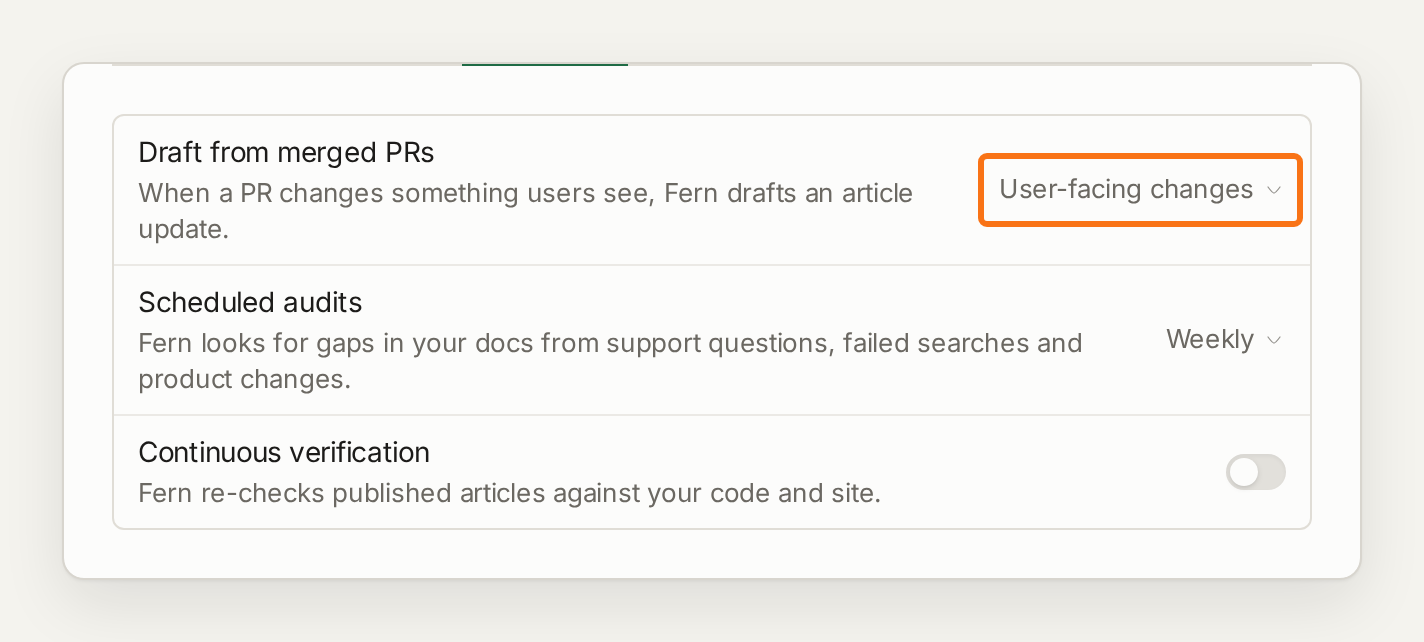
At every setting, Fern skips merges that need no docs change. For standing rules, add Filter instructions in the same menu, for example "Skip PRs labeled chore or refactor".
Signing in with GitHub is not enough. If the Ferndesk GitHub App is not installed on your repositories, the setting says it cannot run yet. Install the app from Connect GitHub.
Which merges Fern reads
Merges into each repository's production branch. That is the default branch unless you set a Production branch for the repository on the GitHub integration page.
If your default branch is staging but customers get what is on main, set main as the production branch. Fern then drafts once, when the release pull request merges into main.
Only repositories switched on for docs on the same page.
No reverts. Pull requests whose title starts with "Revert" are skipped.
Fern drafts from merged pull requests, not from GitHub releases or tags. To document per release instead, set Draft from merged PRs to Off and ask Fern when you publish a release, with the release notes attached.
When a merge needs no docs change, Fern records it as No documentation changes needed with its reasons. Filter Fern's list to Automations to see these.
What counts as a PR review
Each draft Fern starts from a merged pull request uses one PR review. Merges Fern skips, or decides need no docs change, do not use one, and tasks you start yourself never do. Your plan's allowance is in Usage limits.
If your PR reviews run out, Fern stops drafting from merges until the allowance resets, and those merges do not get a draft later. Check PR reviews in Settings > Usage.
Review a draft
Each draft shows up in Fern as a thread for its pull request, with a summary of what changed. Choose Review & edit changes to edit and publish, or Not relevant if it should not be documented. A thread marked Not relevant leaves your list and stays under the Automations filter.
If a merge did not get a draft, see Troubleshoot Fern.