

Mintlify has become one of the most talked-about documentation platforms in the developer tools space. Backed by $67 million in funding (including a Series A led by Andreessen Horowitz), they’ve positioned themselves as the “intelligent documentation platform” for modern teams.
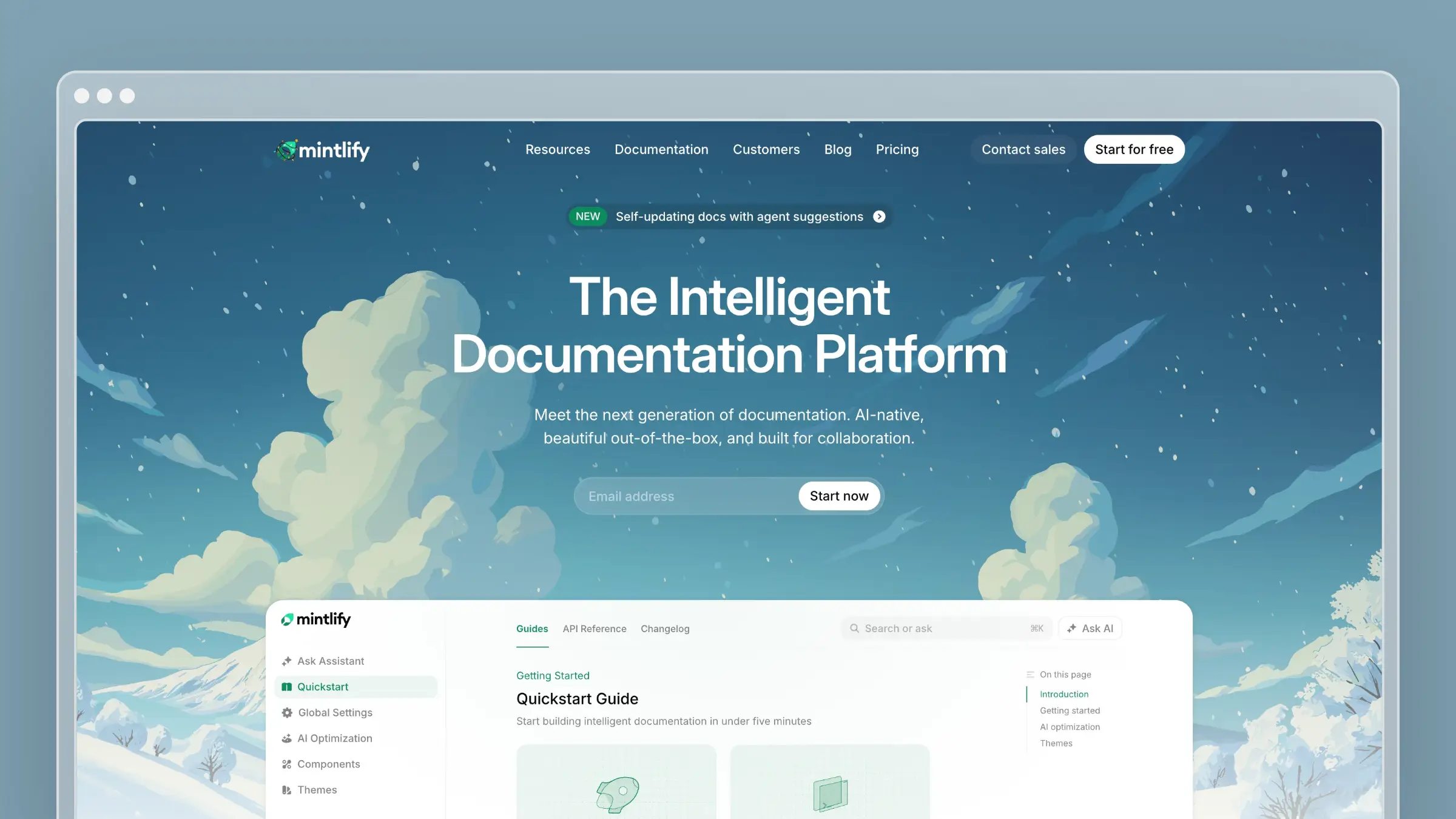
But with a Pro plan starting at $450/month, you need to know exactly what you’re getting. This review covers everything: the AI agent, the assistant, the MCP integration, the API playground, and whether Mintlify actually delivers on its promises.
Who Uses Mintlify?
Before diving into features, it’s worth noting who’s already using the platform. Mintlify powers documentation for over 20,000 companies, reaching more than 300 million visitors annually.
Their customer list reads like a who’s-who of tech:
- Anthropic - Over 1.5 million developers access their Claude documentation monthly
- Perplexity - Uses Mintlify for their API documentation
- Zapier - Unifies internal and external documentation
- Coinbase - Achieved 50x faster deployment time across 12+ products
- Pinecone, Replit, Laravel - All use Mintlify
When Anthropic launched Claude Sonnet 3.5, they chose Mintlify because they needed documentation that would “scale with their rapidly expanding product.” Brian Krausz from Anthropic noted: “It was really impressive to see how fast we could ship our docs with Mintlify.”
That’s a strong endorsement. But let’s look at what’s under the hood.
The Core Features
Docs-as-Code Workflow
Mintlify embraces the docs-as-code philosophy. Your documentation lives in a Git repository, syncing with GitHub or GitLab. Every change goes through pull requests, gets preview deployments, and follows the same review process as your code.
For engineering teams, this feels natural. Writers push changes, reviewers approve, and Mintlify automatically deploys. No separate content management system to learn.
The platform uses MDX (Markdown with JSX components), giving you the simplicity of Markdown with the power of React components when you need them. You can build interactive elements, embed custom widgets, and create reusable snippets—all without leaving the Markdown ecosystem.
Web Editor
Not everyone wants to write documentation in VS Code. Mintlify’s web editor provides a visual editing experience with real-time previews.
Key capabilities:
- Switch between visual and Markdown modes
- Drag-and-drop navigation organization
- Built-in media manager for images and assets
- Branch workflows for feature work
- Preview deployments for every branch
The editor connects directly to your Git repository, so changes flow through the same version control system. Type / to open a command menu and access formatting tools, components, and blocks.
For teams with mixed technical backgrounds—some who prefer code, others who prefer visual editing—this flexibility matters.
API Playground
This is where Mintlify shines for API documentation. The API playground automatically generates from your OpenAPI specification, letting developers:
- Test endpoints directly in the docs
- Submit real API requests
- View responses without leaving the page
- Generate code snippets in multiple languages
- Toggle between different server environments
The playground supports OpenAPI 3.0+ and handles authentication methods including API keys, Bearer tokens, and basic auth. If you have multiple API specifications, you can reference them across your docs.
Perplexity specifically chose Mintlify for this feature—their developers can test the chat completions endpoint directly within the documentation and generate code snippets without context-switching.
Analytics and Insights
Mintlify tracks how users interact with your documentation:
- Page views and traffic patterns
- Most popular pages
- Search terms (including failed searches)
- User drop-off points
- Engagement metrics
The platform uses PostHog under the hood and surfaces analytics directly in your dashboard. You can identify which pages get the most traffic, where users leave, and what they’re searching for but not finding.
Understanding what users search for (and fail to find) helps identify documentation gaps. That said, the analytics are still relatively basic compared to dedicated analytics platforms.
The AI Features
This is what sets Mintlify apart from traditional documentation platforms. They’ve integrated AI throughout the product, not just as an add-on.
Mintlify Agent and Automations
The flagship AI feature. The Mintlify Agent monitors your codebase and proposes documentation updates whenever you ship changes.
How it works:
- You connect repositories for the agent to monitor
- When code ships, the agent reviews changed files
- It identifies which documentation needs updating
- The agent surfaces these suggestions in your dashboard
- It generates context-aware drafts you can review and refine
- You approve changes as pull requests
The agent has full context of your codebase and existing documentation, including structure and tone. It doesn’t just flag outdated content—it writes draft updates that match your documentation style.
Access methods:
- Dashboard: Press
⌘+I(Mac) orCtrl+I(Windows) to open the agent - Slack: Mention
@mintlifyin channels or DMs - API: Programmatic access for automation workflows
You can customize the agent’s behavior with a .mintlify/AGENTS.md file in your repository. Specify code example standards, API documentation requirements, style guidelines, and content structure—the agent follows these instructions.
Use cases I found compelling:
- Changelog generation: Feed the agent a range of pull requests and it drafts a summary
- Bulk updates: When a feature name changes, update every mention across docs
- Support-to-docs: Link Slack threads as context to turn customer interactions into documentation
The agent creates pull requests with proposed changes. Set asDraft: false in automated workflows for PRs ready for immediate review.
The catch: The agent is only available on Pro ($450/month) and Enterprise plans. The free Starter tier doesn’t include it.
AI Assistant (End-User Chat)
While the Agent helps maintainers write docs, the Assistant helps end-users find answers.
Mintlify’s AI Assistant uses agentic retrieval technology (not traditional RAG). The difference: instead of keyword-matching upfront and force-feeding context to the LLM, the model autonomously decides how to search and what context to retrieve.
Technical details:
- Powered by Claude Sonnet 4.5
- Uses tool calling to search documentation as needed
- Maintains context across multi-turn conversations
- Provides citations so users can verify answers
The assistant appears as a button or bar in your docs (configurable). Users can:
- Ask any question and get answers grounded in your docs
- Highlight text and add it to the assistant’s context
- Revisit previous conversations
- Get instant code explanations from code blocks
For documentation maintainers:
The Categories tab automatically groups assistant conversations by topic. You can see summaries of what users are asking, when questions were last asked, and patterns in user needs. This surfaces documentation gaps you might not notice otherwise.
The catch: Enabled by default on Pro and Enterprise plans. Mintlify’s pricing includes 10,000 AI credits per month on Pro, with overage fees after that.
MCP and llms.txt Integration
Mintlify generates an MCP (Model Context Protocol) server from your documentation. MCP is an open protocol that standardizes how AI applications connect to external services.
What this means:
When users connect your documentation’s MCP server to AI tools like Claude, Cursor, or ChatGPT, those tools can search your docs directly during response generation—without generic web searches.
The LLM proactively queries your documentation while generating responses, incorporating real-time information. It’s not just for explicit “search the docs” requests; the model decides when your docs are relevant.
Getting started:
claude mcp add --transport http <name> https://your-docs.com/mcpMintlify also hosts llms.txt and llms-full.txt files for your documentation. These act as sitemaps for AI, helping LLMs index your content efficiently. Every page is available as Markdown by appending .md to the URL.
This positions your documentation as an interface layer between your product and the broader AI ecosystem. When developers use Claude or Cursor and ask about your API, your docs become the source of truth.
Writer Extension (IDE Plugin)
Separate from the platform, Mintlify offers a VS Code and JetBrains plugin for documenting code.
Highlight code or place your cursor on a line, then click “Write Docs” (or hit ⌘+.). The extension generates documentation comments in standard formats (JSDoc, docstrings, etc.) that tools like Doxygen can process.
It’s a small feature but useful for teams that want AI assistance at the code level, not just the documentation level.
What Mintlify Does Well
Developer-first design: The docs-as-code workflow, Git integration, and MDX support feel native to engineering teams. If your team already uses GitHub for code review, documentation follows the same process.
Beautiful output: Mintlify documentation sites are fast and polished. Pre-rendered pages load quickly, and the design is clean out of the box.
API documentation: The auto-generated playground, code samples, and OpenAPI integration make API docs significantly easier to maintain.
AI throughout the workflow: From writing docs (Agent) to users finding answers (Assistant) to AI tools accessing your docs (MCP), AI isn’t an afterthought.
Enterprise adoption: When Anthropic, Perplexity, and Coinbase use your platform, it signals maturity. Mintlify is SOC 2 Type II compliant with encryption and SSO.
What Mintlify Doesn’t Do
Customer support analysis: Mintlify focuses on codebase changes. It has an automation that reviews resolved support conversations, but its docs list it for “plans with custom integrations” and say agent integrations need Enterprise.
Customer self-service tools: The embeddable Assistant widget, search analytics, and page feedback all require Pro. It’s a documentation publishing platform, not a help center.
General-purpose help centers: Mintlify is optimized for developer and API documentation. If you need a knowledge base for non-technical customers, you’ll need something else.
Lower price points: With Pro at $450/month and the free tier lacking AI features, smaller teams may find the pricing steep for documentation tooling.
The Limitations
Learning curve: MDX is powerful, but teams unfamiliar with it face a learning curve. The platform requires some technical comfort.
AI quality varies: Early users reported that the AI sometimes produces generic or repetitive content, especially with disorganized codebases. Quality depends on how well your code is written.
Limited customization: Teams wanting complete control over design and functionality may feel constrained. Advanced customization requires deeper technical work.
Analytics still basic: For teams needing detailed user behavior analytics, Mintlify’s built-in insights may not be sufficient.
Pricing jumps: The leap from free (Starter) to $450/month (Pro) is significant. There’s no middle tier for small teams who need AI features but not enterprise scale.
Internet dependent: The platform requires a stable connection, which can be a limitation in certain environments.
Pricing Recap
Mintlify keeps a free tier for solo projects and a paid plan that unlocks the AI Assistant, the writing agent, and unlimited editor seats, with usage-based AI costs layered on top. The tiers and overage rates change often, so we track the current numbers, editor seats, AI usage limits, and a real cost example on one page: see our Mintlify pricing breakdown. The short version for budgeting: plan to spend meaningfully more than the sticker price once AI usage comes into play.
When Mintlify Makes Sense
Mintlify is a strong choice if:
- You’re building developer-facing products with APIs
- Your team is comfortable with Git, MDX, and docs-as-code workflows
- You have dedicated resources for documentation maintenance
- You want polished, modern documentation output
- You need AI that helps maintainers write docs faster
- Budget for documentation tooling isn’t a primary constraint
When to Consider Alternatives
You might want to look elsewhere if:
- You need a customer-facing help center, not just developer docs
- $450/month feels steep for documentation tooling
- You want AI that proactively maintains content without the Pro price tag
- You need support ticket analysis to identify documentation gaps
- Your team doesn’t want to manage Git repos for documentation
- You need embedded help widgets and customer self-service features
For alternatives comparison, see our Mintlify alternatives guide. For a broader look at help center tools, check our best help center software guide or our SaaS-specific recommendations.
How Ferndesk Compares

| Feature | Mintlify | Ferndesk |
|---|---|---|
| Starting price | $450/month | $149/month |
| AI agent for updates | Pro plan only | Pro |
| AI article publishing | 10,000 credits, then $0.01/ea | Unlimited drafting |
| Support ticket analysis | Automation on plans with custom integrations | Yes |
| Customer self-service | AI Assistant on Pro | AI-powered search, widgets, analytics |
| Team members | 5 on Starter, unlimited on Pro | 5 included |
| One-click migration | No | Yes (Intercom, Zendesk, Help Scout) |
Different tools for different needs.
Mintlify excels at developer documentation with Git-based workflows and API playgrounds. If you’re building an API-first product and want polished technical docs, it’s a legitimate option.
Ferndesk is built for customer-facing help centers. The AI agent analyzes your support tickets to identify what customers actually ask about—then drafts FAQs based on real conversations, not just codebase changes.
Pricing for smaller teams: Mintlify’s AI features require $450/month minimum. Ferndesk Pro costs $149/month with AI-powered article writing included. That’s $301/month in savings, or $3,612/year.
Customer self-service: Ferndesk includes AI-powered search for customers, embedded help widgets, customer behavior analytics, and feedback collection. Mintlify is a publishing platform; Ferndesk is a complete help center.
No drafting limits on Pro: Ferndesk’s Pro plan ($149/month or $1,490/year) includes unlimited AI article drafting. No overage fees, no counting drafts.
Bottom Line
Mintlify has earned its reputation as a premium documentation platform. The AI Agent genuinely helps teams keep docs current, the Assistant provides better user experiences than basic search, and the MCP integration positions your docs for the AI-native future.
But the value depends heavily on your use case.
For well-funded teams building API products who want best-in-class developer documentation—and don’t mind the $450/month entry point—Mintlify delivers.
For teams needing a customer-facing help center, support ticket analysis, or AI features at startup-friendly prices, Ferndesk offers more capabilities for significantly less. Try it free and see the difference.


 Book a demo