
Change your plan
Switch between Startup, Scale, or Enterprise through the billing page. Both upgrades and downgrades take effect immediately with prorated billing.
Open Billing settings
From the sidebar, go to Settings → Billing.
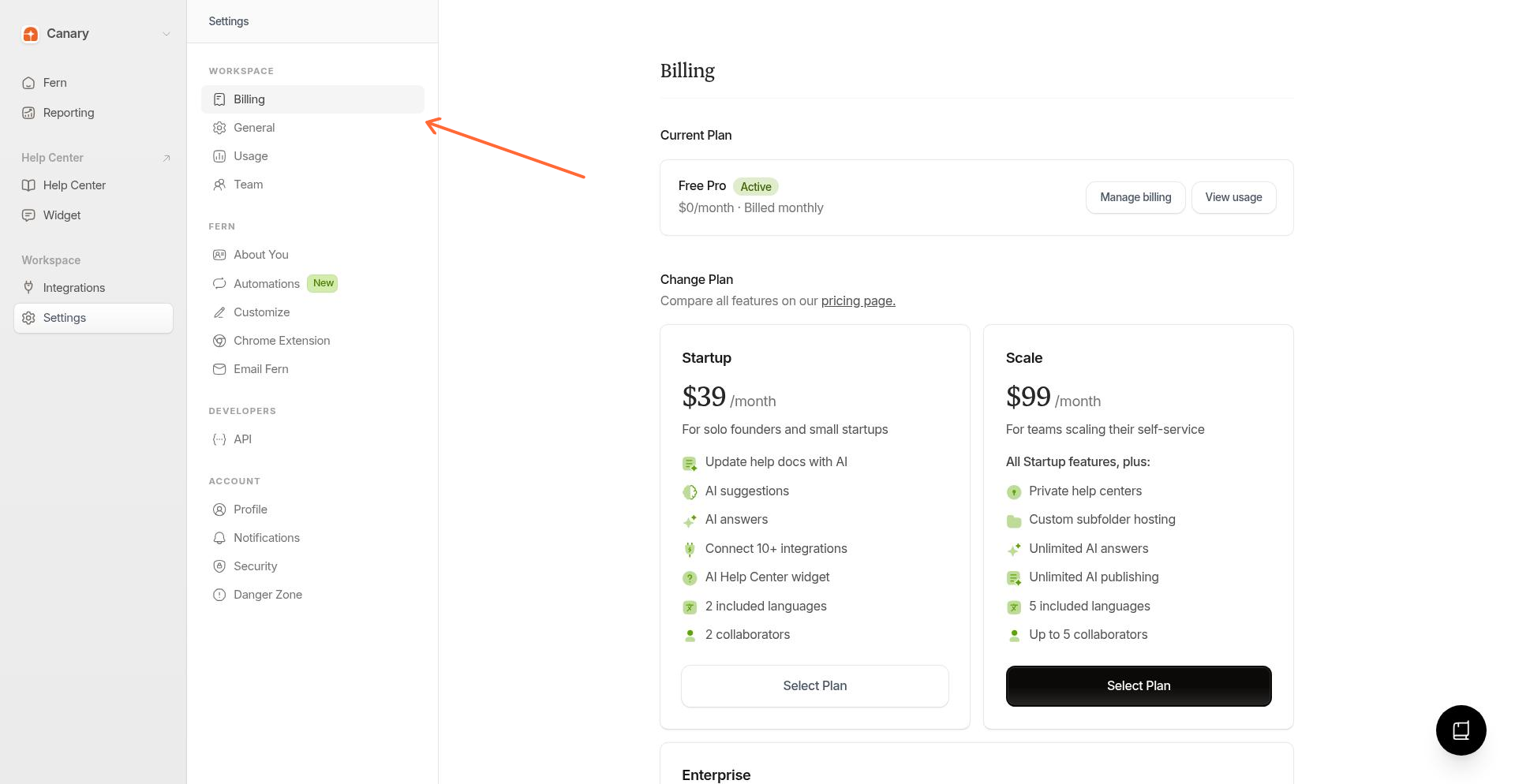
Select a new plan
On the billing page, click Select Plan on the plan you want to switch to.
Confirm the change
Review the billing summary showing prorated charges or credits, then click Confirm Change.
Your plan updates right away. You'll see a confirmation toast when it's done.
What happens to billing
Upgrading: You're charged a prorated amount for the rest of your billing cycle. No double-charging.
Downgrading: You lose higher-tier features immediately. The unused portion of your current billing period is credited to your account and applied to future bills.
During trial: Your trial continues on the new plan. You won't be charged until the trial ends.
Downgrades don't issue cash refunds. The credit stays on your account for future charges.