
Namecheap can take about an hour to start a new forwarder. Send the test from an address other than the forwarding address, then try again later.
Forward email with Namecheap Email Forwarding
Use this guide when yourcompany.com has no mailbox and uses Namecheap's free Email Forwarding. You point the domain's mail at Namecheap's forwarding and add a forwarder for help. There is no mailbox, so Ferndesk gets the only copy.
Your domain must use Namecheap BasicDNS, PremiumDNS or FreeDNS. Email Forwarding can't run next to Private Email or any other mailbox on the same domain. New forwarders take about an hour to start.
1
Open your address in Ferndesk
In Ferndesk, open Settings > Channels > Email and click [email protected]. If it isn't listed yet, click Add address and add it first.
2
Pick your email platform
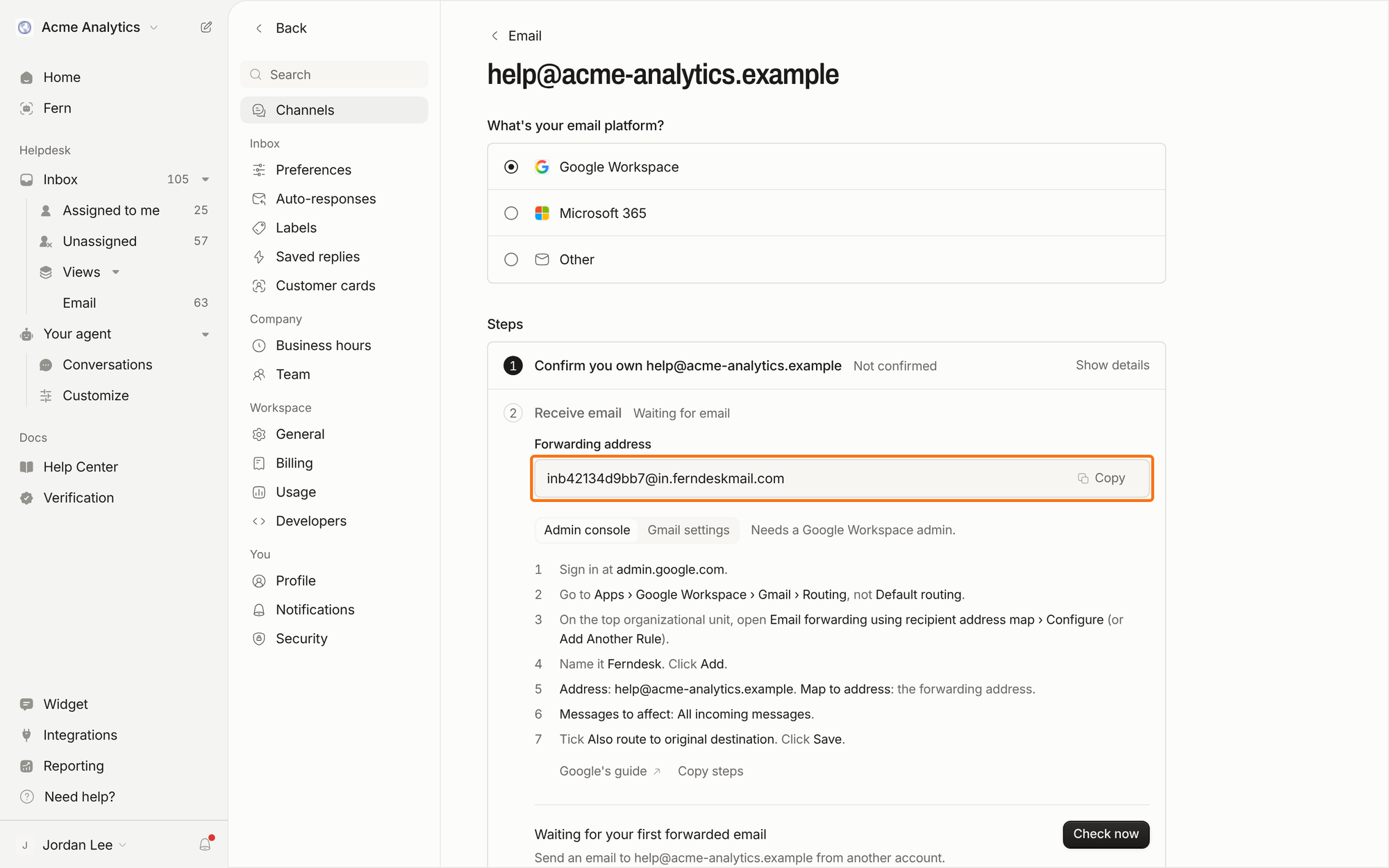
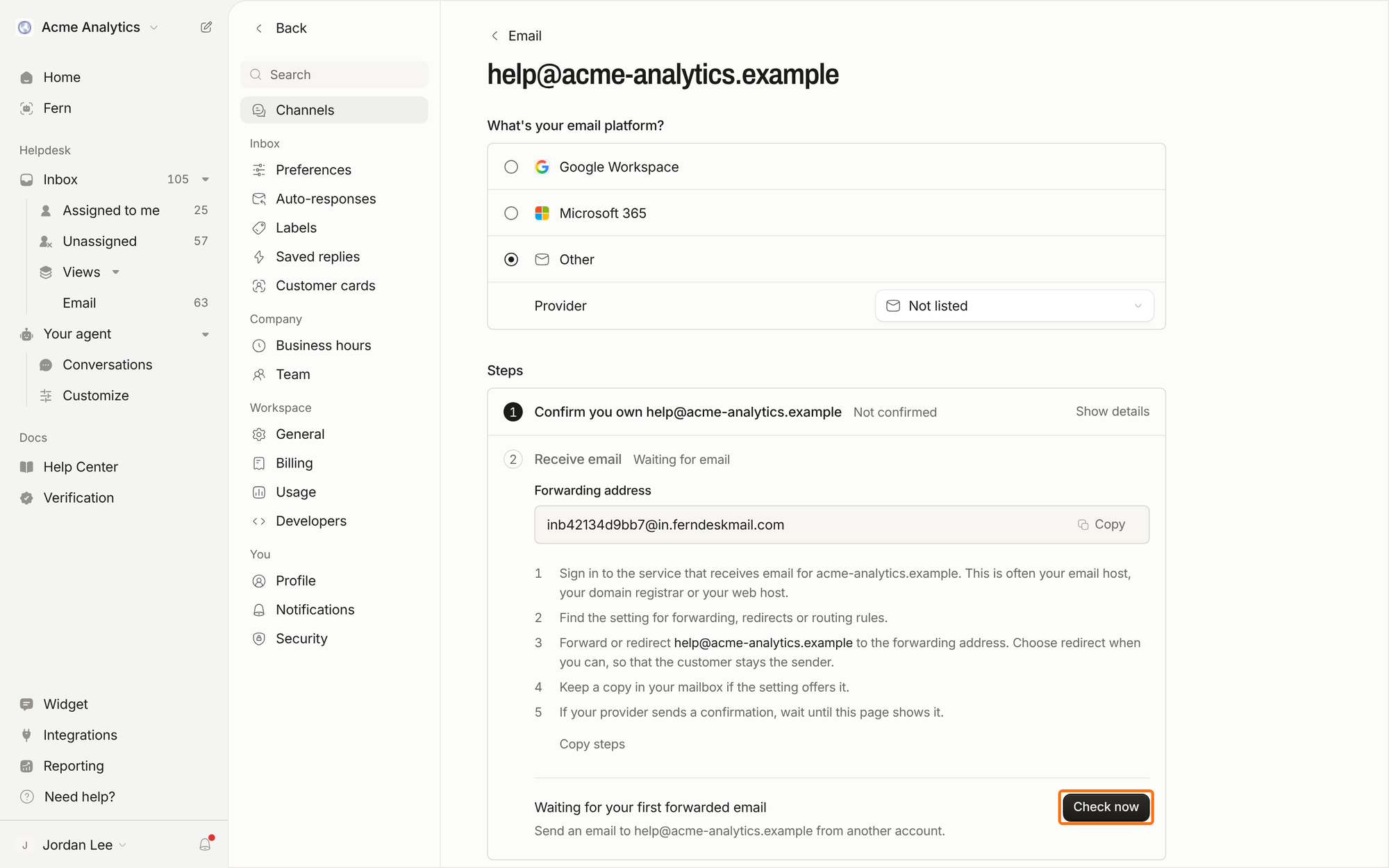
Under What's your email platform?, pick Other, then Namecheap Email Forwarding under Provider.
3
Copy the forwarding address
Click Show setup next to Receive email, then click Copy next to Forwarding address.
4
Open your domain
Sign in to Namecheap. Select Domain List in the left sidebar, then click Manage next to yourcompany.com.
5
Turn on Email Forwarding
Open the Advanced DNS tab. In Mail Settings, select Email Forwarding and click Save all changes. Namecheap sets the mail records for you.
6
Add a forwarder
Open the Domain tab and scroll to Redirect Email. Click Add Forwarder.
7
Enter the alias
In Alias, enter help.
8
Enter the forwarding address
In Forward to, enter the forwarding address from Ferndesk.
9
Save
Click the check mark to save the forwarder.
10
Send a test email
From another account, such as a personal address, send an email to [email protected]. On the address page in Ferndesk, Waiting for your first forwarded email changes to Forwarding verified when it arrives, and the email shows up in your Inbox. Click Check now to look again.
11
Confirm you own the address
On the address page, under Confirm you own [email protected], an owner or admin clicks Send confirmation email. Because forwarding now works, the email comes back through it to Ferndesk and confirms the address by itself. You need this before you can send from your own address.
If something doesn't work
The test email never arrived
Namecheap's own guide: How to set up free email forwarding.
Back to Set up email in Ferndesk.
Was this helpful?
Was this helpful?