
Check that the forwarding address in Zoho matches the one in Ferndesk exactly, then click Resend in Zoho to get a new code.
Forward email from Zoho Mail
Use this guide when [email protected] is a Zoho Mail account. You add Ferndesk as a forwarding address in the mailbox's own settings. Zoho sends a code to confirm it, and keeps a copy in the mailbox as long as you leave the delete option off.
Forwarding needs a paid Zoho Mail plan.
1
Copy your forwarding address
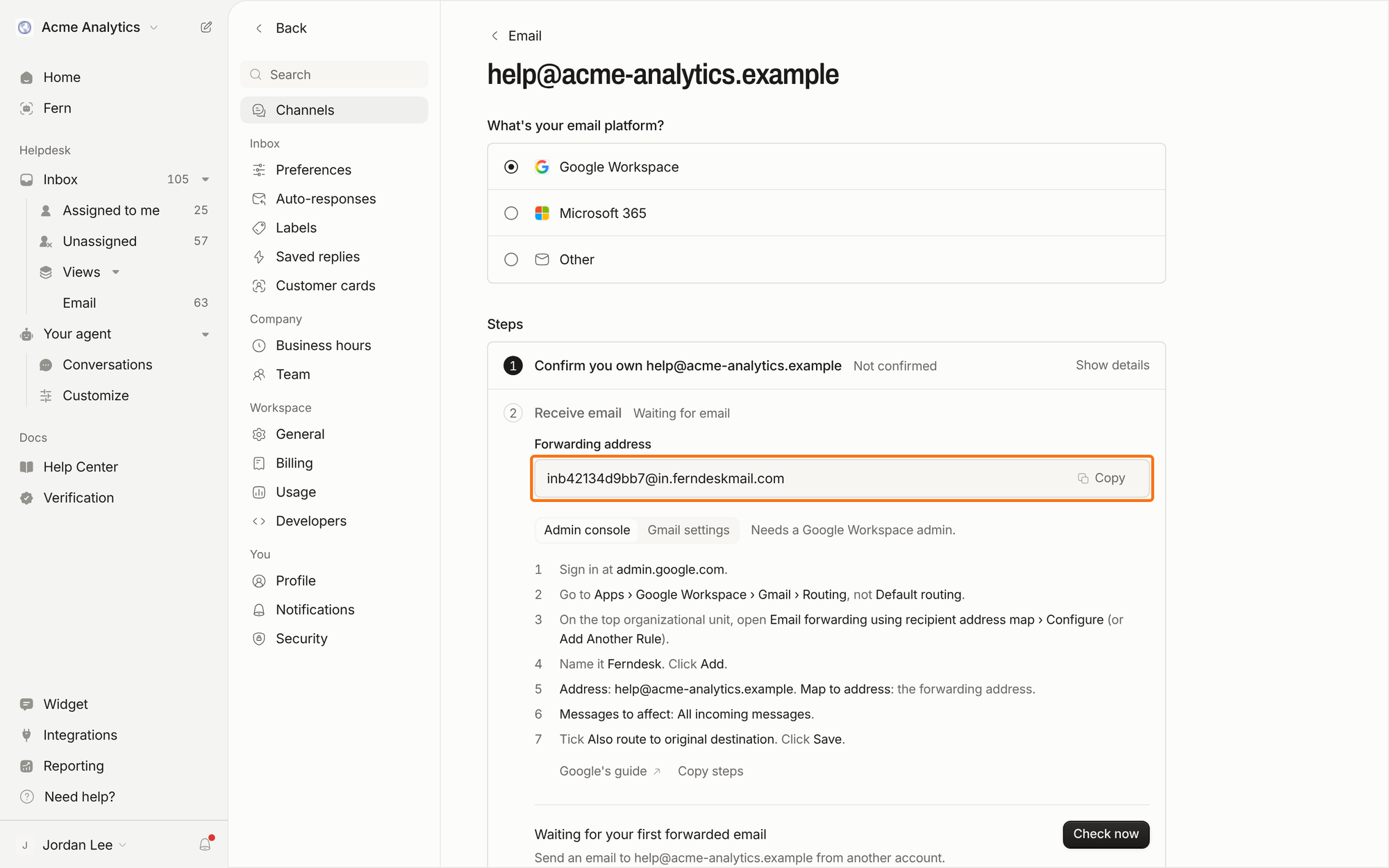
In Ferndesk, open Settings > Channels > Email and click [email protected]. If it isn't listed yet, click Add address and add it first. Under What's your email platform?, pick Other, then Zoho Mail under Provider. Click Show setup next to Receive email, then click Copy next to Forwarding address.
2
Open Zoho Mail settings
Sign in to Zoho Mail as [email protected] and open Settings.
3
Open the mail account
Go to Mail Accounts and select [email protected].
4
Add the forwarding address
In the Forwards section, under Add New Email Forwarding, enter the forwarding address from Ferndesk. Zoho emails a code to it.
5
Keep a copy
Leave Delete original email copy after forwarding unticked.
6
Find the code in Ferndesk
Zoho's email arrives in Ferndesk as a new conversation in your Inbox. Open it and copy the code.
7
Enter the code
Back in Zoho, click the Verify icon next to the forwarding address, enter the code, click Confirm and save your settings.
8
Turn forwarding on
Make sure the switch next to the forwarding address is on.
9
Send a test email
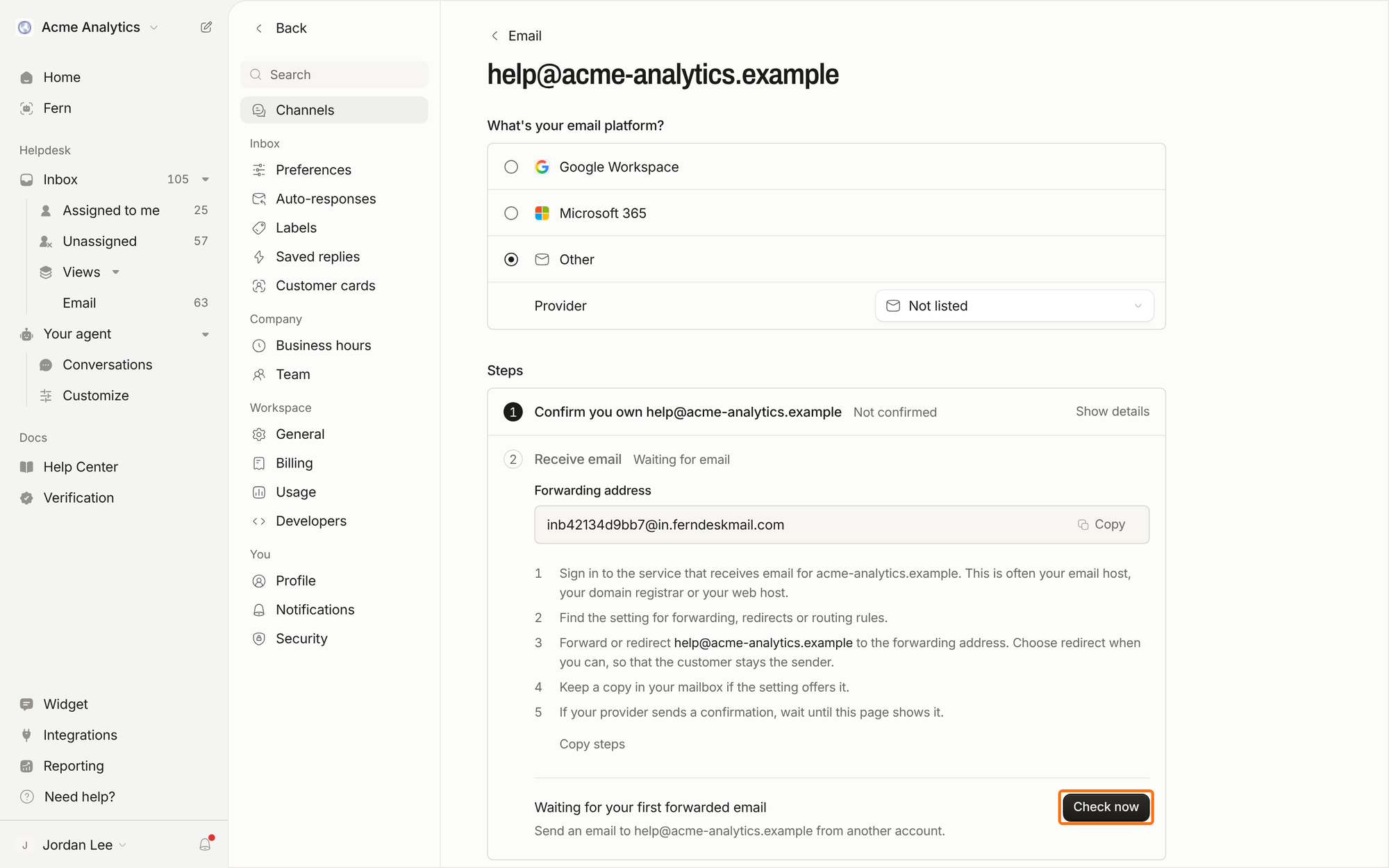
From another account, such as a personal address, send an email to [email protected]. On the address page in Ferndesk, Waiting for your first forwarded email changes to Forwarding verified when it arrives, and the email shows up in your Inbox. Click Check now to look again.
10
Confirm you own the address
On the address page, under Confirm you own [email protected], click Send confirmation email. Because forwarding now works, the email comes back through it to Ferndesk and confirms the address by itself. You need this before you can send from your own address.
If something doesn't work
The code never arrived
Forwarding stopped on its own
Zoho turns forwarding off after 10 failed deliveries in a row. Check the address, then turn the switch back on.
Zoho's own guide: Email forwarding.
Back to Set up email in Ferndesk.
Was this helpful?
Was this helpful?