
Microsoft can take 30 minutes or more to apply a new rule. Check that the rule is turned on, then send another test email.
Forward email from Microsoft 365
Use this guide when [email protected] is a Microsoft 365 address and you have admin access. You add a mail flow rule in the Exchange admin center that sends a blind copy (Bcc) of each email to Ferndesk. The help@ mailbox still gets every email as normal, and Microsoft sends no confirmation.
You need a Microsoft 365 admin who can manage mail flow in Exchange. A new rule can take 30 minutes or more to start working.
1
Copy your forwarding address
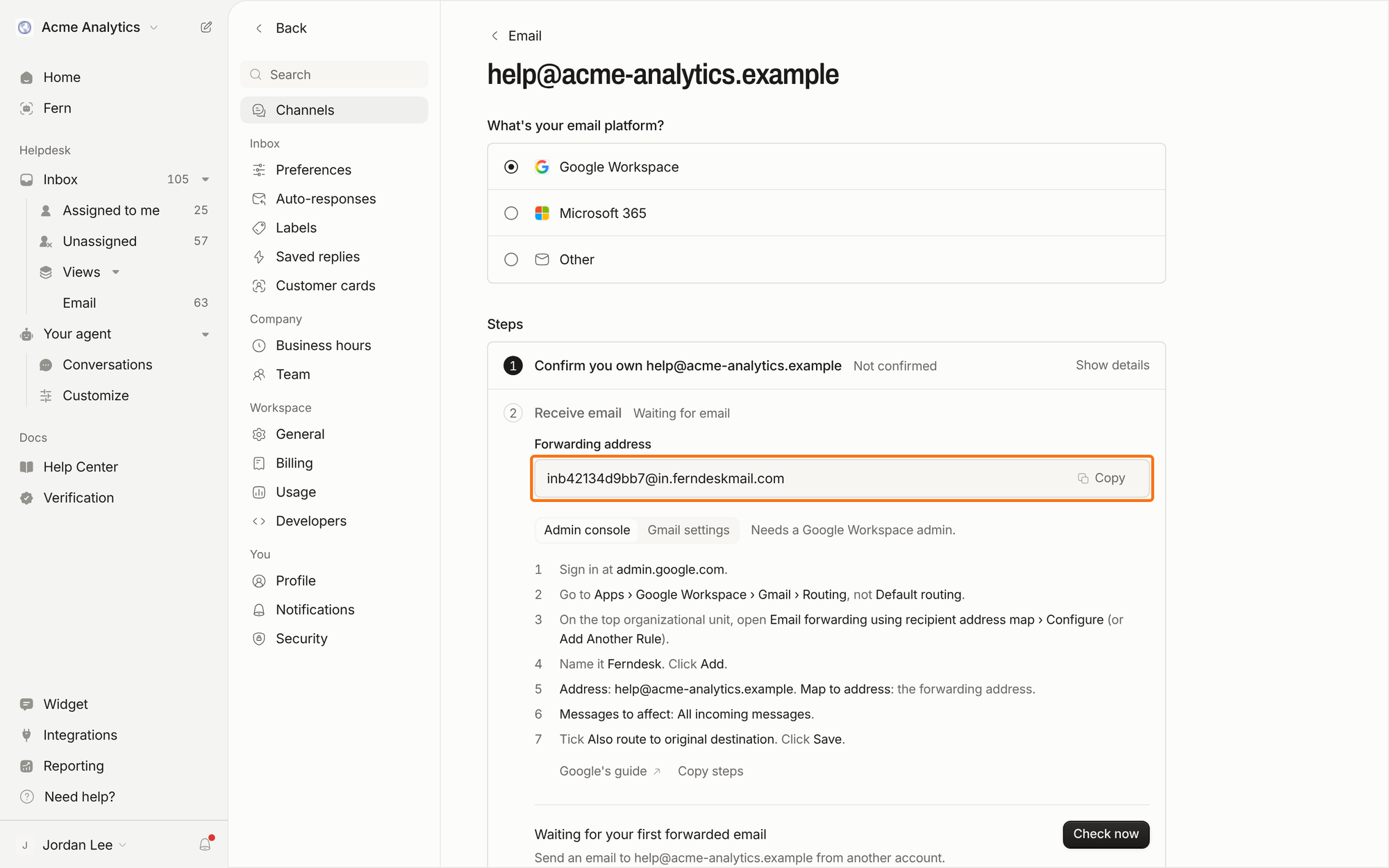
In Ferndesk, open Settings > Channels > Email and click [email protected]. If it isn't listed yet, click Add address and add it first. Under What's your email platform?, pick Microsoft 365, and keep Exchange admin center selected. Click Show setup next to Receive email, then click Copy next to Forwarding address.
2
Open the Exchange admin center
Sign in at admin.exchange.microsoft.com.
3
Go to Rules
Go to Mail flow > Rules.
4
Create a rule
Select Add a rule, then Create a new rule.
5
Name the rule
In Name, enter Ferndesk.
6
Choose which email
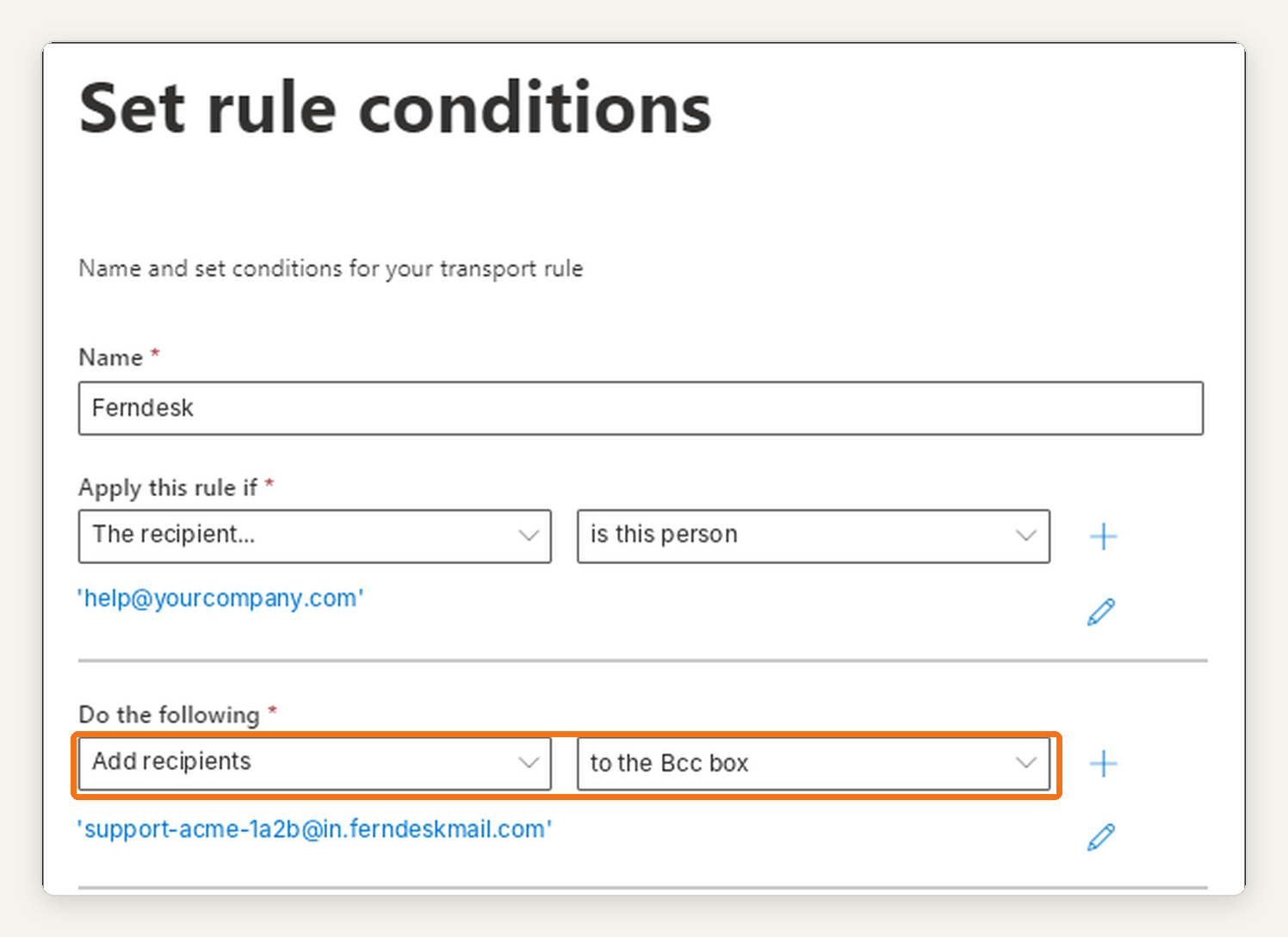
Under Apply this rule if, choose The recipient, then is this person, and pick [email protected].
7
Add Ferndesk in Bcc
Under Do the following, choose Add recipients, then to the Bcc box, and enter the forwarding address from Ferndesk. Select Next.
8
Keep Enforce
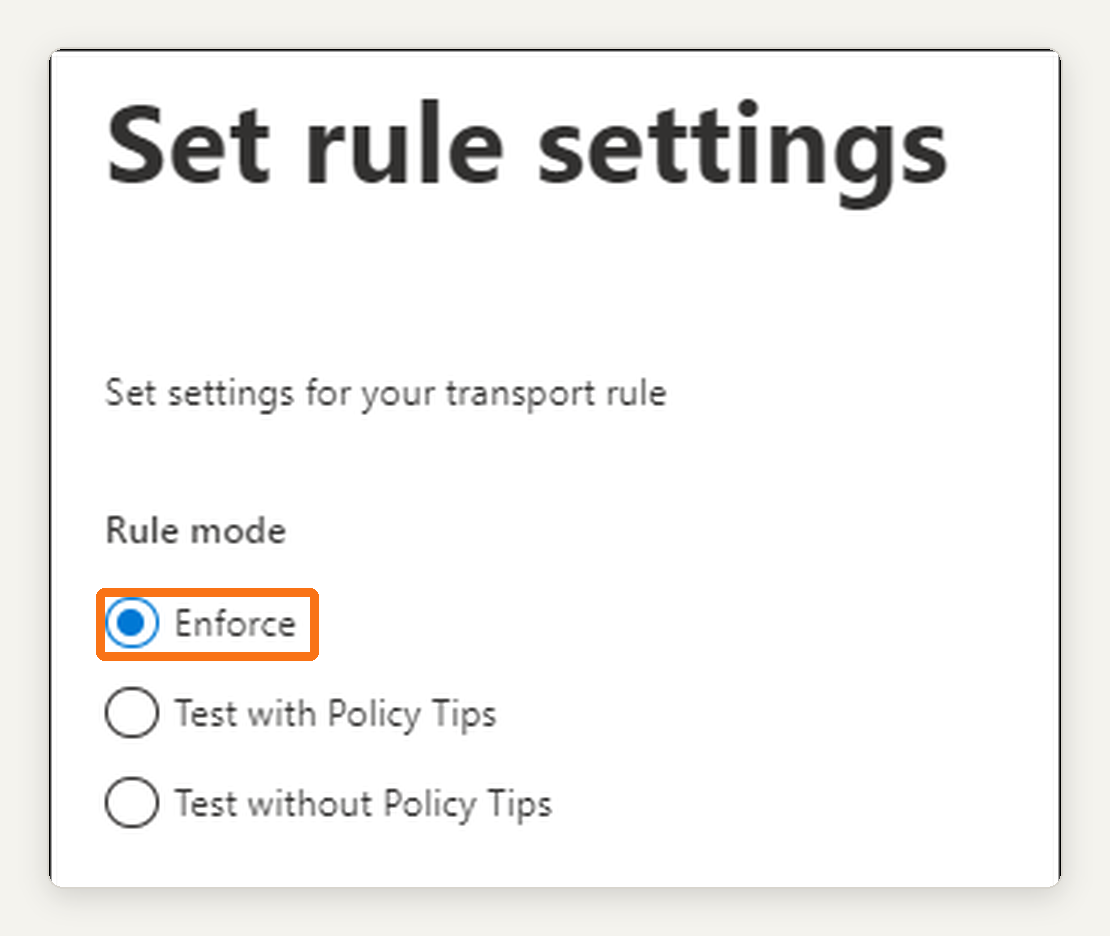
On Set rule settings, keep Rule mode on Enforce. Select Next.
9
Finish
On Review and finish, select Finish, then Done.
10
Check the rule is on
On the Rules page, click the Ferndesk row and make sure Enable or disable rule is on.
11
Send a test email
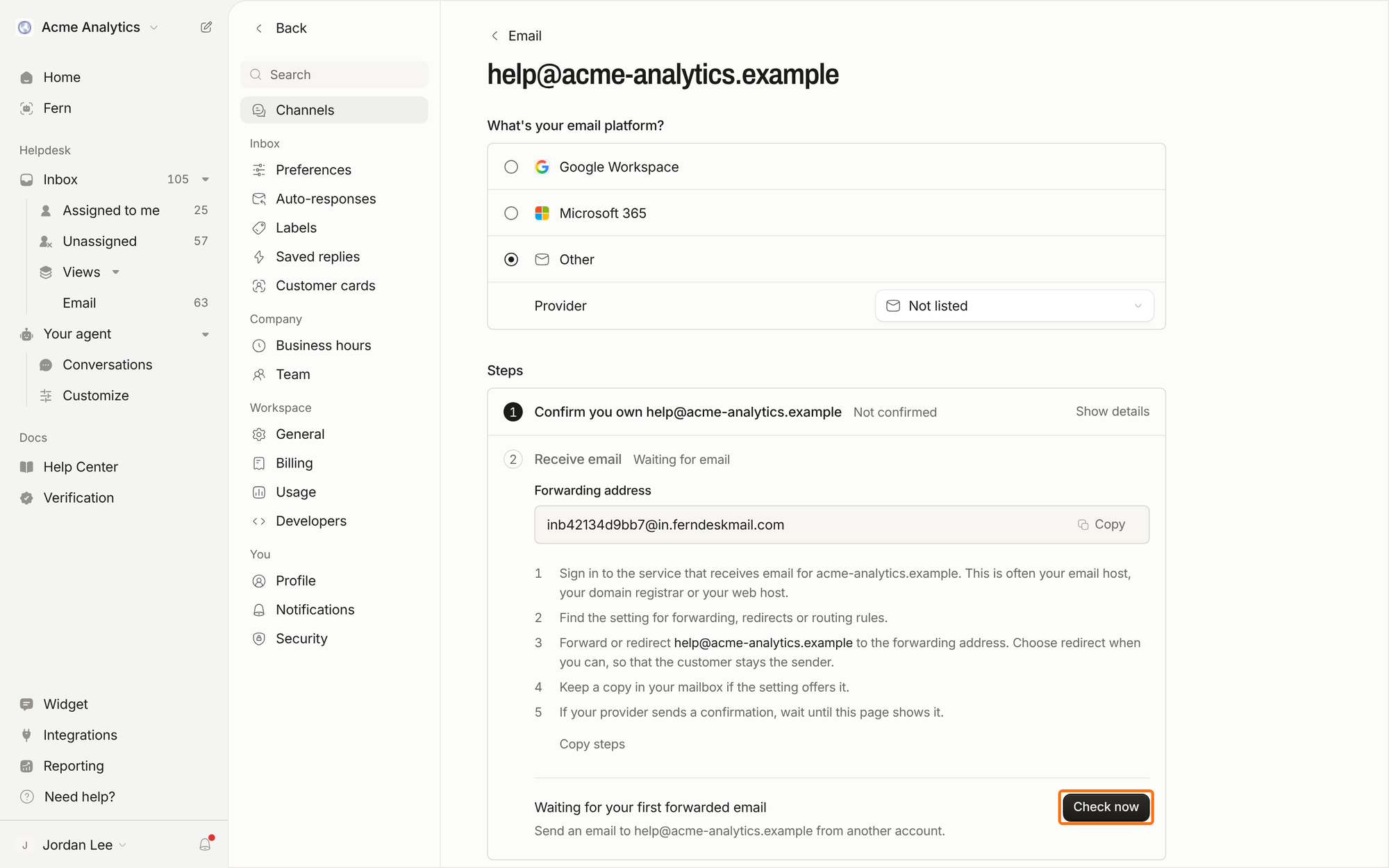
From another account, such as a personal address, send an email to [email protected]. On the address page in Ferndesk, Waiting for your first forwarded email changes to Forwarding verified when it arrives, and the email shows up in your Inbox. Click Check now to look again.
12
Confirm you own the address
On the address page, under Confirm you own [email protected], click Send confirmation email. Because forwarding now works, the email comes back through it to Ferndesk and confirms the address by itself. You need this before you can send from your own address.
If the test email doesn't arrive
Nothing came after a few minutes
help@ is a group, not a mailbox
is this person doesn't accept groups. Ask your admin to build the condition on the message's To box instead, so it matches email sent to the group's address.
I'm not a Microsoft 365 admin
Ask your admin to follow this guide, or forward from the mailbox itself with Forward email from Outlook, if your organization allows forwarding.
Microsoft's own guide: Manage mail flow rules in Exchange Online. Screenshots adapted from Microsoft Learn, licensed under CC BY 4.0.
Back to Set up email in Ferndesk.
Was this helpful?
Was this helpful?