
You don't need one to get started. Customers can write to your Ferndesk address directly. See Set up email in Ferndesk.
Forward email from another provider
Use this guide when your email provider has no guide of its own. Most providers can forward one address to another. You forward [email protected] to Ferndesk and keep a copy where the provider allows it.
1
Open your address in Ferndesk
In Ferndesk, open Settings > Channels > Email and click [email protected]. If it isn't listed yet, click Add address and add it first.
2
Pick your email platform
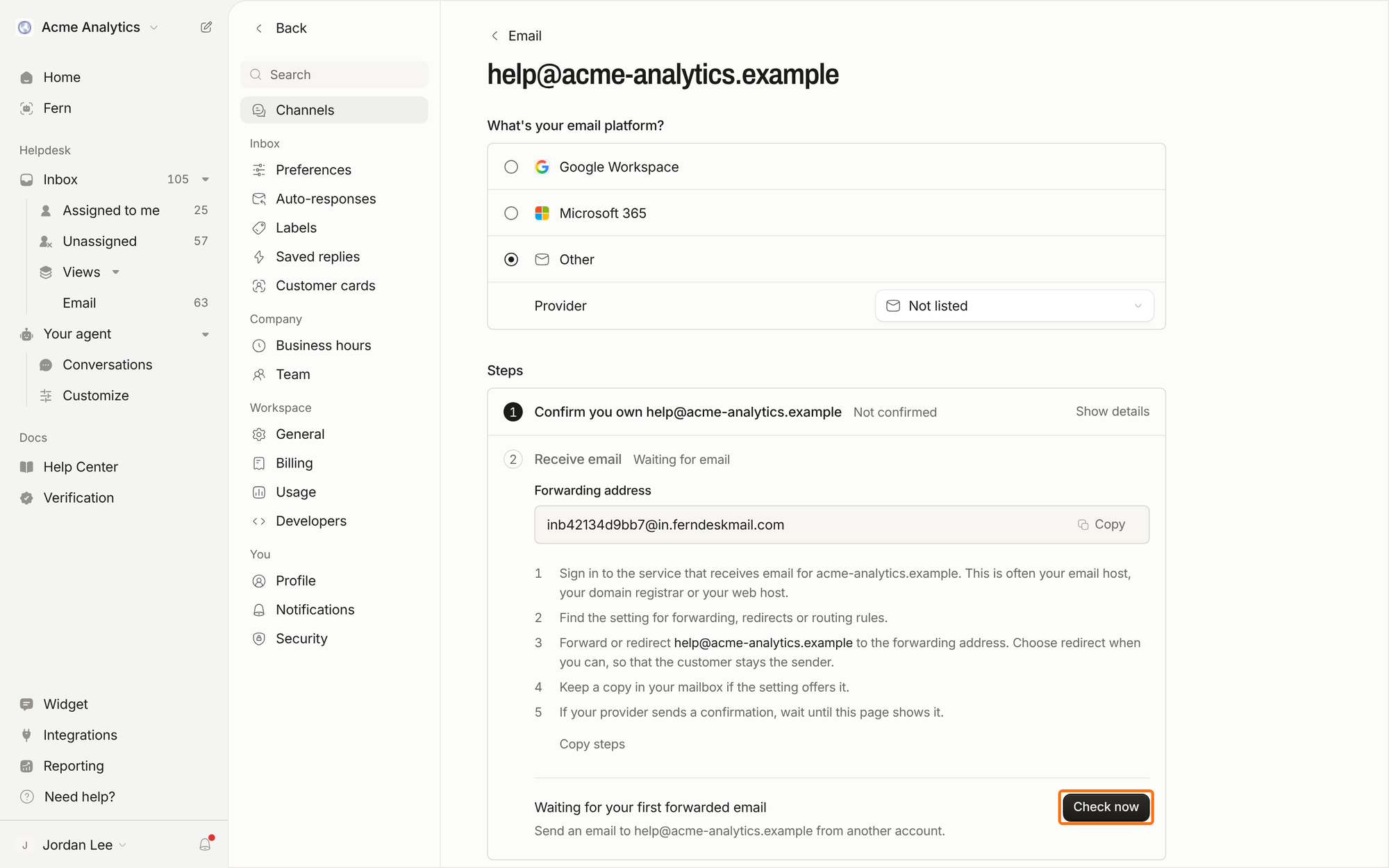
Under What's your email platform?, pick Other, then Not listed under Provider.
3
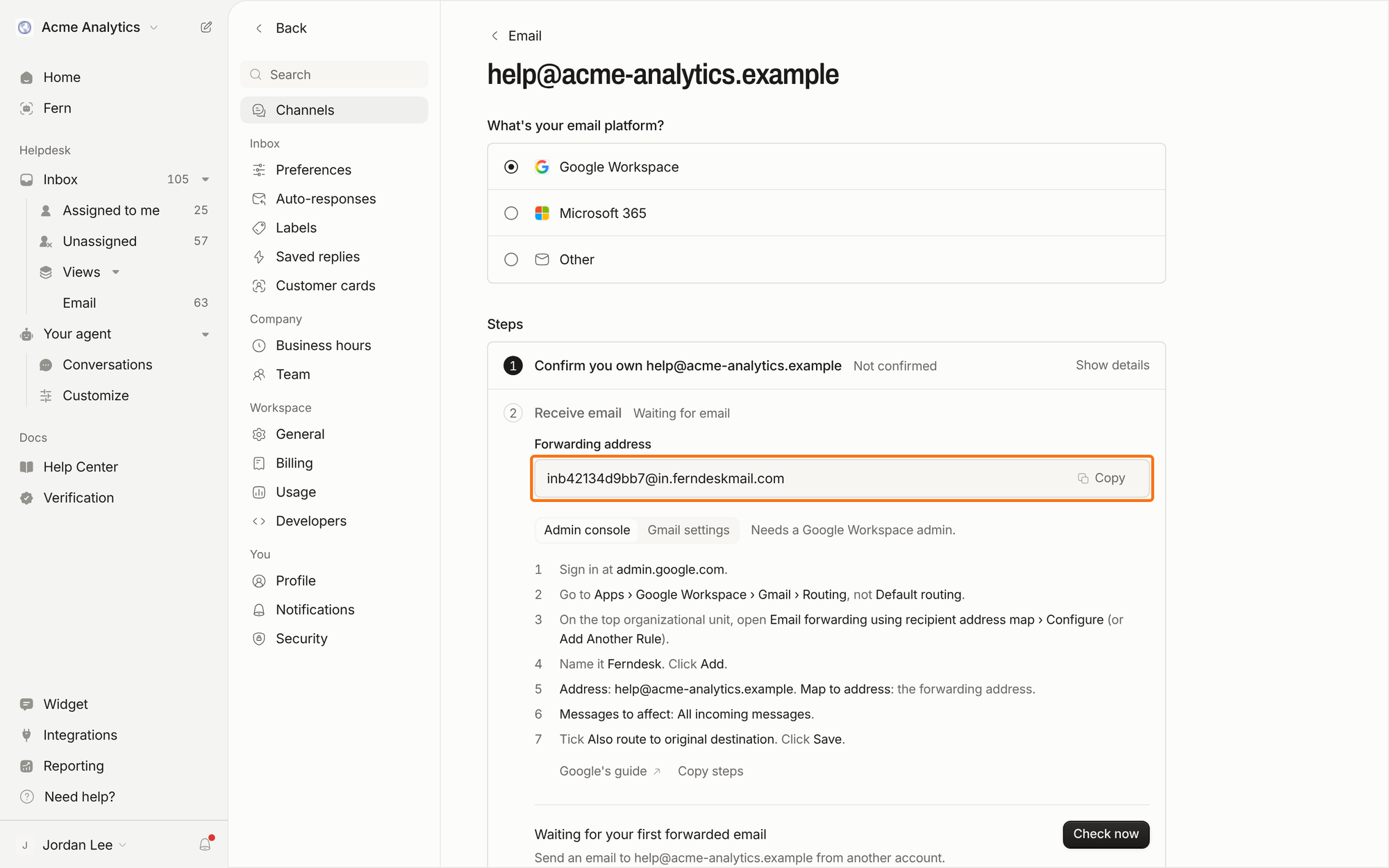
Copy the forwarding address
Click Show setup next to Receive email, then click Copy next to Forwarding address.
4
Sign in to your provider
Sign in where email for yourcompany.com is managed. That is usually your email host, your domain registrar or your web host.
5
Find forwarding
Look for a setting called forwarding, redirect, forwarders or routing rules.
6
Forward help@ to Ferndesk
Forward or redirect [email protected] to the forwarding address from Ferndesk. Choose redirect when you can, so the customer stays the sender.
7
Keep a copy
If the setting offers to keep a copy in your mailbox, turn it on.
8
Confirm if asked
If your provider sends a confirmation email or code, it usually arrives in Ferndesk as a new conversation in your Inbox. If it isn't there, check Ignored. Open it and use its link or code.
9
Send a test email
From another account, such as a personal address, send an email to [email protected]. On the address page in Ferndesk, Waiting for your first forwarded email changes to Forwarding verified when it arrives, and the email shows up in your Inbox. Click Check now to look again.
10
Confirm you own the address
On the address page, under Confirm you own [email protected], an owner or admin clicks Send confirmation email. Because forwarding now works, the email comes back through it to Ferndesk and confirms the address by itself. You need this before you can send from your own address.
If something doesn't work
My domain has no email host
I can't find a forwarding setting
Search your provider's help center for "forward email to another address", or ask the person who manages your domain.
Back to Set up email in Ferndesk.
Was this helpful?
Was this helpful?