
Change your Ferndesk password
Update your Ferndesk password from the Security settings in your account.
Before you begin: You need access to the Ferndesk dashboard and your current password.
Open Security settings
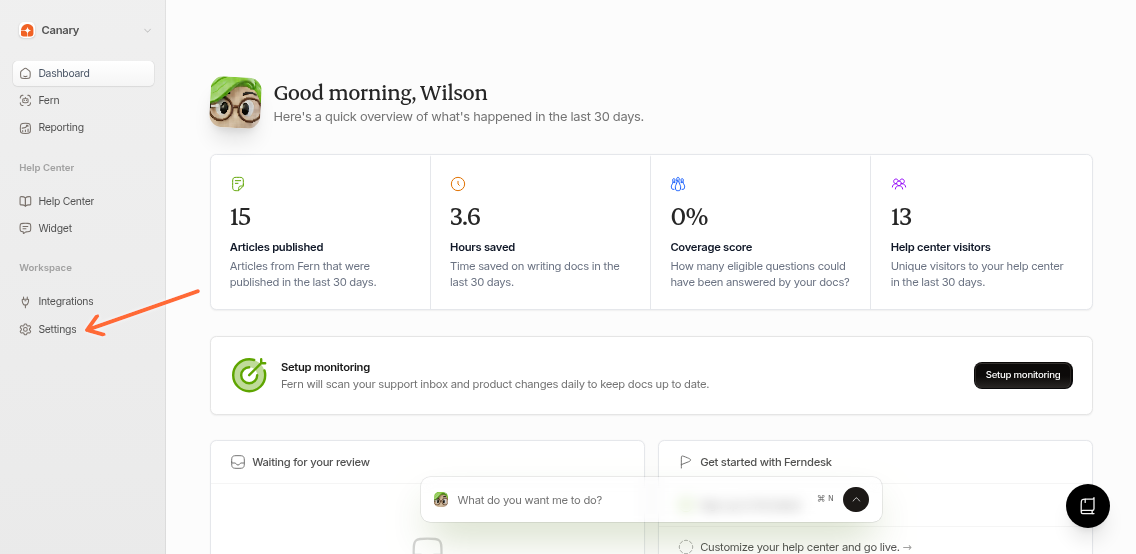
From the left sidebar, select Settings.
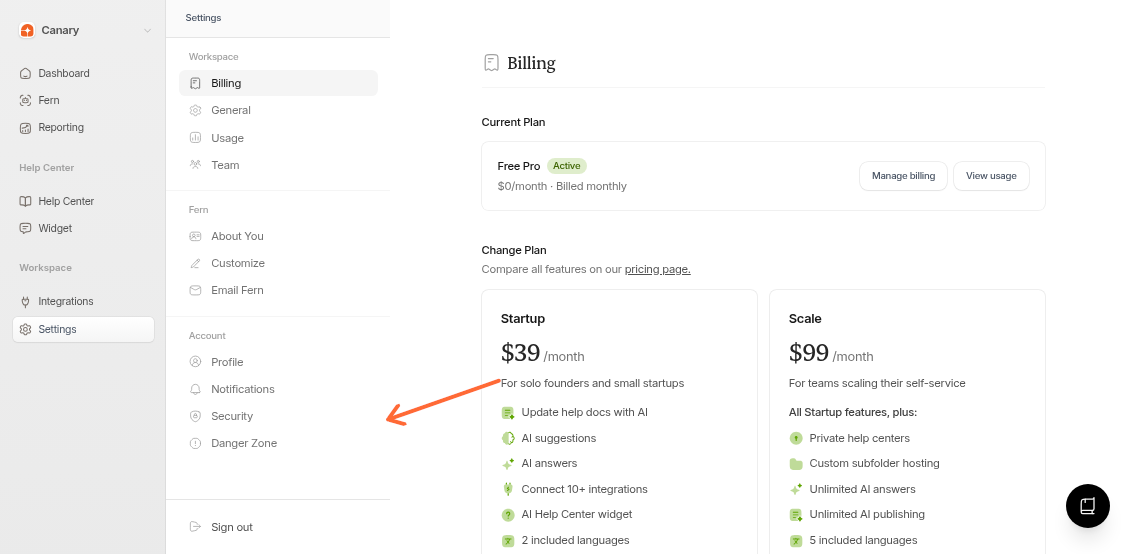
In Settings, open the Security tab.
Change your password
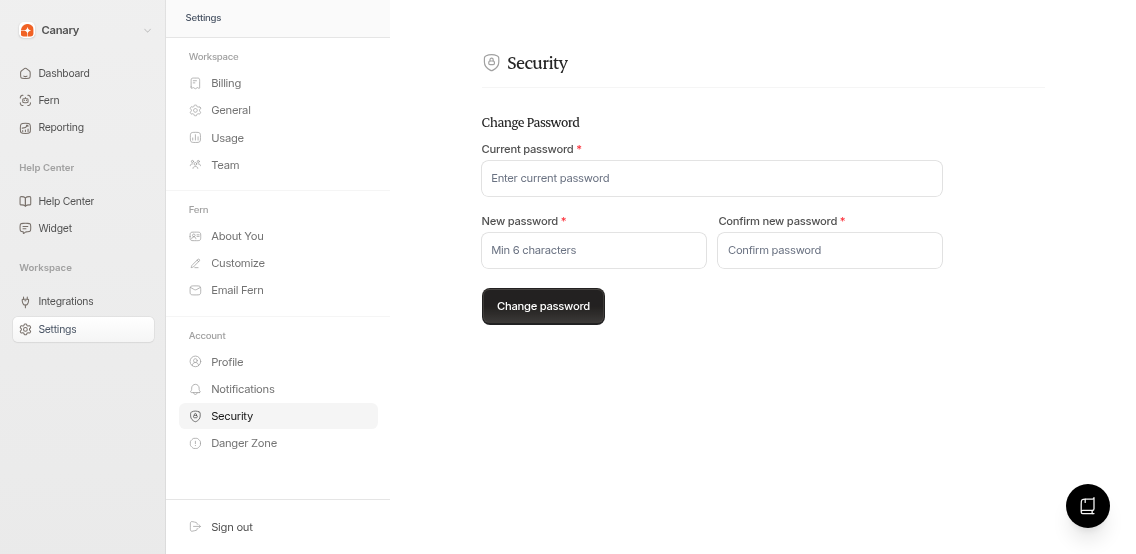
Enter your Current password.
Enter a New password (minimum 6 characters).
Confirm the new password.
Select Change password.
If you see “Passwords do not match,” re-enter the new password and confirmation so they match exactly.
Confirm the update
When the update succeeds, you will see a confirmation message.
Related articles
Was this helpful?