
Adding Custom Instructions to Fern
Set organization-level instructions to guide how Fern researches and writes. Instead of repeating preferences in every prompt, configure them once for consistent results.
Where to Add Instructions
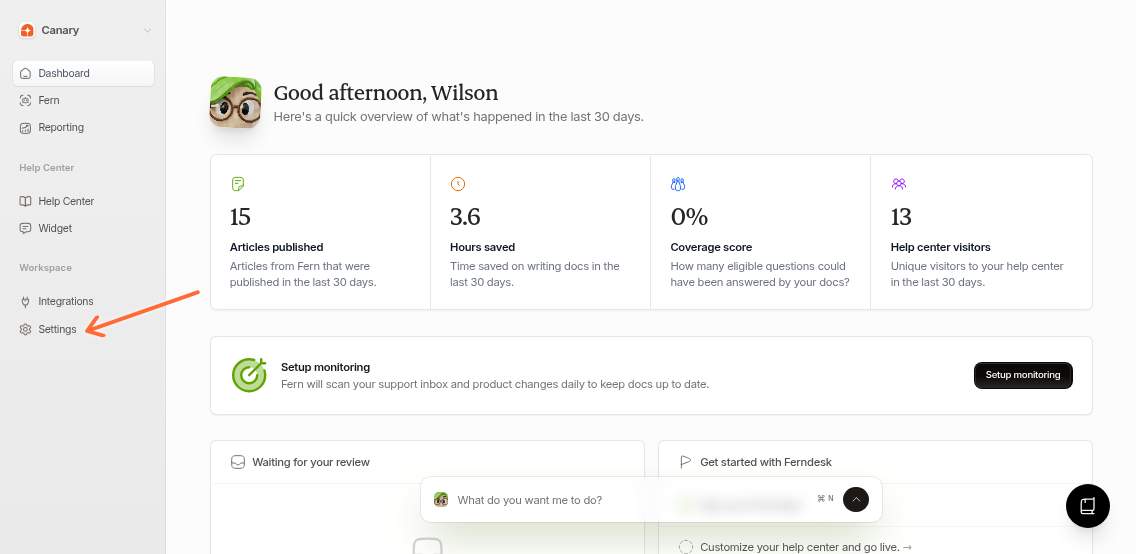
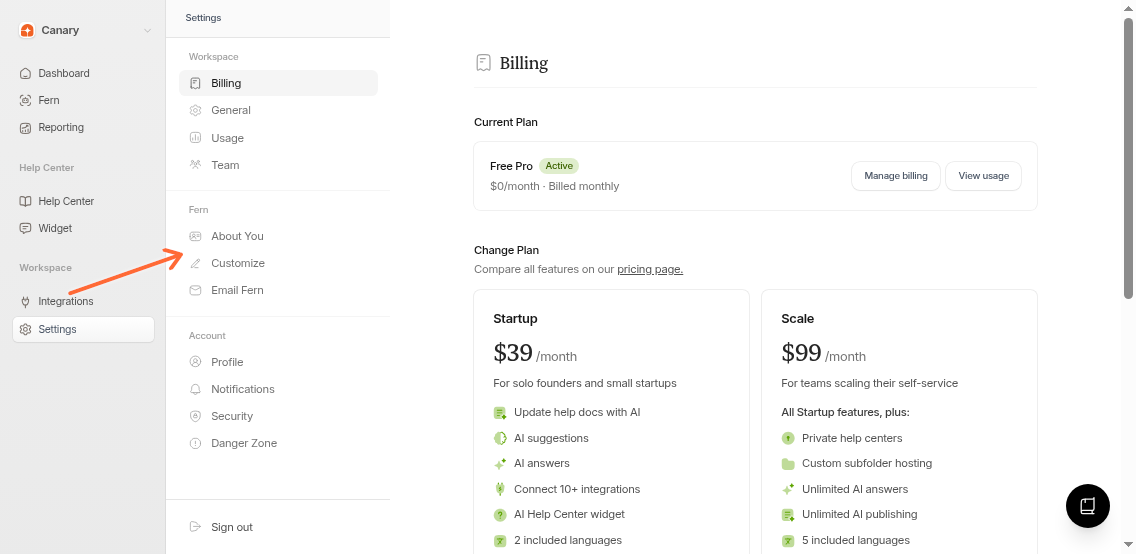
Go to Settings → Fern or follow these steps:
Click Settings in your dashboard sidebar
Select Fern from the settings menu
Add your preferences to the two instruction fields:
Drafting instructions - Controls how Fern writes (tone, format, structure)
Research instructions - Guides what Fern prioritizes when gathering information
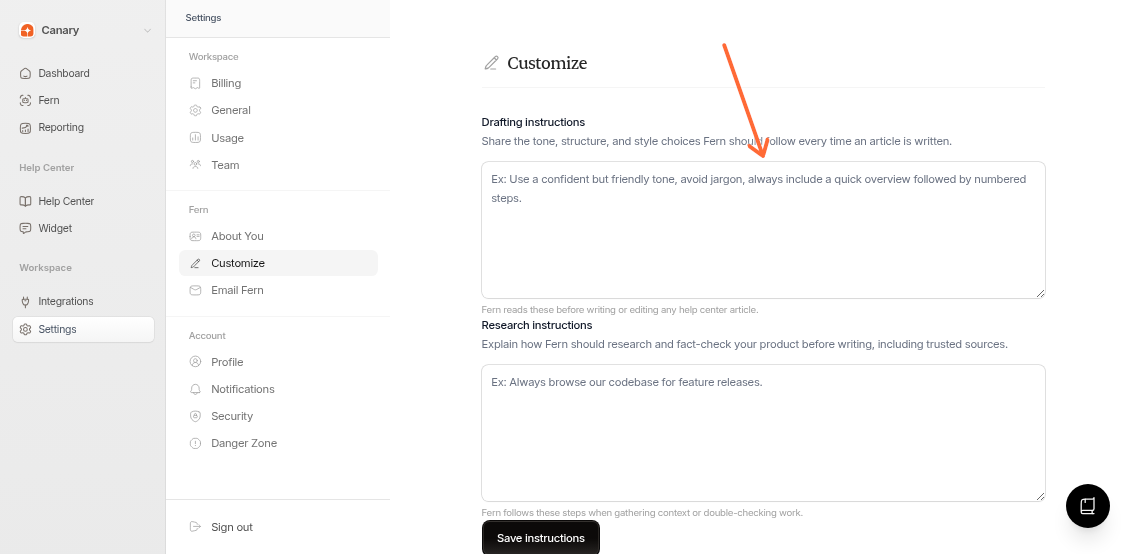
Click Save instructions to apply them
Instructions apply to your entire organization and all future tasks.
What to Customize
Drafting
Tone - "Use a confident but friendly tone"
Structure - "Always include a quick overview followed by numbered steps"
Style - "Use title case for headings, avoid jargon"
Format - "Include code examples for API endpoints"
Research
Sources - "Always browse our codebase for feature releases"
Priorities - "Check support tickets for common issues first"
Verification - "Cross-reference with existing articles"
Keep instructions specific. "Use numbered steps" is clearer than "Make articles easy to follow."
Why Use Custom Instructions
Save time - Stop repeating the same preferences in every task
Maintain consistency - Every article follows the same voice and structure
Focus research - Prioritize the sources that matter most
Example Instructions
Drafting: "Use a confident but friendly tone. Avoid jargon. Always include a quick overview followed by numbered steps. Use title case for headings."
Research: "Always browse our codebase for feature releases. Check support tickets for common user issues. Prioritize recent changelog entries."
Very long instructions may impact performance. Keep them short and focused.