
Introducing the Ferndesk Helpdesk
This is day one of Ferndesk Launch Week, and we're starting with the biggest one: Helpdesk.
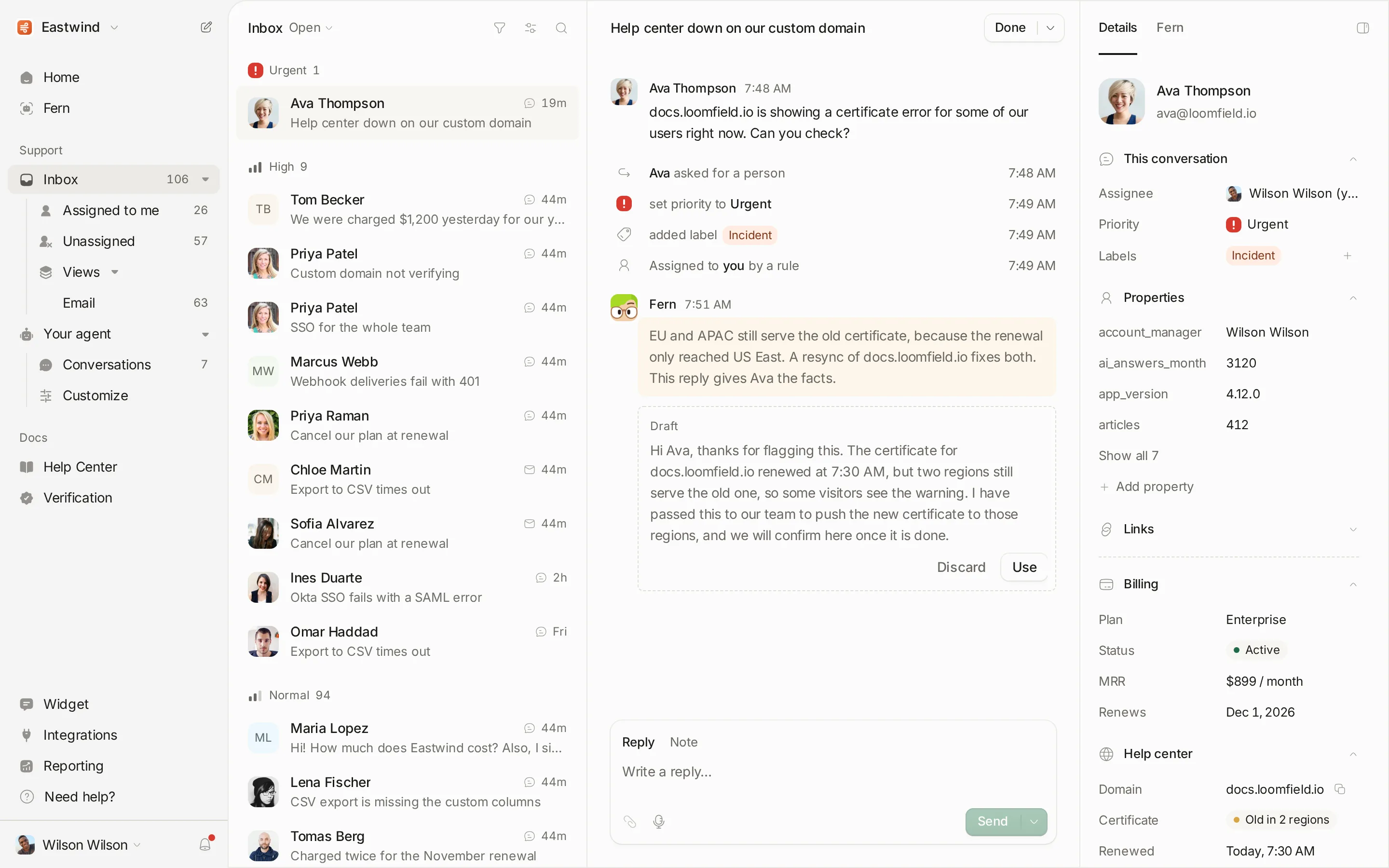
Ferndesk now answers your customers, not just your docs. Helpdesk is a shared inbox for email and live chat, built on the help center you already keep current. The Support Agent answers from your articles, and when it hands a conversation to your team, Fern reads past tickets, your code and release notes, then leaves a note on what's wrong and a reply ready to send. Every answer your team writes can become a new article, so the next customer never has to ask.
📥 Shared inbox: Forward your support email and answer live chat from the widget in one queue.
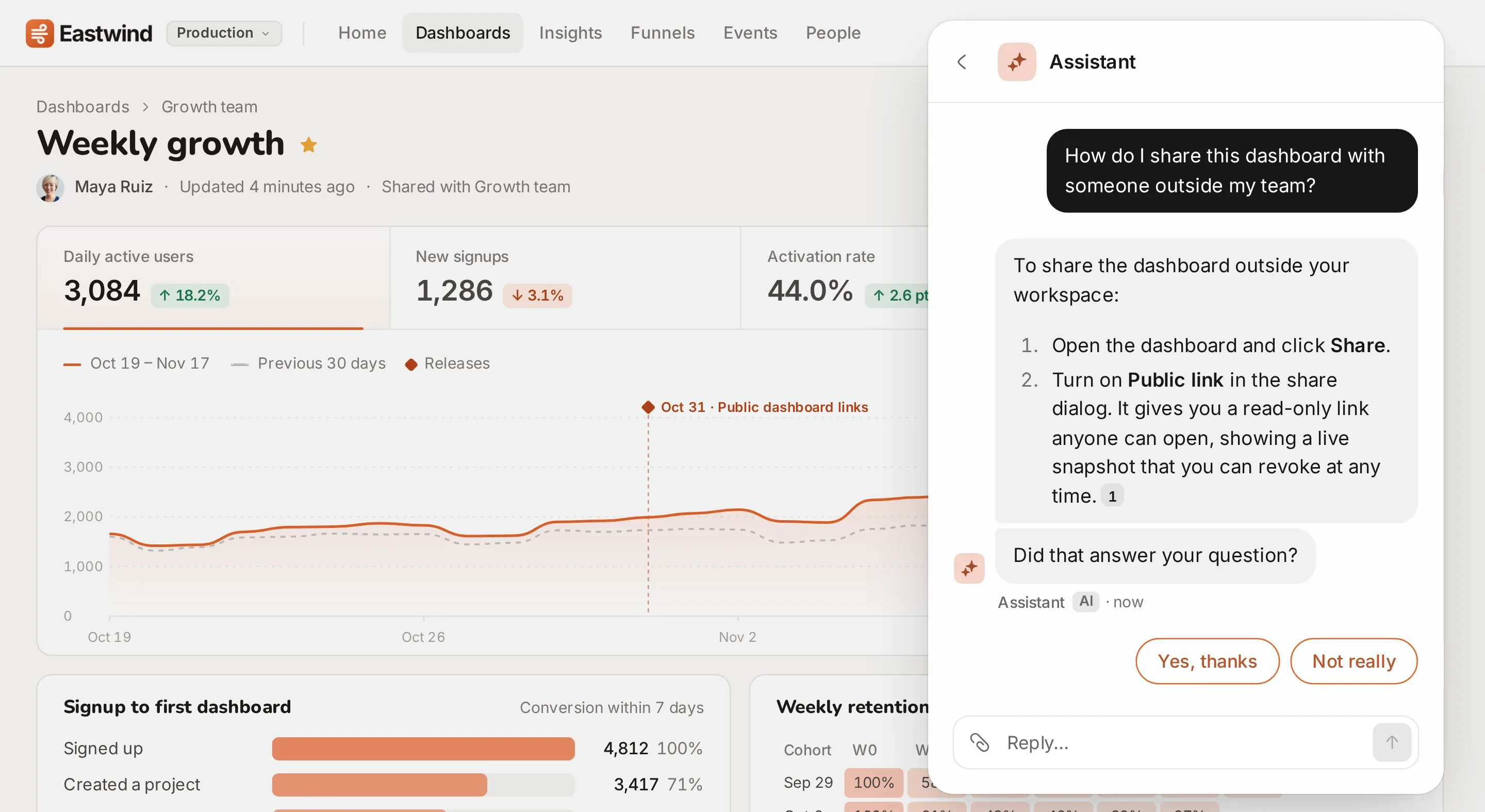
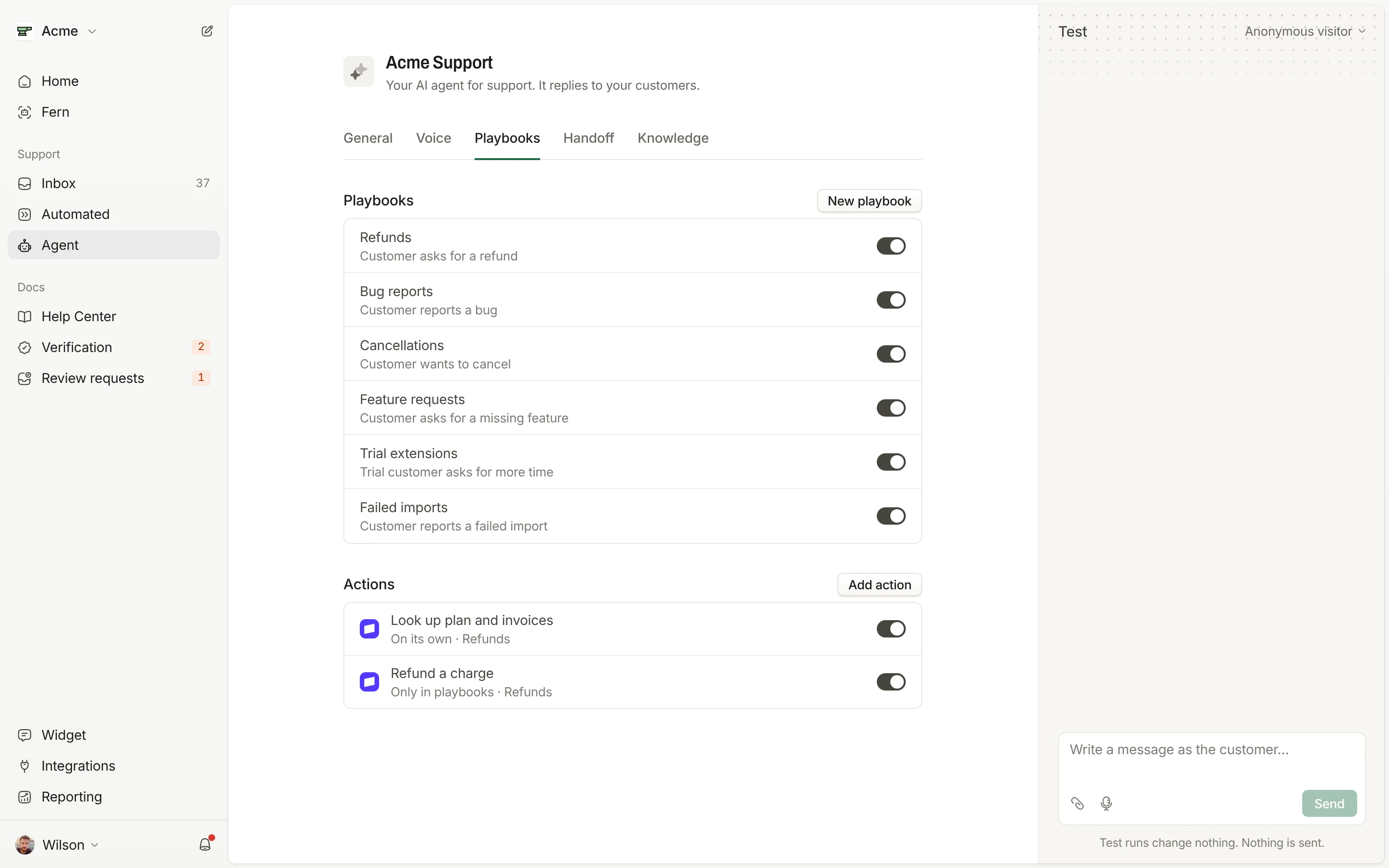
🤖 Support Agent: Answers from your docs and playbooks, and never makes up a link.
🔍 Fern investigates handoffs: Reads past tickets, docs, code and release notes, then leaves a private note and a drafted reply.
🪪 Customer cards: Show live customer data from your own API next to each conversation.
📚 Docs from real tickets: When your team answers something the docs don't cover, Fern drafts the article.
One queue for email and live chat
Forward your support address to Ferndesk and answer live chat from the Ferndesk widget in a single shared queue. Move through it with J and K, assign, set priority, snooze, and sort it with saved views and tags. You also get saved replies, internal notes, business hours, reply targets, satisfaction surveys, desktop notifications with a sound for new chats, and Linear issues with a description Fern drafts. Import past conversations and saved replies from Intercom, Zendesk, Help Scout or Gmail. Nothing changes in your old tool, and no customer is messaged.
An agent that answers, and Fern for the hard ones
The Support Agent replies from your articles and playbooks, and never makes up links. When a conversation reaches your team, Fern reads past tickets, docs, code and release notes, then leaves a private note with what's wrong and a drafted reply. Your team sends it. Fern never messages customers herself.
One price
$149 a month covers 1,000 conversations and unlimited seats, $0 per resolution, $0 per seat, whether the agent or a person answers, and your help center is included. If you already use Ferndesk for docs, turn Helpdesk on in Settings. Your current contact method keeps working until you choose the Ferndesk inbox. See Set up Helpdesk.