
Verify article accuracy, a refreshed Ferndesk, and dark mode
Somewhere in your docs, there's an article telling customers to click a button you removed months ago. Verification finds it, and everything else that's drifted, so you can finally know your help center is up to date.
✅ Verify article accuracy: Know your docs are up to date, without reading every article by hand
🌗 Dark mode: Finally, you can use Ferndesk at night!
🔀 Choose GitHub repositories by workspace: Keep each product's docs in sync with only the repos that matter to it
🎨 Customize the widget launcher: Make the widget feel like part of your product
📅 Custom audit date ranges: Audit exactly the period you're worried about
🎨 A refreshed Ferndesk: We've completely redesigned our landing page and dashboard!
Verify article accuracy
Nobody wants to re-read the 200+ articles in their docs, so nobody knows what's broken in them.
An article can tell customers to click a removed button, show screenshots from multiple redesigns ago, or quote limits you've changed... things you won't find unless you verify every article yourself. You end up burning time that you'd rather spend growing your business.
Now, Fern reads every published article, pulls out each claim it makes, and checks it against your actual product: your code, your live app, your support replies, your links.
The verification page shows you everything about the health of your docs at a glance, what needs review, what's up to date, and what Fern couldn't verify because she doesn't have a source for it yet.
When an article needs attention, Fern shows you exactly what she found and drafts the fix for you to review, including retaken screenshots. If it looks right, you publish in one click. If she got it wrong, you mark it as not an issue and she won't flag it again. Fern re-checks every article on her own, periodically.
Article verification is part of the Pro plan. See Verify your help center articles for the full walkthrough.
A refreshed Ferndesk
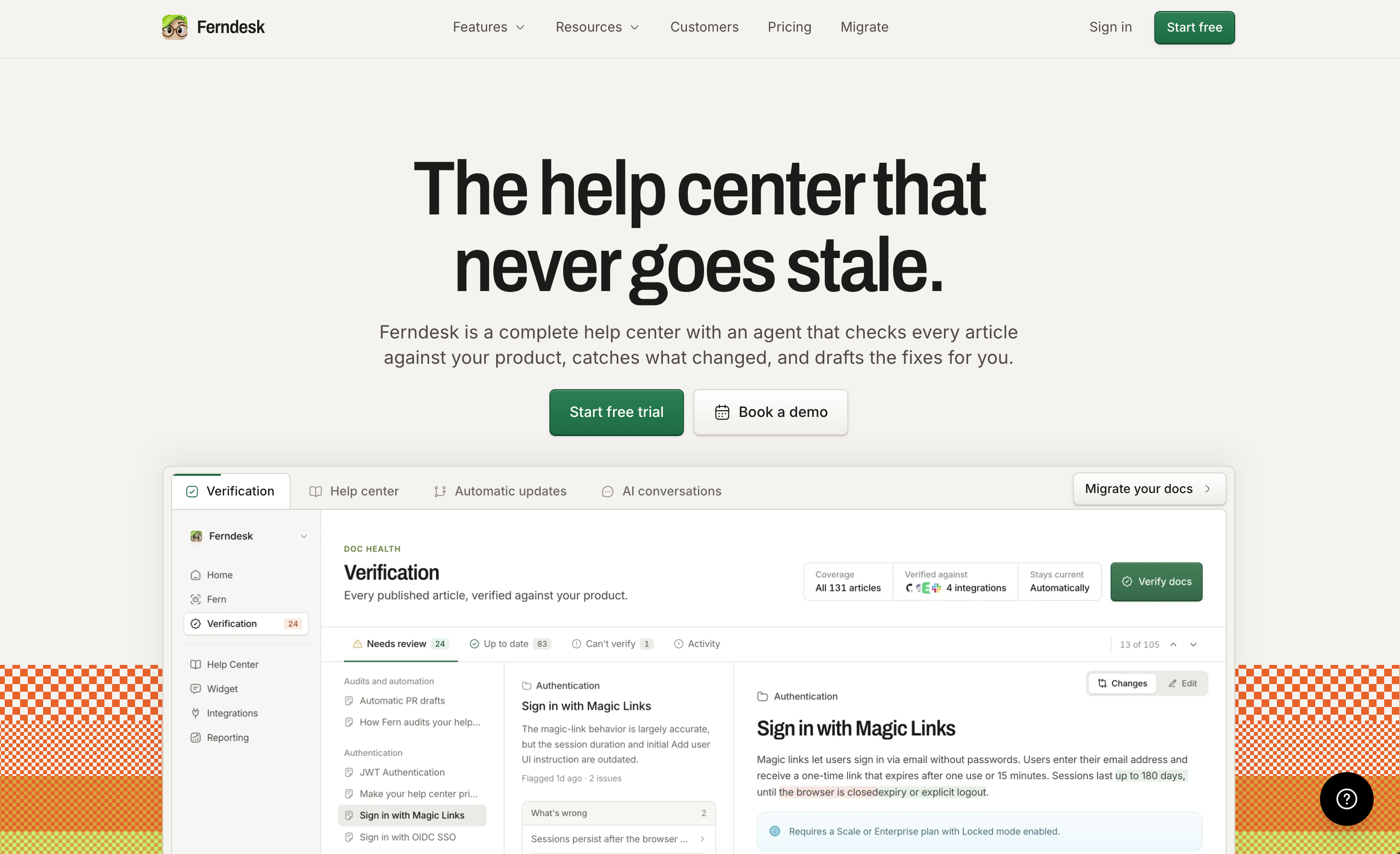
We've completely overhauled our product and branding.
Our landing page, pricing, blog, customer stories, feature pages, and dashboard now share a cleaner and more consistent design language.
Dark mode
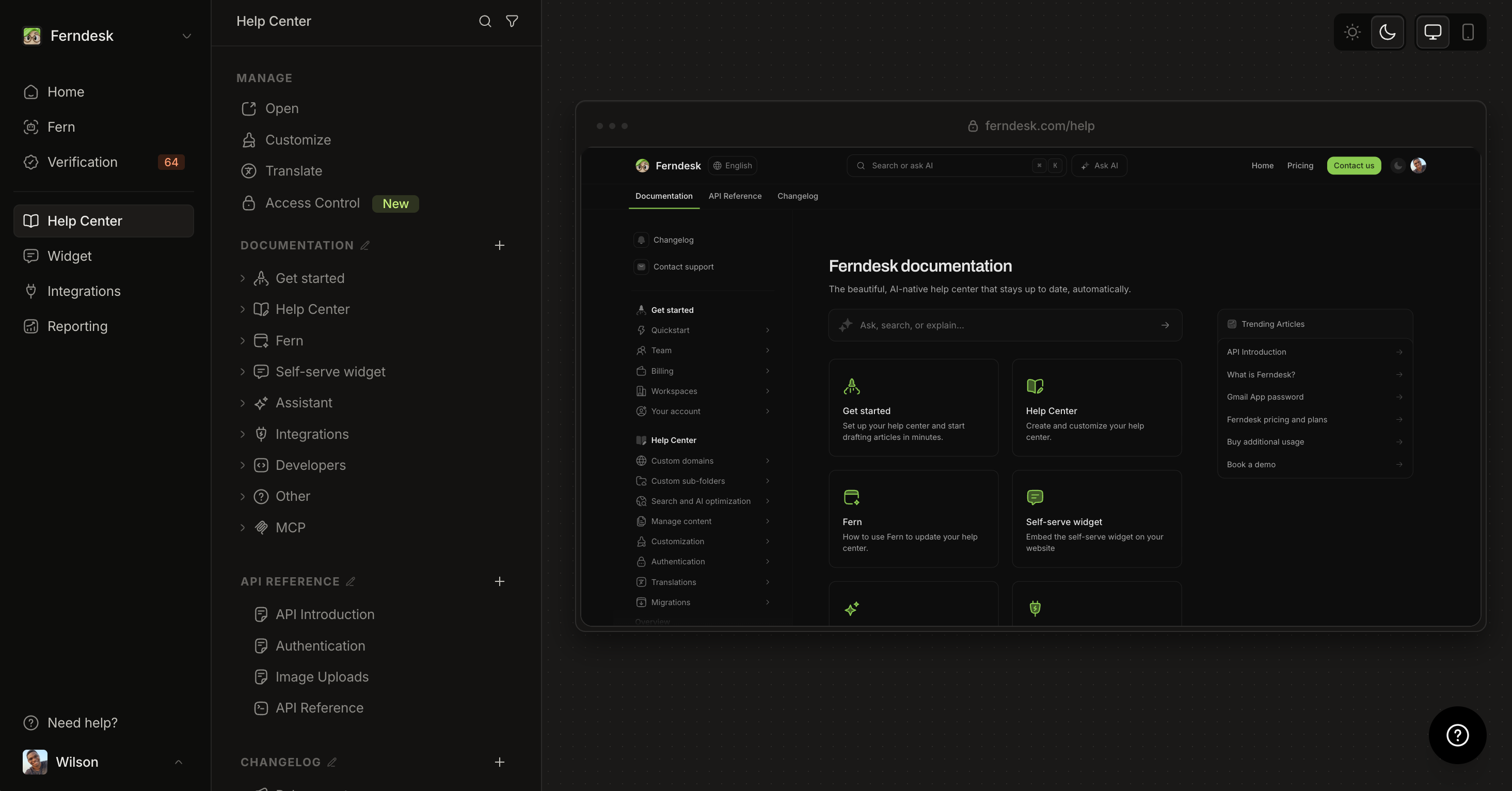
For the night owls, we've finally shipped dark mode!
Work in the appearance that's easiest on your eyes. Choose Light, Dark, or System from the dashboard sidebar, and Ferndesk applies it consistently across the entire dashboard.
Choose GitHub repositories by workspace
Keep each product's docs in sync with only the repositories that matter to it. Each workspace can now choose which GitHub repositories Fern uses, even when several workspaces share one connection, and set the production branch for each one. These choices are saved separately, so changing one workspace never affects another.
Customize the widget launcher
Make the Self-Service Widget feel like part of your product. The launcher now supports optional text, adjustable icon size, and corner rounding. Launcher text can be translated from the widget's Text panel, and the label smoothly collapses to the icon when the widget opens.
Run audits for a custom date range
Audit exactly the period you're worried about. When creating a content audit, you can choose a specific start and end date instead of relying only on preset periods. Custom ranges support up to 366 days and dates from the last two years, and Ferndesk checks that the dates are valid before you continue.
Other improvements
More reliable automatic screenshots: Fern's automatic screenshot workflow is more dependable for help center steps, including sign-in flows that use a magic link or one-time code, and every annotated image keeps a clean original.
Dismiss irrelevant code changes: Mark a suggested code change as Not relevant so it leaves the Fern feed, with an optional reason.
Better savings estimates: The dashboard's estimated time saved now includes research, planning, drafts, screenshots, review, and verification.
Clearer article settings and a cleaner editor: Visibility and SEO choices explain their outcomes, and editor menus, fields, and previews are more consistent across themes.
Workspace names in notification emails: Members of multiple workspaces can tell which workspace a notification is about.