
MCP V2
This is day three of Ferndesk Launch Week, and today we're shipping Ferndesk MCP v2.
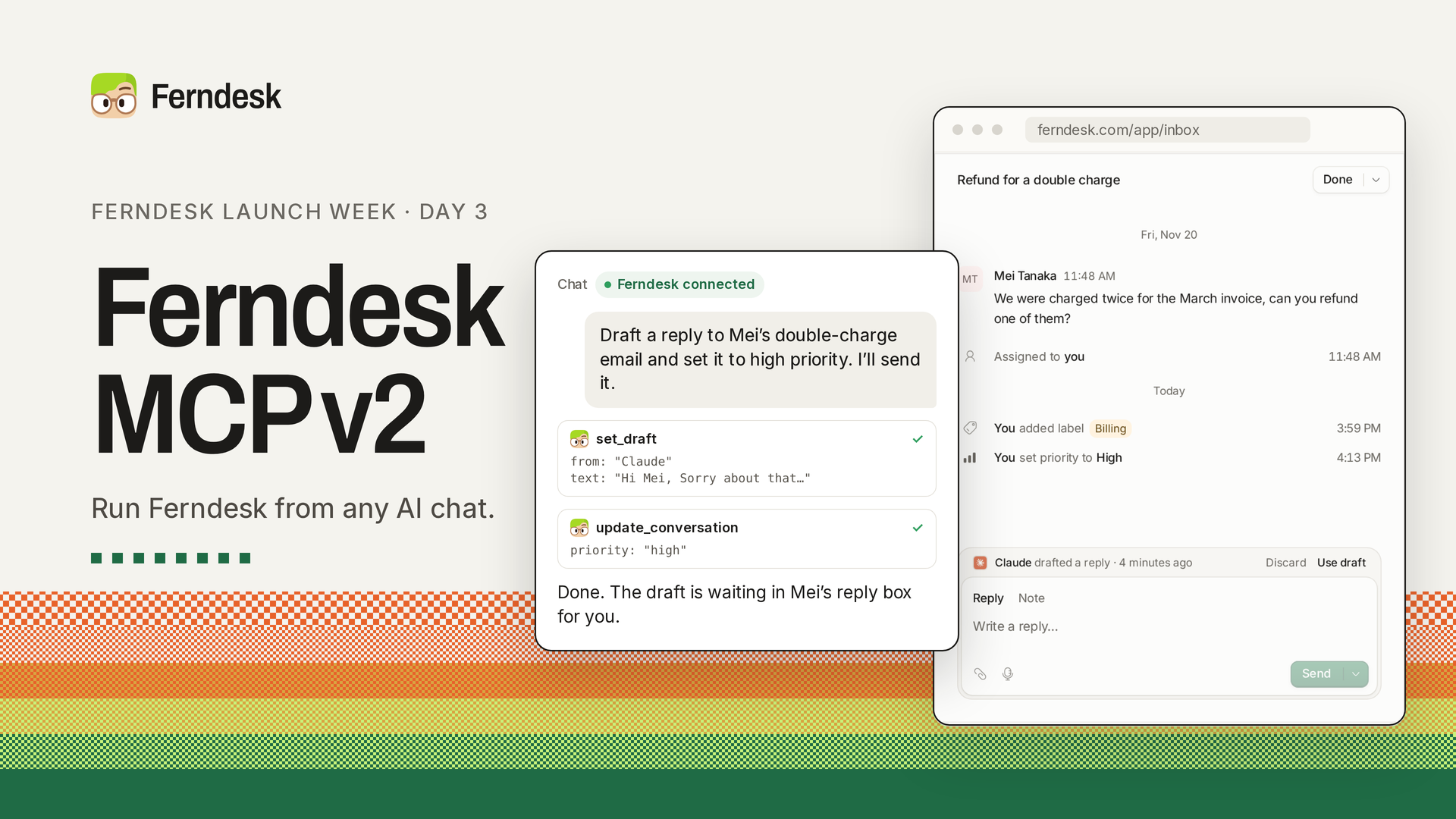
Ferndesk MCP v2 lets you set up and run your help center and Ferndesk Helpdesk entirely from Claude, ChatGPT, Cursor, Codex or any MCP client.
📥 Triage and draft in Ferndesk Helpdesk: Search conversations, add internal notes, assign, label, snooze, set priority or close tickets, and prepare reply drafts that wait in the reply box for a teammate to send.
🛠️ Set up your workspace from chat: Configure your widget, AI agent voice, playbooks and handoff rules, set up email inboxes, business hours, auto-replies, automations, labels and saved replies.
📚 Manage docs and media safely: Write and reorder articles, collections and sections, manage sticky slugs and redirects, replace screenshots in place, and group live edits into review requests before publishing.
📊 Pull Helpdesk and help center reports: Check conversation volume, AI agent performance, satisfaction scores and missed searches, along with the conversations behind each number.
🔒 OAuth sign-in and role permissions: Sign in with OAuth and no API key, where every request checks the connected teammate's role and secrets are never returned.
More in this release
🗂️ Import past conversations: Bring ticket history from another tool through the API with original timestamps, without emailing customers or triggering AI replies.
🔑 Rotate webhook signing secrets: Reveal, copy and rotate signing secrets in Settings > Workspace > Developers > Webhooks while keeping the old secret valid for 24 hours.
🧭 Public API parity: Set sticky slugs, reorder collections and sections, and restore or redirect articles through the public API.
🔔 Ferndesk Helpdesk webhooks: Get a signed event when a conversation starts, a message or note arrives, the status or assignee changes, or the AI hands off.
Connect Claude, ChatGPT, Cursor or any MCP client from Integrations > AI clients.